Ansible playbook to start Proxmox hosts
5 Nov 2023
In my last post , I talked about tagging guests in a Proxmox node so I could easily see which VMs and LXCs I needed to manually start before I ran an Ansible script to run all my apt updates. It would have been reasonable to wonder why I didn’t just add things to my playbook to magically do that.
The answer would be, I haven’t gotten around to it yet, so here goes:
Modules
You might remember we discussed that the various functionalities for Ansible are in modules. The modules for starting Proxmox guests are [community.general.proxmox_kvm](https://docs.ansible.com/ansible/2.9/modules/proxmox_kvm_module.html) for VMs, and [community.general.proxmox](https://docs.ansible.com/ansible/2.9/modules/proxmox_module.html) for LXC containers. If you look at the documentation for either of those, you’ll see a couple of prerequisites: proxmoxer and requests.
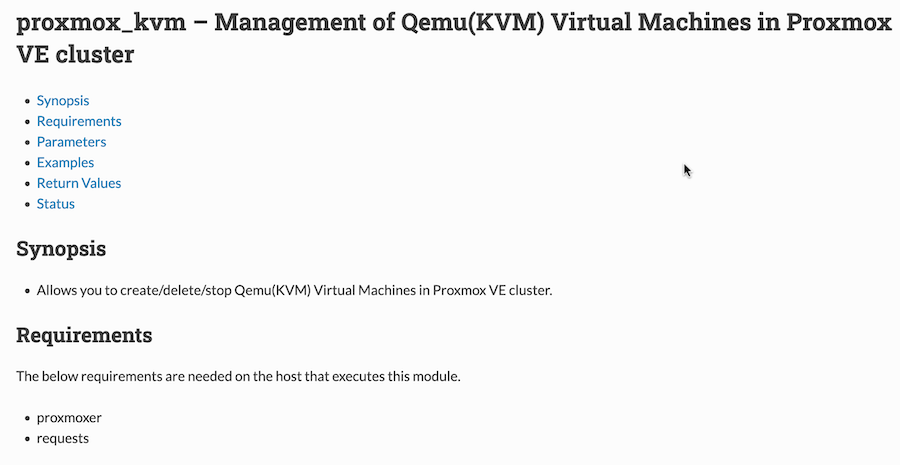
requests is a common Python library (Ansible is actually running Python on the machines it’s configuring) for HTTP requests. We can ignore it since (a) you probably already have it installed, and (b) if not, when we install proxmoxer, it will be installed as a dependency. You’ve probably already guessed that proxmoxer is the Python library for interacting with Proxmox through it’s API.
So before we can start any of the guests, we need to ensure proxmoxer is installed:
  tasks:

    - name: Install proxmoxer
      apt:
        name: python3-proxmoxer
        state: latest
My Ansible setup
It’s probably worth going over how my Ansible is set up so you can make sense of the rest of this without going back to read earlier posts. In the directory where I’m running this playbook, I have an ansible.cfg file. Here’s the entire contents:
[defaults]
INVENTORY = hosts
It’s an INI type file, and in this case it’s just saying if I don’t specify the name of an inventory file (a list of all my machines and their IP addresses or names), then use the file named ‘hosts’. This just saves me specifying the inventory file at the command line with the flag -i each time.
The hosts file looks a bit like this:
[pve_dev1]
pve-dev1
#192.168.100.28

[pve_dev1:vars]
ansible_user='{{pve_dev1_user}}'
ansible_become_password='{{pve_dev1_become_pass}}'
There’s a couple of these entries for every ‘machine’ that I manage. The first bit just gives the address for the machine, and the second the variables for that machine - a sudo user and their password. You could just type those entries in here like this:
[pve_dev1]
pve-dev1
#192.168.100.28

[pve_dev1:vars]
ansible_user=root
ansible_become_password=password1234
Instead of putting my credentials in a text file that’s pushed up to github, I use another file called a ‘vault’ which is encrypted to keep them in. I’ve explained about that elsewhere, but to understand what’s going on here, you just need to know that '{{pve_dev1_user}}' gets resolved to root when the playbook is run.
You might also be wondering about the IP address that’s commented out in the snippets above. I am using the Tailscale MagicDNS on my machines, so I can just refer to this dev Proxmox instance as pve-dev1, but yours is probably setup with IP address instead- in which case use that:
[pve_dev1]
192.168.100.28

[pve_dev1:vars]
ansible_user=root
ansible_become_password=password1234
So now the name being used in Ansible is pve_dev1, but it’s referring to the machine at 192.168.100.28
Starting a Proxmox VM
    - name: start vm321-deb
      community.general.proxmox_kvm:
        api_user    : root@pam
        api_password: '{{pve_dev1_become_pass}}'
        api_host    : pve-dev1
        name        : vm321-deb
        state       : started
The api_host is the address of the node, and the user and password above it are the same ones you use to log into the web gui of this Proxmox server. name is the you gave the VM in Proxmox when you created it. Note that this is for a stand-alone Proxmox server, not a node that’s part of a cluster. If we had a cluster called ‘mycluster’ and the server/node that vm321-deb was hosted on was called ’node2’ the Ansible entry for it would be:
    - name: start vm321-deb
      community.general.proxmox_kvm:
        api_user    : root@pam
        api_password: '{{pve_dev1_become_pass}}'
        api_host    : mycluster
        node        : node2
        name        : vm321-deb
        state       : started
Starting an LXC container
Increasingly, I run services in their own LXC container. They are quick to create and start, use less resources, but can still be snapshot-ed for easy backups.
    - name: start ct351-go
      community.general.proxmox:
        api_user    : root@pam
        api_password: '{{pve_dev1_become_pass}}'
        api_host    : pve-dev1
        vmid        : 351
        state       : started
So for these containers, we use a different module, and call them by their VMID instead of name.
Here’s the full playbook.
---
- name: Start pve-dev hosts for updating
  # ansible-playbook start-apt-dev-vms.yaml --ask-vault-pass
  vars_files: ./vault.yml
  hosts: pve-dev1
  become: true

  tasks:

    - name: Install proxmoxer
      apt:
        name: python3-proxmoxer
        state: latest

    - name: start babybuntu
      community.general.proxmox_kvm:
        api_user    : root@pam
        api_password: '{{pve_dev1_become_pass}}'
        api_host    : pve-dev1
        name        : babybuntu
        state       : started

    - name: start vm321-deb
      community.general.proxmox_kvm:
        api_user    : root@pam
        api_password: '{{pve_dev1_become_pass}}'
        api_host    : pve-dev1
        name        : vm321-deb
        state       : started

    - name: start vm322-deb
      community.general.proxmox_kvm:
        api_user    : root@pam
        api_password: '{{pve_dev1_become_pass}}'
        api_host    : pve-dev1
        name        : vm322-deb
        state       : started

    - name: start vm323-deb
      community.general.proxmox_kvm:
        api_user    : root@pam
        api_password: '{{pve_dev1_become_pass}}'
        api_host    : pve-dev1
        name        : vm323-deb
        state       : started

    - name: start ct351-go
      community.general.proxmox:
        api_user    : root@pam
        api_password: '{{pve_dev1_become_pass}}'
        api_host    : pve-dev1
        vmid        : 351
        state       : started

    - name: start ct353-omada
      community.general.proxmox:
        api_user    : root@pam
        api_password: '{{pve_dev1_become_pass}}'
        api_host    : pve-dev1
        vmid        : 353
        state       : started

    - name: start ct356-proxy
      community.general.proxmox:
        api_user    : root@pam
        api_password: '{{pve_dev1_become_pass}}'
        api_host    : pve-dev1
        vmid        : 356
        state       : started