apt update - BADSIG 871920D1991BC93C
30 Oct 2023
I have an ansible script that runs each weekend which basically does an apt update && apt upgrade -Y on every Debian based instance. This weekend it failed on one Ubuntu host. When I went it to try it manually, this was the output:
Hit:1 http://au.archive.ubuntu.com/ubuntu jammy InRelease
Hit:2 https://download.docker.com/linux/ubuntu jammy InRelease
Hit:3 http://au.archive.ubuntu.com/ubuntu jammy-backports InRelease
Hit:4 http://au.archive.ubuntu.com/ubuntu jammy-security InRelease
Get:5 http://au.archive.ubuntu.com/ubuntu jammy-updates InRelease [119 kB]
Err:5 http://au.archive.ubuntu.com/ubuntu jammy-updates InRelease
  The following signatures were invalid: BADSIG 871920D1991BC93C Ubuntu Archive Automatic Signing Key (2018) <ftpmaster@ubuntu.com>
Get:6 https://pkgs.tailscale.com/stable/ubuntu jammy InRelease
Fetched 125 kB in 1s (125 kB/s)
Reading package lists... Done
Building dependency tree... Done
Reading state information... Done
11 packages can be upgraded. Run 'apt list --upgradable' to see them.
W: An error occurred during the signature verification. The repository is not updated and the previous index files will be used. GPG error: http://au.archive.ubuntu.com/ubuntu jammy-updates InRelease: The following signatures were invalid: BADSIG 871920D1991BC93C Ubuntu Archive Automatic Signing Key (2018) <ftpmaster@ubuntu.com>
W: Failed to fetch http://au.archive.ubuntu.com/ubuntu/dists/jammy-updates/InRelease  The following signatures were invalid: BADSIG 871920D1991BC93C Ubuntu Archive Automatic Signing Key (2018) <ftpmaster@ubuntu.com>
W: Some index files failed to download. They have been ignored, or old ones used instead.
Solved
The first google result mentions apt-cache - which I also run , so a first level debug step is to delete the /etc/apt/apt.conf.d/00aptproxy file that redirects apt requests to the cache I run in an LXC container. After that, if I re-run the apt update it works perfectly. Seems like a problem with the cache then. I’m not sure why it would only affect this host though - I have other Ubuntu VM’s in the fleet that are not getting the original error.
In any case, adding the conf back to force the server to use the cache made the error reappear - so it’s definitely related to the cache. With any type of cache, when there’s a problem related to it, deleting the contents is usually a “plan A” response. Assuming there’s some mechanism in Apt Cacher NG to do this, I went to the little stats/config webpage it serves up.
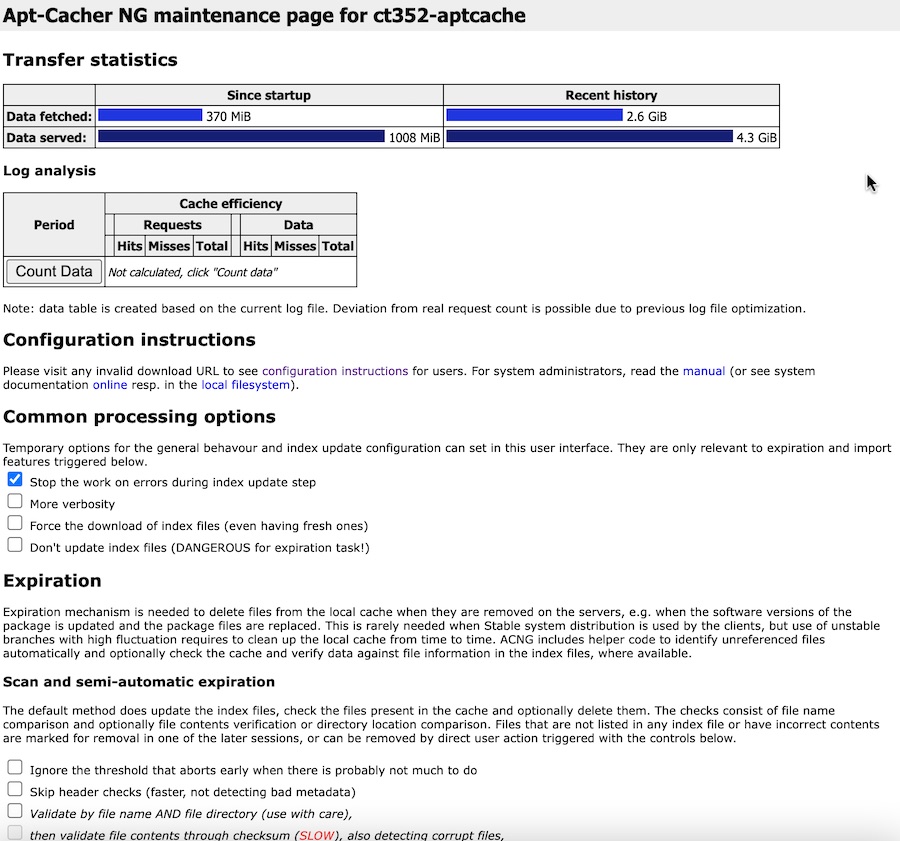
Well “Force the download of index files” sounds promising, let’s try that.
I ticked the box for Force the download of index files (even having fresh ones), but it wasn’t clear to me how to make that change stick. The first button I could click further down the page was “Start Scan” which was related to some different checkboxes. I tried it anyway, but it didn’t force the downloading of index files. Time for some command line comandoing.
The cache files for aptcacher-ng are in /var/cache/apt-cacher-ng/ each distro has a directory in there.
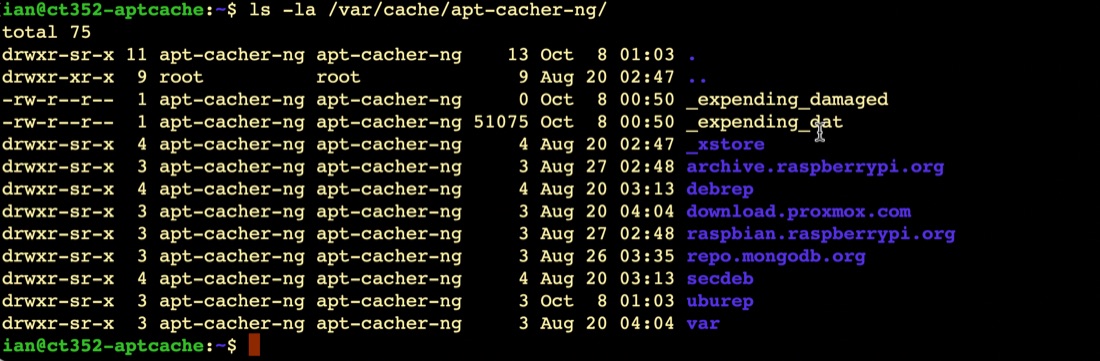
Guessing the Ubuntu repository cache is probably stored in uburep, I deleted that with rm -R /var/cache/apt-cacher-ng/uburep. When I retried the apt update, it worked perfectly, and I could see that the /var/cache/apt-cacher-ng/uburep directory had re-appeared.
That’s the immediate problem fixed. The cause of this problem is unclear. Presumably it related to a package running on this Ubuntu machine (runs docker with a couple of small services) that is not running on my other Ubuntu hosts. It probably falls into the category of “don’t worry about unless it crops up again”.