@Binding - data between views
5 Nov 2022In C world, if we want to pass a parameter down into a functional call, and allow the receiving function to change it’s value, we’d pass a pointer to the variable. Something like this:
#include <stdio.h>
#include <stdlib.h>

void increment(int* b) {
    *b=*b+1;
}

int main() {
    int a = 5;
    increment(&a);
    printf("%d", a);
    return 0;
}

// prints '6'
For youngsters, what’s happening is that we’ve set the value of a to 5, then passed the memory address of a into the increment() function. That’s what the @a means.
In the increment function we’re expecting an *int - ie the address of an int. Then we dereference it with the asterisks to operate on the value stored in the address.
The reason I mention all this ancient lore is because it’s what I imagine is happening with the @Binding in a subview - although I’m also sure the story underneath is more complex than that.
import SwiftUI

struct ContentView: View {
    @State var someInt = 5
    var body: some View {
        VStack {
            SubView(someValue: $someInt)
            Text("Content view \(someInt)")
        }
    }
}

struct SubView: View {
    @Binding var someValue: Int
    var body: some View {
        HStack {
            Text("Subview \(someValue)")
            Button("Inc") {
                someValue += 1
            }
        }.padding()
    }
}
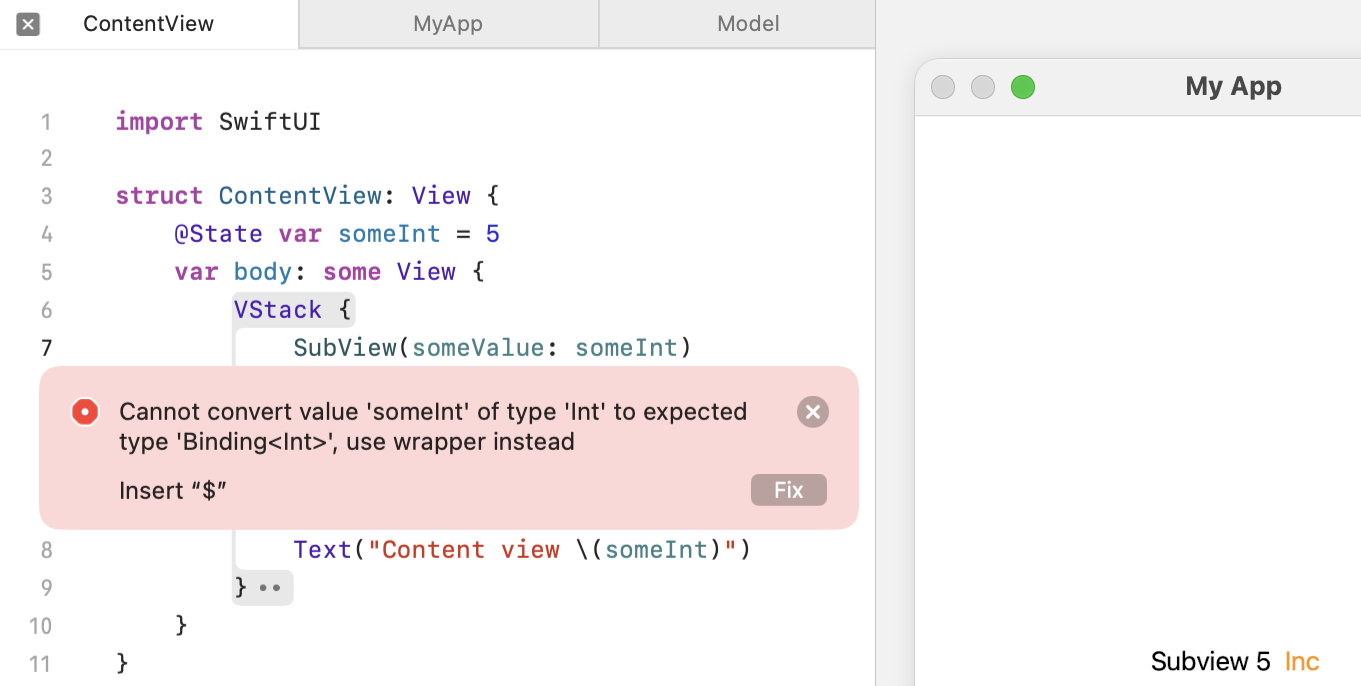
There’s a couple of things to note here. In the SubView struct, we’ve used the @Binding property wrapper, and in the ContentView where we’ve passed the state variable from, we’ve marked it with the $ so indicate we know its a binding variable that can be mutated by whatever it’s being passed to.
If we leave the $ off, the compiler will point out our error because it knows it’s bound in the other view.