CodeTrimmer - First MacOS App
6 Oct 2022I was listening to the StackTrace app this morning (episode 169 - “Choosing What Bugs to Ship” ) and one of the ideas discussed was taking the time to automate some of your development processes, partially to save time, but also because if you make a process simple and quick, you’ll be more likely to do it multiple times to improve quality.
Coincidentally, I’d been thinking about how often I paste some code from Xcode in order to display it in one of these blog posts. If it’s from the middle of a method, it will generally be indented a long way in, and there’s no point in displaying it like that (especially for a mobile reader) so I usually manually delete a heap of spaces from each line to left align it whilst keeping the needed indentation.
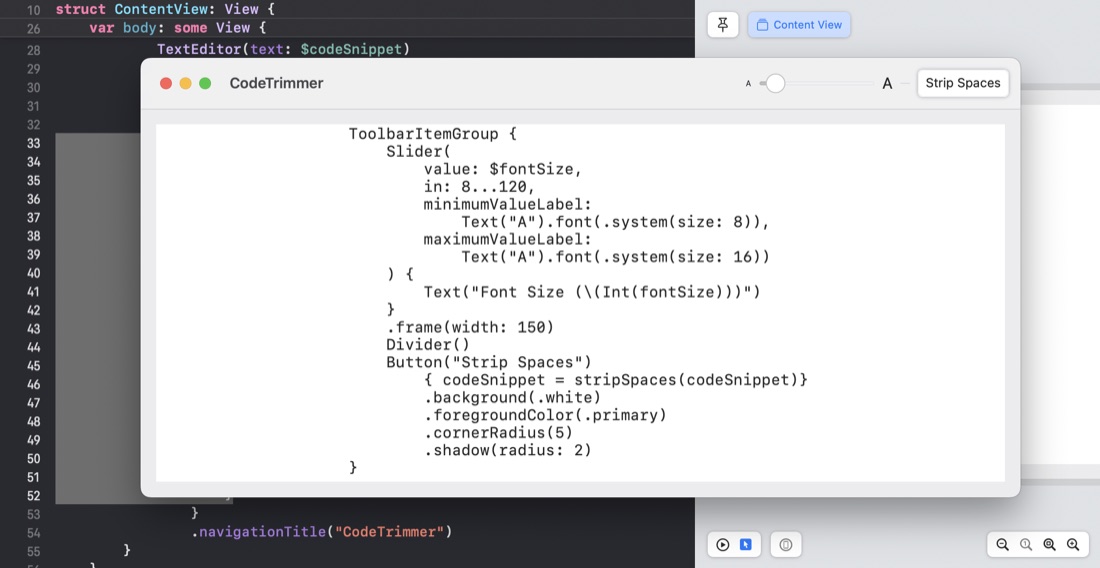
Sounds like a job for a tiny MacOS app - my first! Here it is in action. You copy your code from Xcode, and paste it into the app:
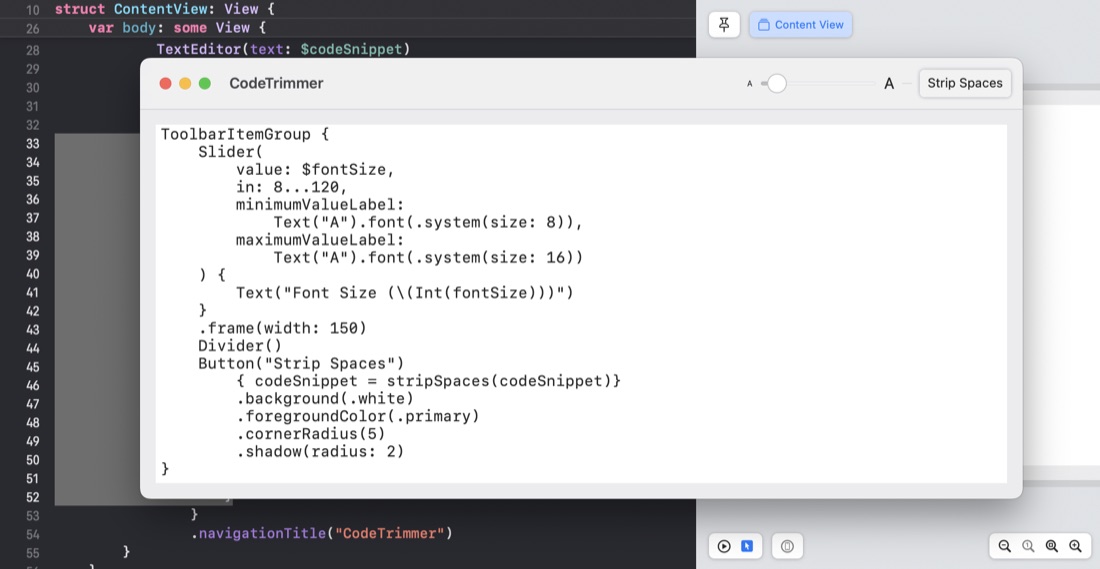
Then press the “Strip Spaces” button to get:
I’ve got a few little niceties to add/tidy up, but it was a breeze converting my SwiftUI iOS development skills to MacOS - literally ticking a box.