Containerised NGINX Proxy Manager & the 502 error
16 Sept 2024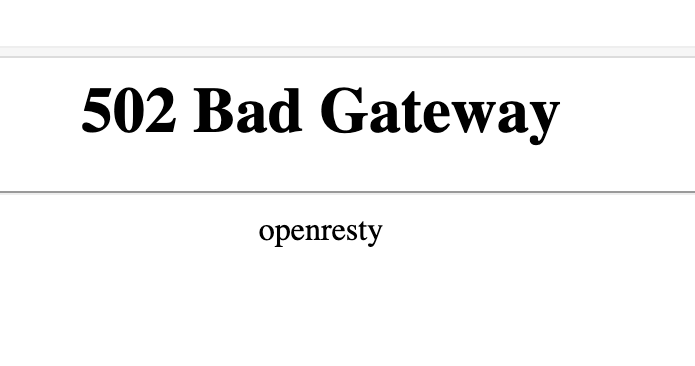
If you’re used to running NGINX Proxy Manager in front of your web apps, and switch to running it in a container, you’re going to need to learn a little about Docker networks to get everything connected. If you just do your regular setup, and direct the proxy for an address to 127.0.0.1:<some port>, it won’t exist, and you’ll visit your page to find the “502 Bad Gateway openresty” message.
If you pause to think for a second it will be obvious why - with NGINX Proxy Manager (I’m going to start calling it NPM to save myself some typing) inside a container, any addresses you’re entering into the web interface when setting up proxys are inside the NPM container. 127.0.0.1 from that point of view refers to the inside of the NPM container, and not the host, so you exposing a port from your container to the host is not going to work.
The fix for this is pretty simple, but first let’s look at the exception.
The Exception
Usually the very first proxy I add in NPM is to it’s own admin interface on port 81. Since this is inside the NPM container, the setup looks exactly the same as if you were running on the host, and may well be why you were lulled into a false sense of familiarity.
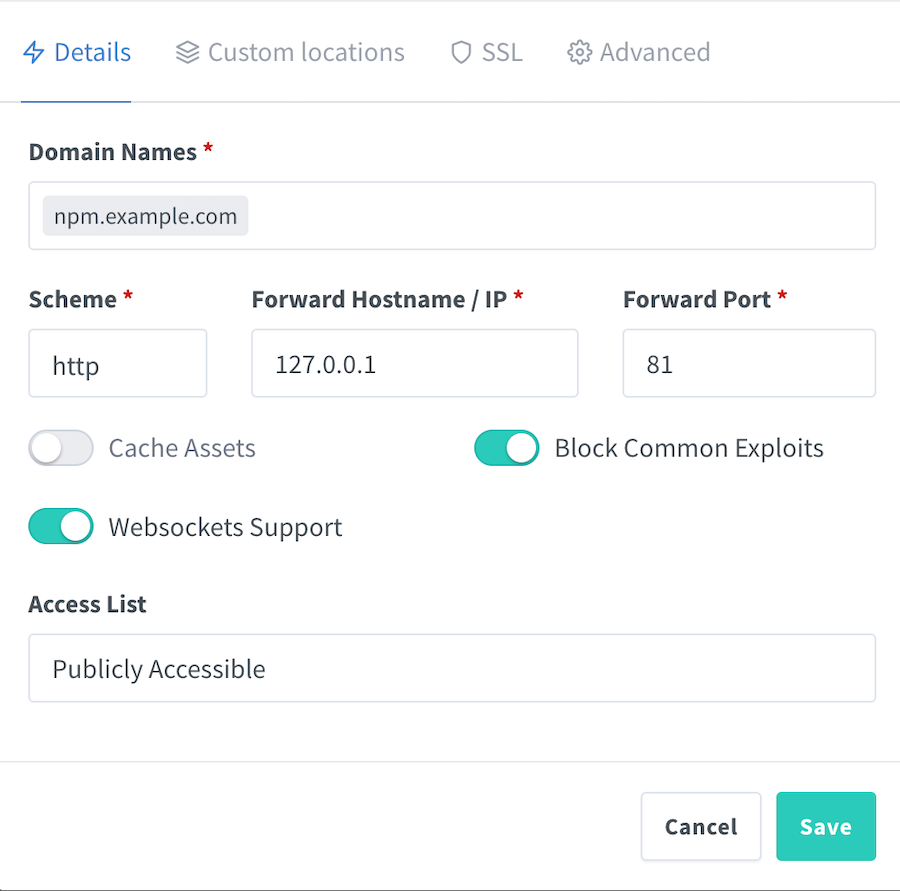
This is a little bit confusing, since we can also manually access NPM from http://127.0.0.1:81 on the host if we’ve exposed port 81 in our compose file, but it’s actually a different route. In fact, we could hide port 81 from the host, and the setting above will still work.
Here’s my compose file, notice I haven’t exposed port 81
services:
  nginx-proxy-manager:
    image: 'jc21/nginx-proxy-manager:latest'
    container_name: nginx-proxy-manager
    restart: unless-stopped
    ports:
      - '80:80'
      - '443:443'
    volumes:
      - ./data:/data
      - ./letsencrypt:/etc/letsencrypt
So if we try to access port 81 from the host, it won’t be answering.
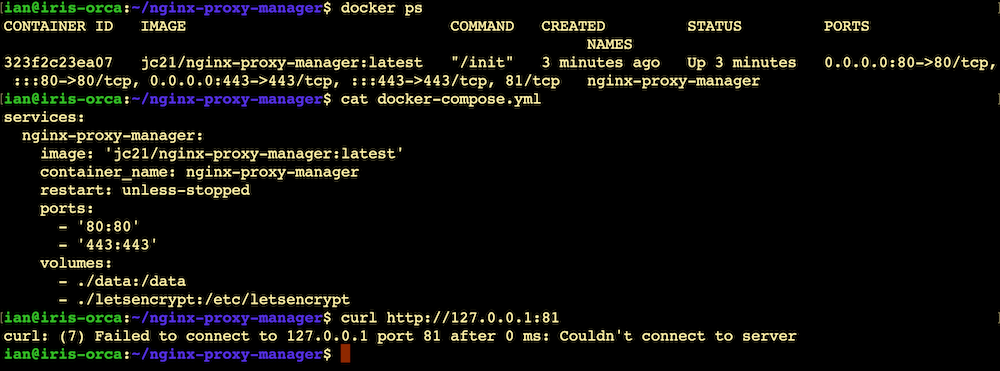
But inside the container, 127.0.0.1 refers to itself, so if we open a shell into the container, the URL http://127.0.0.1:81 refers to something that exists, from there.

Getting Out
So how can our NPM point to a service that’s running in another container? You are probably used to specifying ports: in your compose file to expose internal container ports to a host, but that doesn’t really help us since NPM in a container can not easily access the host’s ports. What we’d really like is for NPM to be able to access the second container’s ports. And in an ideal world, we’d like that to be the only way to access them - that way all the access to our second container service is forced through our proxy. Sounds like security no?
Turns out this is simple thanks to the magic of Docker networks.
You can get a fair way with Docker without really thinking or knowing about Docker networks , and I’m really only covering the very basics here - you should probably invest some time in learning about this sometime. Meanwhile, lets run the docker network ls command and see what networks we’ve got.

That network nginx-proxy-manager_default is the one we’re interested in. Its name is just the container name with “_default” added on the end. What we need to do is just make sure the second container is included in that same network. That’s a matter of declaring the external network with that name, and including it in our service definition. I’m going to use an NGINX server in my example, but it could be anything. Here’s the compose for the second container.
services:
  nginx-example.com:
    image: nginx
    container_name: nginx-example.com
    volumes:
      - ./www:/usr/share/nginx/html
      - ./conf/:/etc/nginx/conf.d/:ro
    restart: unless-stopped
    networks:
      - nginx-proxy-manager_default

networks:
  nginx-proxy-manager_default:
    external: true
Note that I haven’t exposed any ports to the host here; We’re not going to need them since we’ll access this container direct from the NPM container via the internal Docker network docker created for us. That little network even contains a DNS server, so we don’t even need to worry about the container’s IP addresses, we can just use their names.
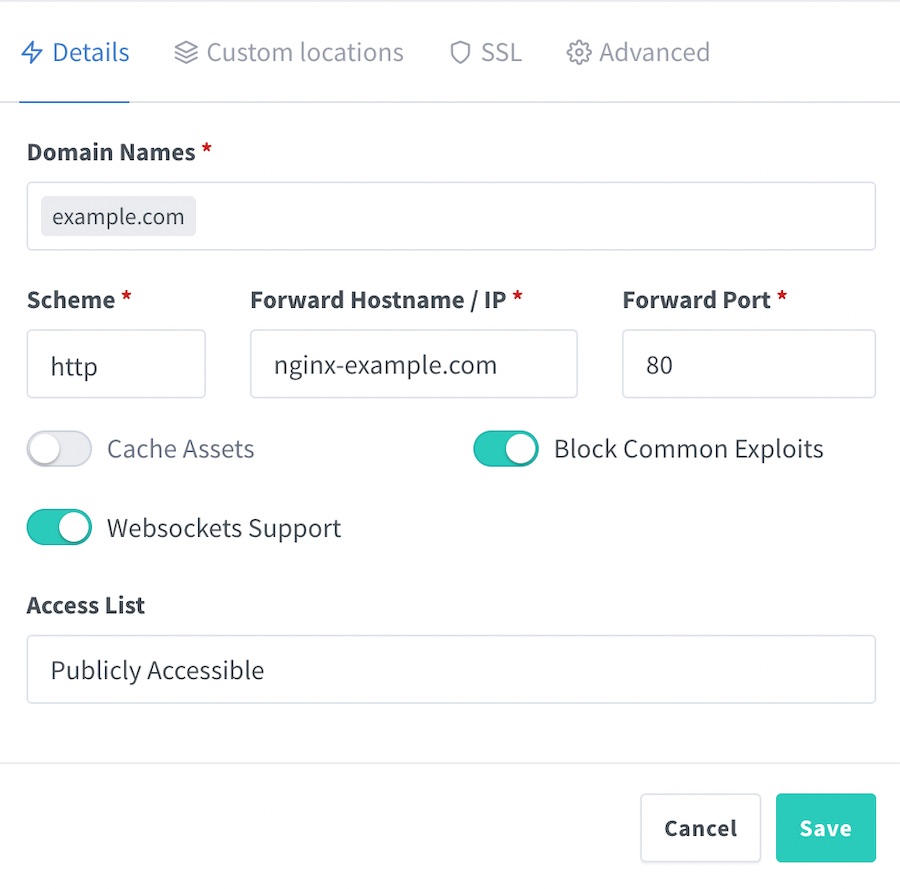
So any web requests to “example.com” arriving at our host go to NPM (since I’ve exposed ports 80 & 443 - see the top compose file). Then using the proxy I’ve added above, they are forwarded to the container named “nginx-example.com” which is a DNS record inside the Docker network that Docker created for us, and which both the NPM, and my service, containers are members of.