Controlling Docker container startup order
2 Dec 2024A very common scenario when running services in Docker containers is that one service is going to depend on another. The most common example is going to be if you have a service that needs a database - you’re going to want the container running the database to be ready for business before the service that needs it starts. And conversely, when you shut things down, you want to stop the service before you kill the database or you may lose some data.
Both of these things are easily catered for with containers started with docker compose, but there’s a few caveats:
- The services need to share a docker-compose file
- The services need to share a network (which they will by default if they’re in the same compose file and you don’t override it)
- The service that is depended on, must telegraph it’s state with a health check.
Application
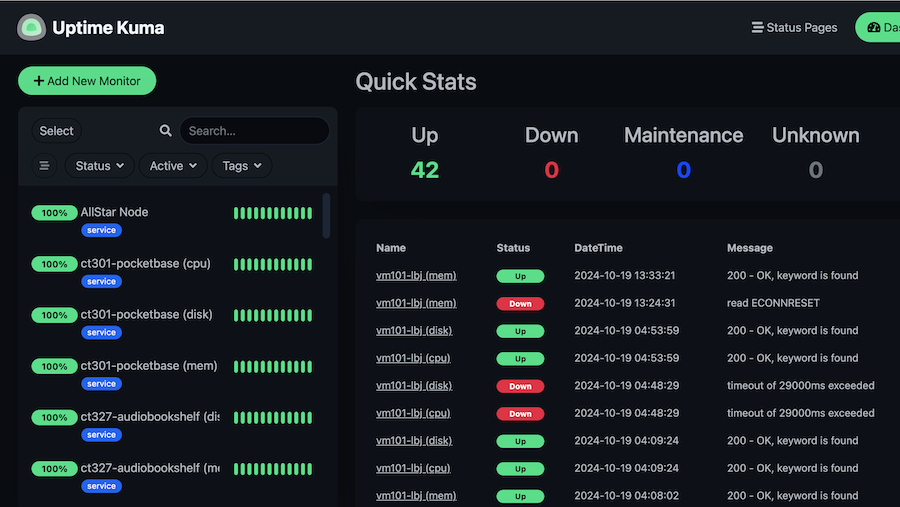
I’ve been doing monitoring by running an app (vitals-glimpse ) on all my services that exposes some very basic metrics as an API endpoint. Then a couple of instances of UptimeKuma (one on fly.io, for monitoring outside services and one inside the homelab network) monitor all those, and check an okay flag for up vs down. If something changes status, I get an ntfy message on my watch.
This is a great setup, and I’ll be keeping it, but I have Graphana envy, so I need to be grabbing those values and saving them in a time series database. There’s not much thought needed to be put into which database, it’s InfluxDB . As for pulling in all the data, there’s probably a highly configurable open source solution for this, or, I could just write my own and call it glimpse-scan .
But now I need to run glimpse-scan and InfluxDB in containers together, and have glimpse-scan wait for Influx to be ready before it gets to work. We’re going to do that with docker-compose.
healthcheck
For this to work, there needs to be some CLI command you can run to check the health of the service we’re going to wait on. If the service was a website, you might just curl the index page like curl http://localhost and since InfluxDB actually does contain a little web server that would work, but they actually provide a better one:
curl -f http://localhost:8086/ping
Having some sort of health check like this is super common for containerised databases so some googling will find what you’re after. The command, what ever it is, needs to return an error code if it’s not successful. This is almost universal for unix commands.
Now we just add that into the compose file.
services:
  influxdb:
    image: influxdb:2
    container_name: influxdb
    healthcheck:
      test: ["CMD-SHELL", "curl -f http://localhost:8086/ping"]
      interval: 5s
      timeout: 10s
      retries: 5
    ports:
      - "8086:8086"
    environment:
      - DOCKER_INFLUXDB_INIT_MODE=setup
      - DOCKER_INFLUXDB_INIT_USERNAME=${INFLUXDB_ADMIN_USER}
      - DOCKER_INFLUXDB_INIT_PASSWORD=${INFLUXDB_ADMIN_PASSWORD}
      - DOCKER_INFLUXDB_INIT_ORG=${INFLUXDB_ORG}
      - DOCKER_INFLUXDB_INIT_BUCKET=${INFLUXDB_BUCKET}
      - DOCKER_INFLUXDB_INIT_ADMIN_TOKEN=${INFLUXDB_ADMIN_TOKEN}
      - INFLUXD_METRICS_DISABLED=true
    volumes:
      - ./influxdb/data:/var/lib/influxdb2
    restart: unless-stopped
Even if you don’t need your containers to depend on one another, it might still be a good idea to add health checks like this since it makes the docker ps information a bit more helpful.

depends_on
The next step is to tell the other container (in our example, the glimpse-scan app) which other service it depends on.
  glimpse-scan:
    image: ghcr.io/iankulin/glimpse_scan:latest
    container_name: glimpse-scan
    depends_on:
      influxdb:
        condition: service_healthy
    build:
      context: .
      dockerfile: Dockerfile
    volumes:
      - ./glimpse-scan/data:/app/data
    restart: unless-stopped
    env_file:
      - .env
Go time
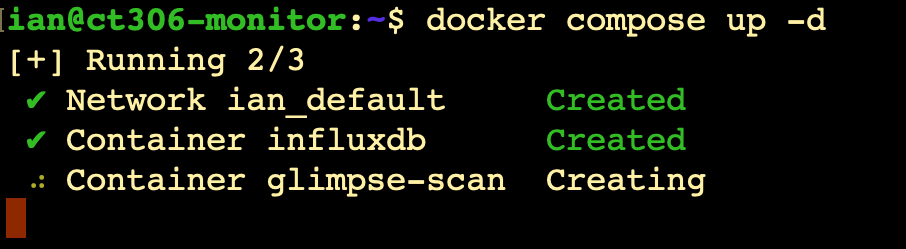
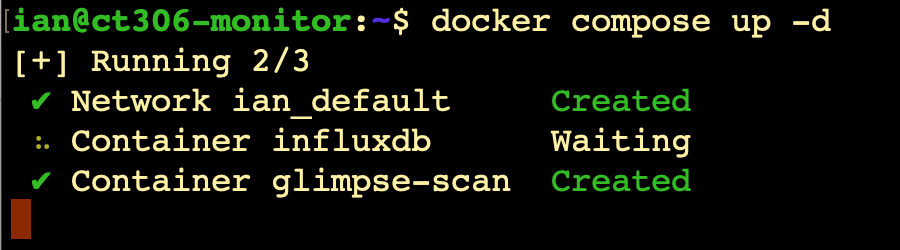
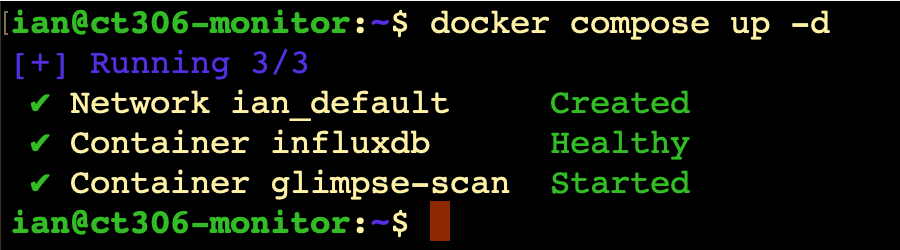
And, compose it up (remember the two lots of code above are together in a single docker-compose.yml file).