Copying a file via SSH
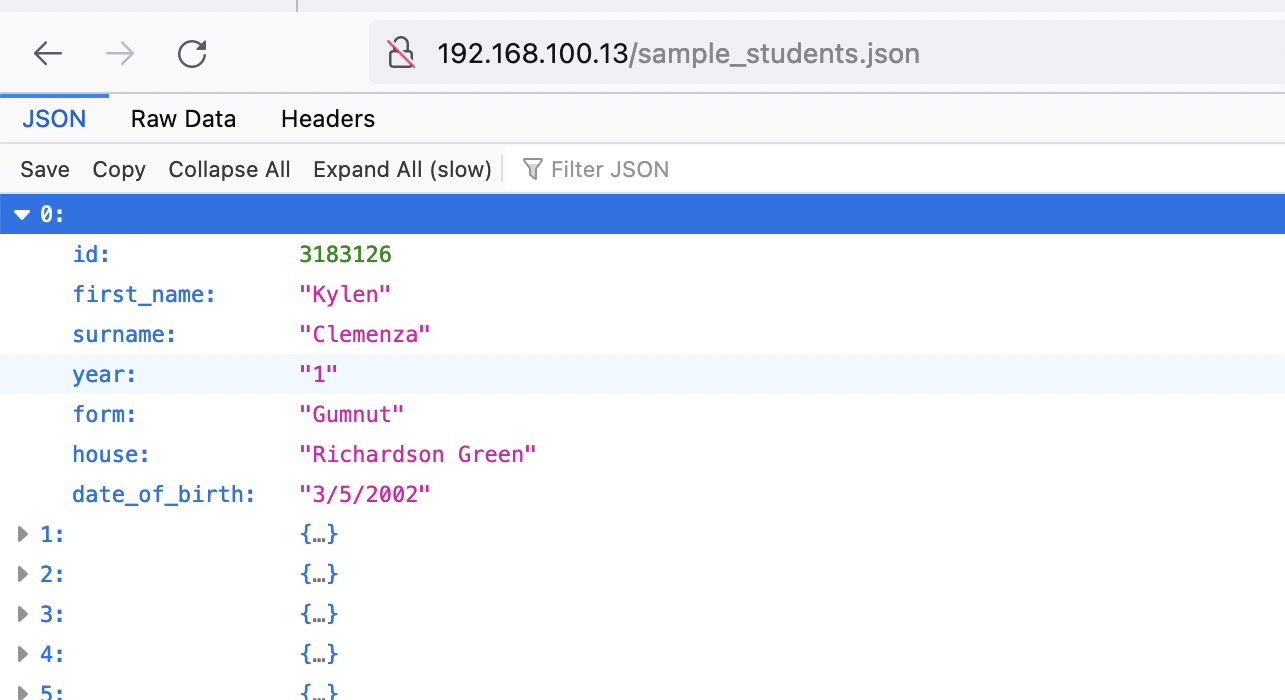
29 Nov 2022I have a Raspberry Pi on my home network that I purchased for some project that I can’t actually recall. It gets used for all sorts of completely unnecessary things such as playing with node.js or a private git server. To add to the list of things that I do on pi that could be more efficiently done on my MacBook I wanted to host my sample JSON from yesterday on it.
I’d already downloaded the JSON to my laptop (although I could have skipped that step and used curl to download it directly to the pi) and just wanted to transfer it into the apache html directory.
I feel like in 2022 I should just be able to SSH to the directory on the pi, then drag and drop the file from my mac, but that’s not possible (although it does usefully paste the filepath to the file which could be helpful). Of course there is a command for this, you just need to know it - scp
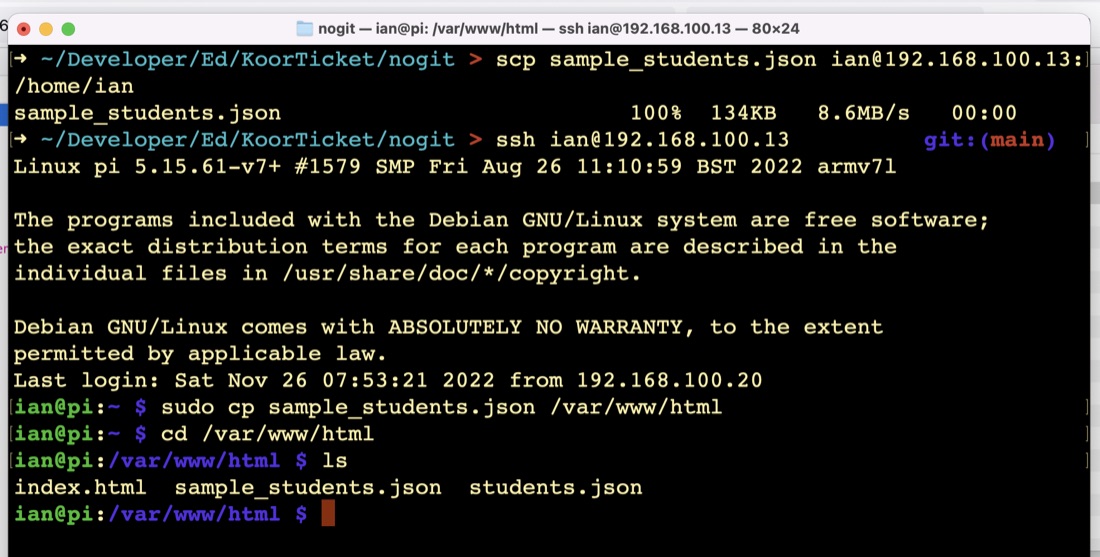
My pi is on 192.168.100.13 and I log in as ian. The file I want to copy is called sample_students.json.
In a terminal window, on your development machine:
scp sample_students.json ian@192.168.100.13:/home/ian
The first argument is the file to copy, and the second is the ssh accessible machine you are copying to with the path after the colon.