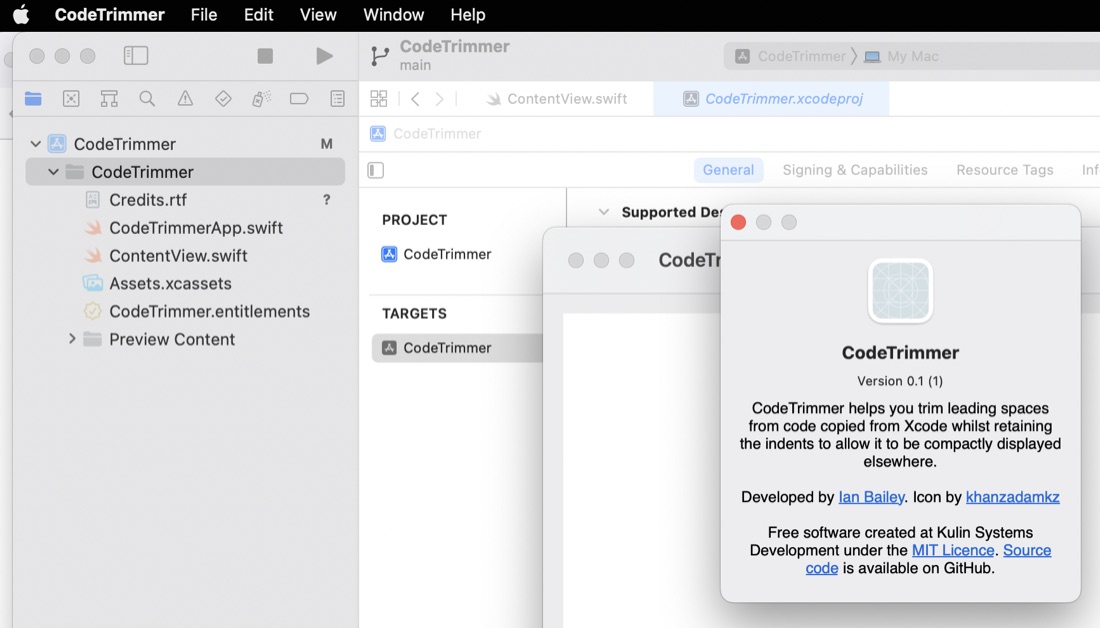
Customizing the default About dialog for MacOS apps
7 Oct 2022The default Xcode MacOS targeted app has a built in “About” dialog called up from the “About
When you app is being built, it looks for the file “Credits.rtf” in the app bundle. If that is found (or “Credits.html” or “Credits.rtfd” ) it’s used to build out the About dialog along with your app icon.
After you’ve created the “Credits.rtf” file, you need to drop it into the folder for your project where the source files go. Then in Xcode, add it to your project in that inner folder:
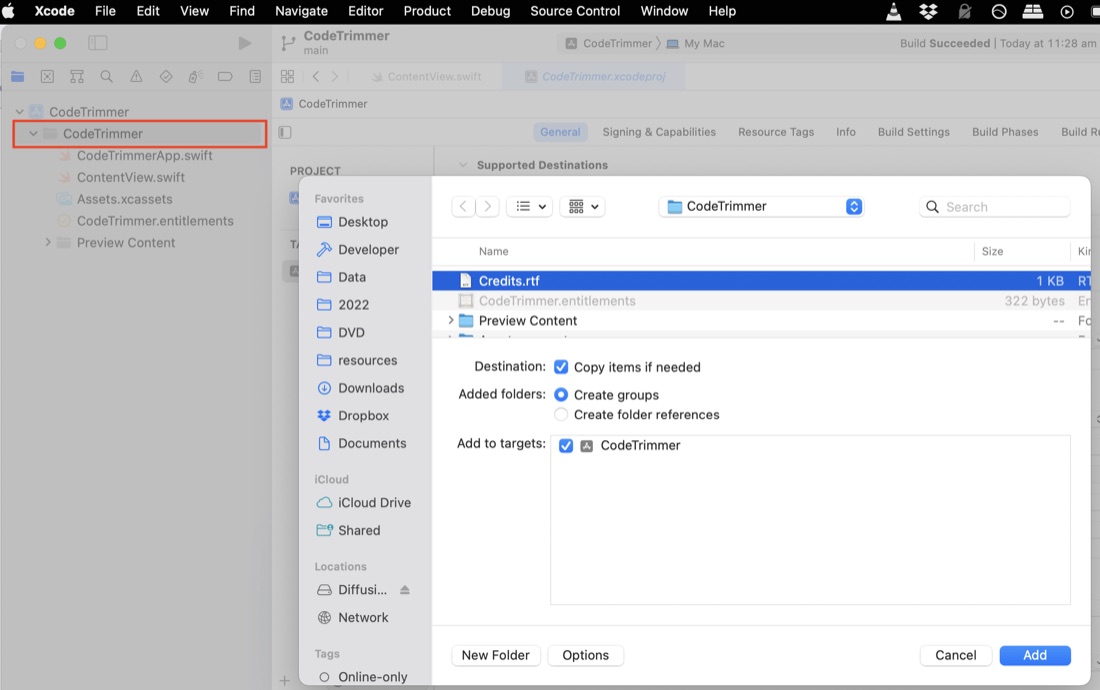
Then when you rebuild the app, it will show in your about dialog.