Day 23 - Views and Modifiers - Part 1
31 Aug 2022
I found this one of the trickier days, so I’ll write it out to clear up my thinking.
To draw to to screen in SwiftUI, we don’t call a command to draw on a canvas or window. Rather, a view is defined as an immutable struct of type some View. Here’s the simple one from the default Xcode project.
struct ContentView: View { var body: some View { Text(“Hello, world!”) .padding() } }
The body var must be present, and can contain up to ten views. This simple example only contains one view - a text box. There are container view types that can, well, contain other views - for example a HStack which arranges its content horizontally.
struct ContentView: View { var body: some View { HStack { Text(“Hello, world!”) .padding() Rectangle() .frame(width: 100, height: 100, alignment: .center) }
}
}
produces:
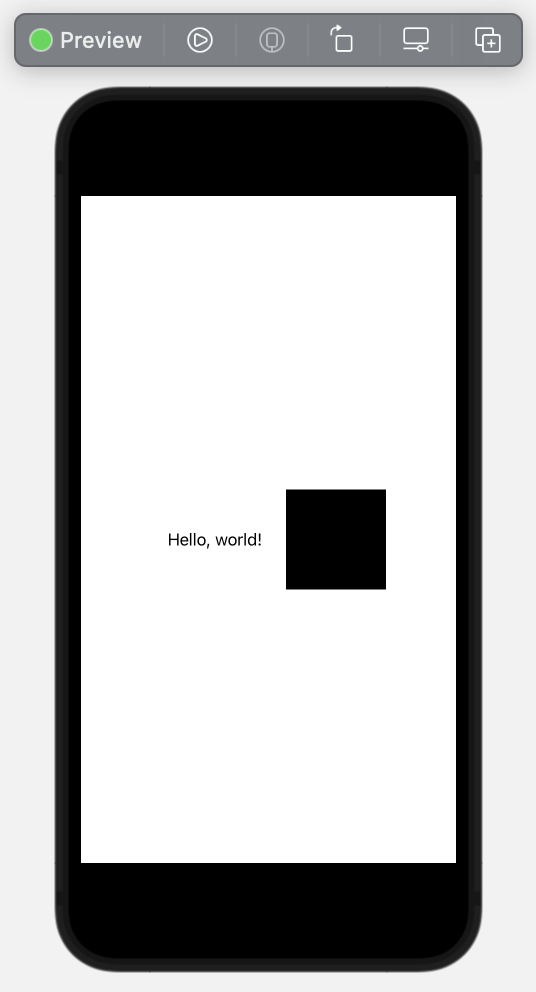
Having defined our view struct, we don’t call for it to be rendered on the screen, SwiftUI is just going to do that for us whenever it thinks it needs to. This seems bizarre at first, but you get used to it. It will happen when it needs to - usually because the information that makes up the view has changed. We help that to happen by binding the views to their data in various ways. More on that another day.
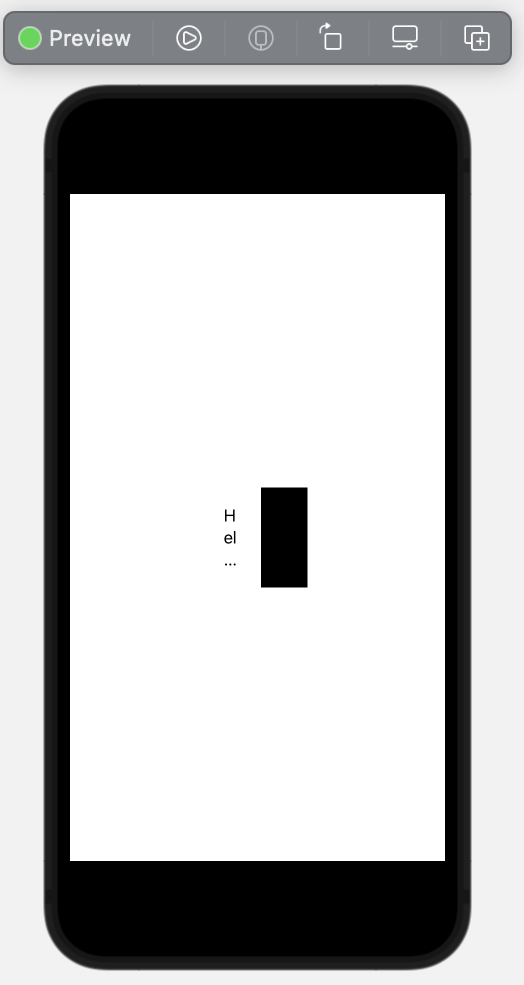
If you look back at the code above, you’ll see that views often have modifiers attached to them. In our example the padding() on the text and the .frame() on the rectangle. There’s many different modifiers for all of the different view primitives. Many of them are common to different primitives, some are different. It’s possible to attach them to container views - in which case they are applied to all the views in the container. For example, if we move the .frame() to the HStack, like this:
struct ContentView: View { var body: some View { HStack { Text(“Hello, world!”) .padding() Rectangle() } .frame(width: 100, height: 100, alignment: .center) } }
We get
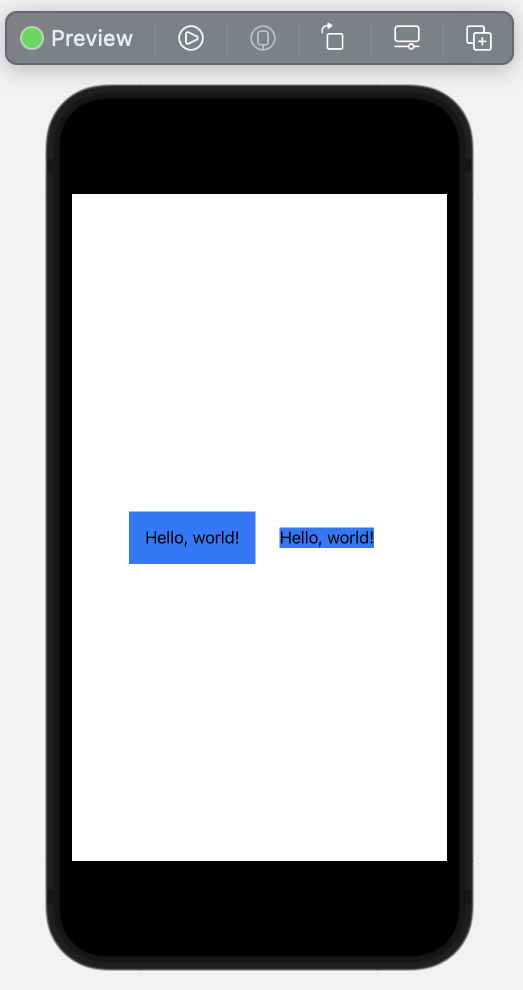
The order of the modifiers is important. You can think of each modifier that’s added as wrapping around the view and any previous modifiers. In this example, we’ve got the same text field with the .padding() and .background(.blue) modifiers. The left one has the padding first, then is wrapped in the blue background. The right one has the blue background applied first, then the padding.