Error wiping old drive in Proxmox
31 Aug 2023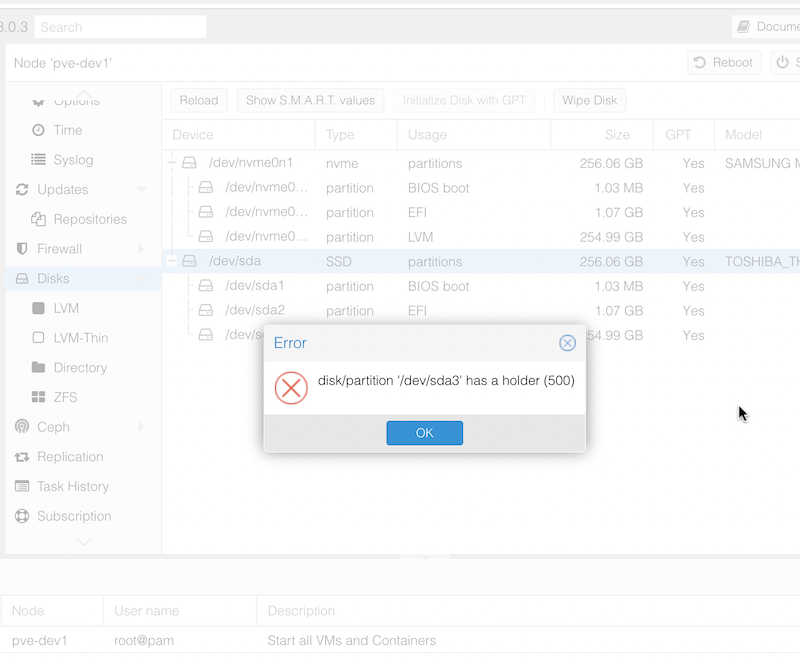
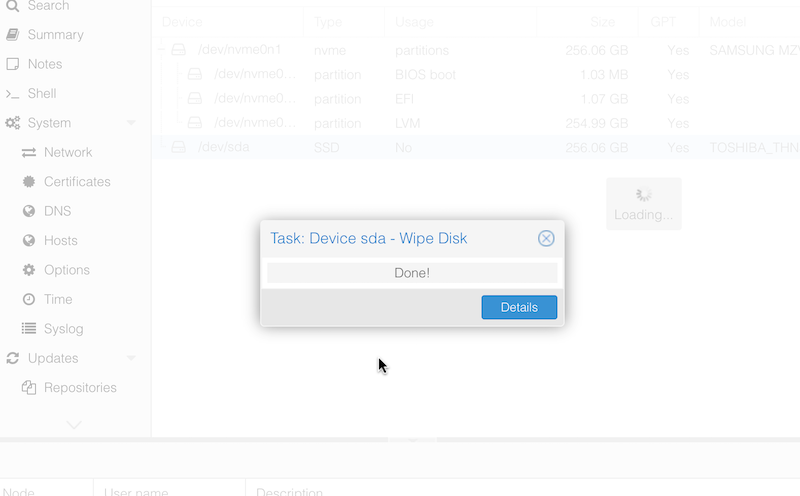
When I popped in an NVME drive and freshly installed Proxmox to it, I assumed I’d just be able to wipe the SDD that had previously been the boot drive to set it up as a ZFS pool. However, when I tried to do the wipe, I was greeted with the error:
disk/partition '/dev/sda3' has a holder (500)
I assume this means there’s a flag set on one of the Proxmox partitions to prevent accidental deletion or Proxmox thought that’s where it was running from. It’s likely that it’s related to this message I had during installation that I haven’t seen before:
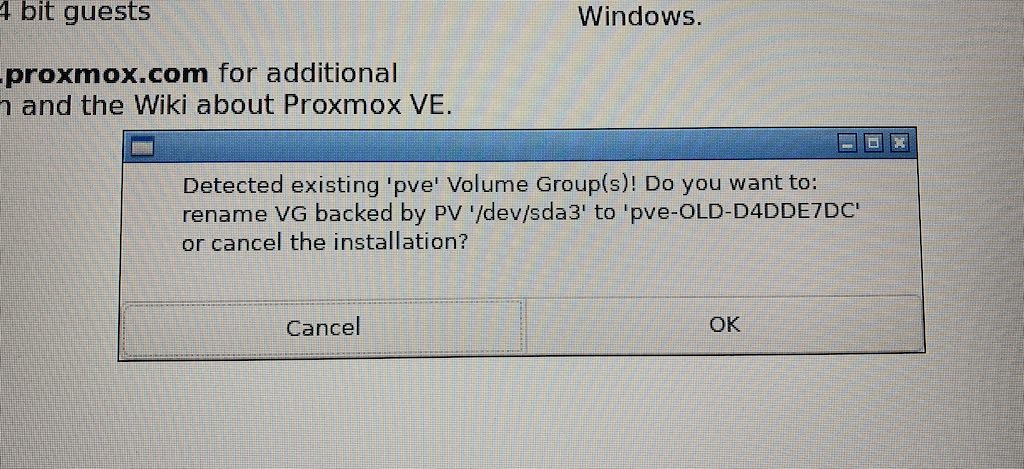
Since I didn’t want to cancel the installation, I went ahead and told it okay. On the non-graphical ‘console’ version of the installer, this message is truncated, and the only option available is abort. I guess that’s an installer bug. So if you are adding a extra boot drive to an existing Proxmox node, I suggest using the graphical installer.
When I Googled around for the “has a holder” error, there were several unanswered requests for help for this, several speculative answers, and one that worked .

You need to use fdisk to remove each partition. Take a note of the drive name - I could see in the Proxmox GUI that mine was sda, so the command to run was:
fdisk /dev/sda
You probably need to have a read-up on [fdisk](https://www.howtogeek.com/106873/how-to-use-fdisk-to-manage-partitions-on-linux/) if you’re not familiar with it, but basically, you’re in the command mode, for one of the partitions (my sda had three) if you press the d key here it marks that partition for deletion. Even though the error message had said it was the last partition that was causing the headache, I just went ahead and deleted all of them. There’s no warnings as you do this, and actually no changes have been made yet, that happens when you press w to write the changes. No warning here either. 🙂
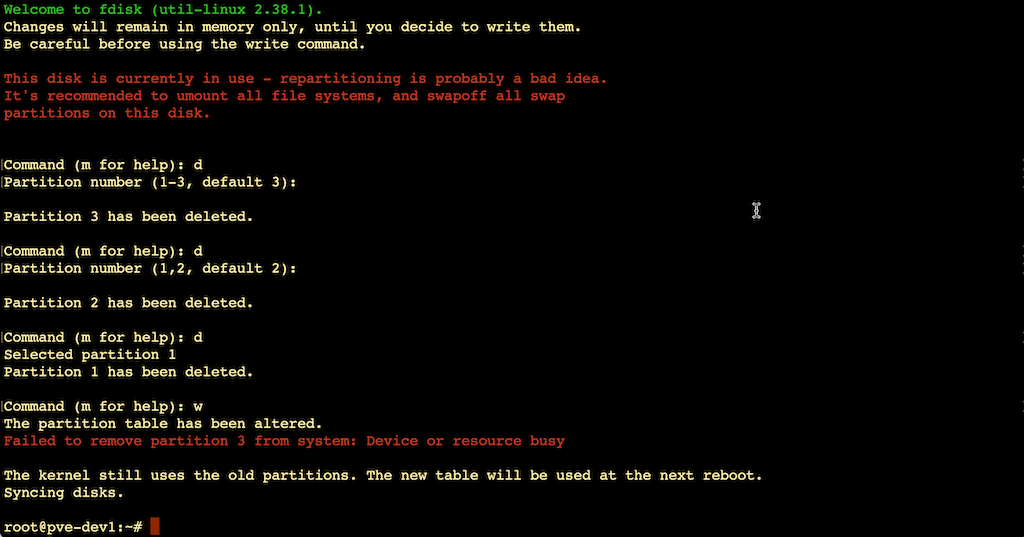
That gave an error saying the third partition was still in use by the kernel, so I followed the advice to reboot, then I was able to wipe the drive in the Proxmox web GUI.