Expired Packages Part II
31 Jan 2023Following on from the previous post…
I went the nuclear route - deleted the node_modules folder, package-lock.json and installed the packages from packages.json. I still had some errors, but the react app at least ran correctly. Also, the messages are a bit more intelligible, and all of them cascade from this one.
# npm audit report

nth-check  <2.0.1
Severity: high
Inefficient Regular Expression Complexity in nth-check - https://github.com/advisories/GHSA-rp65-9cf3-cjxr
fix available via `npm audit fix --force`
Will install react-scripts@2.1.3, which is a breaking change
node_modules/svgo/node_modules/nth-check
From my, admittedly ignorant, viewpoint, there’s a couple of weird things going on here.
The first is how the hell is installing react-scripts@2.1.3 a good idea, when the current version is 5.0.1 . That does not seem like a good solution.
The second is that is that the currently installed version of nth-check seems like it is 2.1.1 which is the current version, and certainly >2.0.1 which is the complaint. My basis for this claim is this encouraging part of package-lock.json:
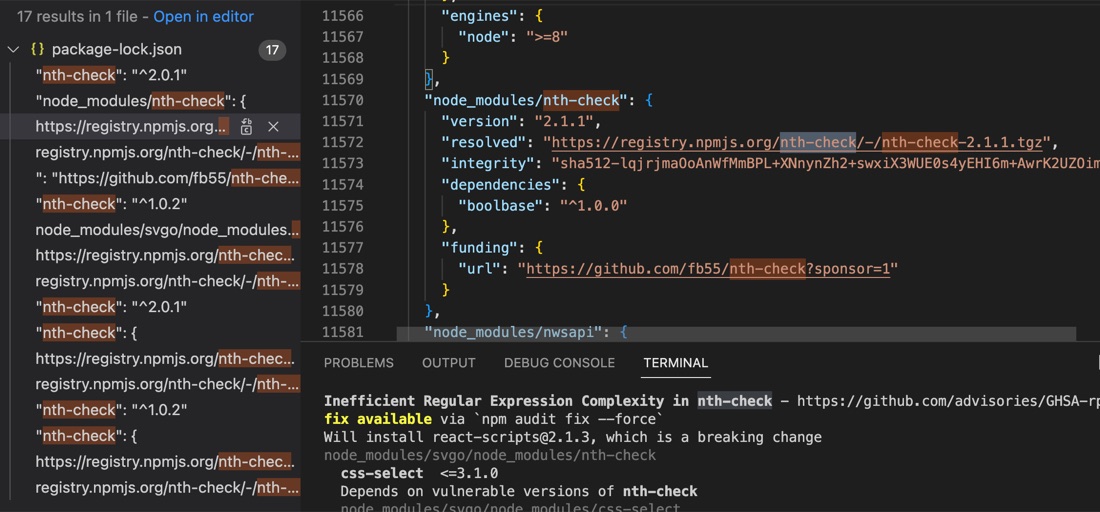
But if I check the installed version using npm list nth-check, I get this bad news:
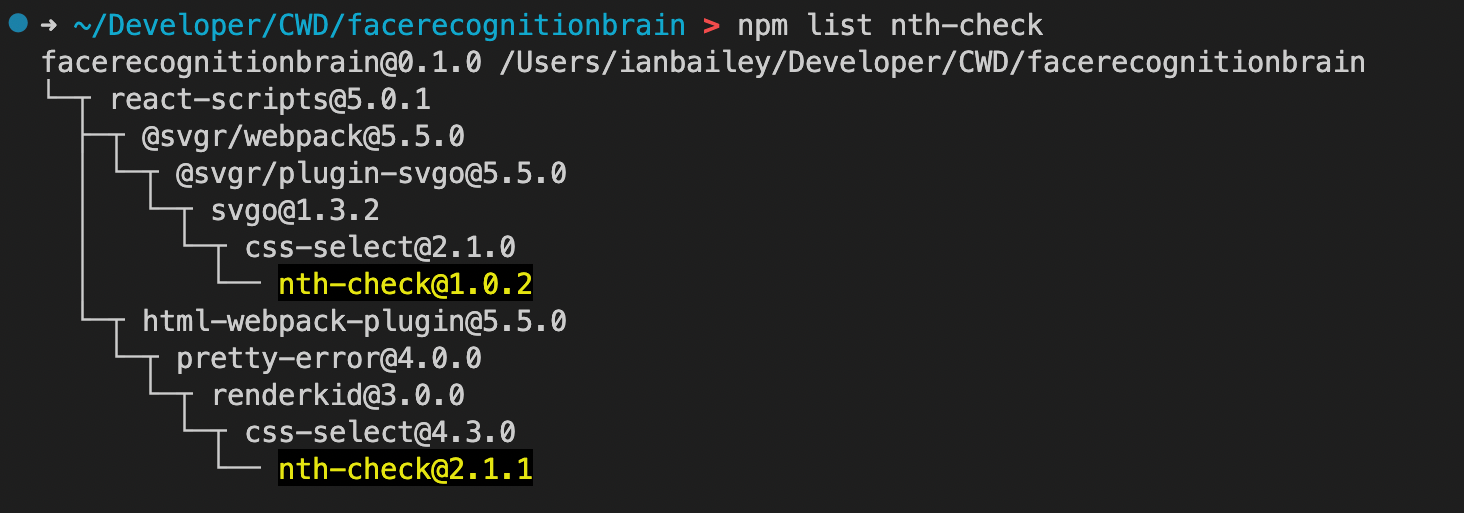
So one version of css-select is using an old version of nth-check, likely this is the source of my troubles.
As far as I can make out, the package-lock.json file’s purpose is to lock in particular versions of packages. If it’s committed with the rest of your code, it guarantees that when you rebuild the app, it will be the same as the one committed, without the need commit all the node modules you are depending on. Generally I don’t think you are meant to directly edit it, but it suddenly seems like a good idea.
There’s about five dependencies on this package in package-lock.json, and I notice all of them except this one, start with the ^caret.
"nth-check": {
  "version": "1.0.2",
  "resolved": "https://registry.npmjs.org/nth-check/-/nth-check-1.0.2.tgz",
  "integrity": "sha512-WeBOdju8SnzPN5vTUJYxYUxLeXpCaVP5i5e0LF8fg7WORF2Wd7wFX/pk0tYZk7s8T+J7VLy0Da6J1+wCT0AtHg==",
  "requires": {
    "boolbase": "~1.0.0"
  }
}
In general, I think I should be doing this in packages.json, but the nth-check is not in there.
After fruitlessly googling around and asking in a couple of discords, I check with ChatGPT to see what she thought.
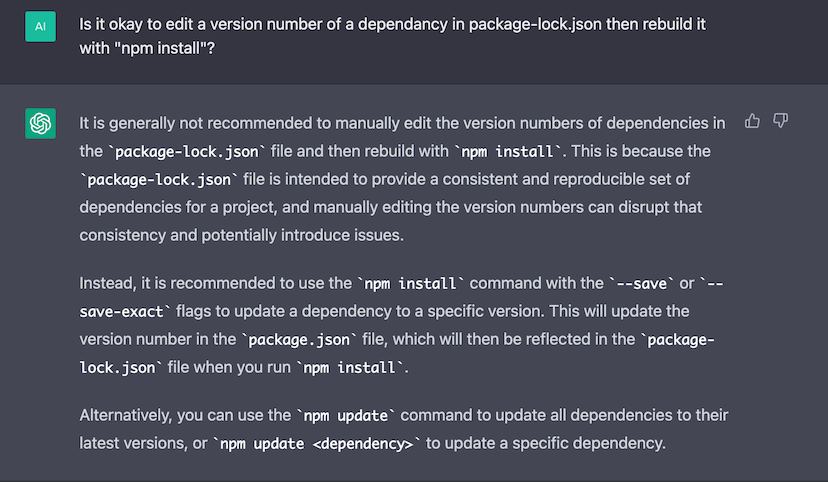
Well, I’d done all that, and a couple of humans had already told me not to jigger with package-lock.json, so that was my next stop - I edited it to add the caret and tried npm install - it just changes it back, which make sense.
There’s another install script npm ci which is supposed to use the package-lock.json rather than doing it’s own check, that didn’t help either.
I went back to googling, focusing on the react-scripts (which is basically responsible for building the template React app) and found this issue on github.
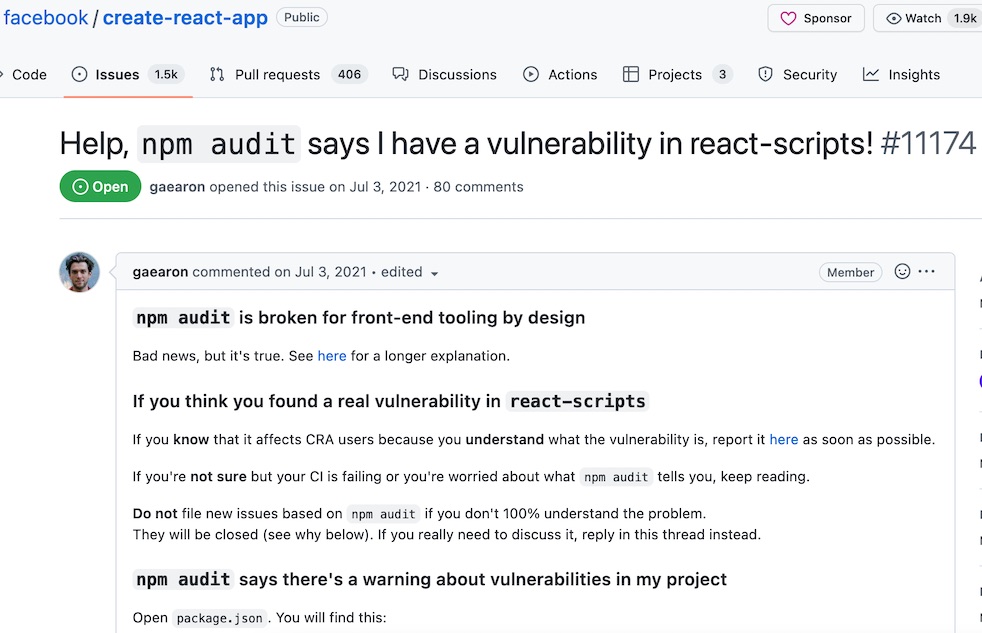
Basically, it’s claimed to be a problem in how npm audit works, and can’t be a real vulnerability since it’s just a tool being used during dev. That still doesn’t answer why they don’t just update their code to use the newer version on nth-check, but in any case, it can be safely ignored.
For people using CI tools that depend on an error free build, the react-scripts can be moved to a different section of the packages.json file and an argument passed to npm audit to ignore those dependencies.
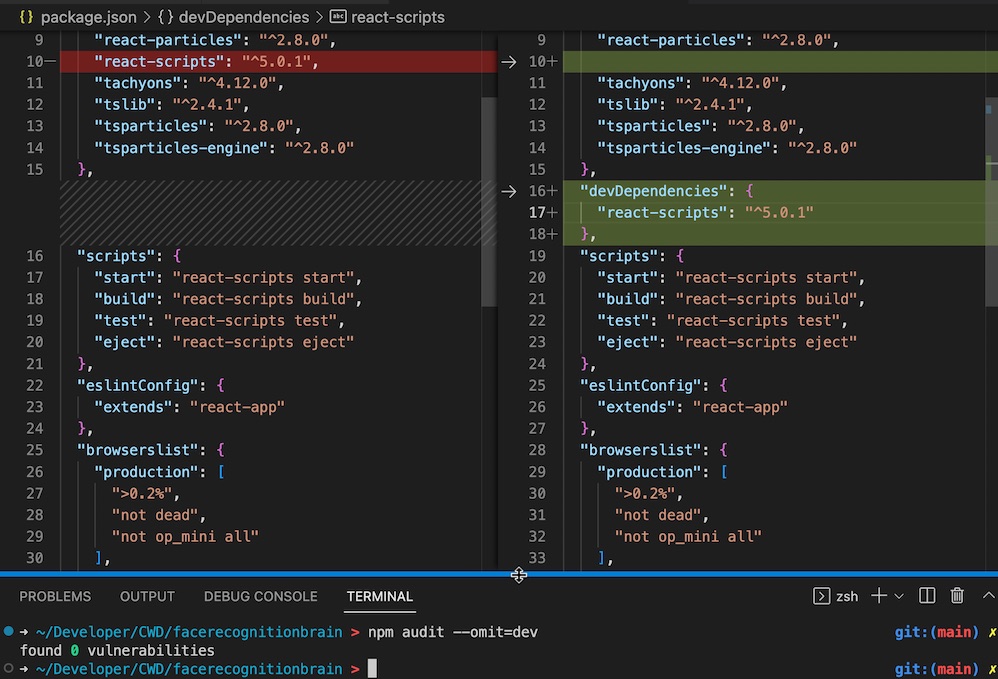
So, what have I learned from this? I should have done more looking for answers for the exact error, instead of logically coming up with solutions and then searching for and pursuing them. But also, I have a clear idea of what packages.json and package-lock.json do now!