Folder ownership problems with Jellyfin
22 Feb 2023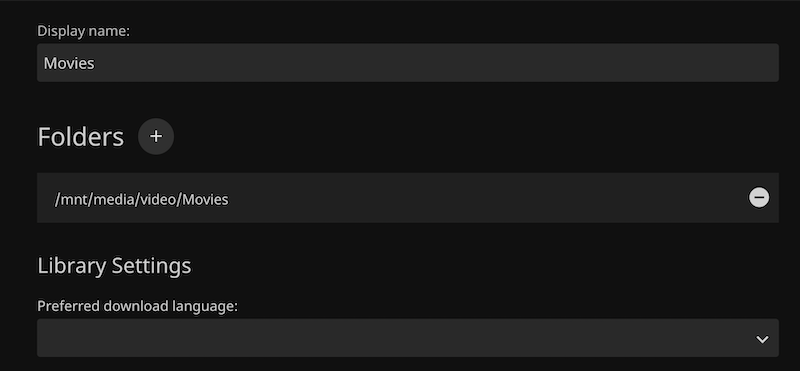
After being so blase about the file permissions when mounting the share to the Linux file system, and testing that root could read and write to the share, I ran into problems immediately when trying to add the media folder as a library in Jellyfin - getting the error “The path could not be found. Please ensure the path is valid and try again.”
I definitely had the path correct - I could copy it from the dialog and cd to it at the CLI. So I suspected it was a permissions thing. The app might not have read permissions for the directory.
If, as root, I ls -l (-l for long) any of the directories in this path, they look like this:
root@jellyfin:/mnt/media/video# ls -l
total 0
drwxrwx--- 2 1000 1000 0 Feb 18 09:13 Movies
drwxrwx--- 2 1000 1000 0 Feb 18 04:30 Shows
Those letters at the start of each listing have a meaning . The first d just means it’s a directory. Then there’s three groups of three letters:
d rwx rwx --- (I've just added those spaces to make things clear)
These three lots of letters are the permissions in the order of owner, group & everybody. So for these directories:
- The owner can read, write & execute (
rwx) - Members of this group can read, write & execute (
rwx) - Everybody else can’t read, can’t write, and can’t execute (
---)
This raises the question, who is the owner of this directory, and what is the group we are talking about? The answer to those questions are the next items in the listing.
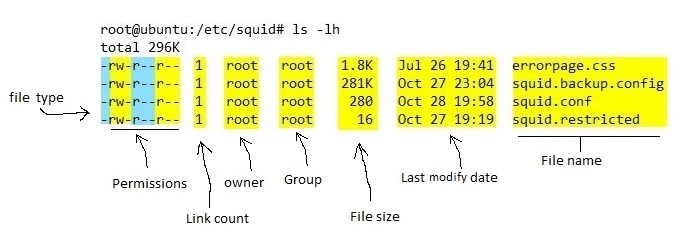
In our case the owner is 1000 and the group is 1000. Where did these come from? Well, they were in the mount command I used in etc/fstab yesterday:
//192.168.100.25/media /mnt/media cifs username=jelly,password=jellypass,uid=1000,gid=1000,file_mode=0660,dir_mode=07
So most likely that’s the source of my troubles. As I mentioned, I tested this from the command line logged in as root, and it worked fine. And I was imagining since I’d installed Jellyfin as root that Jellyfin would have all those rights, but perhaps (as would be wise) Jellyfin is running as a different user, and I need to add that user to the 1000 group in order to make this work.
How to I find out what user Jellyfin is running as? A good place to start is to look at the running processes with the ps command:
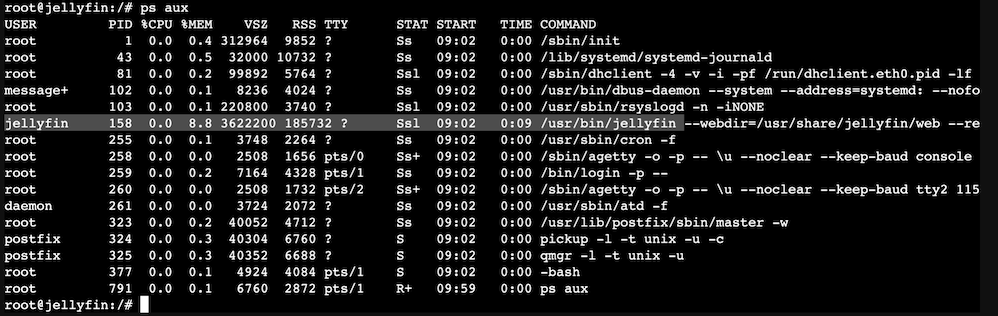
Well, lookee here. User jellyfin is running this process. We can see what groups she’s a member of by running the groups command.
root@jellyfin:/# groups jellyfin
jellyfin : jellyfin
So, not a member of the 1000 group then. We can use the getent command to see the group numbers for users:
root@jellyfin:/# getent group jellyfin
jellyfin:x:115:
root@jellyfin:/# getent group root
root:x:0:
root@jellyfin:/#
Okay, so that’s likely out problem. To confirm it, we could change the group for the directory tree and files, or add jellyfin to the 1000 group. Since I now know that jellyfin is a member of the 115 group, and that I just plucked 1000 out of the air, I’m inclined to remount the share with a gid=115
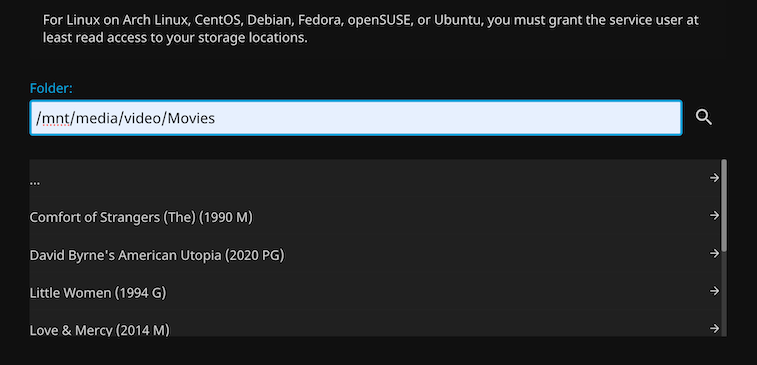
And…. it works.