How to Have Cooler File Icons in VS Code
29 Jan 2024
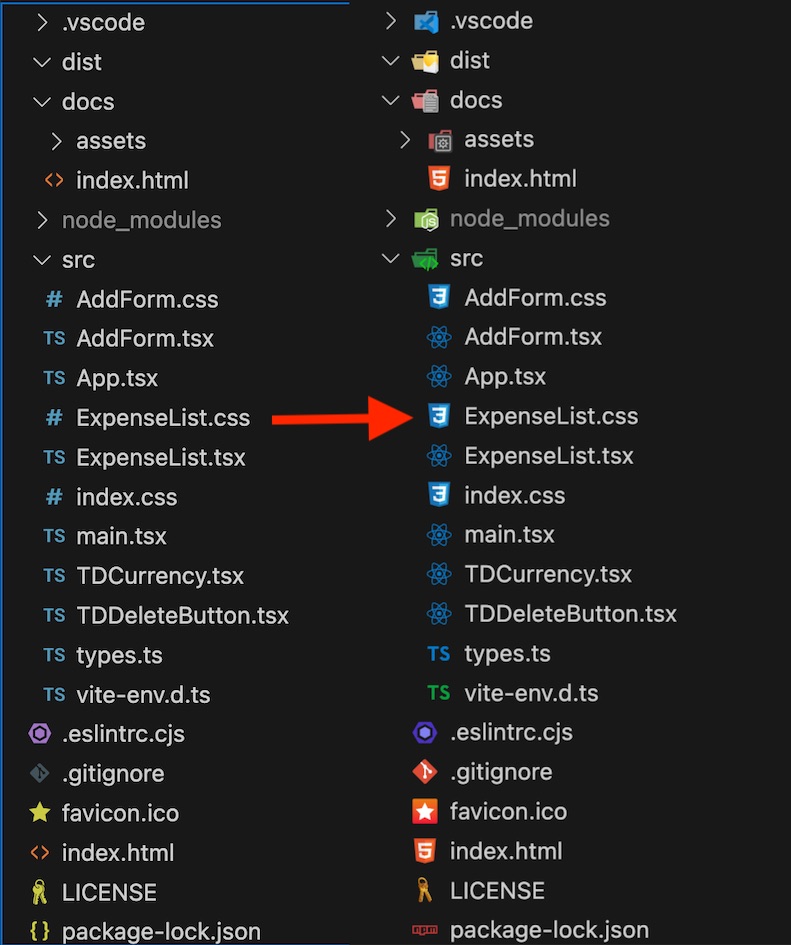
I watch a lot of programming demos on Youtube, and it’s been low key bugging me for a while that everyone has cooler little icons in the explorer view of their VS Code than I do. For example, they have the HTML 5 shield logo next to their index.html, but I have the little fragment tag <>. Really, there was no point spending two hours customising my OhMyZSH! terminal if I’m just going to let myself down with disappointing VS Code file icons.
It turns out the magical incantation you need to solve this problem is ‘File Icon Theme’, if you hit up the command pallet (Cmd+Shift+P - Mac or Ctrl+Shift+P - Windows) and type in ‘File Icon Theme’. You can choose a theme from this list, but if you’ve got a vanilla install, you probably only have options for ‘seti’ or ‘minimal’. So click on ‘Install Additional File Icon Themes’ and it will open the extension marketplace.
The theme that sixteen million developers are using is ‘VS Code Icons’. So I grabbed that one and went from this to this: