HP EliteDesk 800 G2 Memory Upgrade
2 Apr 2023
The hardware engineering of these corporate world mini-PCs is really nice. I swapped out the RAM today to bump my main machine up to 32GB from 16GB. It was a straightforward task - no screwdrivers, no drama.
To open the machine up, there is a single large screw on the back that can be undone with your fingers - it’s a captive screw, as in it doesn’t fall out - just another nice engineering thought.
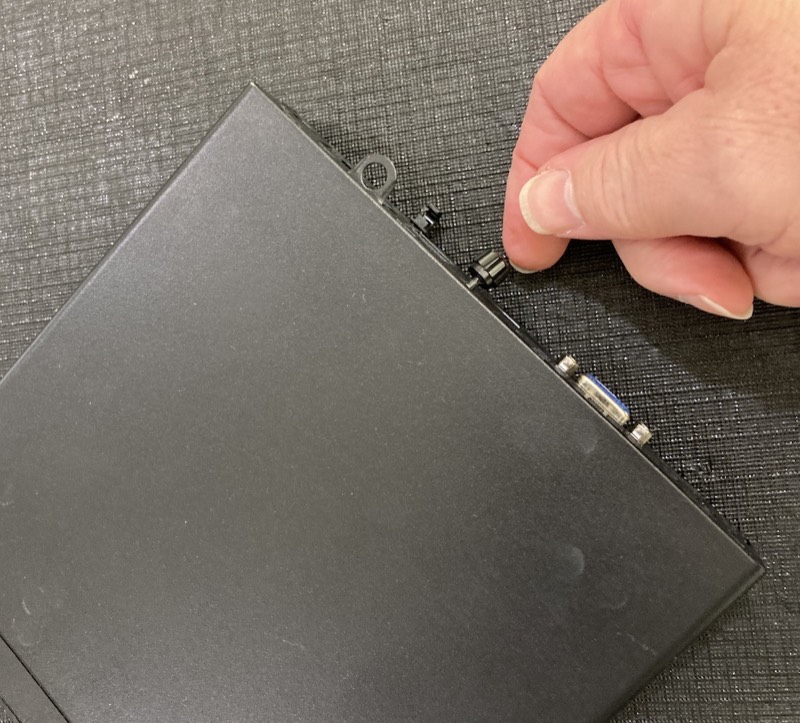
Once that’s undone, to get the case off, you just push down lightly on the top so the rubber feet grip the desk and slide it towards the front about an inch. Then it just lifts off - no wires. Once that’s off, you’ll see the SSD on the left (looking from the front) and fan on the right.
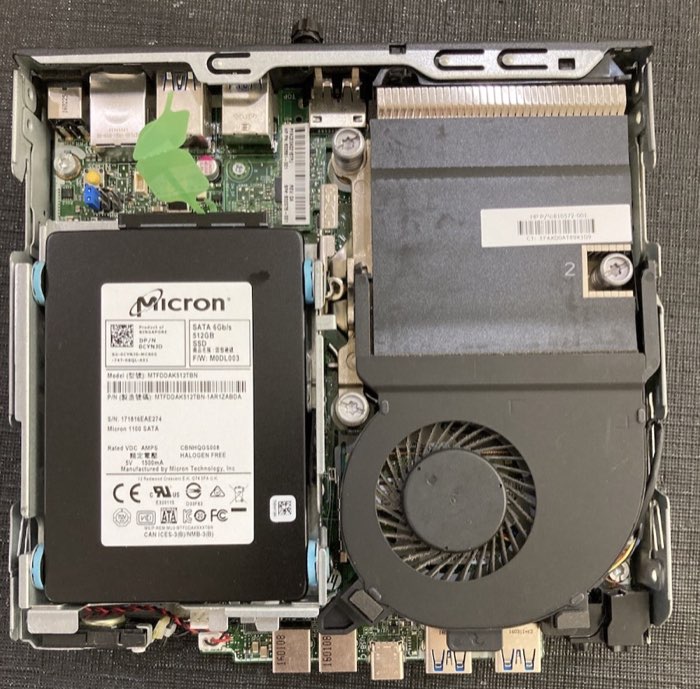
There’s a little plastic tab on the front of the fan just over the front USB ports. If you lift that up a little, you can pull the fan towards you a couple of centimeters then put it down on it’s back next to the case without unplugging its power. You can see the RAM modules were underneath the fan.
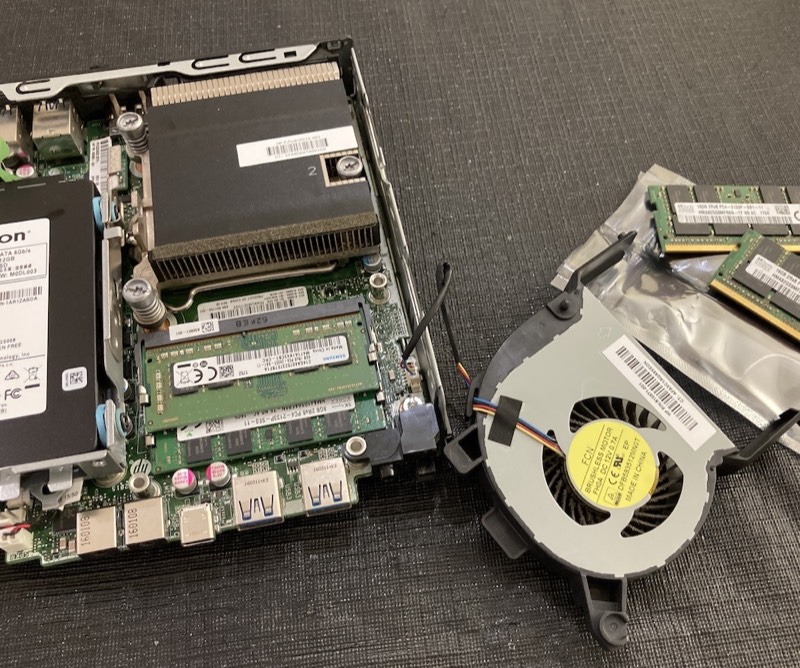
Either side of each RAM module you can see little metal clips. If you push these both outwards, the module will pop up to a 20° angle, then it can just be pulled out of the connector gently. Do this first for the top one, then the bottom.
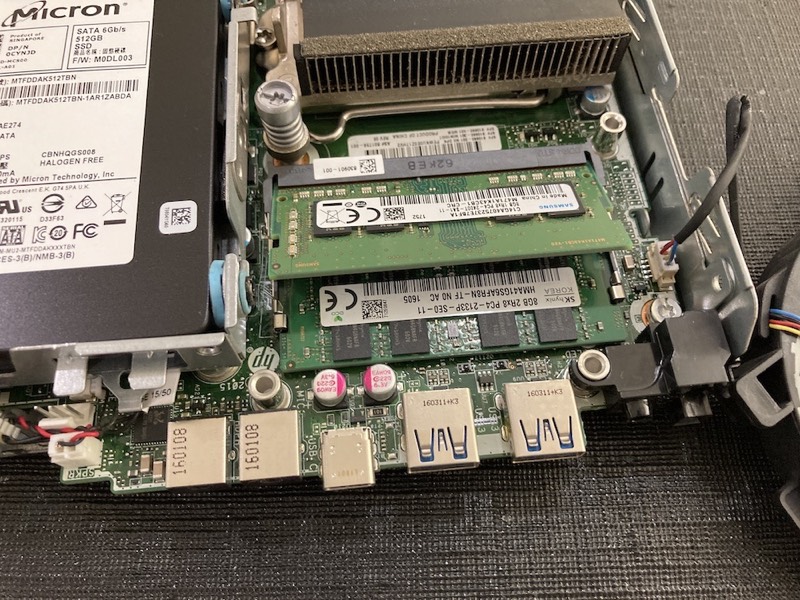
Inserting the new modules is done in the reverse order. Push the bottom one all the way into it’s socket at the same angle you took the other one out. Then with a finger on the raised edge, push it down until the clips both sides engage. Then do the same with the top one.
When you flip the fan over to replace it, you’ll see that it has a small protrusion each side on the back legs, these slide into the two metal slots on top of the CPU cooler, then the fan just sits down into it’s previous spot. Lower the case top down about an inch from the back, slide it into place and finger tighten the screw, and you’re down.
RAM Specifications
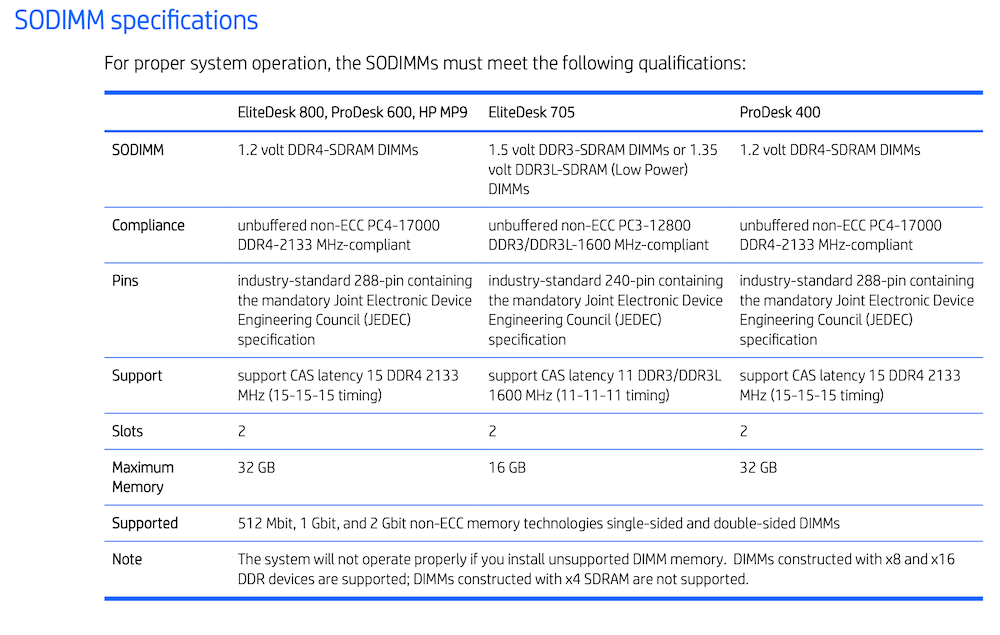
The Hardware Reference and Maintenance and Service guides for the HP EliteDesk 800 G2 Desktop Mini have this page on the RAM specifications. You’re looking for 1.2V DDR4-2133MHz SODIMMs, PC4-17000
The eBay listing for the ones I bought said they were “SK Hynix 16GB DDR4 SODIMM RAM 2133 MHz Laptop PC4-17000 HMA82GS6MFRN-TF” and they went in and worked perfectly.