Linux on HP Mini 110
17 Apr 2023I’ve been furthering my Linux education by playing with some desktop distros in VMs, but it’s not a great experience accessing them through the Proxmox web GUI. The alternative to this is to use a good SPICE client on the remote desktop, but there is not a simple good solution for this for MacOS.
I’ve been playing with the idea of picking up an old i3/i5 Thinkpad - these are around the AUD130 mark on eBay, to run a Linux distro with the main idea being to use it to SPICE into my VMs.
This weekend at my parents house, I’ve been going through the cupboard secure wiping a couple of the discarded laptops, and found a fancy looking HP Mini 110-1131dx.
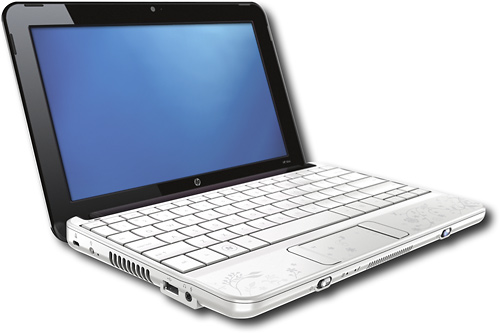

This was a netbook, quite a cute little thing, and like most HP hardware - well made and popular enough that I should be able to googlesolve any issues I encounter. The Atom N270 that mousepowers it is a single core 32bit baby, but there’s also a moderate graphics accelerator chip - the GMA 950 .
Mint or Ubuntu would probably be my first choices for a desktop distro, but given the very low specs of the HP 110, I’m guessing that’s not going to be a good experience even if you go back to the most recent 32 bit versions. After a bit of googling around, I decided antiX or Lubuntu might be good choices (I’m partial to the apt get family of distros).
antiX
As with most modern distros, the install was a painless experience - booting from the USB and following prompts. The UI was pleasant and crisp, and I especially liked the background on the desktop with some live statistics.
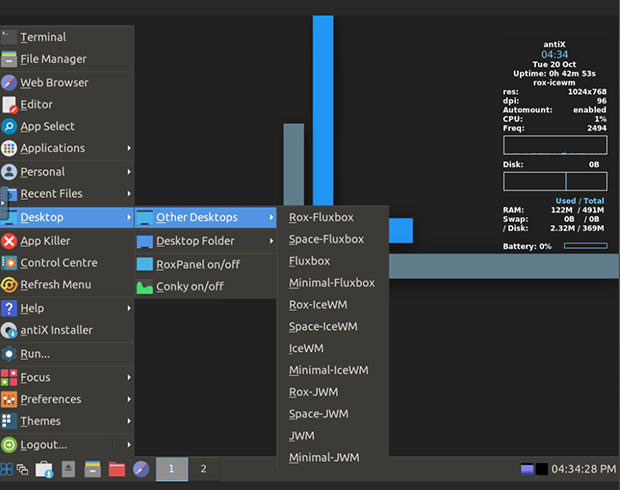
From the base install, the wireless would not work properly. On the HP 100, there’s a little momentary switch on the front left of the keyboard with an indicator light. It was correctly indicating that the wireless was disabled (by glowing orange) and if I flicked it, I could see in the settings the bluetooth was going off and on, but not the wireless.
Lubuntu
Again, a painless install experience. The ISO was about twice the size at 2.7GB and the install took a lot longer, although much of it was familiar to me from the numerous Debian and Ubuntu server installs I’ve done. Once it was installed and booted, the desktop seemed a bit chunky and dated compared to the flatter antiX, and although slower it was very usable.
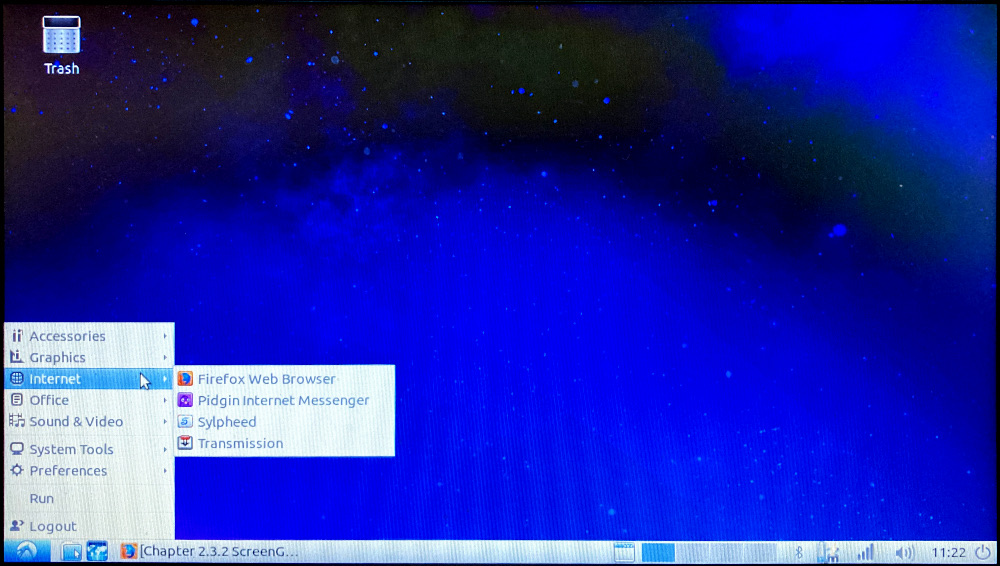
The wifi didn’t work, although the indicator was blue suggesting it was turned on. In the menu was an option to check for needed propitiatory drivers, and when I plugged into the Ethernet and ran this, it decided there was a Broadcom chipset wifi that it knew the drivers for. I allowed it to fetch and install them, and the wireless came to life.
The proprietary drivers not being installed is a common and reasonable thing, and almost certainly the issue with my antiX install, so it seemed like it was probably worth having another go at that plugged into the ethernet and enabling whatever is needed to allow the non-FOSS stuff.
antiX wifi
My first thought was that perhaps I could just enable the non-free option for the Debian sources. The way that the apt package manager works is that there’s a list of sources it checks with. Some distros are strict about non-FOSS stuff and this needs changed in /etc/apt/sources to make it check the non-free parts of the repository .
antiX had a slightly different setup, with a whole directory of sources, but the non-free option was set. I also mucked around with the rfkill command which kept saying the softblock was on - although I could see, by using rfkill list that the hardware button was working exactly how it should - flick it once and the hardware block for wifi and bluetooth was activated, flick it again and it went off.
I also jumped off the cliff of just trying commands that I found on the internet that were suggested for similar sounding situations, and that I only had the shakiest idea of what they did. I’m certain that the problem at this stage is that I need to install those Broadcom 43 drivers. Without something poping up to ask me if I want to do that (which is exactly the sort of thing a lean distro wouldn’t have) I’m a bit lost.
Antix seemed so right for my purposes, I might come back and try it again when my Linux knowledge is a bit better. In the mean time, I need a popular distro, lighter weight than Lubuntu, so I’ll give Mint a shot.
Mint Xfce
Distrowatch currently lists Mint as #3, so it meets my “popular” criterion, and is has a Xfce (lightweight desktop environment) version, so perhaps it will run crisply on the Atom, but still hold my hand to install these wifi drivers.
As with all the other distros, it went on smoothly. Once I booted in to it, some sort of system checker popped up to complain about the Broadcom drivers, and offered to extract them from the install USB - that didn’t work for me since I’d used Ventoy for the install, and the ISO was not loaded after I’d rebooted. Heading back up to the office to reconnect to an Ethernet cable allowed the system to download the drivers and five minutes later I was on wifi.
I’m not sure if I’ve used it enough to be sure, but the performance with Mint Xfce seems similar to Lubuntu - ie not as good as antiX. Also, there’s a scary message saying long term support runs out in nine days since I had to go back to version 19.3 to find a 32 bit version.