Moving a domain from Wordpress
30 Dec 2024I love the convenience of a hosted blog on wordpress.com, but one of the justifications for my ‘investment’ in homelab hardware and learning time was that I’d reduce my spend on hosted platforms by self-hosting them. I’ve already quit Evernote and dropped back to the free plan on Dropbox by building systems to replace them for less money and more data sovereignty. And now, the recent Wordpress drama has made me uneasy about Matt having control of domains I’ve got registered with wordpress.
For the moment, I’m leaving content there, but I’d like to keep my options open for the future, so that means moving any domains to an independent registrar, in my case, porkbun .
Wordpress have a good article explaining their part of the process (kudos to them for not trying to make it difficult) but I ran into a bump not mentioned there, so it’s worth writing out the steps for future travelers.
Make sure your email is correct
It probably is fine, but this process is going to rely on you having control of the email address attached to your wordpress account. If you don’t currently receive the emails for renewals etc, then you need to fix that first. Registrars like to be careful that they are not giving away people’s domains to bad actors, so there will be a bit of a “verify you own this email that is the contact for the domain” dance as part of this process.
Be settled
For reasons outside WordPress’s control, you can’t be moving domains around all the time. It needs to have been with the current registrar for 60 days. If not, you’ll just need to wait that out.
Even if that’s not your situation, still keep in mind this transfer will take about a week. There are ways of pointing a domain elsewhere a bit quicker, but actually moving it takes five days or more.
Turn the transfer lock off
Most domain registrars allow you to (probably be default) ’lock’ a domain to prevent changes. To get to this on Wordpress, go into your site, and look in “Upgrades” | “Domains” for “Transfer”. There’s a toggle to turn that off.
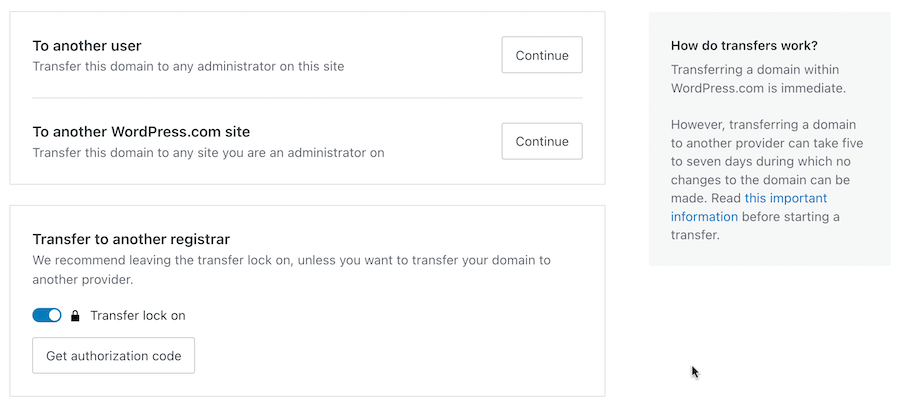
This is also where you can request the “Authorization Code”. This is the key that you’ll take over to your new domain registrar. But don’t do that yet - that’s what I did and got this:
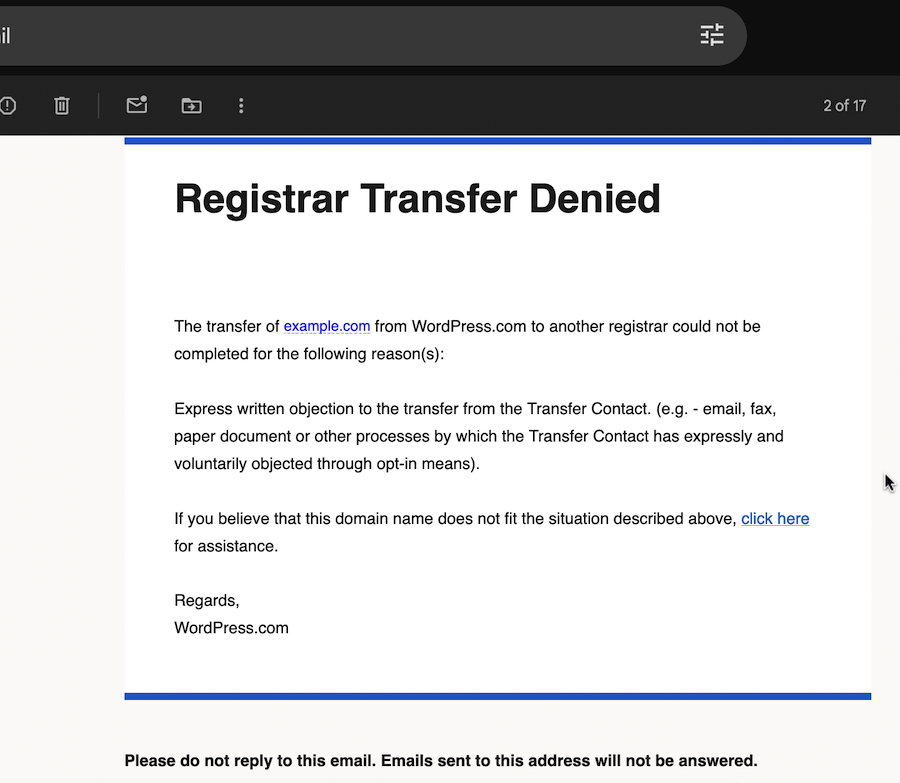
Lol. What?! Someone objected by fax to me moving my domain? I feel like the only people who could have done that to this transfer I initiated two seconds ago could be Wordpress.
Turn Private Registration off
To their credit (again) this was explained in another email shortly after:
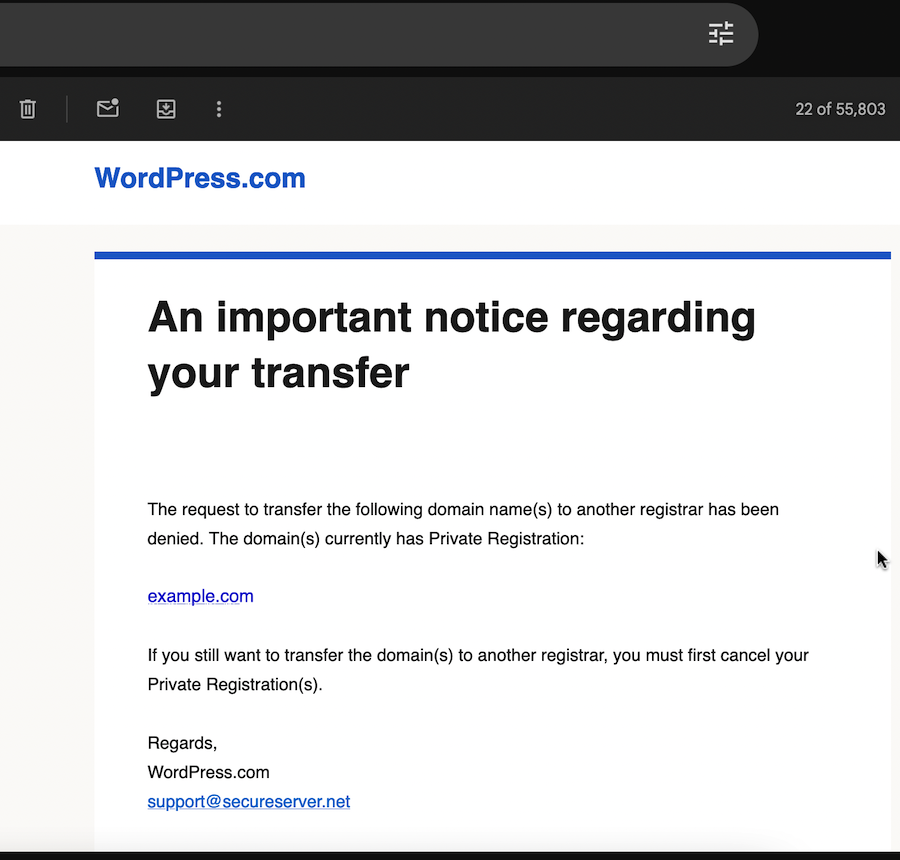
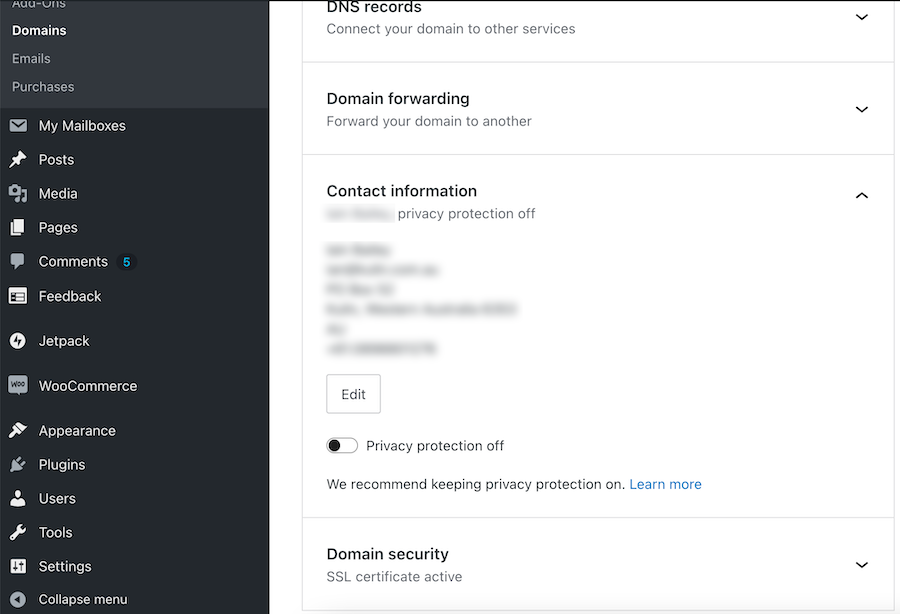
Ah, so I need to turn ‘private registration’ off. This is the mechanism that hides your personal details as a domain owner from scammers and grifters. Apparently it has to be ‘off’ to transfer the site. This is not a source of stress to me, as soon as the domain is transferred to PorkBun, the apparent owner of the domain when someone does a whois on it, will be “Private By Design LLC”.
Once again, this setting is in the Wordpress site settings under “Domain”.
Get your Authorization Code
Now is the time to hit the button in Wordpress to request the “Authorization Code”. It will be sent to the email attached to the domain. This is the hex string you’ll need to take to your domain registrar to request the transfer.
Start the transfer
I guess every domain registrar will have a slightly different set up. With porkbun, I just went to https://porkbun.com/transfer and entered the domain name and the authorisation code. They did charge me $11 for this, then advised that the transfer would take about five days. Maybe that’s built into the domain transfer system to allow more people to object by fax.
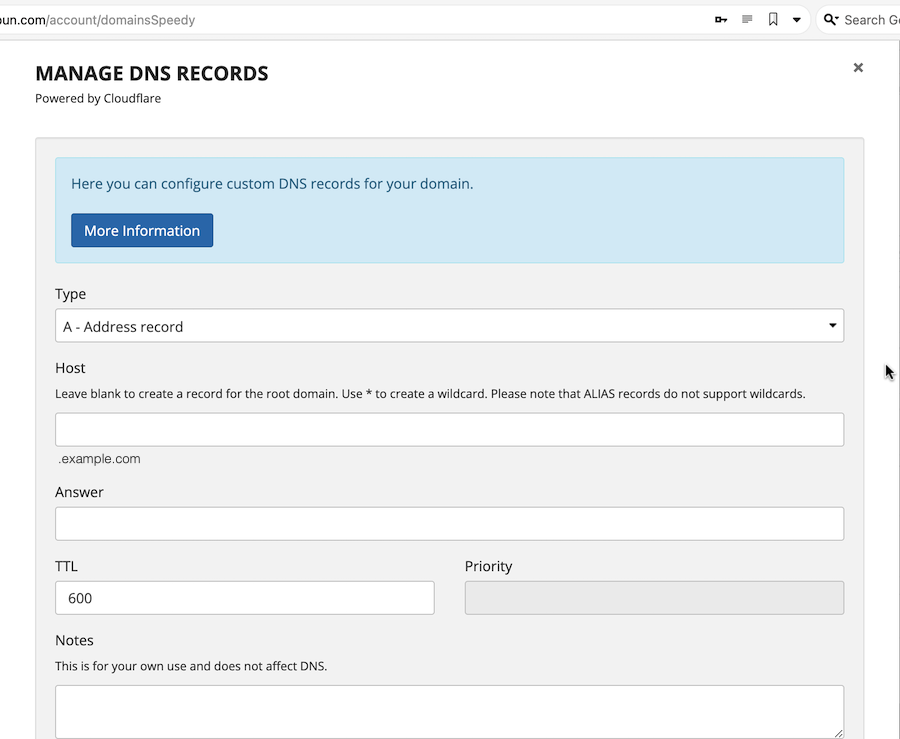
On the porkbun status page for the transfer, I was able to set up an A record to the wordpress IP where by blog still lives, so that the second the transfer went through, it would be set up to direct traffic there with a minimal downtime. I guess in this case that would have no effect since the wordpress name servers would still be in place (see further down), but it’s a good idea since often when you’re moving a domain, the losing registrar would be deleting your name-server entry.

Once the email came through on the sixth day, I checked the domain was still pointing to the blog, and it was all good. But we’re not done yet.
Change the nameservers
Although I’ve now got control of the domain, we’re still using WordPress’s nameservers. That’s not a big deal for me, but I do want to bring them over to porkbun so it’s the same setup as all my other domains. Before I nuke the wordpress nameservers, we need to check what records are in it.
First step is to see who are the nameservers for a domain. We do this with the dig NS <domain-name> command:
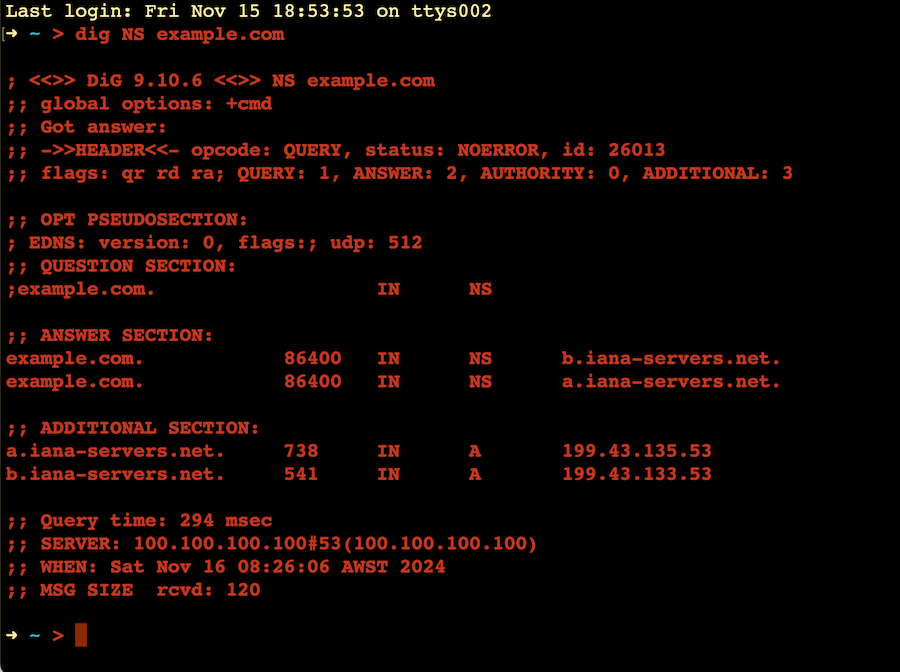
In this example the name servers are b.iana-servers.net and a.iana-servers.net In the case of your wordpress blog they are probably ns1.wordpress.com etc.
Once you know the name of the nameservers you can query them with the domain name to see what the records are. The most important will be the A records, but you probably want to go ahead and check the MX (mail) and TXT records as well so you can reproduce them on the new registrar.
This is done with dig @<name-server> <domain-name> <record-type> for example dig @b.iana-servers.net example.com A
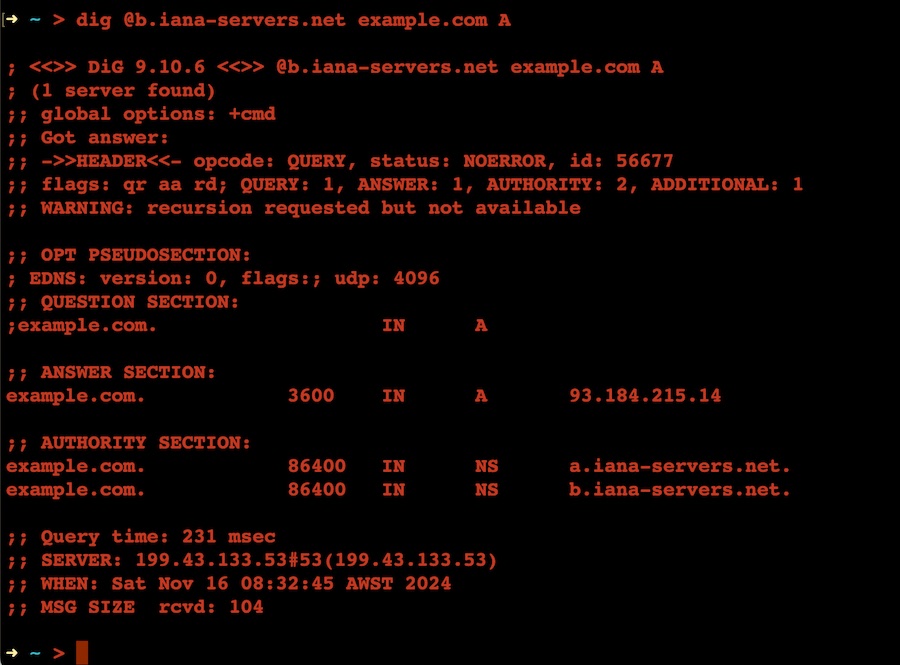
In this case there is a single A record pointing the domain to 93.184.215.14 We need to note all of these to reproduce them in the domain settings in your new registrar. Again this is going to be different for each one, but if you’ve ever pointed a domain anywhere, you’ll know how to do it on yours.
Change the nameservers
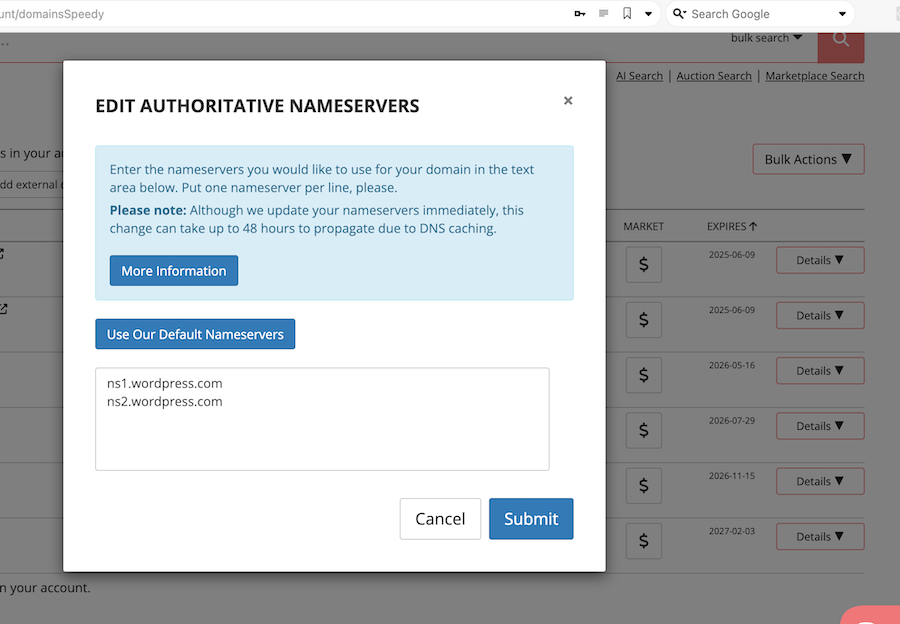
Now those records are all in, it’s time to change the nameservers. There will be an option somewhere in your domain management tools at the registrar to allow for this. In my case, I’ll be switching to porkbun’s default ones.
Profit
That all was a bit of a dance, but it feels good to be in control of the domain so I can redirect it in the future if needed.
Edit from the future: This (pointing the domain I now controlled at my wordpress.com blog) died after a couple of weeks. I’m not sure if they changed something, but when I went into the wordpress settings to check it was still set up to use an external domain name, it greeted me with an ‘upgrade’ offer to turn that on at an annual cost greater than my old plan. So, I had to hurriedly set up a wordpress instance on a VPS - which turned out to be not much drama and will probably be the subject of a future post.