NAS Storage Calculations
11 Mar 2023I’ve been really happy with my two bay Synology NAS - a DS216j. The Synology’s seem to have great reputation for just pushing on. Mine is loaded up with two 8TB Seagate Barracudas in RAID 1 leaving me with a one drive failure redundancy.
I guess a more hard-core host-er than me would be building their own array and using Unraid or ZFS or something. I’m pretty comfortable with the Synology off the shelf system; it’s a good match for my (low) level of expertise, and more robust than my previous storage system of a USB external drive.
As I start to move real world applications out of the cloud and on to self-hosting, I need to be serious about availability and data security. The general standard for this in the self-hosting community seems to be three versions of data:
- production version
- local backup
- remote backup
I feel like the local and remote backups don’t have to be NAS - a large enough external drive might be a reasonable cost saving. I would like the local backup to be able to be swapped into production though, so even if it was an external USB drive and would provide a degraded service, it should be able to be used to maintain services.
A few days ago, there was an 8 bay, hot swappable Synology on eBay that got me a bit excited thinking about running different pools with a variety of RAIDs or just packing it with low cost smaller HDDs. Luckily I didn’t win it, but it triggered me to think about exactly what I need and what the trade-offs are.
Drive Quality
The drives I’ve got in my NAS are second-hand, brand name non-NAS drives. They had just under 9000 hours on them, and the company selling them had hundreds of identical drives. From this, I’m assuming they came out of a data centre who replace drives at the one year mark.
It’s possible to buy “NAS” drives (and also “surveillance” drives) which are sold for uses where they are in use 24/7. They cost more.
Is it possible these two types of drives (and perhaps even the USB external drives) are all the same drives, just marketed differently? Well, it’s possible. But it’s also possible they are mechanically identical, but have been sent to different market segments based on their initial test results.
RAID
RAID is a way of combining physical disks into one logical volume, usually in a way that reduces the capacity but allows for a drive failure without data loss. There’s several different ’levels’ of RAID. My current setup is RAID1 - I have two 8TB disks which present to the system as a single 8TB disk, but if one drive fails, I still have access to all of my data. If you have more than a couple of disks, RAID5 is a better option - if you had 3 x 8TB drives, you’d end up with 16TB usable space, and still be able to tolerate one drive failure. If you’re super cautious, RAID6 will allow two drive failures before you’re in danger. Of course this comes at a cost, if we had a 4x 8TB drive setup, there’d only be 16TB available, but any two of the drives could die without stopping the system.
Scoping out the options
I’ve decided I need about 12TB - I currently have about 3TB of media locally and 0.5TB of general data on my laptop, that’s backed up to an external drive about weekly, along with about 20GB in DropBox. The bottom Dropbox plan is about AUD190 for 2TB, and I’m only using a fraction of it, so as part of my self-hosting that will get canned. 12TB seems like a lot of headroom from 4TB which is about where I’m sitting. I’d like to offer a couple of TB to whichever relative ends up hosting my remote backup. And finally it’s a multiple of 6TB which is a common ex-enterprise second hand drive size on ebay, so I know I can get year old ones for about $100
I’ll run through the thinking of each of the options I’ve considered.
DS412+
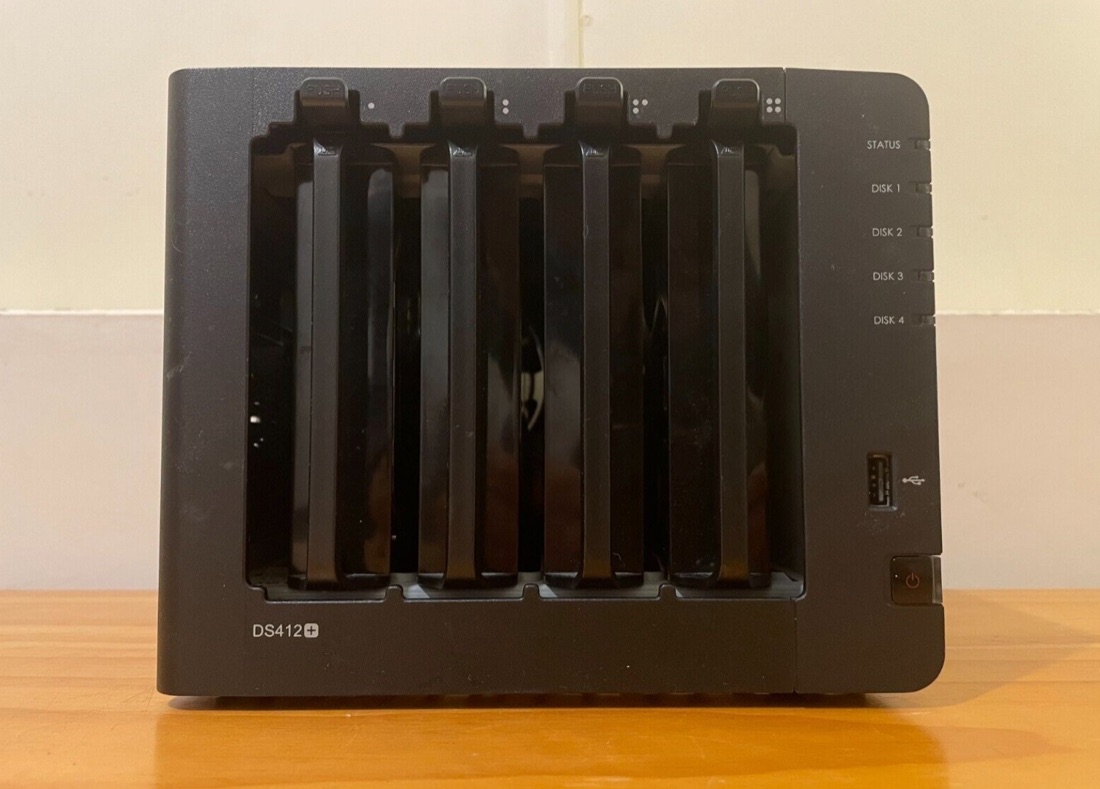
I had a couple of Synologys with more bays than this in my eBay watchlist, but as you add drives, you add power consumption and heat, so I think realistically at the 12TB point, 4 bays is the most you could justify. There’s a bit of a price step up as well when you go to five bays and leave the serious home user segment of the market.
It’s worth mentioning how the Synology model numbers work in the DS range. My existing unit is a DS216j. The 2 is for two bays and it’s 2016 model. So the DS412+ is from 2012 and has four bays. The ‘j’ on mine denotes its a mouse-power CPU - in this case a Marvell Armada 385 - some sort of low power ARM. The DS412+ is rocking a bigger mouse - the Intel Atom D2700, and it has a bit more RAM.
The processor is not a big deal to me. Some folk host a lot of apps - media servers etc on their NAS. I’m not planning to do that. As long as it can run Tailscale in a container (which the ‘j’ models can) we’re good to go.
My theory with drive quality is that the lower the quality of the drive, the higher level RAID I need. So If I scope this unit out with the $100 used, non-NAS drives, I can install four disks as RAID6, have two fail on the same day, and still be operational.
This second-hand (about ten years old) unit was on “buy now” for $416, the four year old drives adds $440 making it $856 unit - around $71/TB. The quoted power draw is 44W which works out at 3.7W/TB - the highest of everything I considered.
DS420j
Thinking about likely points of failure with the eleven year old NAS (if I used the DS412j) made me wonder if a unit failure might be higher on the probability list than a second-hand drive failure. The answer is who knows? - probably both events are quite unlikely. However I have some redundancy built in to the drives, but a single point of failure in the NAS unit. It made me wonder what a new 4 bay Synology costs, and the answer is not much more.
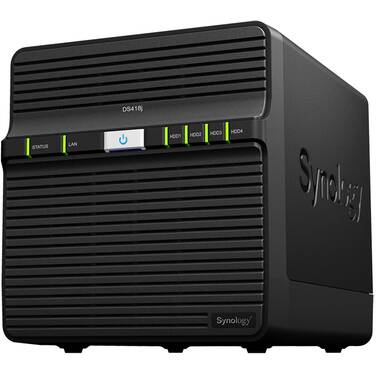
This DS420j is again 4 bays, and like the older 4 nay unit it’s hot-swapable. This means that in the event of a drive failure, you can leave the NAS running, remove the faulty drive and insert a new one. The unit will then (slowly) rebuild the RAID array, but while you are removing a drive and rebuilding the RAID the system is still fully operational.
Listed at $439, that works out to $880 total if I used the same second-hand 6TB drives as in the calculation above. So with my RAID 6 (two drive failures can be tolerated without losing data) the cost per TB is $73 - only a couple more than in the first example.
Apart from the peace of mind of running a newer unit, there’s a big difference in power consumption. The DS420j uses 44W, this one is 22W with all the drives spinning, or if you allow them to hibernate as low as 8W. So the max power burn is half at 1.8W per TB
Trading RAID
RAID 6 - where I’m installing 4 x 6TB drives, and only ending up with 12TB of usable space is very conservative - and I was doing that because I was using the second hand drives. What if I bought cheap, but still brand name HDDs, but only three of them and configured as RAID 5 so I’d still get 12TB of usable disk, and a single drive can fail without affecting my data?
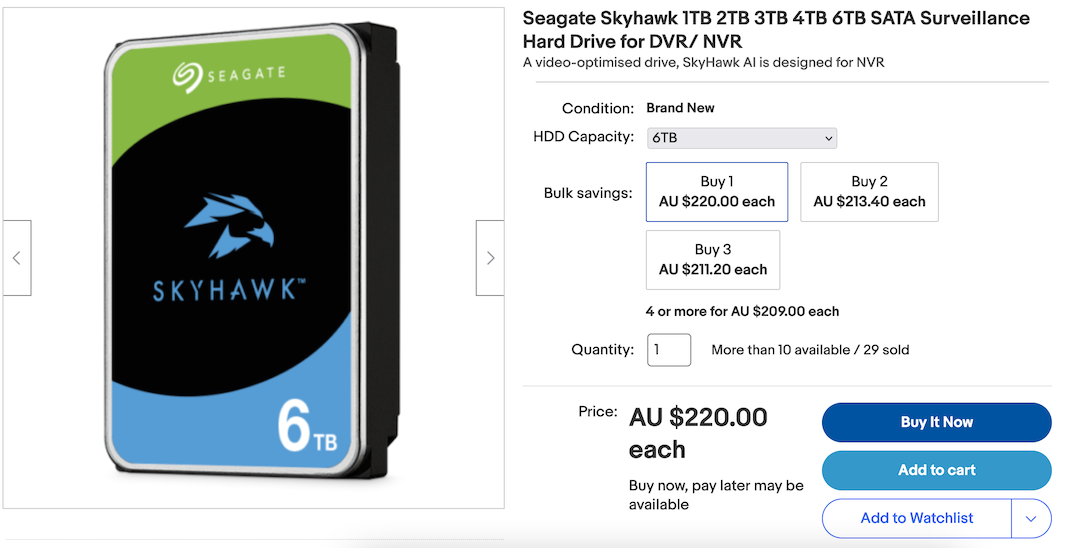
There are no three bay Synologys, so I’d use the same NAS as above - the DS420j. I can buy three Seagate Skyhawk 6TB disks for $660, so the total comes to $1100 or $92/TB - quite a bit more than four of the older drives in RAID6. With less drives spinning, we can probably assume a total power consumption of around 15W - 1.25W/TB
Even less disks
What if we reduce the number of disks even further? If we double the drive capacity to 12TB we could run 2 x 12TB drives as RAID1, have a smaller NAS, save some power, and still have a single drive fail with no data loss. We might want to go to an even higher quality of drive, perhaps one of the ones rated for NAS use - The cheapest new brand name 12TB NAS drive on eBay was a Seagate IronWolf. Two of those costs $756. The two bay DS220j NAS only adds $241 for a total of $997 - $83/TB. Power looks great at 1.1W/TB.
These smaller NAS’s are not hot-swappable. You have to power down the NAS to replace a drive. This is not as cool as just clicking a button and sliding a drive out while all your services are still up, but it’s not really a significant factor in my decision making.
Disk singular
I wouldn’t do this for my production storage, but it’s worth mentioning the single disk NAS. You’d want the best quality of drive possible, and probably schedule to swap it out after three years or so. A Synology single drive NAS with a NAS rated drive is a big step up in quality and convenience from an external USB drive. With that same IronWolf 12TB drive and a DS120j you’d be out of pocket $578 or $48/TB, and power is down to 0.83W/TB.
Ye Olde USB Drive
I’ve not had a USB drive failure, but mine generally live a happy life powered down in a cool dry drawer until they are fished out for a backup session. Just by way of a comparison to the options above, a WD “Elements” USB drive costs the same as the single disk NAS at $580 ($48/TB) but the power is down at 0.67W/TB. The cheaper Seagate “One Touch Desktop Hub” drive works out at $35/TB and 0.83W/TB
| NAS | Disks | Total | $/TB | W/TB |
| DS412+ | 4 x 6TB used | $856 | 71 | 3.7 |
| DS420j | 4 x 6TB used | $880 | 73 | 1.8 |
| DS420j | 3 x 6TB new | $1,100 | 92 | 1.25 |
| DS220j | 2 x 12TB NAS | $997 | 83 | 1.1 |
| DS120j | 1 x 12TB NAS | $578 | 48 | 0.83 |
| WD Elements | 1 x 12TB USB | $580 | 48 | 0.67 |
| Seagate | 1 x 12TB USB | $423 | 35 | 0.83 |
Clearly out of the first two options, you’d choose the second. $2 extra per TB of storage is easily worth it to start with a new NAS compared with an eleven year old one. After that the price per TB doesn’t go down till you hit the single drive devices.
Someone else may well start with different assumptions that I have made here, especially in the way I’ve decided to increase the drive quality as I’ve reduced the redundancy. For instance, you may be happy with a couple of second hand 12TB drives in a DS220j at $54/TB instead of rooting for new NAS drives. This would be along the lines of my original purchase of a DS216j and two 8TB second hand drives for $58/TB.
The Plan
Based on all this, I went with option two - the new DS420j and four old drives in a RAID6. It turned out a bit cheaper since there was a discount code for the NAS, and the price per drive was a touch less when buying four.
For a local backup, I’ll use a single second hand 12TB drive in a DS120j, and for the remote, mainly because I want to share some storage with the home owner, and I feel that has to be on RAID, I’ll buy a pair of 14TB second hand drives to put in the DS216j for the remote, so I can open up a 2TB pool for them to use as a local backup for laptops or what have you.