New Project Routine
21 Oct 2023
I have a sort of muscle memory for starting little web projects now. I seem to have landed on node/express SSR apps with HTMX sprinkles. So it goes a bit like this:
- Create a working directory - all lower case with a simple, but unlikely to be duplicated by me, name.
- Open the directory in vscode
npm initin the directory to create thepackage.json- create a
publicsub directory, and drophtmx.min.jsin there, and create astyles.cssthere. I’m always conflicted about what to do about this htmx dependency. I’d rather host it rather than use their CDN because reasons . But I also feel bad about committing it on Github. I could .gitignore it, but then when I clone the project on the production server I’d need to add another step to download it. HTMX is only 44K, and Microsoft can afford the bandwidth, so for the moment I commit them, but I need a better solution for the future. - using the git tools in vscode, add
.DS_Storeto.gitignore(which also creates it), then edit it to also ignorenode_modules npm install expressnpm install ejs- create a server.js, and add the hello world code
- create a
readme.md - commit these files as “initial”
- Create the repo on github with the same name - no readme and no licence. I do it this way for a couple of reasons - I want to find out at this point if I’ve already used this repo name, and I want it to give me the cut and paste commands to push the repository.

- Do those in the terminal.
- Refresh the github page, and add the licence by
Add File, name it LICENSE - this lets you choose the template you want. What I’d really like here is “GPL3 but giant cloud companies can’t make money from hosting it” - which I guess would be called the MongoDB license or something. - Do
git pullin the terminal to check that’s all working nodemon ./server.jsthen command click on the link to check everything’s working- profit
Express Skeleton
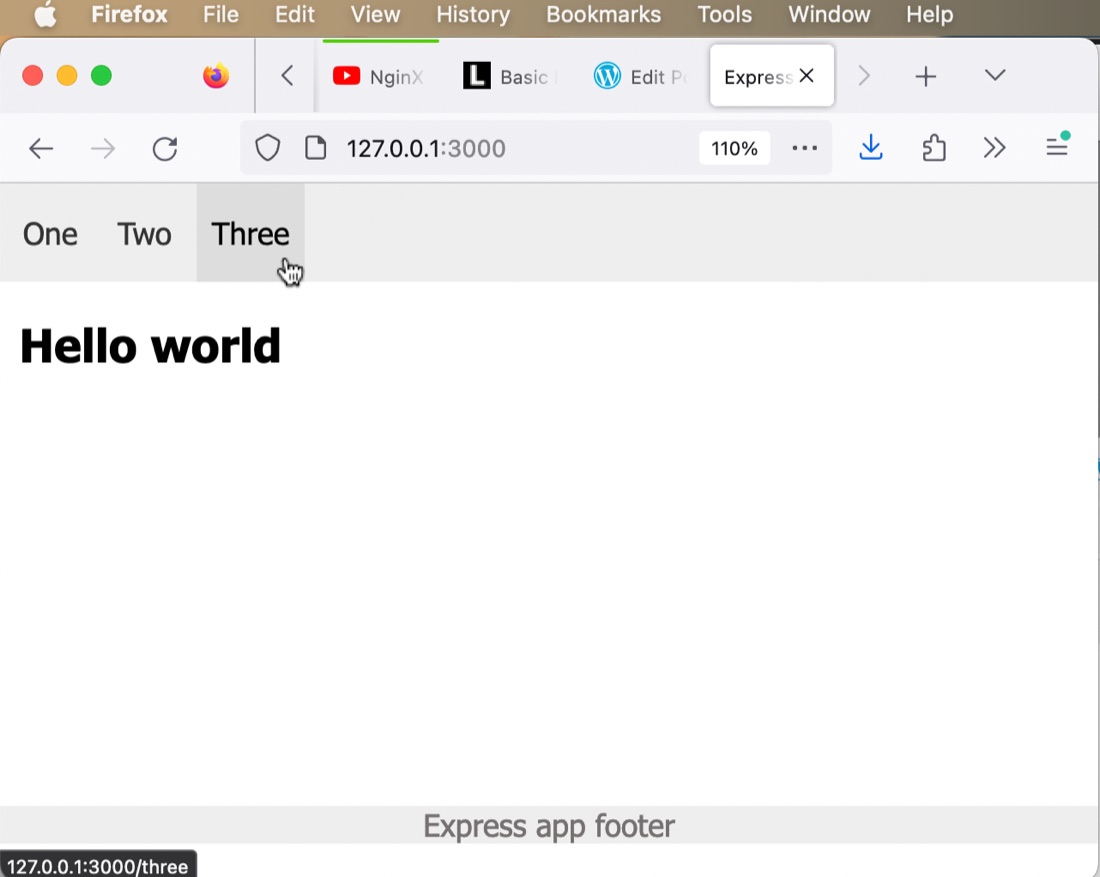
That’s my basic web app setup, but since this is an express app, and we’re using some EJS templating, there’s some other starter files I like to create. Let’s start with our pages. I’ll need an index and a 404 page, and my pages are all going to have a header section as well as a nav and a footer. Something like this:
─── views
    ├── 404.ejs
    ├── index.ejs
    └── partials
        ├── footer.ejs
        ├── head.ejs
        └── nav.ejs
To give you a flavour of how that all works, here’s a sample index.ejs
<!DOCTYPE html>
<html lang="en">
<%- include('./partials/head.ejs') %>
  <body>
    <%- include('./partials/nav.ejs') %>
      <div class="content">
        <h2>Hello world</h3>
      </div>
      <%- include('./partials/footer.ejs') %>
  </body>
</html>
Then we need some basic routing in server.js
const express = require('express');
const app = express();

const hostname = '127.0.0.1';
const port = 3000;

app.set('view engine', 'ejs');
app.use(express.static('public'));

app.get('/', (req, res) => {
    res.render('index', { title: 'Index'});
  });

//404 handling
app.use(function (req, res, next) {
  res.status(404).render('404', { title: '404', url: req.url });
});

app.listen(port, hostname, () => {
  console.log(`Server running at http://${hostname}:${port}/`);
});
And, lastly, a bit of CSS to make it beautiful.
@viewport {
    width: device-width ;
    zoom: 1.0 ;
}

body{
    max-width: 1200px;
    font-family: Tahoma, Arial, Helvetica, sans-serif;
    margin: 0;
}

nav {
    position: fixed;
    top: 0;
    width: 100%;
    overflow: hidden;
    background-color: #EEE;
}

nav li {
    display: inline-block;
    padding: 0;
}

nav a {
    display: inline;
    color: #333;
    text-align: center;
    padding: 17px 8px;
    text-decoration: none;
}

nav a:hover {
    background: #ddd;
    color: black;
}

nav ul {
    padding-inline-start: 4px;
}

/* push content down below the nav bar */
.content {
    padding: 50px 10px 10px 10px;
}

footer {
    width:100%;
    position:absolute;
    bottom:0;
    left:0;
    color: #757171;
    text-align: center;
    margin: 80px auto 20px;
    background-color: #EEE;
}
chefs_kiss.jpg