Nginx config on Debian/Ubuntu
16 Aug 2023
A quick look at the arrangements around the config settings for nginx. This is based on what I can see in Debian and Ubuntu, but likely it will be most apt flavoured distros. Others may well be different, I know CentOS is.
Context
If the way the configs for nginx are arranged seems a little complicated, it’s helpful to keep in mind there’s a couple of challenges that are being addressed with that complexity.
Separating concerns
Separating out distro, and sysadmin concerns. - A very common pattern in Linux configurations is that the main config (often a .conf file) is kept with the application’s other files in an /etc/
For example, here’s a tree of /etc/ssh

If we look in the ssh_config file, there will be a line including all the configs found in the ssh_config.d directory.
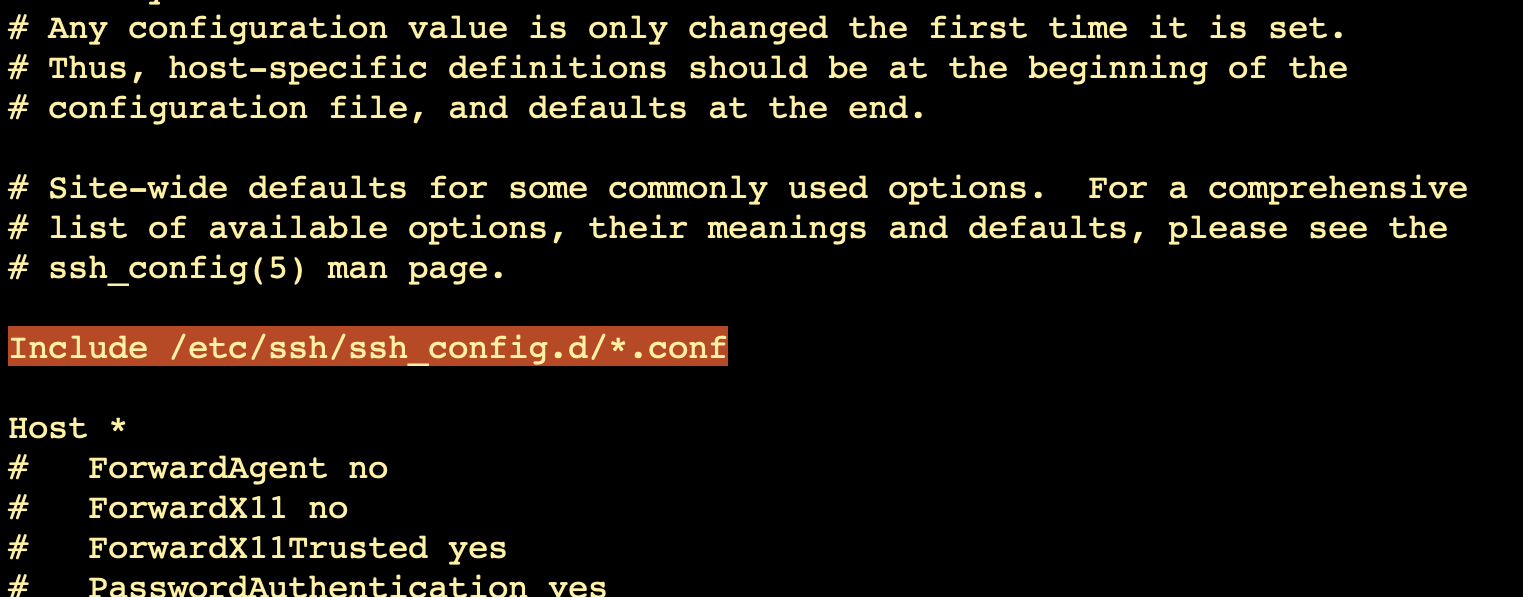
The benefit of this pattern (having a main config file including all the config files in a sub-directory) is that the distro maintainers can make changes (in future updates) to the main config file to make everything in their distro work together, and the system administrator can make their changes for the local system in the sub-directory without them being written over during an update.
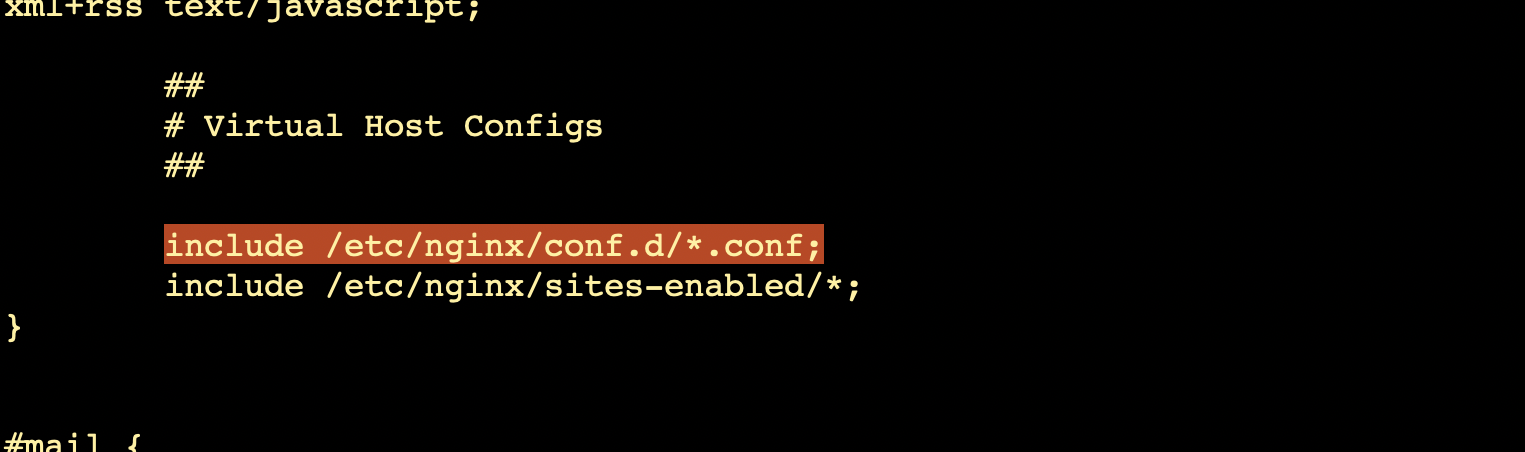
Nginx configuration follows this pattern. The main configuration file nginx.conf, includes the *.conf files in the conf.d sub-directory.
Maintaining Sites
It’s common for web servers running on an individual machine, to be serving content for more than one domain or web site. For example you might be running apache2 on a VPS that is serving your business web site, as well as the web sites of a couple of clients. This would be achieved by having the DNS records for, say itfreaks.com, realfakedoors.ca, and joesusedcars.com all pointing to the same IP address of your server.
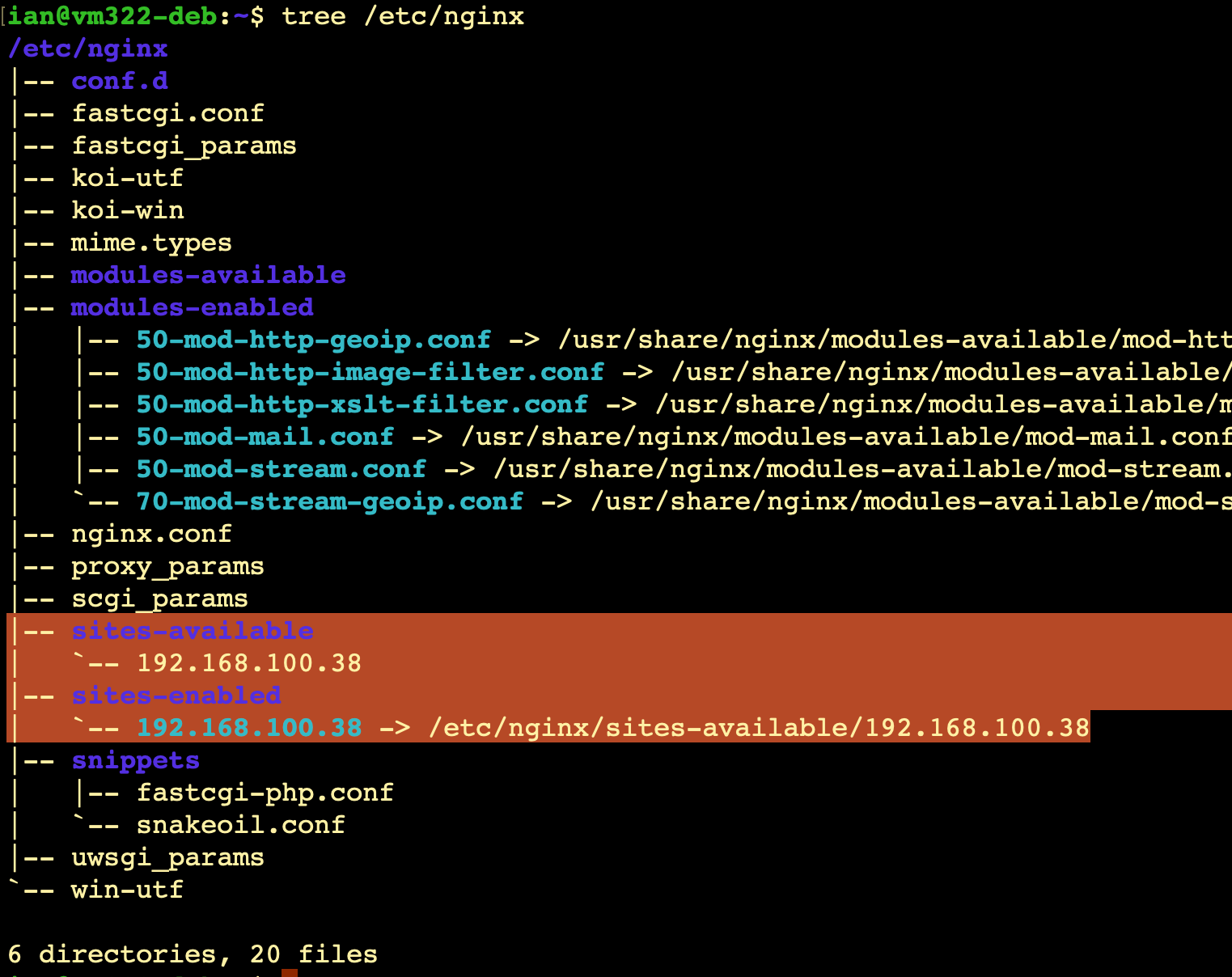
Since each of these sites may need slightly different setups, it would make sense for them to have separate config files as well. If you look at the screenshot above, you can see that nginx is going to look in the /etc/nginx/sites-enabled/ sub-directory for these, but that’s not quite the whole story. Let’s look at the tree of a fresh install of niginx.
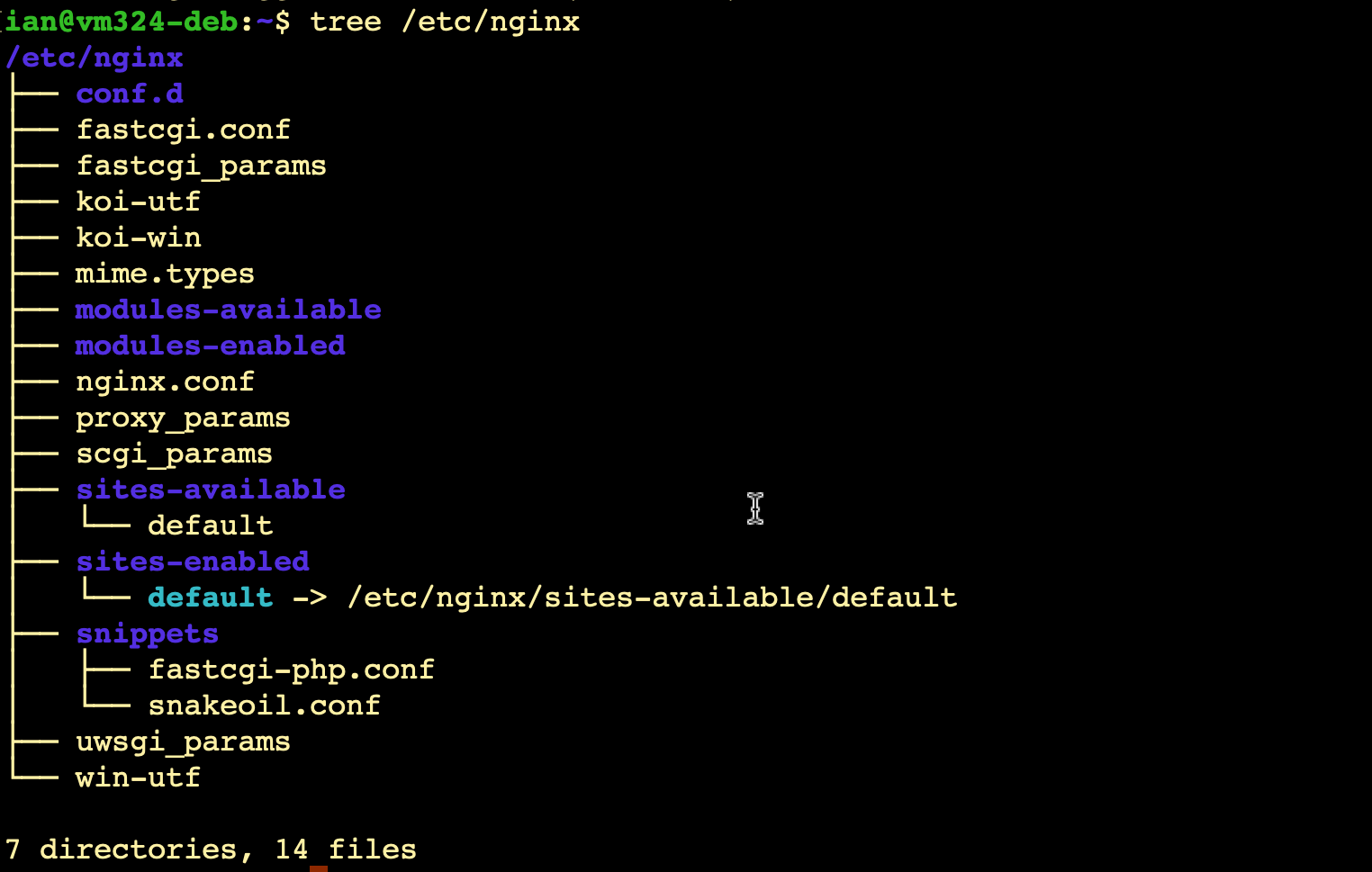
You can see that the sites-enabled sub-directory includes a symlink to a config file called default in the sites-available sub-directory. The intention here is that you put your config files for each site in /etc/nginx/sites-available, and link to them from /etc/nginx/sites-available. Then when you want to activate a site, you put a link in sites-enable, or delete the link when you want to disable it, but this is done without losing the work in the site config file.
Usually, you use the site name for these files - there’s no need for the .conf extension. So if we look at an installation that has a live site with an IP address, it could look like this.