Peek inside a Docker image
29 Apr 2024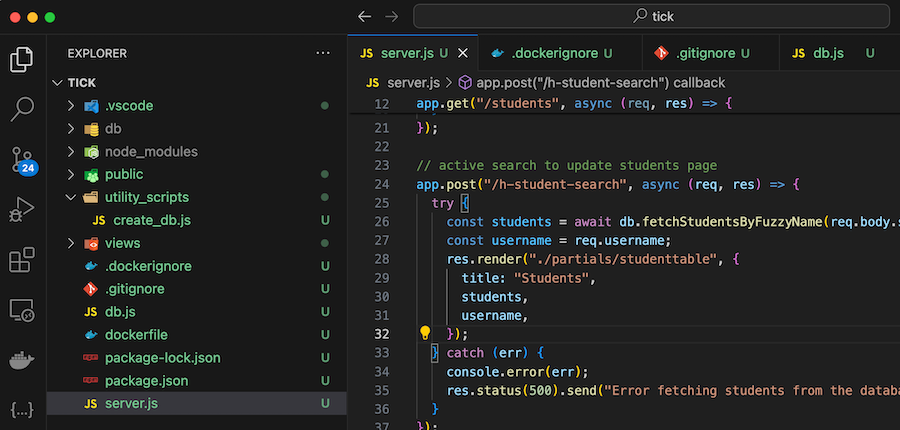
A ‘dockerfile’ contains all the instructions to build a Docker image. Here’s my first draft for a project I’m working on:
FROM node:20
WORKDIR /usr/src/app
COPY package*.json ./
RUN npm install
COPY . .
EXPOSE 3000
CMD ["node", "server.js"]
COPY . . is copying all of the files in my project into the working directory of the image so they can be run. Of course we don’t need them all for the app - for example the node_modules directory will be created when we npm install so no need to copy that, and I don’t need all my dot files in the container.
Docker has an easy fix for this, we can just add these files to a .dockerignore file in the project, again, here a first draft.
data
db
node_modules
.vscode
.dockerignore
.gitignore
.env
When I build an image, it doesn’t list the files it’s copying in, so I often like to sneak inside the image to have a look. This is easy, the trick is just to launch bash inside there. When I built this particular image, I tagged it iankulin/tick, so the command to run bash inside it is:
docker run -it iankulin/tick /bin/bash
Those flags, -it are saying we want an interactive terminal. To get back out of it, just use ctrl-D the sames as if you where logging out of an ssh session.
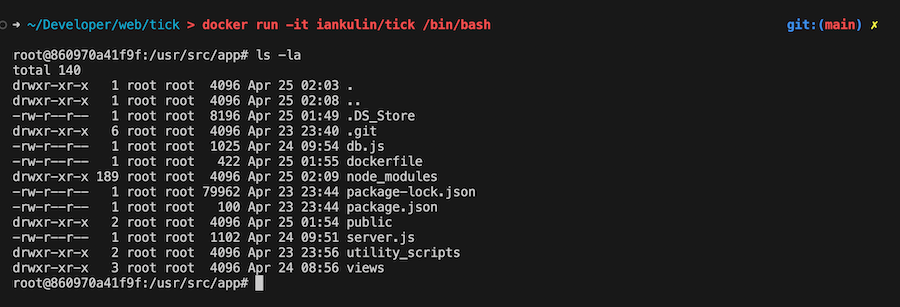
Well well, there are a few files there I can add to the .dockerignore
There’s a couple of reasons to only keep necessary files in our containers. The first is that it just seems like good programming craft to keep things neat and clean, and a second is that it could become a security issue if we leak things into our containers. An obvious one would be a .env that contained API keys or similarly sensitive stuff, but also, I have no idea what’s in a .DS_Store. Mostly likely nothing important, but it’s not needed by my app so lets eliminate it by adding it to .dockerignore
You might think I could have avoided all this by explicitly copying the files I know I need in the dockerfile instead of using the broadbrush COPY . . and that’s true. But I’ve found that if I do that, I end up wasting time debugging things that turn out to be a missing file, whereas if I copy everything, I just need to inspect the container at the start of the project and again as part of the shipping checks and we’re golden.
Actually, I generally don’t want any dot files in my containers, so we’ll add that as a wildcard in the .dockerignore
data
db
node_modules
.*
dockerfile
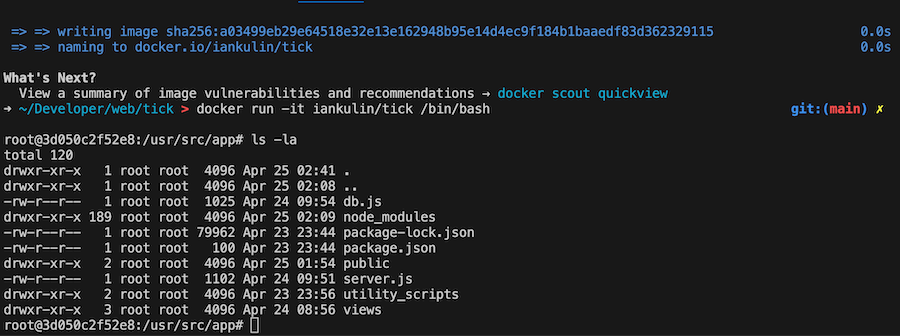
Much neater: