I was listening to a JavaScript podcast today (JavaScript Jabber ) and in one of the discussions a point was made about how HTML, CSS and JavaScript have all had to maintain considerable legacy behaviors that compile-able languages do not have to. For instance, when Swift underwent some substantial changes from Swift 2 to Swift 3 - some code broke for developers and needed reworking because things had changed or been removed. Nothing broke for users - they could either still use their previously compiled applications, or they were delivered new ones from the app store.
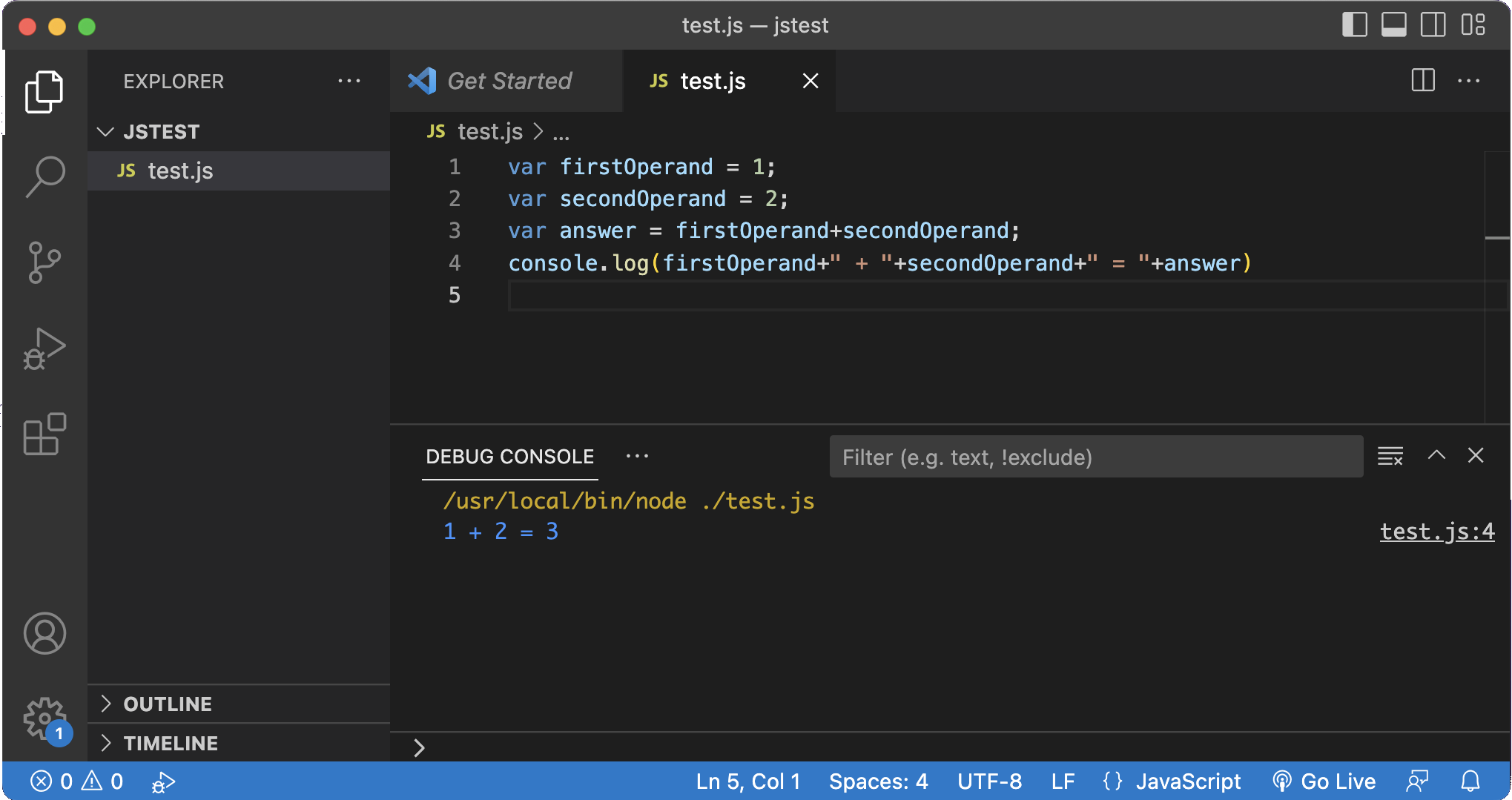
I’ve been using the Live Server plugin to see HTML & CSS updated as I edit, and that will also be useful when I start using Javascript for web development, but as you can see above, I’m not quite up to that. It seemed there should be a way to run JS in VS Code, and it turns out it’s easy.
You just need something installed that can run Javascript. Node.js is the obvious choice, and you’re going to need it later in your development journey. Just install Node.js then the first time you try to run some JS in VS code, it will ask you what to use, select Node and you’re in business.
I’ve been in the swing with the #100DaysOfSwiftUI course of having frequent assignments to test my understanding of the course content up to that point, then watching the feedback video and reflecting on it here. So far, in the Complete Web Developer I’ve only had this single CSS assignment, so I was excited to see how I got on.
I was a bit chuffed that one of Andrei’s first actions was to edit the html to make it more semantic - I’d usedfor the top bit, he used
In the Zero To MasteryComplete Web Developer course, I’m up to the first practical challenge - to use CSS to layout a reasonably standard looking web page using flex-box and grid to make it responsive.
Frustratingly, both for writing this, and while I was trying to build the page, I’m unable to screenshot the example of the page I was supposed to be building, and instead had to keep opening the video and seeking the two second flash of the completed project, and eventually being reduced to photographing my laptop screen like a boomer relative sending me a meme:
I briefly mentioned earlier that our HTML tags should flag WHAT this part of the document is rather than how to display it (we’ll look at how to use CSS for making the content look how we want later). This idea is called semantic HTML. This post will look at some of the tags (often called semantic tags ) we use to convey knowledge of what part of each document an element is.
A HTML file is a text file that can be displayed in a web browser. It is marked up in the sense that tags are applied to the text to signify the purpose of that text in the structure of the document. For example:
<h1>Greetings</h1>
Hello Earthlings
The <h1> tag tells the browser that Greetings is a heading. The heading tag is paired. There’s an opening tag <h1> and closing tag </h1> that let the browser know where the heading starts and ends. Most tags are paired, but there are some unpaired tags such as which inserts a line break.
I mentioned a couple of days ago that the ZTM webdev course was skipping forwards too quick and that it would need to be supplemented. For CSS, I think the supplement for me is going to be this series from Dave Gray.
I knew there was some magical way of entering all the theboilerplate in Visual Studio Code as I’d seen it happen in several videos, and assumed is was some sort of macro expansion thing in the editor. Fast forward a few blog post readings and youtube viewings and I keep seeing tangential references to someone called Emmet. Turns out they’re the same thing, and it’s pretty cool.
It’s not a new idea to have functionality in code editors to insert snippets of code. Emmet goes a bit further than that - and like many tools made by programmers for programmers it goes way to technical to the point where you need to memorise ridiculous amounts of combos to to some awesome stuff (I’m looking at you whoever made it possible to use vi commands in VS Code). Nevertheless, Emmet is extremely handy even at my n00b level.
I started my first Udemy a few days ago. I was watching one of those “How I’d learn to code if I started over ” YouTubes, mainly because I’d like to know enough JavaScript to write little REST API’s on Node.js, but also because I’m starting to think web development makes more sense for a couple of the applications I’ve got on my (ever growing) list of app ideas.
I’ve gone over to the dark side a little. As I think about the sort of apps I want to make, I realise I am going to need to be able to do back-end web development. My apps are going to need a secure REST api to a database. I guess that means node.js. I’m also conscious that my ticket app needs to run on android, and a short cut around all of that might be to make the whole thing a web app from the start, but with the premium experience on iOS.
This week, the internet has been all about ChatGPT , the rather remarkable natural language AI with a very large model. If you’re a twitter user, you were probably amazed, but now eventually tired of seeing examples of it’s output. I’ll add to that with an example of a SwifUI CoreData based todo app it wrote for me from a single sentence prompt below. Rather than look at other people’s examples you should definitely go and play with it yourself - it is very impressive. Along with the image based AI’s it’s made 2022 into a historical year for AI.
Continuing on with the demo project from yesterday, in which we used the ImageRenderer class to turn a view into an image, today we want to let the user share it somehow.
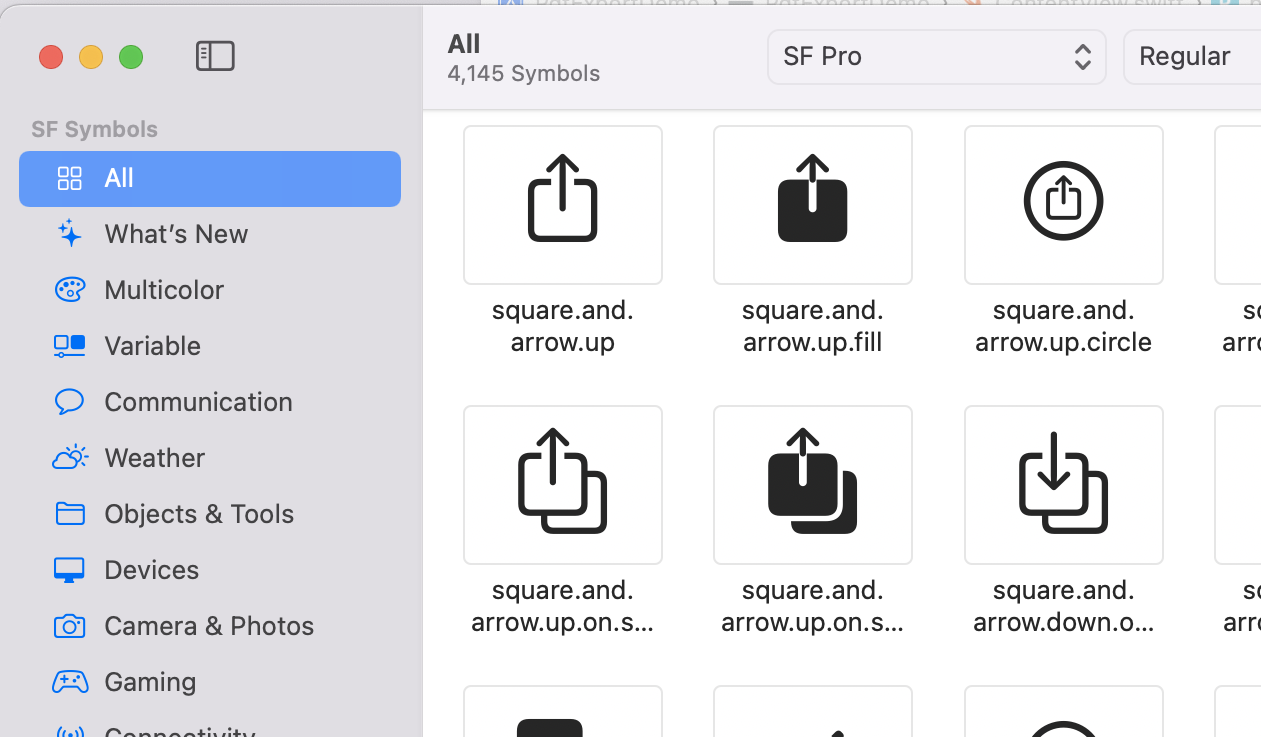
Typically, apps have a button using the square.and.arrow.up SF Symbol to share something from the current screen. It’s probably not an accident that it’s literally the first symbol in the app.
Pressing it generally opens the “share sheet” which has options for opening whatever is being shared in another app, printing it, saving it to photos, or whatever.
I’ve been listening to the latest episode of the Empower Apps podcast, this one with Jill Scott talking about “Humane” development - in the sense of being humane to whoever (probably you) is going to be reading this code in the future. It helped me clarify my thoughts about a couple of things.
None of these ideas are particularly new or groundbreaking, and although I think of them as my personal style, they are very common, and in Swift could be regarded as part of the culture. Some of these concepts support each other, some represent a trade off between two opposing ideas that require us to make a choice.
ImageRenderer () is a SwiftUI class that creates an image from a view. You just initialize it with the view, then extract a cgImage (Core Graphics) or uiImage that can be cast to a SwiftUI Image.
I’ll need a view to work with, so here it is; a crude version of my behaviour ticket.
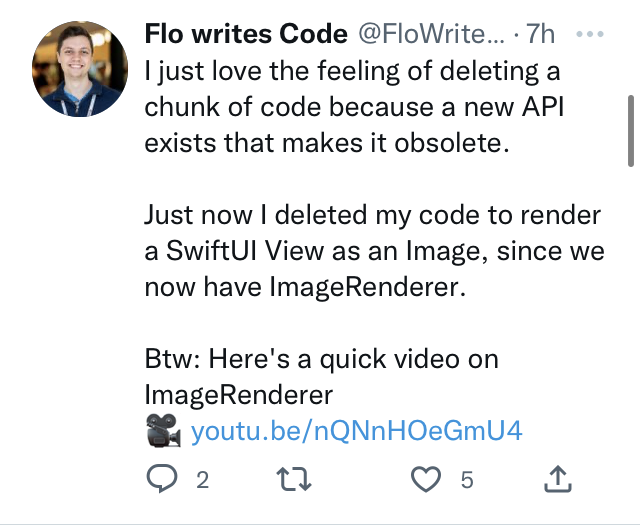
A few hours after I speculated about pausing work on the tickets app because outputting the tickets was too far out of my expertise, a helpful instance of the Baader–Meinhof phenomenon threw up some help in the form of this tweet from @FloWritesCode . It turns out this was an addition in iOS16 announced at WWDC that makes this straightforward.
As soon as I googled around about it I also found good solutions that wrapped the old code to provide similar functionality. So that’s a lesson for me about not assuming something’s hard before I’ve spent some time investigating it. I took that lesson and applied it to rendering to a PDF, and of course, @twostraws has a code example for that from three days ago!
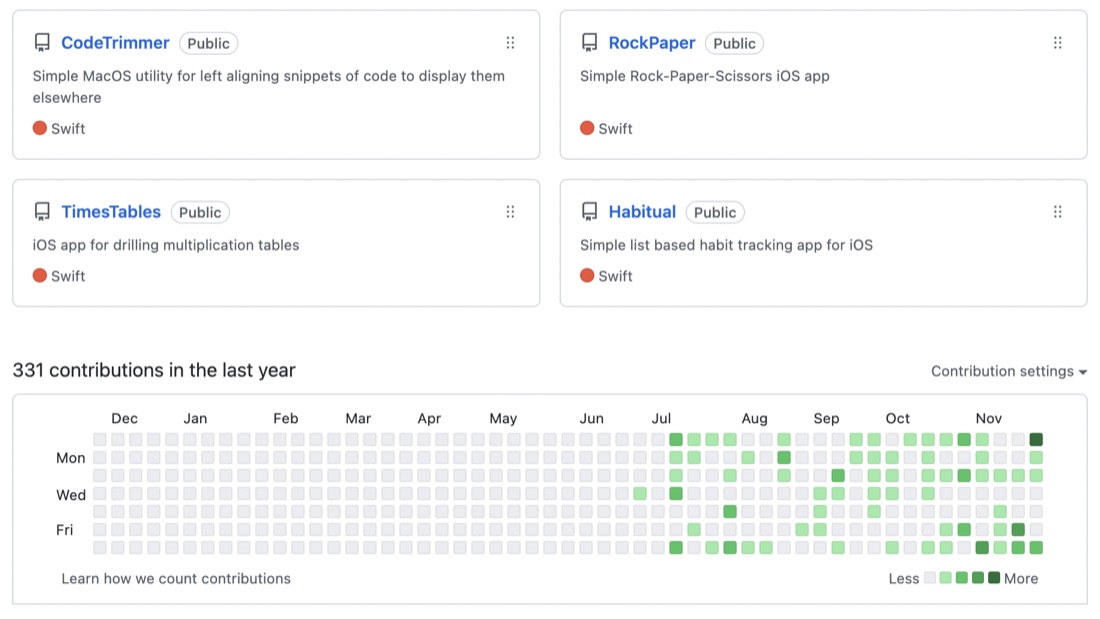
I quite like logging into GitHub and seeing my commit history as the graph with the green dots. Once I get up to a year it would be a great thing to have on a T-Shirt.
I’d expect to be seeing the busy weekends, but Tuesday nights seem to be oddly productive. It could just be a start of the week energy thing - I have some other community obligations on a couple of Monday nights a month.
A couple of days ago I was lauding the learning benefits of writing your own projects over completing tutorial projects - since your own projects push your boundaries further. Of course, its also the case that the project requirements might so completely exceed your current ability that it grinds to a halt. That’s the case with my behaviour ticket app .
The part of the app for collecting the data is pretty much done and how I imagined it, but the output needs to be pretty tickets that can be printed on paper. I managed to write the ticket data to a CSV file and export that to the files app with a .fileExporter, but really what I wanted is to have one of those share screens where you can chose to AirDrop, Print etc, and for the tickets to have been rendered to a PDF or series of images to be shared. That will have to wait. I’m just up to a bit in the #100Days about writing images so I’ll push on with that for a bit and come back to my app.
I have a a couple of Raspberry Pi’s on my home network. One is a radio interface on the AllStar network , and the other is just a toy server - I can’t actually recall why I bought it. Both of them are Model 3B’s - I’d love a 4, but they are scarce and expensive.
This doesn’t have much to do with Swift, although it’s possible to run Swift on a Pi , or even Vapor . Mine is set up as a generic web server that I use as the back end for my tiny projects. It runs Node.js , apache and lighttpd webservers, PHP , MySQL , SQLite , and, when I get to that stage of my programmming, Postgres . I could do all that on my MacBook, but it’s somehow more fun on the Pi.
On one of the more mediocre episodes of Fireside Swift , McSwiftface and Zach talk about the SOLID principles of class design, although I don’t hold the principles as the article of religious fervour that many interviewers apparently do, they are a useful touchstone for considering class quality. OOP had been in swing (in a commercial way) for a few years by then - I was writing in Delphi and C++. The spaghetti code era was a long way behind us and the idea of separation of responsibilities was well established.
I was listening to an old episode of Fireside Swift today discussing NFC tags. I have a bundle of this tags in a drawer here somewhere - I thought it would be cool to tap one as I came home to turn off the CCTV and some other home automation things. But it turns out my phone (an SE2) has the capability for this, but only inside an app - not just from anywhere, whereas the proper phones can just tap anytime, and if the NFC payload is set up correctly, follow a URL, including by “deep linking” into an app.