Dec. 1, 2022

A couple of times in conversations on Fireside Swift and Swift Over Coffee the presenters have talked about the danger of just doing more and more tutorials to learn programming, and the benefit, in contrast, of building your own real app. Although I am very much still benefiting from the 100DaysOfSwiftUI I have been seeing some of the upside of working on a real app in the last day and a half.
Nov. 30, 2022

I’m working on the behaviour tickets app, and wanted a visually functional version to share with stakeholders this week to get some feedback. As usual in this situation, I’m pressed for time so feeling the pressure to take some liberties with code quality that I’ll come back and fix one day.
In a salient lesson of why that’s usually a bad idea, I’ve ended up googling to try and understand regex instead of writing code.
Nov. 29, 2022
I have a Raspberry Pi on my home network that I purchased for some project that I can’t actually recall. It gets used for all sorts of completely unnecessary things such as playing with node.js or a private git server. To add to the list of things that I do on pi that could be more efficiently done on my MacBook I wanted to host my sample JSON from yesterday on it.
Nov. 28, 2022
One of the things we need during app development is some data to play with. It would be unethical for me to use real student data to test my app, even if I wasn’t sharing screenshots of the development here, so I’ll need to build some mock data. The prospect of making 400 rows of data manually does not sound like a good use of time, so I started to think about generating it in Excel. I’d used an online “random address generator” for an earlier project, so I was contemplating pasting that sort of data into Excel workbooks and randomly selecting from it.
Nov. 27, 2022
Way back on Day 47 I wrote a little habit tracking app. It was the challenge at the end of a JSON tutorial, so the persistence is done by writing the JSON to UserDefaults as a string. Basic as it is, it’s installed on my phone and I check it a couple of times a day, and haven’t missed a day of coding, or the weekly bin day since. It’s strangely motivating.
Nov. 26, 2022
As usual after a challenge, I compare my efforts to Paul’s model solution. Just to quickly recap the app, it sucks up some data (Users who have multiple friends) and displays it. The change in this challenge was to convert it to add that data to a Core Data store so that if a future network error prevented accessing new data, it could still display the old.
Merge Policy
The first difference is that Paul adds a merge policy. A Merge policy tells Core how to deal with any constraints defined in the data model. In this app, I’d defined the CachedUser.id as a constraint. The purpose of this is that under normal conditions the app would be picking up mostly the same data each time it started up. We don’t want scabs of duplicate data, so constraining users based on their unique id is smart.
Nov. 25, 2022

I think I’ve finally completed the minimum work for Day 61 of #100DaysOfSwiftUI . The task was to suck up some data in JSON, decode it. back it up into a Core Data graph then display the data from the Core Data.
I got stuck on dealing with the one:many relationship and had to revisit that from a different source to get my head around it, after that it was straightforward. Other small problem I ran into was that I created the id in the CachedUser as a UUID from (newly formed) habit. Then when I went to copy it in from the JSON version, it wouldn’t let me. When I realised my mistake and changed it in the data model, I still could not figure out why it wasn’t working - but of course I hadn’t regenerated the code for the ManagedObject. I just had to change the property type in the already generated code from UUID to string and I was back in business.
Nov. 24, 2022
If you’re just stumbling across this, perhaps have a look at Part 1 where I layout a simple master/detail app with the data held as arrays of structs, and Part 2 where I convert that into the simplest possible Core Data version. In this post, I’m going to add the mechanics for the one:many relationship - Each Garden can be associated with multiple Plants.
I should also mention I figured out some of this with help from this video from Jonathan Rasmusson .
Nov. 23, 2022
Yesterday I roughed out a master/detail app with a list of gardens, and for each garden a detail screen including some plants. It used arrays of structs for the data. Today I’m going to convert that app to use Core Data, and explain my understanding of each step. This won’t be the entire app - I’m going to include the plants in my data structure, but not actually use them in this version. I’ll save that 1:many relationship stuff for another post.
Nov. 22, 2022
To help me get clear on the Core Data basics (so I can master one of the #100Days challenges ), I’ll write a simple master/detail app with arrays of structs, then convert it to Core Data listing out of the steps. Almost everything I know about Core Data, I learned from Paul Hudson’s 100 Days of SwiftUI course - of which I’m up to day 61. So shout out to him. I highly recommend that course, and most of the code you’ll see in this post is either inspired by, or directly copied from 100 Days, except of course the errors - those are mine. This post - Part One - just describes the app and shows the struct/array version.
Nov. 21, 2022
I’m noodling around making sure I understand how Core Data works. Thought I’d start with a master/detail app with an array of structs, then replicate it in a Core Data implementation. I’m using an array of this struct for my data:
struct Garden {
    var id = UUID()
    var name = ""
    var address = ""
    var plants: [Plant] = []
}
And I thought this code to load up some sample data was pretty sweet.
Nov. 20, 2022
 Bad Day at Sea - reddit u/SpaceKen
Day 61 of #100DaysOfSwiftUI is a tough day. It’s the first real big test of Core Data understanding, and I’m finding I didn’t actually understand how the code for Core Data works. For the first time, I’m thinking of going back and redoing the days leading up to it.
To try and get it straight in my mind, here’s how I think Core Data works:
Nov. 19, 2022
I updated my iPhone to iOS16 this morning, and tonight when I went to run one of my apps, it complained that it needed Developer mode. This is a new, probably wise, way to avoid dodgy apps being loaded on a phone. I don’t know exactly how you’d do that, but then I’m not a black hatted cyber terrorist.
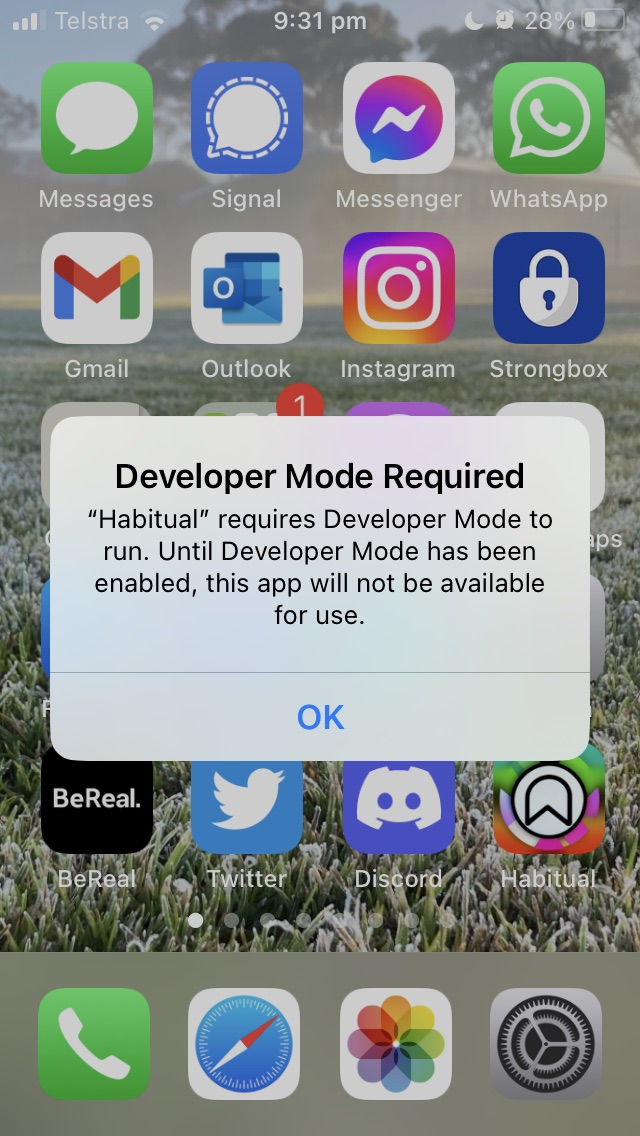
I had to google the setting, it’s in “Privacy and Security” down the bottom, and requires a reboot. When you open the phone there’s another dialog and you need to reauth.
Nov. 18, 2022

One of Sean Allen’s many pieces of excellent advice was to follow a few Swift/iOS dev people on Twitter. I took that advice, and it is now a source of joy to flick through every couple of days and get a feel for what’s happening, and to discover new things. It’s how I learned iOS Dev Weekly existed, and discovered Meng To , and put faces/ideas to Swift and iOS people that’s I’d heard mentioned or interviewed in podcasts such as Erica Sadun and Sarun W.
Nov. 17, 2022
Working on adding Core Data to the FriendFace app, and burnt up 20 minutes figuring out a bug. To set the scene, all I’ve changed in the app is to add a couple of core data entities. The plan is that when the JSON is fetched, and decoded into the objects, a copy of the graph will be persisted.
Problem One was that I was getting a build errors saying the core data classes had been re-declared, and others saying that my class name was ambiguous. Since XCode had generated this code when I’d told it to “Create NSManagedObject subclass”. This is what you do when you want to be able to edit the NSManagedObject for example to created computed properties to unwrap the real properties. If you don’t need that flexibility, you just leave the default setting in the entity for XCode to create internally.
Nov. 16, 2022
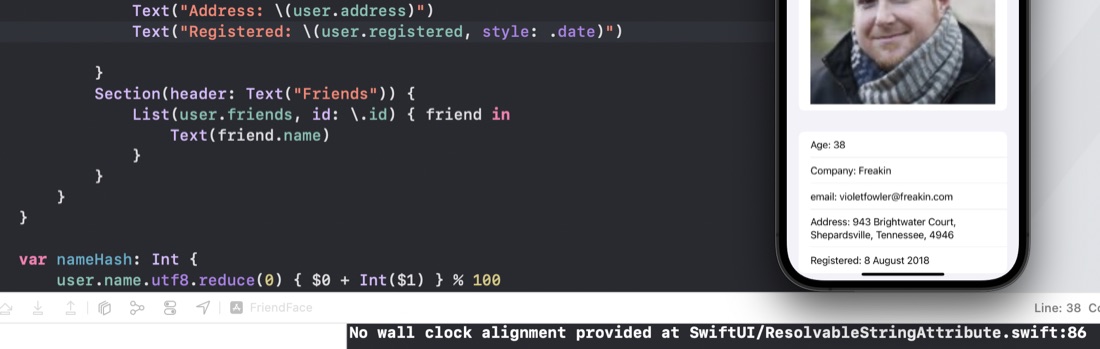
When I was working on the Day 60 app, I noticed I kept getting a message in the console “No wall clock alignment provided at SwiftUI/ResolvableStringAttribute.swift:86” every time I went into the detail view. Via elimination by commenting bits out, I’ve narrowed it down to a date formatting call. Here is the code to reproduce it in Xcode Version 14.0.1, Swift 5.7.0.127.4
struct ContentView: View {
    var body: some View {
        Text("Date: \(Date(), style: .date)")
    }
}
It’s to do with the style - if I change it to .time or .relative the message does not appear.
Nov. 15, 2022
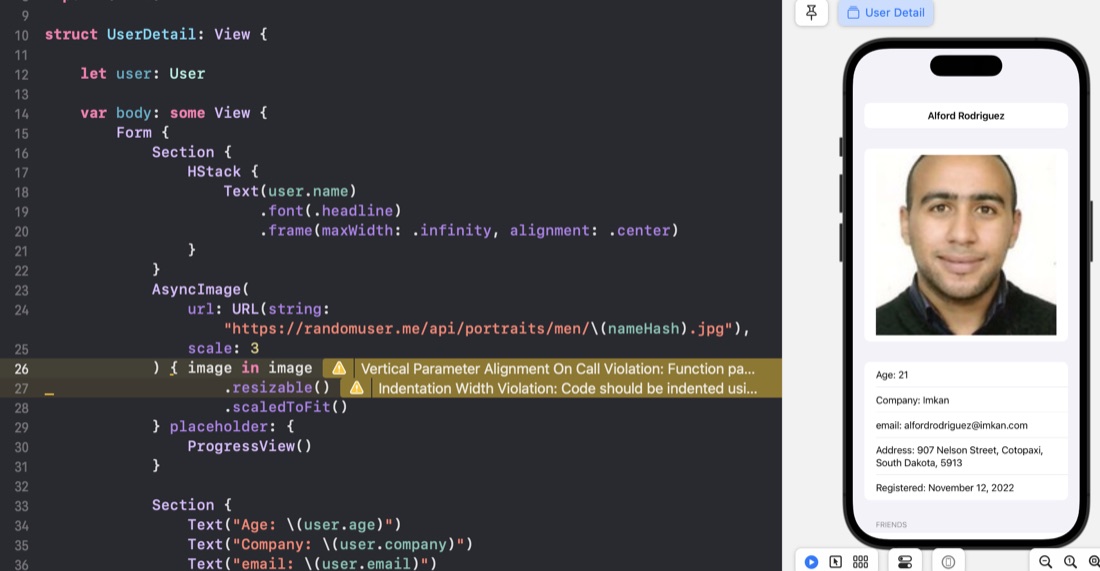
After each app, I use my HackingWithSwift+ membership to view Paul’s version of the app as a way to judge my performance. Yesterday’s app was “FriendFace ” - download some JSON of a number of people (including their friends) and display it.
UUID
In my struct, I’d just specified the User.id as a string, Paul uses UUID - this makes no difference to the app as it stands, but is much better if we ever needed to add users.
Nov. 14, 2022
The Day 60 Milestone is a demo app that vacuums up some JSON and displays it in a list in a NavigationView that links to a details page. Nothing super strenuous, the steps were something like this:
- Download the JSON and have a look at the structure. Firefox has a simple JSON viewer built in, so it was straightforward to see this is an array of users, which along with some (mostly string) properties contains an array of tag strings, and another array of friends.
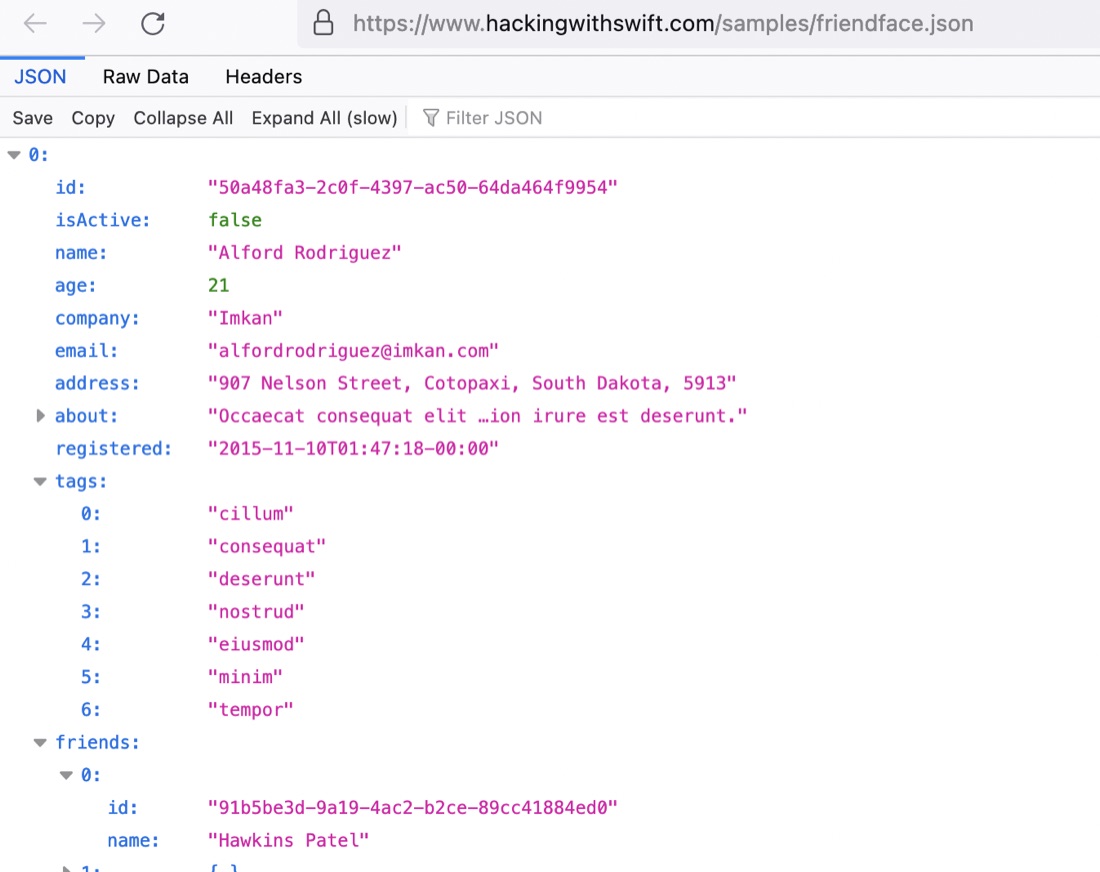
Nov. 13, 2022

I’m on day 60 of #100Days , and have just wasted most of an evening’s coding time going down a rabit hole I didn’t need to. The app for this challenge is called “FriendFace” and is pretty straightforward: download a heap of JSON which is an array of users. Show it in a list that can be clicked through to see the details of that user.
Nov. 12, 2022

When I was writing the blog post for the last project, I needed the “before” code to paste into the post. I’d committed that code, so a quick way to go back without losing my changes. I hadn’t committed the new code, so there is a super easy way to accomplish this.
git stash
This grabs the code since the last commit and stashes it away, reverting the directory to the last committed version. I was able to copy the code I needed to the blog post, then to go back to my changes: