As usual, I watch Paul’s solution video, and compare it to mine.
Task 1
This was passing in the predicate as a String. I passed the whole thing, but as I figured out along the way, Paul meant just the operator word. He also added some buttons to test it better, which I didn’t think of till Task 3 - it would have saved me some simulator runs.
Project 12 was a series of code tutorials around developing CoreData concepts rather than a real app, but the challenges are based on a very small app that uses a subview to allow dynamic (ie changeable at runtime) filtering of a list of data. The reason this would be tricky is that the @FetchRequest is a property of a view - and therefore mutable. The trick is to have a subview to build that part of the view, and to pass parameters into it which build the fetchrequest using an underscore.
Day 58 of #100Days feels like complex topics are being dropped in pretty fast. We tackle one:many data relationships and how to set them up in CoreData, using CoreData constraints and setting a merge policy to manage conflicts, and even the underscore to access the actual property inside a wrapped property struct (needed for dynamic filtering in a view).
I’ve mentioned before that I think Paul Hudson is an excellent teacher, and an example of this is that even though this was a day with a lot of challenging material, I’m not worried. I followed the discussion and tried the code, and more importantly I’m anticipating these new skills will be practiced in the next app, and probably shortly after I’ll be writing an app using them.
I’m on Project 12 of the #100Days course, and like a number of earlier “projects” it’s not really a project, but a series of type-along tutorials. Often these have the same format - there’s a base amount of code to provide the setup, then this base is used to try each of the tutorial techniques. At the end of each technique, you delete all the new code you’ve done back to the original setup, and you’re ready for the next one.
I did so well on this one that it’s not going to make a very interesting post. My first two challenge solutions were pretty much character for character the same - so not much to report.
On the third challenge, there was a minor difference in the display process. I had done this:
let date = book.date ?? Date()
Text(date.formatted(.dateTime.day().month().year()))
    .foregroundColor(.secondary)
    .opacity(date == book.date ? 1 : 0)
Another set of challenges for a #100DaysofSwiftUI tutorial app. Project 11 was a book tracking app - the big new thing was using CoreData. Here’s the challenges for it .
Right now it’s possible to select no title, author, or genre for books, which causes a problem for the detail view. Please fix this, either by forcing defaults, validating the form, or showing a default picture for unknown genres – you can choose.
In C world, if we want to pass a parameter down into a functional call, and allow the receiving function to change it’s value, we’d pass a pointer to the variable. Something like this:
#include <stdio.h>
#include <stdlib.h>

void increment(int* b) {
    *b=*b+1;
}

int main() {
    int a = 5;
    increment(&a);
    printf("%d", a);
    return 0;
}

// prints '6'
For youngsters, what’s happening is that we’ve set the value of a to 5, then passed the memory address of a into the increment() function. That’s what the @a means.
I’ve noticed Paul is inclined to ignore the preview and run his code in the simulator to check its operation. That’s valid, but it seems quicker, and reassuring, to see it in the preview as I type.
This led to a small problem with Day 53 that uses CoreData. When I added a student in the preview, it looked like this, and was immediately followed with a crash report.
As usual, here’s my thoughts comparing my attempts at the challenges to Paul’s. Usually he’s better!
1) Whitespace
The task was to validate the order address properties, not just by checking they are not empty, but also that they don’t just contain spaces. I went the bruteforce route since there was no .isEmptyIncludingWhitespace method.
var hasValidAddress: Bool {
    let trimmedName = name.trimmingCharacters(in: .whitespacesAndNewlines)
    let trimmedStreetAddress = streetAddress.trimmingCharacters(in: .whitespacesAndNewlines)
    let trimmedCity = city.trimmingCharacters(in: .whitespacesAndNewlines)
    let trimmedZip = zip.trimmingCharacters(in: .whitespacesAndNewlines)

    if trimmedName.isEmpty || trimmedStreetAddress.isEmpty || trimmedCity.isEmpty || trimmedZip.isEmpty {
        return false
    }
    return true
}
As soon as Paul mentioned extending String, I facepalmed - of course, just create the method I want on string. Paul’s is a one line extension - neater, and Swiftyier.
Day 52 of #100Days was the challenges to the Cupcake Corner app - an app that allows you to build a one-row order, encode it as JSON and submit it to an API with a URLSession. To allow the order to be passed around, it’s an @ObservedObject which meant that a few extra hoops needed to be jumped through to make it Codable.
1) Whitespace validation
The tutorial app validates the order address by checking that each field is not empty, but it can be fooled by just entering some spaces. The first challenge was to fix that.
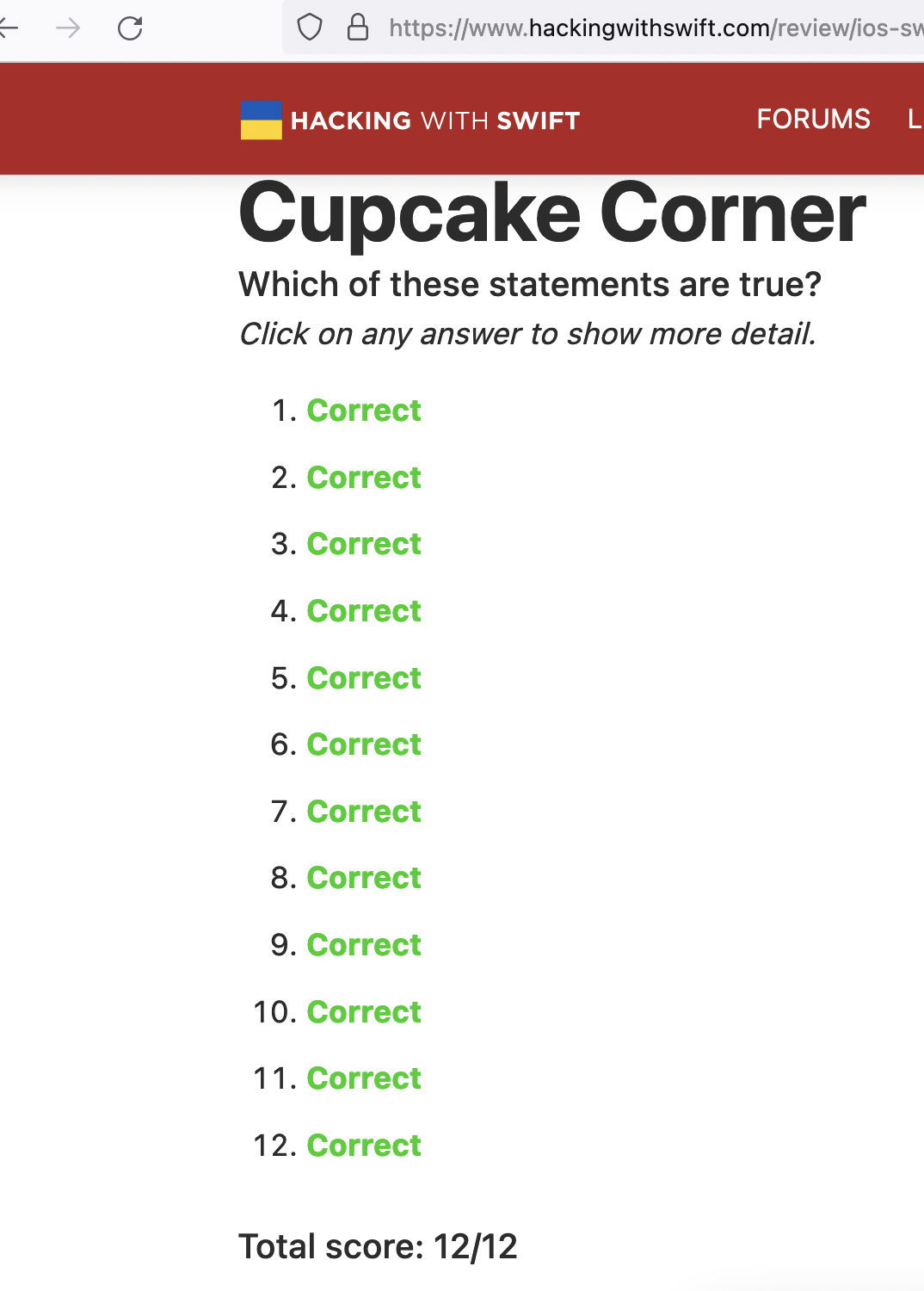
At various points in the 100 Days of SwiftUI course, you get asked sets of questions to check you’ve understood the preceding material. They’re usually presented as two different statements, one of which is true, and the other false. It’s actually a really good technique - the student feels like they’ve got a couple of opportunities to figure it out, plus they are forced to read both statements and think about them. Paul does a similar thing in the Unwrapped app - there, the questions are often presented as “Is this valid Swift code” and the user needs to scan through it all looking for mistakes. It’s checking your understanding, and making you a thoughtful debugger!
A common issue when working with JSON that you vacuum up from internet APIs will be that the key names in the JSON don’t match your property names. The JSON de facto standard of using snake_case in key names could be one cause, or perhaps you just take variable naming more seriously than the person who wrote the API.
We saw yesterday how using codable and the JSONEncoder in Swift makes moving between an object/struct in the code and a stringish representation of it simple. With a couple of small changes, we can also deal with the mismatched key/property name issue.
If we mark a type with the protocol Codable, we’re specifying that this type has the capability of having it’s properties encoded to some format, and decoded back again.
So far in the #100Days this has been used to write and read data in UserDefaults, and to encode an object to send it as a URLRequest, then receive data back and create a new object from it. It’s a handy, powerful feature baked into Swift that just requires the developer to ensure any types that need this functionality comply with the Encodable and Decodable protocols that make up the Codable.
When I’m following a tutorial app, I generally pause and type up the code as I go, and make local commits with appropriate messages. This is almost completely unnecessary, but it seems like a good habit and doesn’t cost me anything - I just tick the box for creating the git when I start the project, then it’s a couple of keystrokes (option-command-C) and I’m done.
Most of the apps have a follow-along portion, then some challenges which involve minor changes to the app. When I get to the challenges I like to throw it up on Github - it’s conceivable it could help someone one day, or at the least, I’m helping to train Microsoft’s AI to write shitty beginner code in exchange for free git server access.
Way back when, I was unclear about @StateObject and @ObservedObject (here , and here ). I still am.
But in today’s tutorial video, Paul clearly says that the @StateObject is for the single place in your app where the object is created, then everywhere else, use @ObservedObject. Trouble is, I just know from the Simple MVVM app I made if you wrap the single instance of the data model with the @ObservedObject, it still works.
I’ve been mucking around with the Habits app too long - it’s started to look like procrastination. It already meets the specification , so I’m calling it an MVP and moving on.
This is the first app of mine I’ve loaded onto my phone and started using, and there are a couple of things I’d like to do with it. It currently just lets you specify how many days between an activity repeating - so if you say you should go to the gym every second day, and you complete that activity on Monday, “Gym” will make it’s way to the top of the list on Wednesday. While it’s waiting in the list for Wednesday to come around, it will show the “Due” time as being exactly 48 hours after you last pressed “done” on it. But if the habit you want is to go to the gym after work at 6:00pm that’s when you want it to be due. I’d like that.
I mentioned yesterday “I could use a renamed old version of my struct to load the existing data, and convert it across to the new model.”. Since I’ve been testing the app on my phone, and using plausible data, it was going to be painful enough to lose it that I thought I should go through those steps.
First, I make a copy of the old struct, and renamed it with the app version number that used it. No need to bring all the computed properties into this struct, just the bits that get encoded into the JSON.
As usual, I’m spending way more time on the apps written from scratch in the 100Days series . The Habit tracking app I’m working on has been good practice, especially of the architecture of the simple list based app .
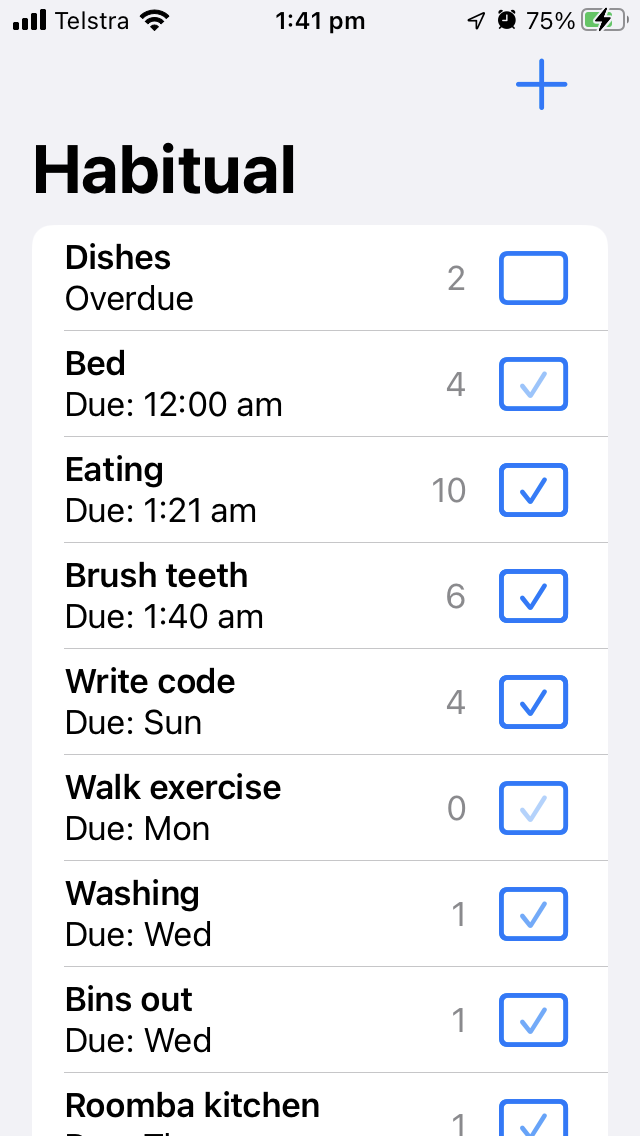
My version has a couple of refinements I quite like. I’m using a checkmark in a rectangle as the button to mark that activity as done, and I’ve added a nice fade to the checkmark as time goes on to represent the percentage of time from when it is done until it becomes due again.
SwiftUI does some property wrapper magic to (very efficiently) refresh your views, but what if you want to force a refresh for some reason? Here’s the techniques I’m currently using to do that.
The tricks are below, but just so you can see them in context, here’s the sample app we’re working on. It’s a list of cars so you can keep track of how many of each kind you own. Here’s our data: