Oct. 22, 2022

I’m writing the Habits list based app from #100Days and had a working MVP, then for some reason, decided to refactor by changing the subview I’d written as a function, into a struct. Some time later, I discovered that my list items were not updating correctly, so detective time.
I talked a little bit about the architecture yesterday - the item is a struct, and there’s a class containing an array of the items. Something like this:
Oct. 21, 2022
It’s a pretty safe bet that if Xcode is saying there’s an error in my code, that it’s correct, and I am in error - not Xcode. Today I came across a situation where that might not be true.
I think the purple warnings are problems detected at runtime - I’ve heard of thread problems causing purple warnings. The error I was getting was “Publishing changes from within view updates is not allowed, this will cause undefined behavior.”
Oct. 20, 2022
When I was first programming professionally, it wasn’t long before I noticed that there were patterns to the sort of bread-and-butter things I was writing most times - the majority of the small business applications I wrote tracked several entities; for each entity there needed to be add/edit/delete screens, there would be some business rules around those things, and some reports and search functionality.
Oct. 19, 2022

Here’s the summary of my learning from comparing my efforts with Paul’s solutions to the Project Nine challenges from Day 46 of his 100 Days of SwiftUI course .
Create an Arrow shape – having it point straight up is fine. This could be a rectangle/triangle-style arrow, or perhaps three lines, or maybe something else depending on what kind of arrow you want to draw.
Oct. 18, 2022
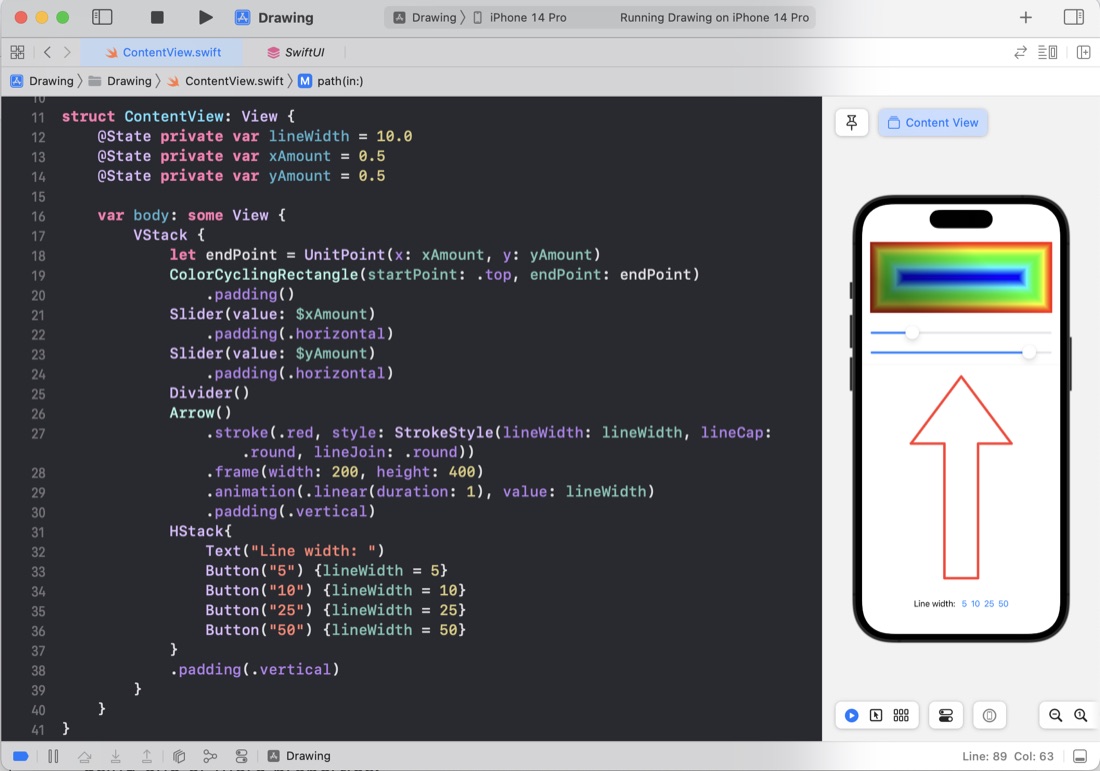
These few days of #100DaysOfSwiftUI we made some pretty shapes by playing around with some of the SwiftUI systems for drawing on the screen, including paths, shapes, transformations, ImagePaint, drawingGroup() to use Metal rendering, blurs, blend modes and using animatableData for animating - which I think is the solution to an animation problem in my TimesTable app I hadn’t been able to solve yet.
Oct. 17, 2022
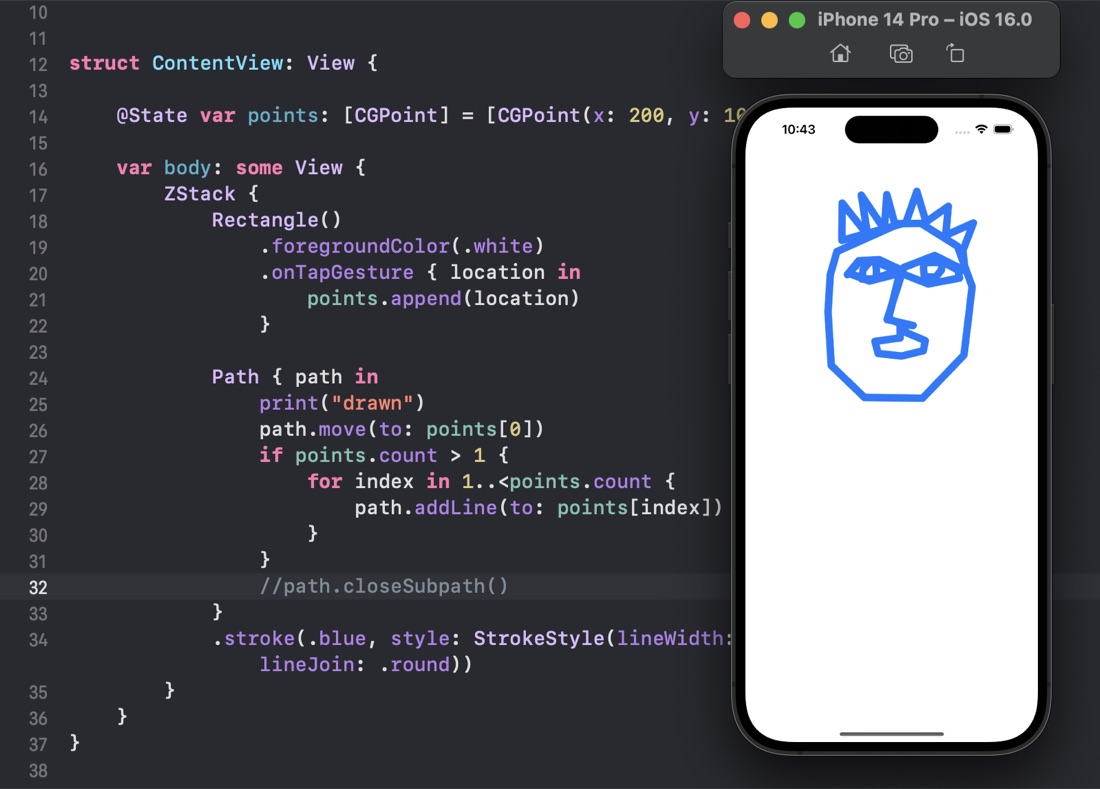
The little joy of something working. It’s one of the things that makes coding enjoyable. Like a good video game you have an overarching goal, but on the way you need to solve a large number of problems of variable complexity, and you get a little bit of dopamine for each one.
I think in every language I’ve ever learned, as soon as I know how to draw something on the screen, I start to get the urge to create a simple drawing application. When I was starting on Visual C++ and the MFC (Microsoft Foundation Classes) the book I used to get started built a drawing application as an example. It hooks into the benefit of being able to quickly see the evidence you’ve achieved something.
Oct. 16, 2022
I’ve been feeling my enthusiasm for the online courses I started waning a little, additionally, I have enough progress under my belt that I could actually start working on some of the projects in my “App Ideas” notebook. I’m not sure if starting on them is a smart idea, or just a way of procrastinating. One thing most of those apps have in common, and that I haven’t substantively learned yet is persisting data. Their data requirements vary from a sort of specialised todo list only required on that device, to relational data that needs to be live synced across devices including macOS and needs to support rolling back transactions to resolve conflicts.
Oct. 15, 2022

I’ve watched Paul’s solution to the Moonshot challenges (the solutions are one of the perks of being a Hacking With Swift subscriber). When I’m solo learning like this its one of the few ways I can get any feedback on my coding, so I highly value it, and usually write one of these posts as a way to ensure I reflect on it.
Oct. 14, 2022
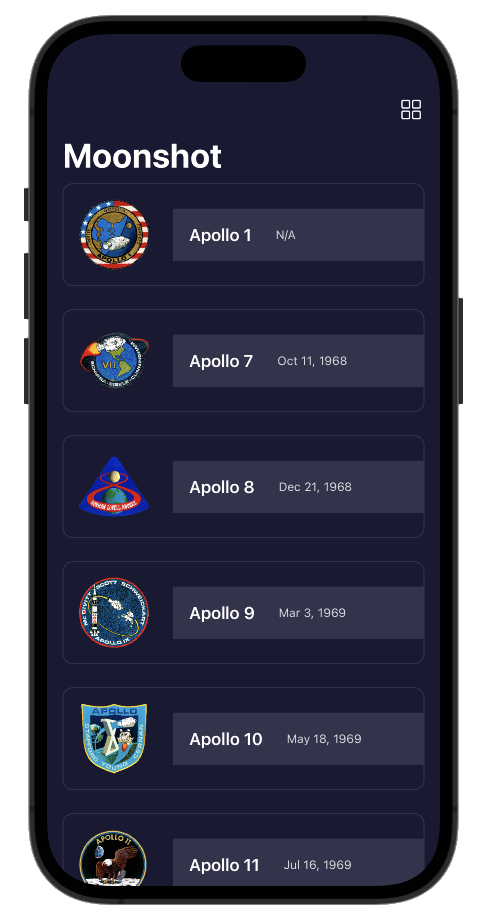
Another few coding challenges at the end of a tutorial app in the 100 Days of SwiftUI course. The app is a sort of information app - composed of navigation views going down into more detail about the Apollo space missions. The most exciting revelation for me was how straightforward it is to pull JSON into your apps data structures.
Challenge 1
Add the launch date to MissionView, below the mission badge. You might choose to format this differently given that more space is available, but it’s down to you.
Oct. 13, 2022
In Day 39’ s Moonshot tutorial app, Paul uses .map on an array without much comment about what’s going on. I assume this might be a common concept in modern languages, but it was new to me.
First, here’s Paul’s code
    init(mission: Mission, astronauts: [String: Astronaut]) {
        self.mission = mission

        self.crew = mission.crew.map { member in
            if let astronaut = astronauts[member.name] {
                return CrewMember(role: member.role, astronaut: astronaut)
            } else {
                fatalError("Missing \(member.name)")
            }
        }
    }
Mission here contains an array of crew which is a struct with two strings, one of them being name, but self.crew (which belongs to the view we’re in) is an array of CrewMember which is a struct with a role: String and another struct astronaut. That sounds confusing, but essentially, an array of one type is being processed to return an array of another type where there’s a 1:1 relationship between the elements of each array.
Oct. 12, 2022
I finally got around to looking at Paul’s solutions for the iExpense challenges .
Use the user’s preferred currency, rather than always using US dollars.
Same approach as me,
.currency(code: Locale.current.currency?.identifier ?? "USD")
except that he does the work in a local variable which is a bit neater. Since it appears in two places - the display view and the view for adding an expense, this would mean duplicating it, making it global (not rare for user default type settings) or passing it down through the view hierarchy. I feel either of the first two options are fine for this project, but Paul is thorough and extends the FormatStyle protocol, only for currency, to have a new computed property .localcurrency - which is a great solution.
Oct. 11, 2022
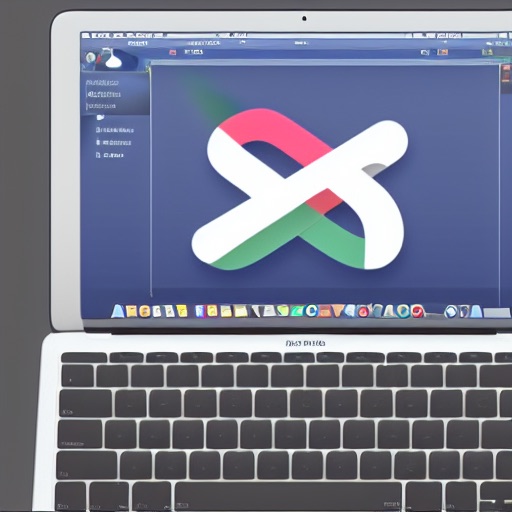
Since I have minimal design skills, I went back to Fiverr (the digital gig economy platform) to get some icons done for CodeTrimmer - explaining that I wanted something like a “pair of scissors floating over some computer code”. At the same time I’ve been playing with DiffusionBee - a free Apple silicon version of the Stable Diffusion artifical intellligence that generates images from text prompts. The image above was created on an M1 Macbook using DiffusionBee.
Oct. 10, 2022
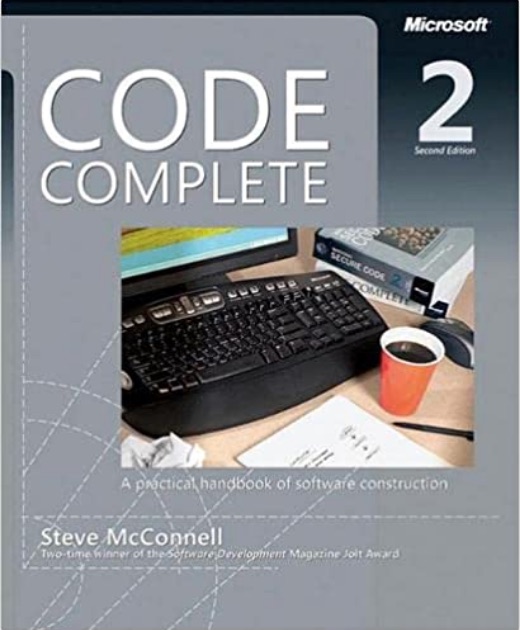
I was watching a Tim Ruscica video about the things that highly effective developers do, and it called to mind a book I read years ago called Code Complete . It is the only book I ever owned that I immediately purchased the new edition when it came out. It was about the meta stuff around programming that is the difference between coding and developing. In particular, it got me invested in source control and testing.
Oct. 9, 2022
I have unit testing in my list of goals , and if I’m going to throw this space trimming macOS utility up on the web, now might be a good time to figure out how to add unit tests to a project, how to write them, and how to run them. XCode is well set up for this, so it’s really no drama to do.
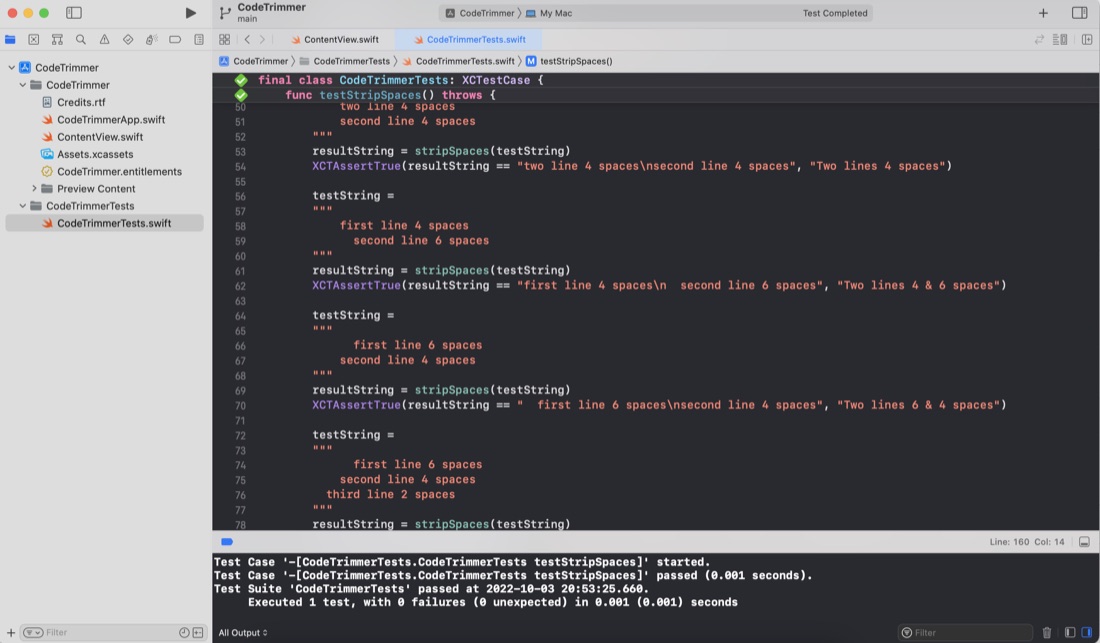
Although I haven’t worried with any unit testing up to this point in my iOS/Swift learning, in my previous programming work I did a lot of work with the large calculations involved in translating GPS coordinates and robotic positioning models where errors would be bad - so I’ve written a lot of tests over the years. I’ve also definitely felt the confidence you can dramatically refactor code with when you know the code has a robust test suite. I’m a big fan.
Oct. 8, 2022
The iOS apps I’ve been making, can only run in the simulator or on my tethered device (which I haven’t actually tried yet), but the MacOS app I made today, in theory could be zipped up and distributed to the world from my website. At the very least, I wanted to drop it into my Applications folder so I could use it, so I needed to find the .app “file”, and realised I had no idea where it was. If that’s your situation, then here’s the steps you need.
Oct. 7, 2022
The default Xcode MacOS targeted app has a built in “About” dialog called up from the “About ” menu item in the Mac menu bar. It wasn’t immediately clear to me how to customise this, but after digging through some MacOS apps on GitHub, here’s the answer.
When you app is being built, it looks for the file “Credits.rtf” in the app bundle. If that is found (or “Credits.html” or “Credits.rtfd” ) it’s used to build out the About dialog along with your app icon.
Oct. 6, 2022
I was listening to the StackTrace app this morning (episode 169 - “Choosing What Bugs to Ship” ) and one of the ideas discussed was taking the time to automate some of your development processes, partially to save time, but also because if you make a process simple and quick, you’ll be more likely to do it multiple times to improve quality.
Coincidentally, I’d been thinking about how often I paste some code from Xcode in order to display it in one of these blog posts. If it’s from the middle of a method, it will generally be indented a long way in, and there’s no point in displaying it like that (especially for a mobile reader) so I usually manually delete a heap of spaces from each line to left align it whilst keeping the needed indentation.
Oct. 5, 2022
So, I’ve been working on translating the UI design created by the external designer into SwiftUI, and have done all of the easy bits:
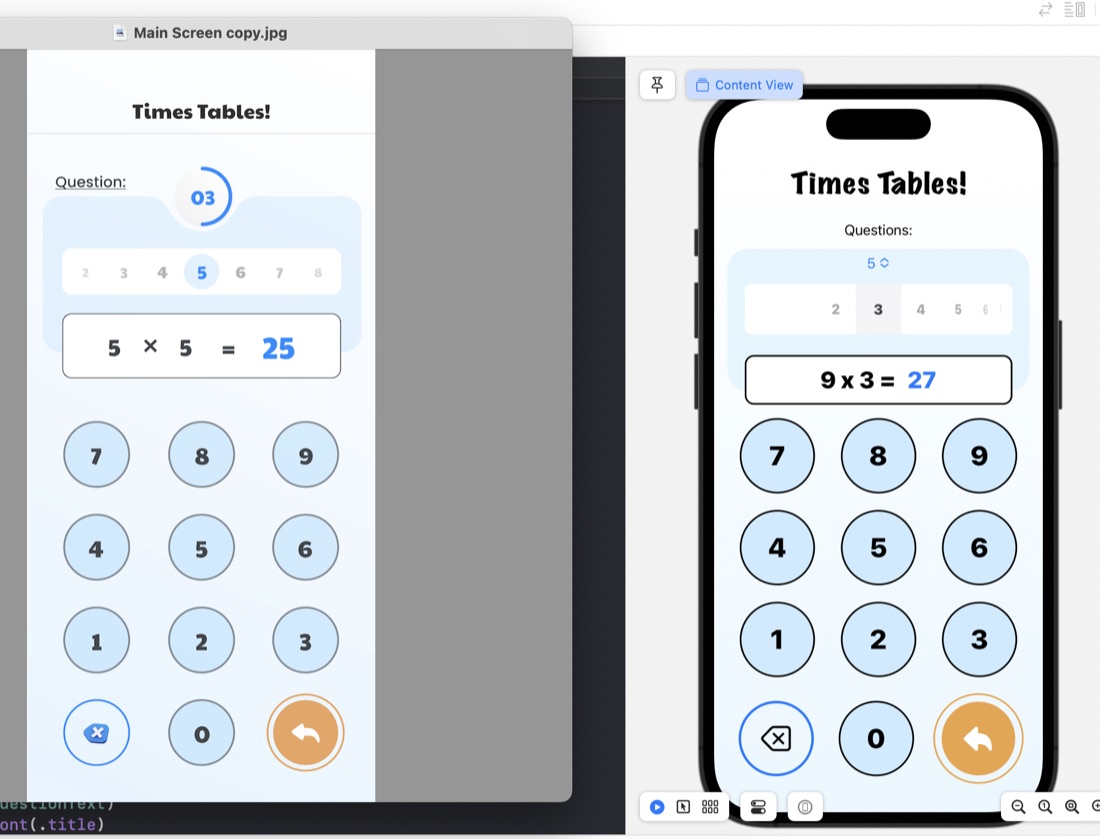
The rounded rectangles for things like the question display/number input are just ZStacks of roundedrects filled, then stroked:
ZStack {
    RoundedRectangle(cornerRadius: 10)
        .fill(.white)
        .padding(.horizontal)
    RoundedRectangle(cornerRadius: 10)
        .stroke(.black, lineWidth: 2)
        .padding(.horizontal)
    HStack {
        Text(questionText)
            .font(.title)
            .fontWeight(.heavy)
        Text(calculatorDisplay)
            .font(.title)
            .fontWeight(.heavy)
            .foregroundColor(.blue)
     }
}
.frame(maxWidth: 350)
.offset(y: 15)
Something I have learned in the process is the .offset modifer. This is what’s used to move a view from where SwiftUI would have placed it, and is what I’ve done to create that overlapped style where the question display/number input is sitting halfway over the bottom of the blue rounded rectangle. This is in the last line of the code above: .offset(y: 15) This is moving the whole ZStack down by 15. A trick to watch with this is that since you’ve messed with SwiftUI’s arrangement, it doesn’t then shuffle everything else around this - you need to manually deal with making some space below it.
Oct. 4, 2022
I’ve started work on trying to recreate a UI provided by a designer , and in the process needed to identify some colours from a PNG image. I found this great website for this exact purpose.
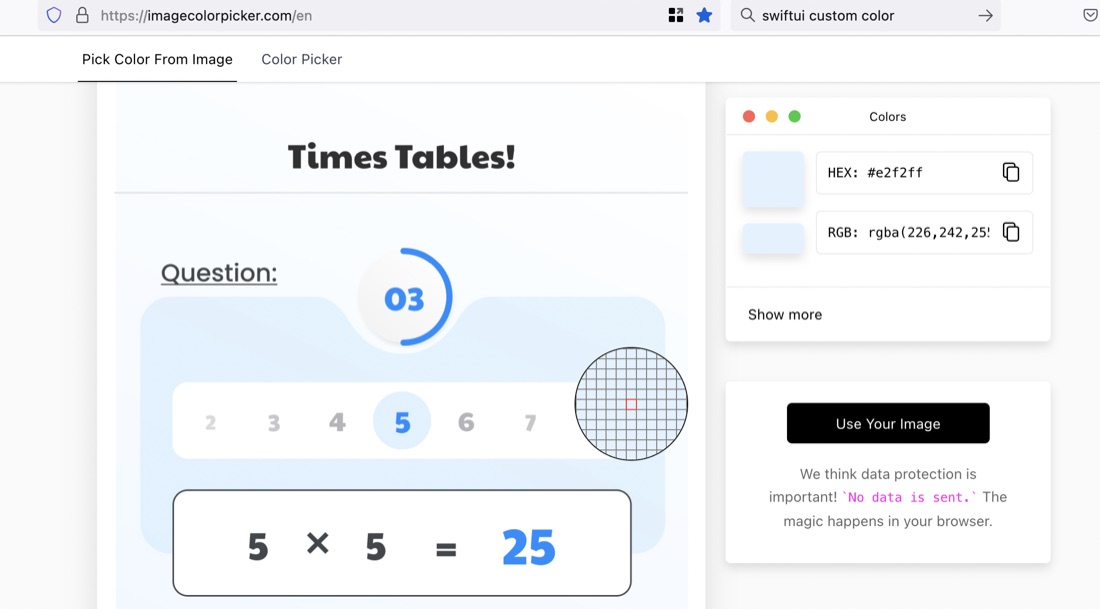
The site is ImageColorPicker. To use it, you “upload” your image (actually the image is not going anywhere - it’s all done in-browser). Then click on any area you want to identify the colour of.
Oct. 3, 2022
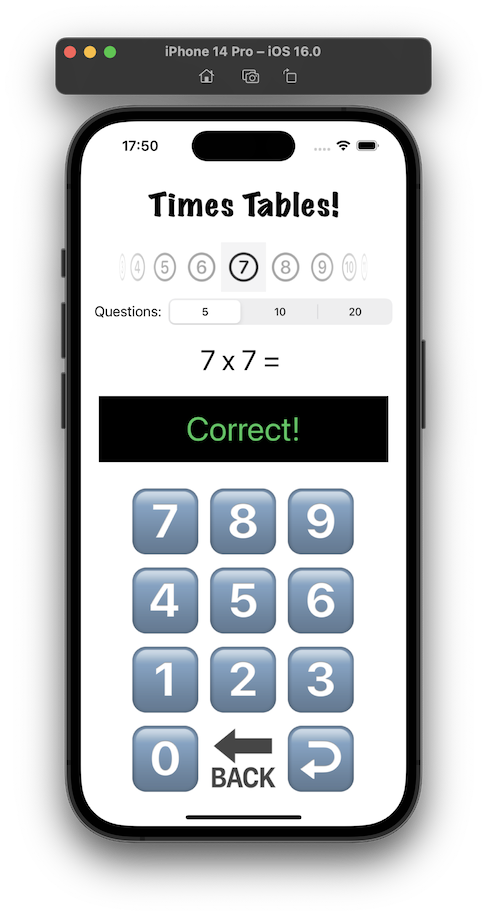
I think I mentioned when I’d completed the TimesTable app , that I was not happy with the design. It’s ugly, I don’t like the way the feedback about a wrong answer is shown at the same time as the next question, the number of questions setting would be rarely changed and looks uncomfortable where it is, I’m not sure the purpose of the picker for which times table would be clear, and it’s not appealing to children.