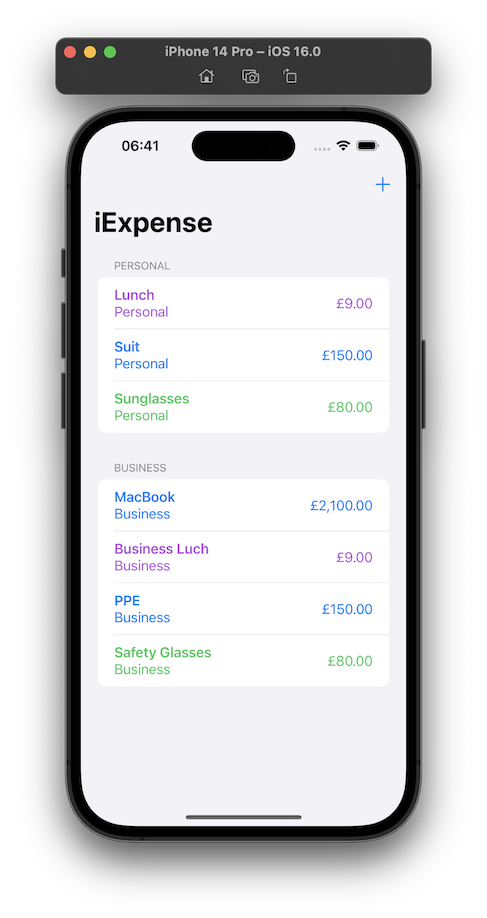
Day 38 is three challenges on the iExpense app - a simple expense tracking app that uses UseDefaults for storing it’s data.
Locale
Use the user’s preferred currency, rather than always using US dollars.
One of the joys of modern programming (as opposed to mid-1990’s programming) is the ability of the internet to give you answers. I knew the answer to this would be lurking in the locale environment variable, but instead of looking it up , just googled, and found a viable looking solution on Reddit .
The challenge for Day 35 of 100 Days of Swift UI was to create a simple times tables drilling app. I’ve met all the requirements, so I’ll move on, but I am struck by how ugly it is. Making better looking apps needs to be added to my goals. Especially since this app is intended to appeal to children, and is at the end of a few lessons on animation, this is definitely a weakness of mine at the moment.
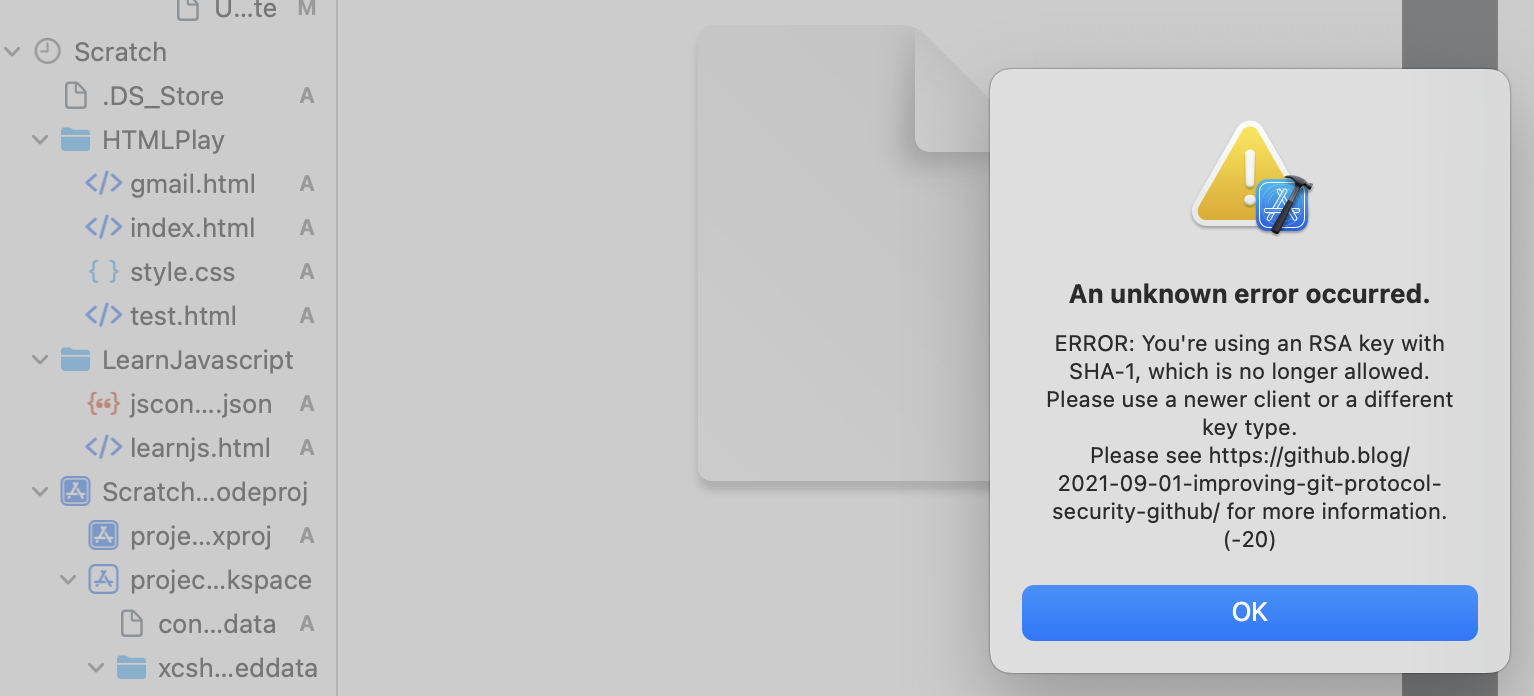
I’m very comfortable with doing all the routine git stuff from the command line, but it was bugging me that I hadn’t for the Xcode integration working. I was able to commit locally with no problem from Xcode, but could not push up to Github. It works fine from the command line, so the error about the change to a stronger SSH authentication didn’t really make sense to me.
The app I’m working on currently (for multiplication tables practice) has a number type keypad and display a bit like a calculator - but for entering the answers. It’s been quite fun to think through all the little problems to make it work how you’d expect, so I was quite interested to watch an iOS Academy video where Afraz Siddiqui builds a partially finished SwiftUI version of the iOS Calculator app.
Important: It’s really easy to get sucked into these challenges and spend hours…
I have spent ages fiddling around, but of course still learning. My issue is not so much getting stuck on bugs, rather I keep wanting to do things I don’t know how to do.
One issue was solved for my by the wonderful Fireside Swift podcast. I’m working through the old (Steve & Zac) episodes, and they did one on the UserDefaults just when I wanted to be able to persist the multiplication table selection the user had made (this challenge app is a multiplication tables drill app for kids).
I’ve started the habit of branching my code for each feature or batches of features. This is not really needed, I’ve developing solo, and the code on main is not in production. I could just go on committing, but part of my process is about becoming competent with git.
There are a couple of git commands (merge and rebase) that mush code between branches together in different ways. The video below (from Manuel Lorenz at Academind ) is a particularly clear look at these two commands.
A YouTube channel worth subscribing to is Afraz Siddiqui’siOS Academy . He does a great videos on iOS development. My favouriets might be the shorter focussed ones, like this one on the new SwiftUI chart views.
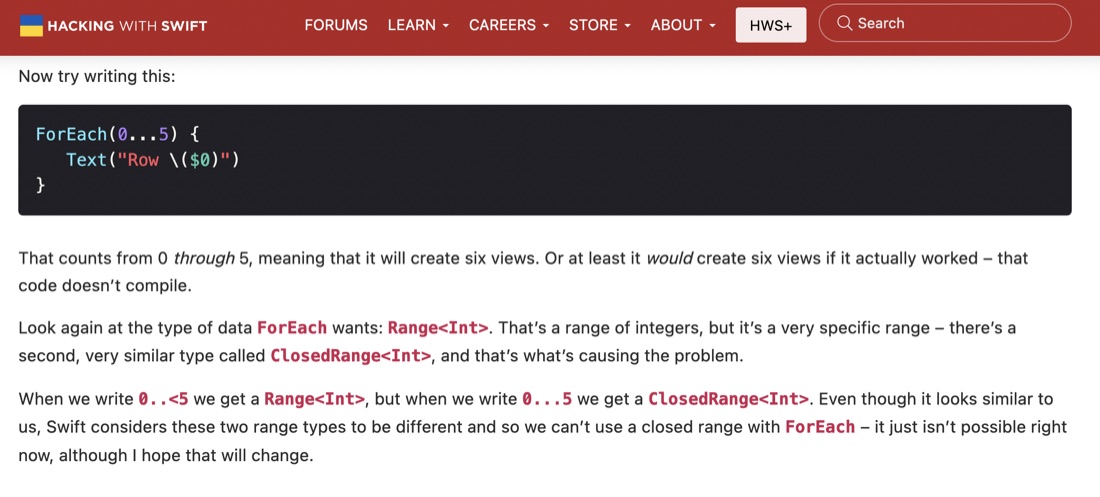
The challenges for Project 6 of 100 Days of SwiftUI was to add some animations to the Guess the Flag app from a little while ago. The animations themselves were not particularly tricky, my main issue was that I was creating the views for the three flags in a ForEach, so the animations were applied to all three flags, but we wanted different animations for the flag the user had clicked versus those they had not.
I had a look at Paul’s version of the challenge to animate the Guess The Flags app, and like me he’d hit on altering the amount of each animation depending on if it was the clicked on flag, but he’d done it with a lot less code - using the ternary operator in each of the modifiers - versus my approach of filling in an Int array for each of the effects and altering them depending on the user selection.
It’s a very Apple-thinking thing to be learning about making beautiful and intuitive user experiences this early in a programing tutorial as I am with the 100 Days of Swift UI series. Here’s a quick look at three different ways of doing animation in SwiftUI Views.
Implicit animation
An implicit animation in SwiftUI is when you add a .animation() modifier to a view. It needs to be bound to the value that’s changing so the framework knows to animate when that value changes, and the nature of the change.
So, I might have found a slightly better method for sharing code in posts that I complained about the other day . GitHub has a thing called Gists . It’s like a tiny repository you can paste a code snippet into (or upload a source file). Once that’s done, you can just paste the URL of the Gist into Wordpress - it recognises it and does this:
ForEach(0..<3) { number in
    Button {
       // flag was tapped
       flagTapped(number)
       } label: {
           FlagView(flagOf: countries[number])
       }
       .rotation3DEffect(.degrees(flagSpinAmount[number]),
            axis: (x: 0, y: 1, z: 0))
       .opacity(flagOpacity[number])
       .scaleEffect(flagScale[number])
       .animation(.default, value: flagSpinAmount)
}
I came across this being used on a blog post (about using the camera in apps) from Gaspard Rosay .
I’m up to Day 32 of 100 Days of Swift UI, and although the tutorial is named “Project 6” it’s not really a project that becomes a simple app, it’s really just a series of tutorials on animation that I assume the techniques, but none of the code, will be used later in apps.
I do find there’s some value in typing in the code (rather than cutting and pasting, or just passively watching) so I opened up Xcode to follow along. There not being an app name offered, I used “Project 6 - Animation”. XCode seemed happy enough with that, and created the directory and placeholder, but then refused to build it saying there was seven errors involving the __PACKAGE_NAME macro and a missing }
I’ve been using Quicktime to screen record the preview or simulator to document my work here and in Github ReadMe’s, but thanks to this excellent short post by Sarun W , I now know it’s possible to do that directly from the simulator, including capturing gestures, and exporting to animated gifs!
I’m not really happy with the way I’m sharing code in these posts. I started off with the regular Wordpress code blocks:
    func isPossible(word: String) -> Bool {
        var tempWord = rootWord
        for letter in word {
            if let pos = tempWord.firstIndex(of: letter) {
                tempWord.remove(at: pos)
            } else {
                return false
            }
        }
        return true
    }
These seem a bit large to me, but it comes with a font size choice, which I like setting to “Tiny”:
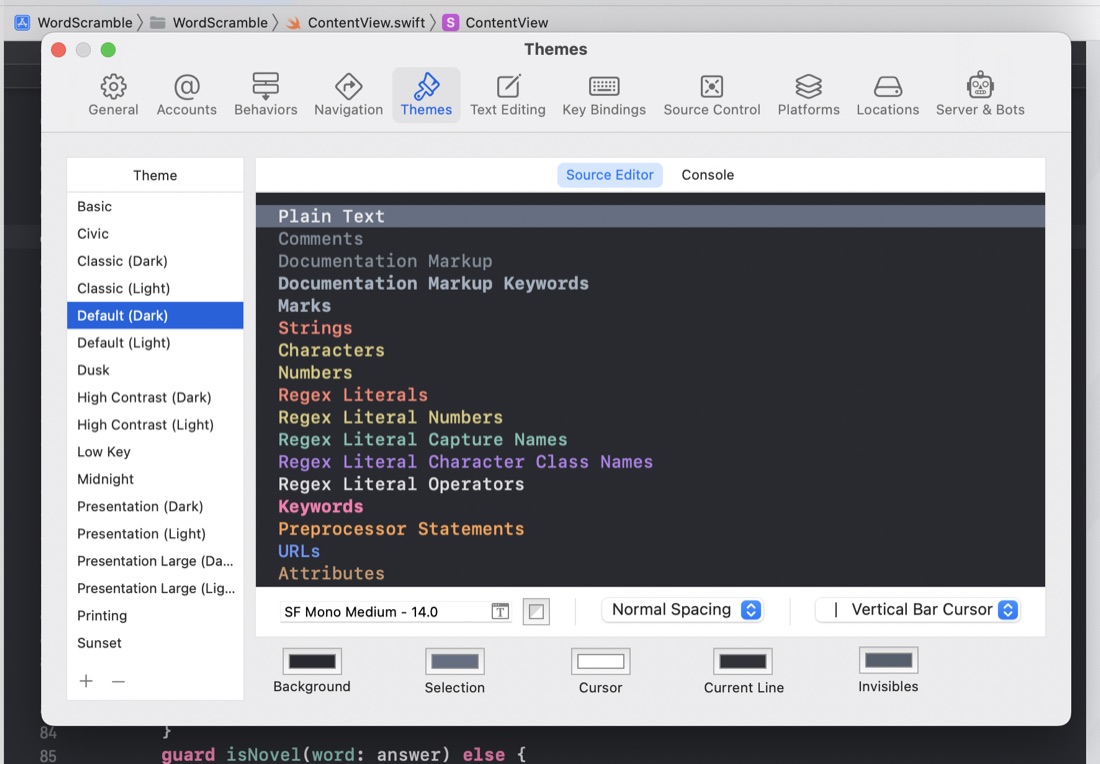
I’ve been changing the Xcode font size by going into the preferences, themes, then selecting the different content types and changing the font size.
I guess I could speed that process up by saving some themes with different text sizes, but I’ve noticed a few times in tutorial videos that there must have been an easier way. It turns out that Ctrl + “+” and Ctrl + “-” increases and decreases the code font size.
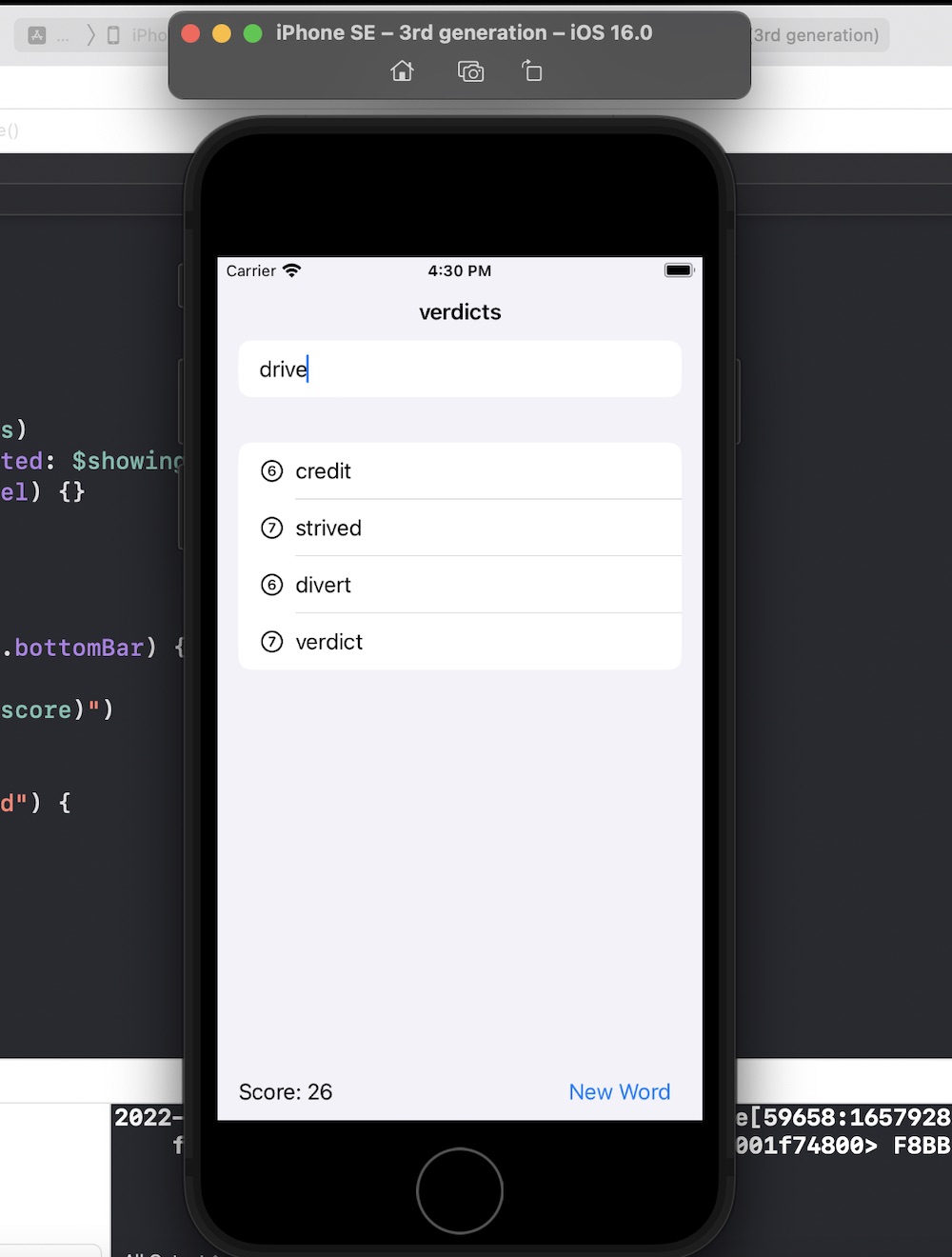
Another 100 Days of Swift UI project wrapped up - this time a scrabble like word game. New techniques included saving a large text file in the app bundle and loading it (via a string) into an array on launch of the view. Also a short adventure into UIKit to use a UITextChecker.
As is my practice now, after completing the challenges for Project 5 , I reviewed Paul’s solution (which is only available to subscribers) to see what he’d done better so I could learn from it.
Most of the differences where not of much significance, but there was a couple of things I picked up:
When the user had pressed the reset button, to empty the array of word guesses from the previous turn, I had
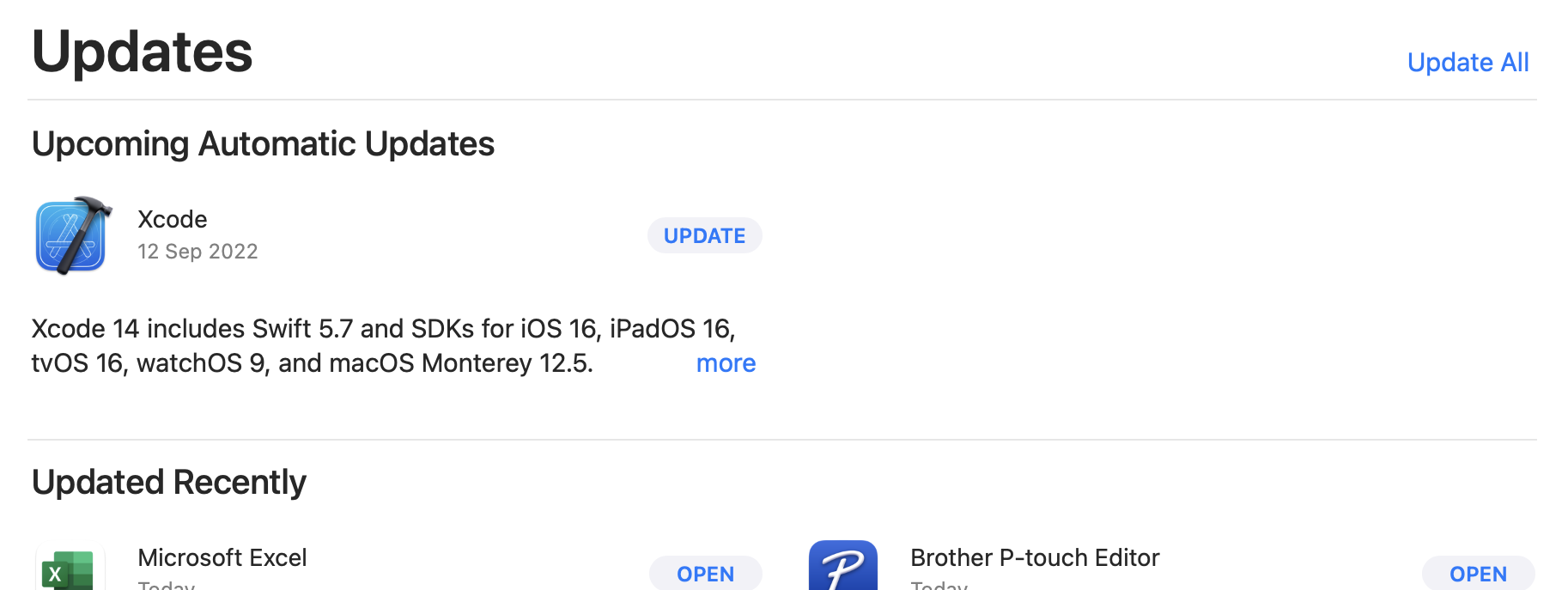
With the September release of XCode 14 and Swift 5.7 it was time for my first update - I looked in “About” for an update link but there wasn’t one - so if you’re as dense as me, the tip is to head to the Mac App Store and have a look at the Updates page.
Your current XCode version can, of course be found in the XCode | About dialogue. Mine was on 13.4.1. There’s a couple of ways of finding the Swift version - If you’ve got an XCode project open, click on the .xcodeproj in the explorer,and have a look in Build Settings for Swift Compiler - Language for the major version.
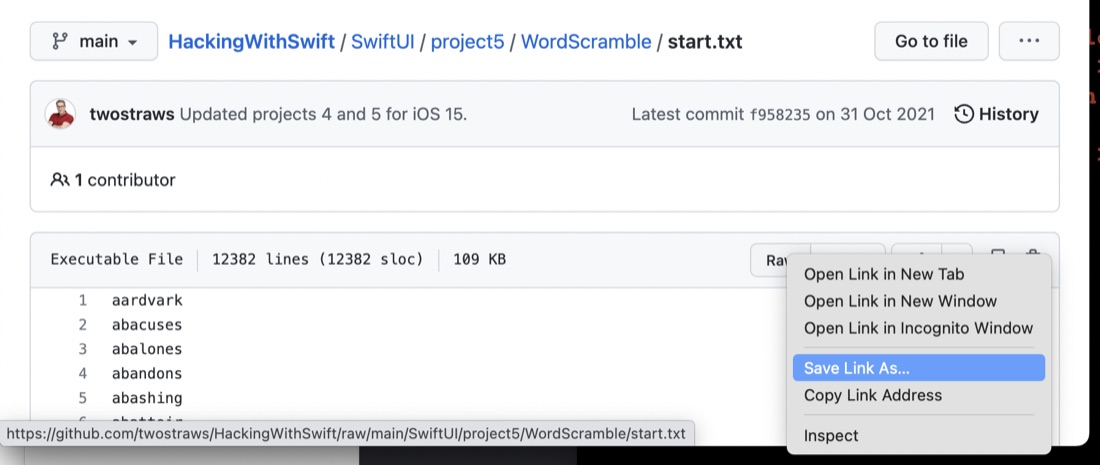
A quick tip - since it was not immediately obvious to me. If you need to download a file from GitHub (as opposed to cloning it etc), look for the “Raw” button - that’s a link to the file, then right click and do whatever your browser needs to download a web resource.