Nov. 18, 2024
The previous post went over how to bundle a static website into a Docker container. That’s a neat little trick - keeping the entire website and making it trivial to install on a VPS behind Nginx Proxy Manager. It worked great for most of my little websites.
But…
A couple of my websites had very minor ‘dynamic’ content. One was pulling down the local temperature from OpenWeather, then exposing a cut-down version of that as a REST endpoint so all my servers could grab it without me being rate-limited by OpenWeather for abusing my free API key. Another one re-hosted an image that changes a couple of times a day from an unreliable service.
Nov. 11, 2024
Having figured out how to use the GitHub package registry, I was a bit inspired by this blog post from Florin Lipan to deliver all my little static websites as Docker containers. I’m not as focused as he is about making them tiny, but I did steal the idea of using BusyBox httpd for serving them, resulting in about 4MB containers. That’s small enough for me, and since they are all very similar, there’s a fair bit of layer reuse going on.
Nov. 4, 2024
As the number of little projects I’m running on VPSs grows, I need to have a regimented system for managing all that. I could be using something like Coolify , but, at least for the moment, I’d rather build my own system.
Currently my system is Nginx Proxy Manager (dockerised) in front of each app. If it’s a static website, that’s another dockerised Nginx, started with a compose file and with www and conf sub-directories that I’ve git pulled from the project. It’s not pretty.
Oct. 28, 2024
If you’re interested in how generative AI works, check out Ishan Anand ’s Youtube series “Spreadsheets are all you need ”. He steps through the basics using an Excel spreadsheet that encompasses most of GPT-2. Just doing that is an impressive (and hilarious) feat, but he also has a knack for teaching, so you’ll come away with a good understanding of AI and how some of it’s limitations manifest.
Ishan is selling a course, which I guess these are the first three lessons of, and I got a lot out of them. It’s also possible to download the spreadsheet he uses in the course to play with.
Oct. 21, 2024
I quite like GitHub scanning all my code and sending me security advisories. Here’s today’s:
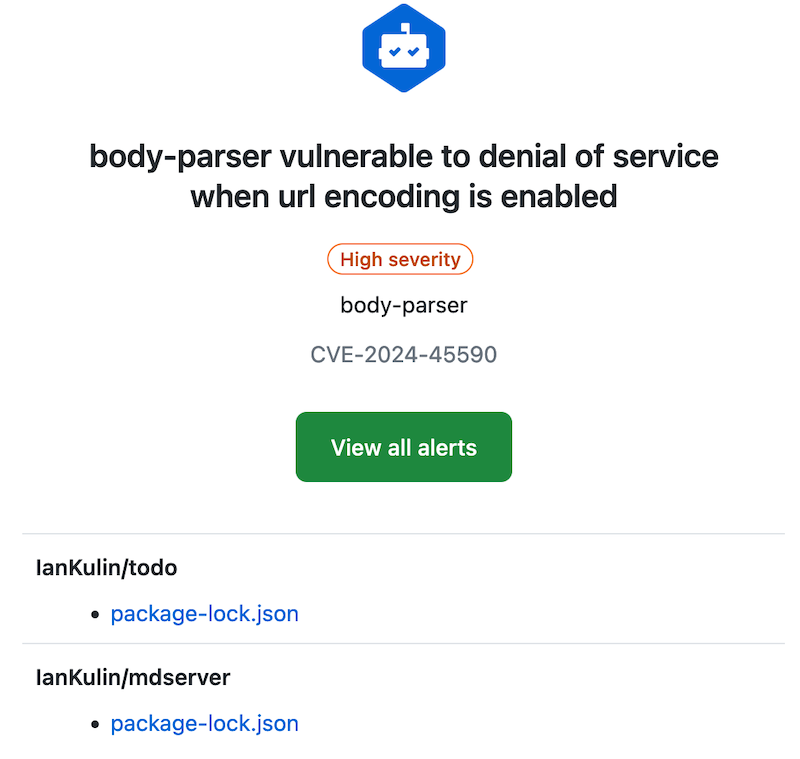
With these, and my dependabot alerts, fixing them is usually just a matter of pulling down the project, running an npm update, building any artifacts, then pushing it back up. But today, not so:

package-lock.json
It’s probably worth revisiting what the package-lock.json does. It contains all the versions of any packages you’ve imported, and their dependencies. The idea is that this will make the build reproducible. We don’t commit the node_modules folder (that actually contains all that package code), but npm can reproduce it exactly by using the version information in the package-lock.json file. Here’s a snippet where you can see all those versions:
Oct. 14, 2024
If you find yourself copying over a source file from one Node project to another because it’s a handy utility you wrote and are used to using, you’re only doing it half right. A better way to do this is to publish your utility to the Node Package Manager (NPM). That way you can just import your utility where ever you need it, it will live in the node_modules of any project that uses it, and most importantly, updates are sorted out automatically - because that’s what package managers are good at.
Sep. 30, 2024
A while ago, I devised a complicated system where I could drop files in a web interface running on an LXD container and the files would then magically appear in a directory on a remote NAS in the morning. It turned out to not be very robust, and I gave up on it after a while.
Also, really there should be no need for it - underneath, it was just using rsync to move the files, so why not just do that direct from one NAS to another? Well, mainly because my NASs are all Synology - which I love, and they’ve been great, but in an effort to make them usable by muggles, Synology tend to somewhat complicate things for Linux command line wizards.
Sep. 16, 2024
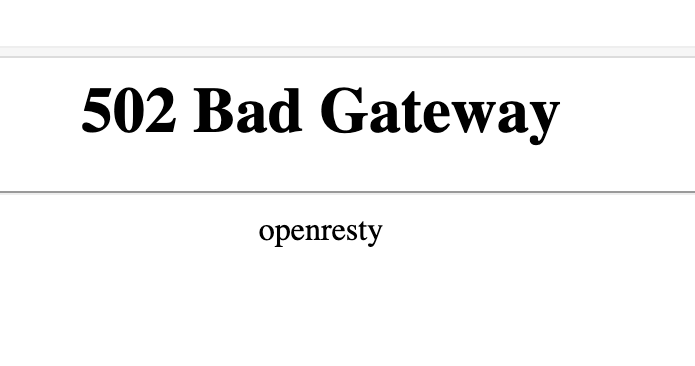
If you’re used to running NGINX Proxy Manager in front of your web apps, and switch to running it in a container, you’re going to need to learn a little about Docker networks to get everything connected. If you just do your regular setup, and direct the proxy for an address to 127.0.0.1:<some port>, it won’t exist, and you’ll visit your page to find the “502 Bad Gateway openresty” message.
Sep. 2, 2024
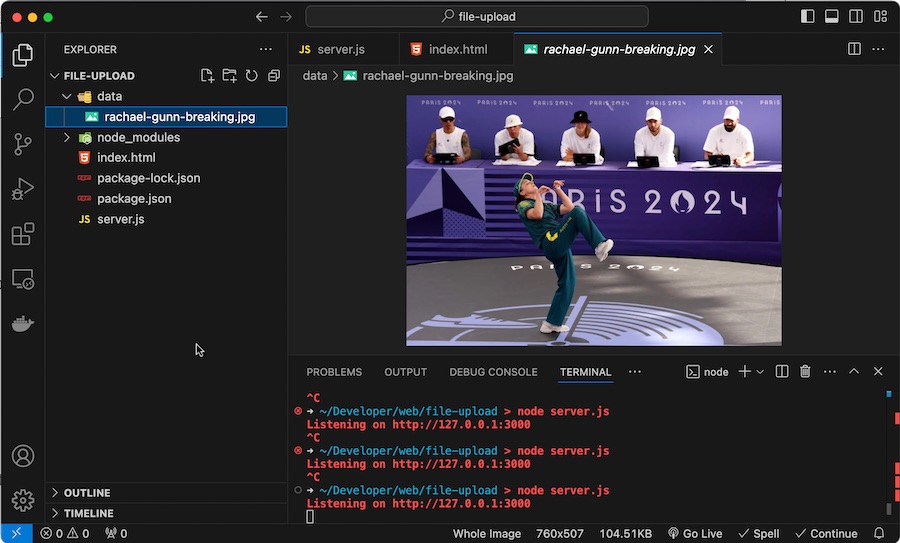
My default approach to web apps at the moment is Node/Express SSR. I needed to have users be able to upload files this week, and as usual there’s an express middleware that makes it trivial. This post just steps through using multer to make it simple to enable file uploads on your website.
Express & middleware
Before we look at file uploading, it’s worth just explaining how it fits with the other tools we’re using:
Aug. 19, 2024

Pretty much every serious web app needs to include a way for users to log in securely and to be served their content. Since there’s a lot of complexity in this, it’s highly advisable to use good libraries to support this. In a future post we’re going to use those libraries, but first I want to explain what’s happening at the lower level and tease out some of the concepts as we build a secure system from the ground up.
Aug. 5, 2024

When I started with Docker, the docs seemed to suggest that using Docker volumes was a good thing. With a Docker volume, you just create the volume and Docker manages the rest. You don’t have to worry about where it is, or really ever think about it.
Here’s a docker-compose for Uptime Kuma using a volume.
services:
  uptime-kuma:
    image: louislam/uptime-kuma:1
    container_name: uptime-kuma
    volumes:
      - kuma_data:/app/data
    ports:
      - 80:3001
    restart: unless-stopped

volumes:
  kuma_data:
This is telling Docker we want to create a volume called “kuma_data” and then map it into the container file system at /app/data
Jul. 29, 2024
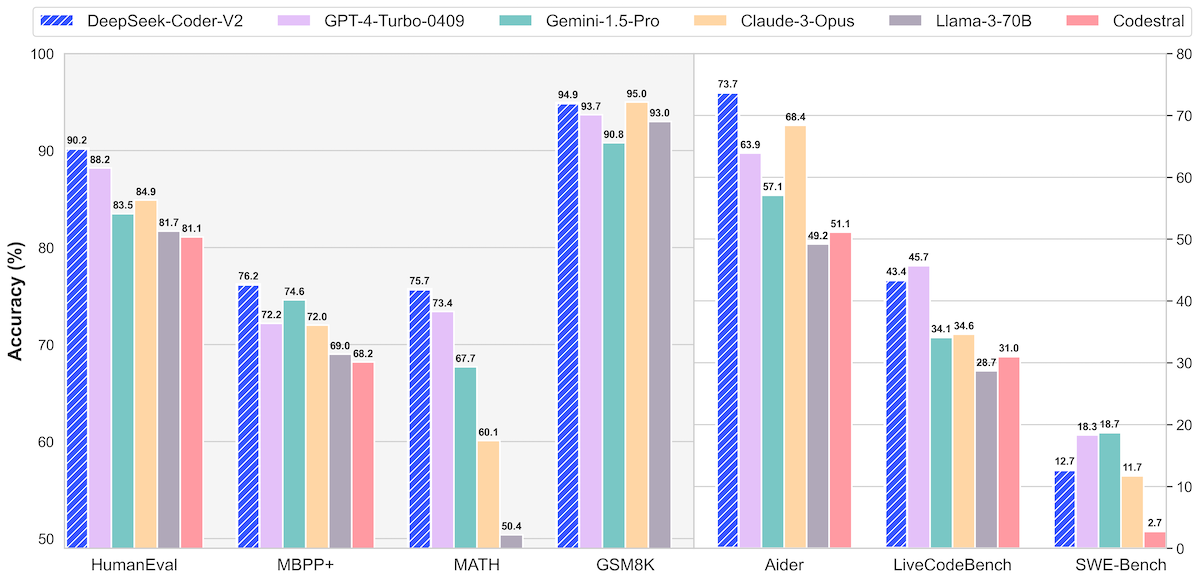
Now Ollama has made it simple enough for anyone who can use a terminal to run large language models locally, naturally I’ve gone overboard downloading too many to play with. I’m increasingly feeling they definitely have a place in the devops/coding arsenal of tools, but which model is best?
If you go on HuggingFace to look at a new model you’re interested, they often have great comparisons like this.
Jul. 22, 2024
There are two entries we often have at the end of a dockerfile (which is the file that tells Docker how an image is to be built).
They are similar in that when the container is launched from an image, these commands will be executed. For example, both of the dockerfiles below will print “Hello World” when run.
doc-entry:
FROM debian:stable-slim
ENTRYPOINT ["echo", "Hello World from ENTRYPOINT"]
doc-cmd:
FROM debian:stable-slim
CMD ["echo", "Hello World"]

Jul. 15, 2024
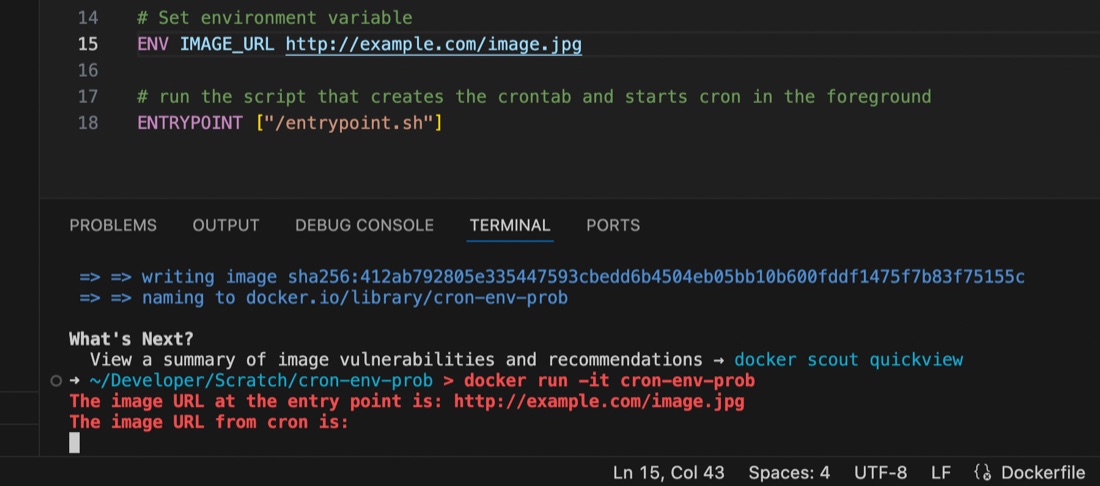
I’m used to using the docker-compose.yaml or dockerfile to set environment variables for containers running my apps, but ran into an issue recently where the variable seemed to be set some of the time, but at others it didn’t appear to exist.
I had a script set to run by cron inside the container, and it turns out that the environment variables set for the container are available in the user space, but not in cron, even if running with that user’s permissions. This is probably old news to established Linux users but it threw me for a while. I’d exec into the container and the script would work perfectly, then wait another minute for cron to run it and it would fail 🤦♀️ It was exasperated by my discovery that I didn’t know how to console.log debug from inside a container cron job as well - the subject of an earlier post.
Jul. 8, 2024
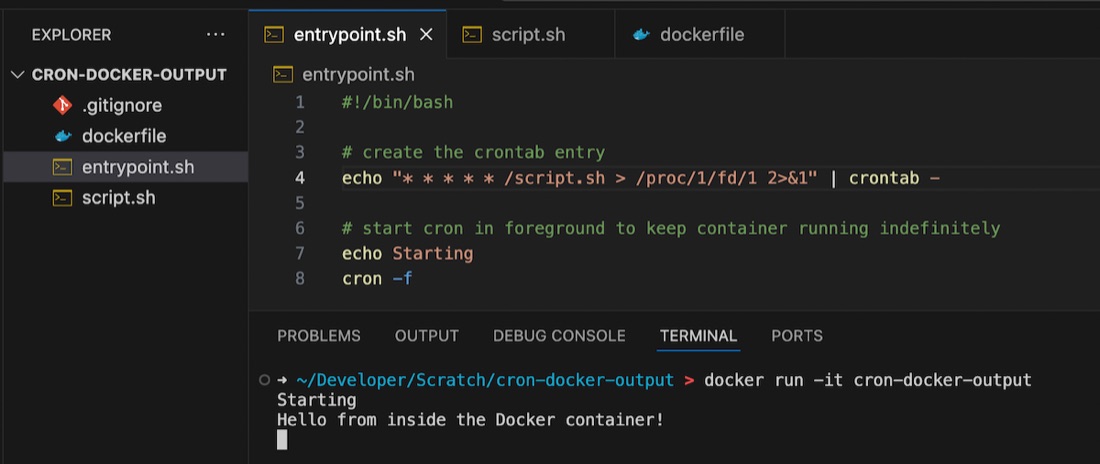
If you’re googling this exact title, you’re probably bumping your head against the same things I was today. I was debugging a completely different project, and needed to print to the console, from a cron job, in a Docker container. Turns out this isn’t as straightforward as I thought.
Foreground cron
Before you even get to the problem space, here’s a tip. If you want to have a cron job running in a container, start cron in the foreground. If you do not, Docker realises nothing is going on, and exits. If you want to keep the container active so your cron jobs get a chance to execute, then start it in the foreground.
Jul. 1, 2024

This post looks at the context for some of my thinking about AI for supporting software development, and where I’ve landed on it for the time being.
The landscape
I briefly wrote about ChatGPT’s coding ability at the end of 2022. The wide availability of this tool marked the beginning of what I think can fairly be described as a revolution. The controversies that have crystalised since have not dampened my amazement of this step forward in what compute can do, especially around natural language processing.
May. 13, 2024

My VPS’s are usually locked down so just ports 80 & 443 (for web server) and 22 (for ssh) are open. That’s great for reducing the attack surface, but having ssh open is a potentially disastrous vulnerability. For this reason I often close that at the cloud firewall level as well, but it has to be open when I’m making changes or running the weekly ansible update/cleanup playbooks.
May. 6, 2024
It’s not that long ago that I wrote about doing routine upgrades on containerised web apps using Forgejo as an example as I upgraded Forgejo (my git repository manager) between patch versions of 1.21, then a few days later, they dropped 7.0.0
They say the major version jump is due to it being an LTS (long term support) release, and changing to semantic versioning 2.0.0 , but that doesn’t quite explain it to me, and I assume this is partly signifying the fork’s drift away from the gitea codebase. In any case, the upgrade to 7.0.0 it does involve some breaking changes, and signifies to me that a lot has been on, which makes me keen to wait for a patch release (I’m always keen for other people to debug these things) which has now landed.
Apr. 29, 2024
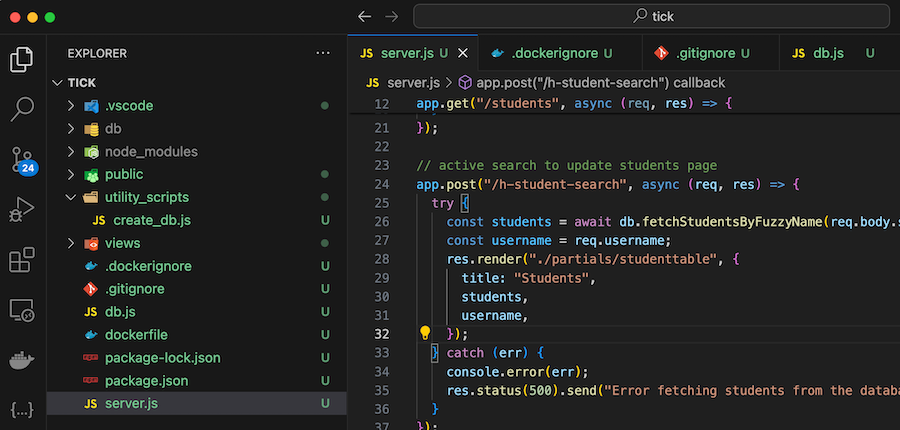
A ‘dockerfile’ contains all the instructions to build a Docker image. Here’s my first draft for a project I’m working on:
FROM node:20
WORKDIR /usr/src/app
COPY package*.json ./
RUN npm install
COPY . .
EXPOSE 3000
CMD ["node", "server.js"]
COPY . . is copying all of the files in my project into the working directory of the image so they can be run. Of course we don’t need them all for the app - for example the node_modules directory will be created when we npm install so no need to copy that, and I don’t need all my dot files in the container.
Apr. 22, 2024
I’ve been running NGINX Proxy Manager (NPM) in my homelab for a bit, and I’ve been meaning to clean up the VPS that runs most of my websites and public facing servers, so I’m considering running NGINX Proxy Manager on that VPS. While NGINX Proxy Manager wraps up the configs in a beautiful GUI, in the process you lose some of NGINXs capabilities. In particular there’s no GUI way to serve static virtual hosts from NGINX Proxy Manager.