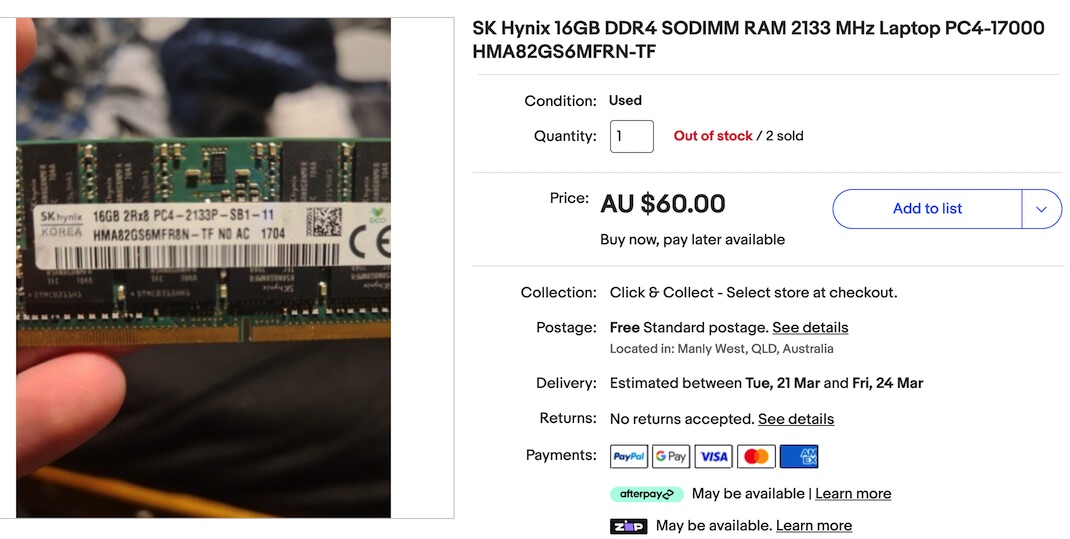
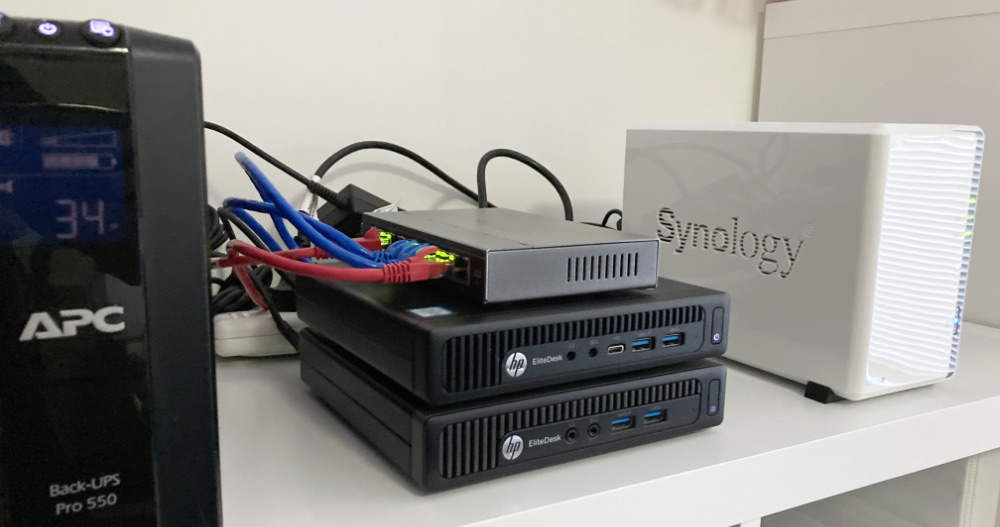
The hardware engineering of these corporate world mini-PCs is really nice. I swapped out the RAM today to bump my main machine up to 32GB from 16GB. It was a straightforward task - no screwdrivers, no drama.
To open the machine up, there is a single large screw on the back that can be undone with your fingers - it’s a captive screw, as in it doesn’t fall out - just another nice engineering thought.
I’ve got some extra RAM to drop into the HP 800 G2 mini that I use as my production server. I feel like that’s a low risk change, but since it’s easy to take VM snapshots I shutdown the VM’s and did that, and wanted to just copy them off the local storage.
I’m moving towards having these backups (and the ISOs) on the NAS rather than locally, but have not implemented that. So to get my backups I need to SSH in and find them.
With all those earlier rsync bumps out of the way, I was ready to try my first rsync backup at the command line to sync my movies directory on the NAS to a (NTFS formatted) USB drive plugged into the same NAS. This is to be one of the simplest since there’s no remote server involved, just copying from mount point directory to another - so no drama with remote permissions.
The reason I’ve been figuring out rsync is to setup my backup strategy. Eventually this will partly be managed with scheduled tasks (ie cron jobs) running rsync. I wanted the SSH in and try this out, since I didn’t know some basic things like the mount points of the shares.
Mount points
My first issue was to find the paths to all my data. This turned out not to be a drama. Each of the volumes you create when the NAS is set up are just in the root directory. This includes any USB drives plugged in.
The Synology operating system DSM (I’m on DSM 7.1.1) is Linux, but its highly customised for the purpose of making running a complicated Linux NAS doable for less technical users.
Due to that, some things that are routine in a regular distro, require a few more steps to jump through to get them to work. SSH-ing in to a Synology with keys is one of those things.
Should you?
Before you do start fiddling around, it’s probably worth mentioning that almost all the things you might want to do on the Synology can be accomplished through their web interface, or by installing a ‘package’ from the Package Center. For example, if you need to run a cron job, that’s done through the Control Panel ‘Task Scheduler’. If you need TailScale installed to easily access it over Wireguard, there’s a TailScale package. In general it’s probably easier and safer to do things their way.
I’ve started down the path of improved storage management, including embracing the 3-2-1 mantra. I’ve settled on a RAID6 NAS for local, mirrored to an off-site NAS, and an offline local USB drive.
While I’ve been setting those up, my services have been live, so files have been changing on my main storage, which I’ve then switched to the bigger NAS, and I’ve been trying to keep data in sync by remembering what changes have been made where, and manually replicating them. That’s not sustainable and not the plan.
When I was a young whipper-snapper, working at the “data processing” centre, you could see if one CPU was better than another one by the CPU name/number. No one wanted an 8086 once the 286’s came out. Then a 386 was what you wanted for the latest multitasking support, but only till the 486 was available, then you wanted that for the gargantuan memory addressing.
With that idea firmly in mind, I’ wanted an i5 to be better than an i3, and an i7 better than all of them, but it’s apparently not that simple . I do come across people in forums talking about ‘generations’ of Intel processors - so all this is probably decodable, but I’m not exactly sure how.
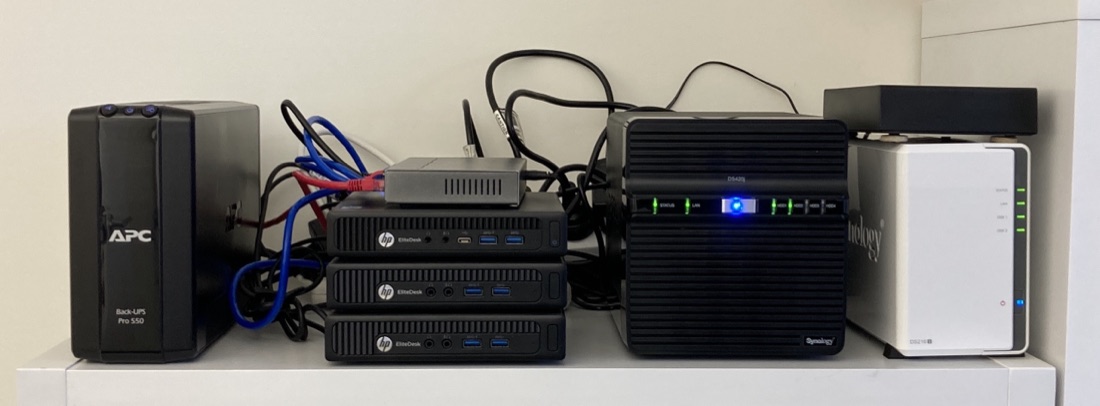
Since the HP EliteDesk 800 G1 I’m using as a dev/homelab machine is going to be re-purposed as a media/backup server elsewhere, I’ve grabbed another G2 to use as a second box. The homelab machine serves as a backup device for the production server that runs my self-hosted services, but also is the machine I play with - testing my software, but also trying out any new self-hosted software I’m having a look out or configurarions I’m thinking about for the ‘production’ server.
I went over mounting a Synology NAS share on a Mac or Linux host a while ago . Now I’ve populated a new NAS, and I want to copy my data over to it. I could mount them both to my laptop, and the data flow would look like this:
Since I’m copying 4TB, it will take a few hours, and if I forget what’s going on and close the laptop, or take it outside of my wifi the transfer will die, and I won’t be sure which files are patent. What might be better would be something like this:
I ordered some RAM this week for my production server - it’s quickly becoming clear that memory is the limiting factor when running lots of services and VM’s that don’t get much use - rather than processing power. I’m not really a hardware guy, so figuring out exactly what RAM I need is a slightly fraught process - I won’t be fully confident I’ve ordered the right thing until I install it, boot up, and see my G2 800 come to life maxed out at 32GB.
I ran into a little hiccup today. I’m building out a Jellyfin media server in a little HP G2 Mini PC. The config was going to be a Debian server inside Proxmox (because I love VM snapshots for backups) running Jellyfin in a container. There’ll be an external USB3 hard drive for the media storage.
I was intending to build it all out and test it, then ship it to it’s final home.
I’m not super interested in FreeDOS, but did enjoy this video from Jim Hall since I lived through all this, and was working in IT (well, ‘data processing’ actually) during the introduction of the IBM PC.
My first DOS was 2.11, but spent a lot more time on 3.12, and later 4.01. Windows wasn’t really ready for anyone until 3.1 which is when I dived in there. I seem to remember purchasing a PC with a whole megabyte of RAM in anticipation!
I’ve been really happy with my two bay Synology NAS - a DS216j. The Synology’s seem to have great reputation for just pushing on. Mine is loaded up with two 8TB Seagate Barracudas in RAID 1 leaving me with a one drive failure redundancy.
I guess a more hard-core host-er than me would be building their own array and using Unraid or ZFS or something. I’m pretty comfortable with the Synology off the shelf system; it’s a good match for my (low) level of expertise, and more robust than my previous storage system of a USB external drive.
I’ve spent a few hours over the weekend migrating a media library from an external USB drive to the NAS, and in the process reorganised it, and in many cases bulk changed file names. I’ve also added a heap of metadata.
I’d like to check that I haven’t missed any files, but a side by side listing of each data source won’t do the trick, so I’ll probably end up pulling the data into a spreadsheet, but I’d like to get as close as possible with Linux-fu first.
Unix, and therefore Linux, was built from the ground up as a multi-user system. Thanks to this, great security is baked in, for example every file has permission attributes for it’s owner, the group the owner is a member of, and then everyone. For example, it might be a good idea if I can read, write and execute my own files, but the other members of my group can just read them, and any other user on the system has none of those rights.
I had Jellyfin working nicely in an LXC container in Proxmox, but could not get Tailscale working in the container. Since this is going to be an important part of accessing my media away from home, I decided it was probably worth the extra bulk to run JellyFin in a VM.
Following my own instructions , I had the mount command in the /etc/fstab file so it would persist across reboots. It looked a bit like this:
A couple of weeks ago, I posted about the sudoers’ file , and how there was a special tool for editing it since breaking it is a bad idea, and that in fact I needn’t bother, since I can just add my user to the sudoers’ group with:
usermod -a -G sudo ian
That worked (on Unbuntu) since /etc/sudoers contained a line saying:
# Allow members of group sudo to execute any command
%sudo	ALL=(ALL:ALL) ALL
I tried the same trick on a fresh Debian install today, and no dice:
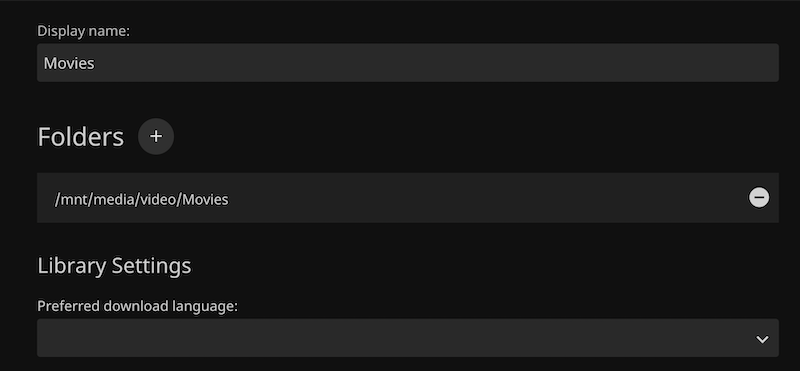
After being so blase about the file permissions when mounting the share to the Linux file system, and testing that root could read and write to the share, I ran into problems immediately when trying to add the media folder as a library in Jellyfin - getting the error “The path could not be found. Please ensure the path is valid and try again.”
I definitely had the path correct - I could copy it from the dialog and cd to it at the CLI. So I suspected it was a permissions thing. The app might not have read permissions for the directory.
I picked up a Synology DS216j NAS from eBay to use for storage for the rapidly growing home lab. The eventual plan is that as well as my VM backups, it will host the media library, and eventually (when this has all proved itself reasonably bullet-proof) my current DropBox contents. That won’t all fit on the 2x2TB drives that the DS216j came with, and I have a pair of 8TBs on hand, but I wanted to set it up and checked it all worked.