Practice your restore strategy
21 Dec 2023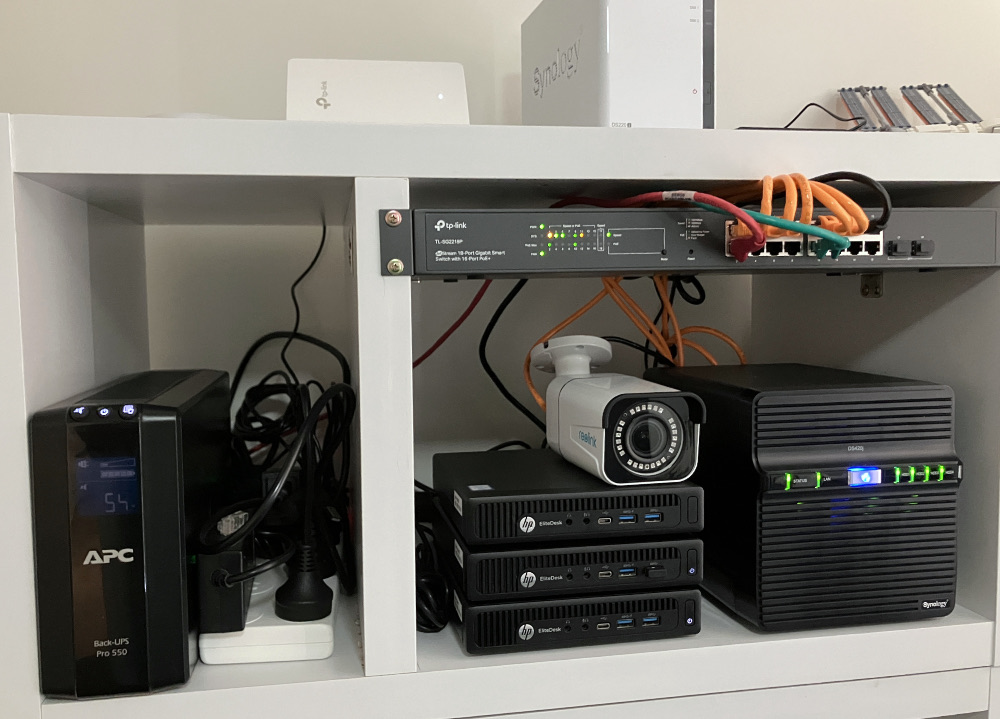
My homelab set up is a production node, (pve-prod1) a backup production node (pve-prod2) and a development machine (pve-dev1). They are all G2 800 minis, but pve-prod1 has a i7 6700T and 32GB RAM, where as the other two are i5 6500T with 16GB. My thinking is that the older two can easily share the workload of the main production machine for disaster recovery. Everything is virtualised on top of Proxmox, so sharing up the VM’s and containers is trivial.
Every three or four months, I run the nightly backups, turn off the production machine and restore back on to pve-prod2 and boot everything up. That was today’s job, and in the process I discovered a couple of things to address.
Issues
Issues were minor - everything was up again quite quickly, but they were:
VM disk storage
VM disk storage - I ran out on pve-prod2. Quite often when pve-prod1 is offline, it gets a new SSD, or most recently and 512GB of NMVE. So there’s oodles of room for the VM disks. As a result, I’m never mean with the sizes when I’m guessing what an application might need. I hate not allocating enough because expanding them is hard.
Also, I’ve been moving docker workloads off the big docker VM and into their own LXC’s. But I’m still running the VM since it still has a couple of containers. All this adds up to there wasn’t enough room on the pve-prod2 SSD for all the VM disks. This is not the end of the world, I can leave the VM disks on the NAS and work over the network - but it’s a reminder to me to not let the backup hardware get to far behind the production hardware.
Of course I could have moved some of these onto pve-dev1 (which is massively overspec’d) but I don’t really want to power two machines if I can get by with one. I have asked Father Christmas for another 512GB NMVE M2, so I’m optimistic this will be solved shortly.
Versions
After I moved all the VMs and LXCs, I realised I that pve-prod2 is running an old version of Proxmox - it’s on 7.4 and the others are on 8.1. Everything works (unless you need dark mode) but it was a mistake on my part, when I’d upgraded pve-prod1 I deliberately left prod2 on the old, known good, version but with the intention I’d upgrade it in a month or so, then never did.
LXC Backup to NAS
I’ve previously discussed this issue , where an LXC apparently does not have the require permissions for it’s temporary files on an NFS share but does have them for the finished backup. It’s a simple config change, but one that I hadn’t made to prod2. This is a good case for maintaining a post-proxmox-install Ansible playbook.
Bouquets
Proxmox
I’ve been pondering if I should move away from Proxmox. I imagine I can achieve something similar with some combination of KVM, QEMU, Virt-Manager or Cockpit. I’d be learning some new things and be closer to a generic solution. On the other hand, I’m still learning about Proxmox, especially the command line stuff as I convert more of the homelab to infrastructure as code.
Also, it’s just worked flawlessly. I was reminded today as I did this now routine task of the first time I moved a VM between two computers how exciting it was - and I was doing that as a noob using the web interface. Proxmox certainly meets all my current needs so I’ll be sticking with it. If I’m eBay tempted by more iron, I might have a play with some of the other options, but for the moment, I’m sticking with it.
I’m also conscious that the NAS is filling up (although slowly) and a future improvement would be to start to use the Proxmox Backup Server . This delta’s your backups to allow a more comprehensive history to be kept while reducing the disk space being used. This will lock me into the Proxmox ecosystem a little more.
Synology
Also I need to shoutout Synology NAS’s. Just super reliable. I yearn for a ZFS solution, but if you just want reliable, gets things done storage for your homelab, they are an excellent choice for most situations. They are not sexy.
Monitoring
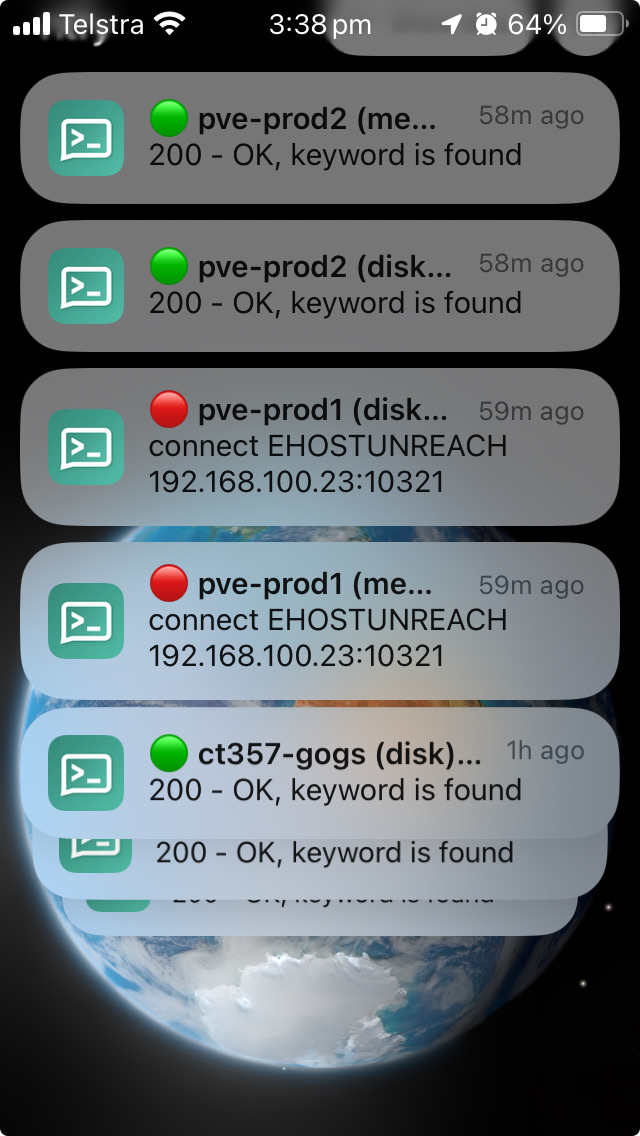
A lot of the time I don’t really think about my monitoring - which consists or Uptime Kuma hooked up to Ntfy for phone notifications, and a custom Go program that exposes the RAM and disk use on each container and VM.
But when you power down your production server, and your phone lights up in red, followed by green messages as each service comes back up, that’s a good feeling.
Anyway, here’s your reminder to test your backup strategy if you haven’t done that for a while. Like me, you might learn something to your advantage.