Problems backing up LXC to NFS in Proxmox
24 Sept 2023If you create an unprivileged LXC container on Proxmox, then try to back it up to an NFS share, for example on a NAS, you’ll get an error when it tries to build the temporary file.
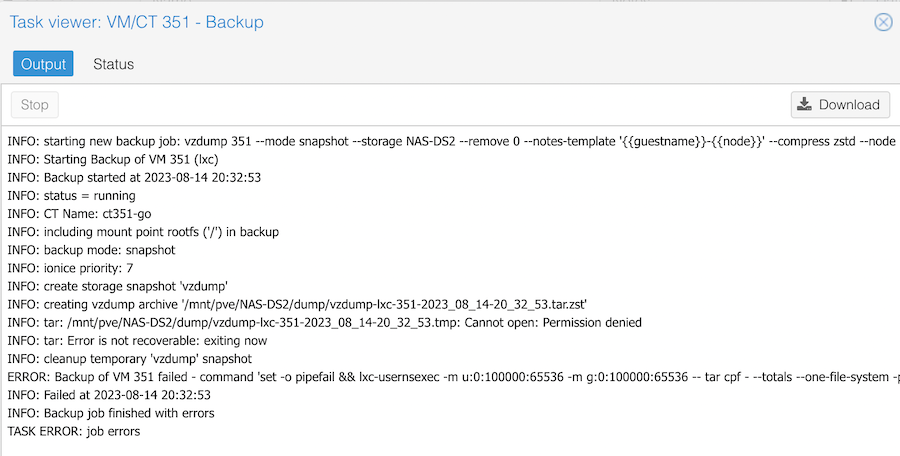
The clue is in the Permission denied line. It is trying to create a temporary file on my NAS, and failing because of a permissions problem. If I try the same backup to the local storage, it works fine.
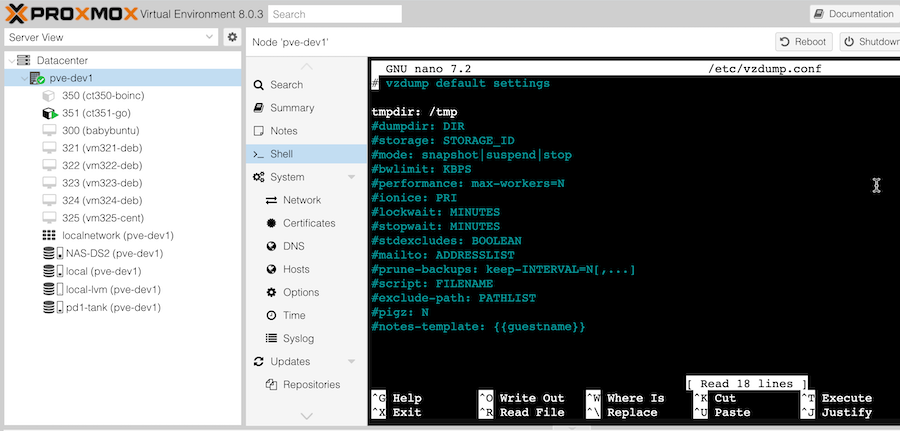
The solution is to build the temporary file in the local storage. To do this, you need to edit the /etc/vzdump.conf on the Proxmox node to set the tmpdir: /tmp
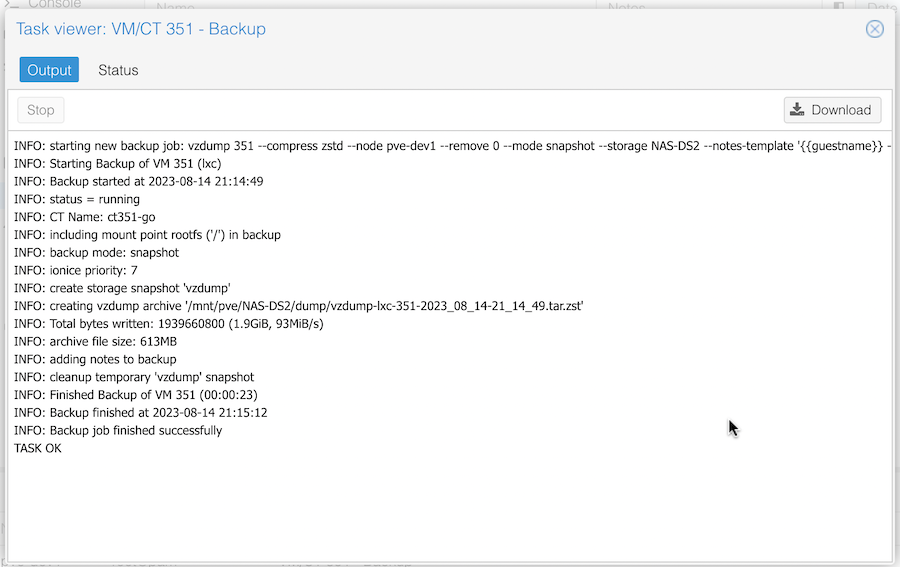
Then if you run the backup again, it will be able to create the temporary file, and successfully copy it to the share.
It doesn’t make sense to me how it has the permissions to copy the finished backup file to the share, but not create a temporary file there - but I’m not curious enough today to find out. Shout out to user Dunuin in the Proxmox forums for the suggestion to change the tmpdir in /etc/vzdump.conf