Proxmox 8.0 Install
23 July 2023
I’m normally a x.1 release type of sysadmin, but the increasing temptation of installing Proxmox 8.0 while I’ve got some time off, and the fact that I’ve got a cluster, so I can just move the VM’s around all adds up to thinking I’ll do that today.
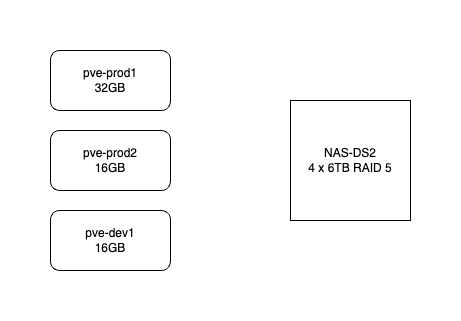
Here’s how my system works. It consists of three HP-800 mini G2’s. pve-prod1 is a bit fancier - i7 6700T and 32GB, the other two are i5 6500T and 16GB. The production VM’s use the local SSD but backups go to the NAS. All the machines are currently running Proxmox 7.4. They are not clustered in the proper sense - I don’t need high availability, and I don’t want to run them all the time. pve-prod1 runs 24/7 and I just power up pve-dev1 when I’m working on something.
The intention is that although I’m not on high availability, I can quickly come back from a machine failure by powering pve-prod2 up and restoring from the latest VM backup from the NAS. pve-prod1 does not have a full load yet (I’m slowly cancelling cloud services and moving them in-house) but once it does, I’d have the capacity to fully replace it by sharing any guests between pve-prod2 and pve-dev1.
Migration plan
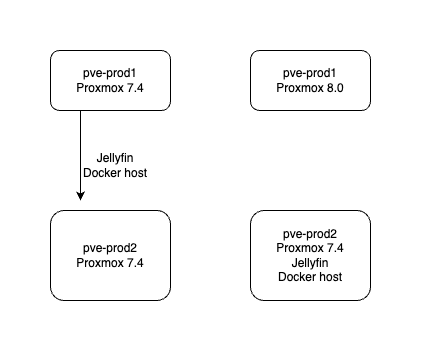
Currently pve-prod1 is only running two guests, jellyfin, and a docker host with a collection of smallish services. The plan is to move those to pve-prod2, check everything is working, then install the new Proxmox 8 onto pve-prod1. Apart from giving me the opportunity to do that, it’s a good test of the plan for recovering from a pve-prod1 failure. I’ll live off it for a few days to ensure that it’s a viable process.
A small hitch with this is that the RAM in pve-prod1 cost me $100, and I didn’t want to not use it, so I created the jellyfin VM with 16GB RAM. It’s a simple matter to stop it, give it less, and restart it - except it seems to be using it all.
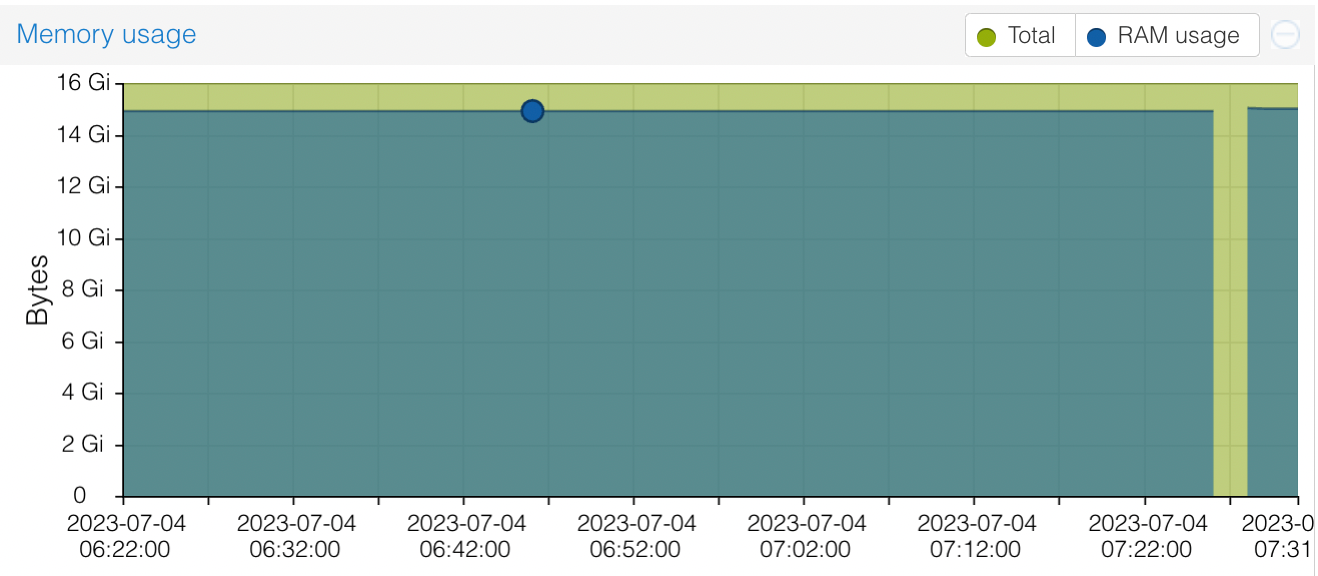
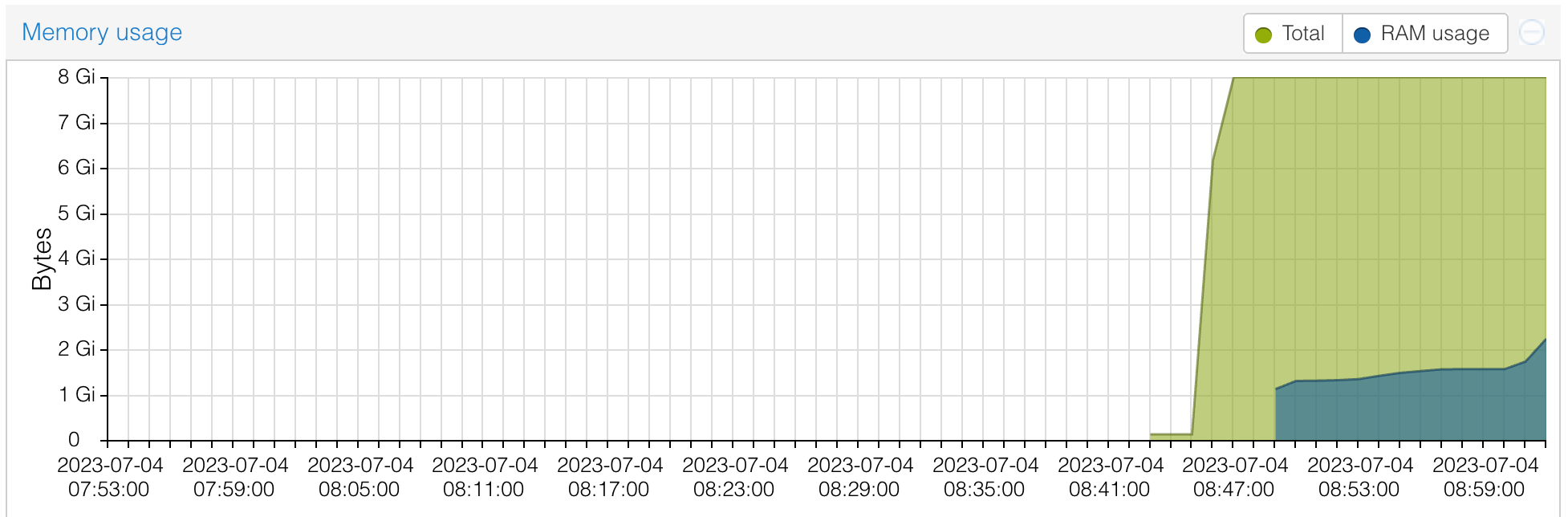
You can see from this, I tried shutting it down and restarting - thinking that the memory use might climb up slowly as the app was used, but it just went straight back to 15GB. In a way, I approve of a VM using the memory I’ve given it - presumably it is caching or something. Jellyfin should certainly be able to run on a machine with much less memory, so I suppose I’ll stop it, back it up, and try it in a smaller VM.
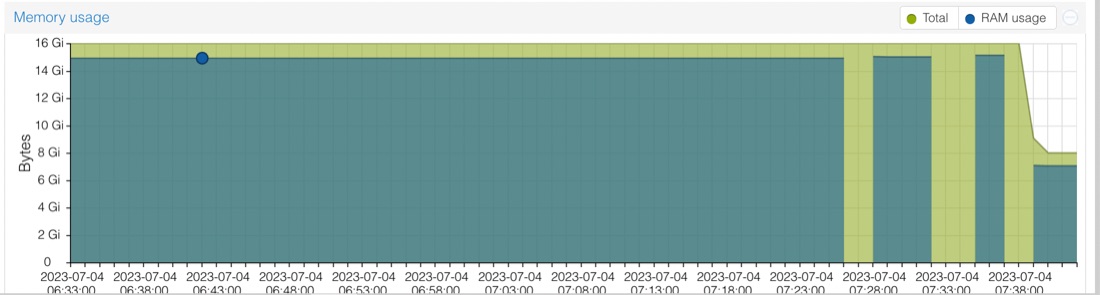
Yep, that works fine. And I can’t notice any difference in the app performance. So I stopped it, backed it up, and restored onto prod2. And immediately bumped into a couple of problems when I tried to start it.

There was two hardware incompatibilities - the first was that on prod1 I had passed through the GPU from the host (in an unsuccessful attempt to use quicksync hardware transcoding for video). I don’t need that, so that gets deleted out of the ‘hardware’ for the VM.
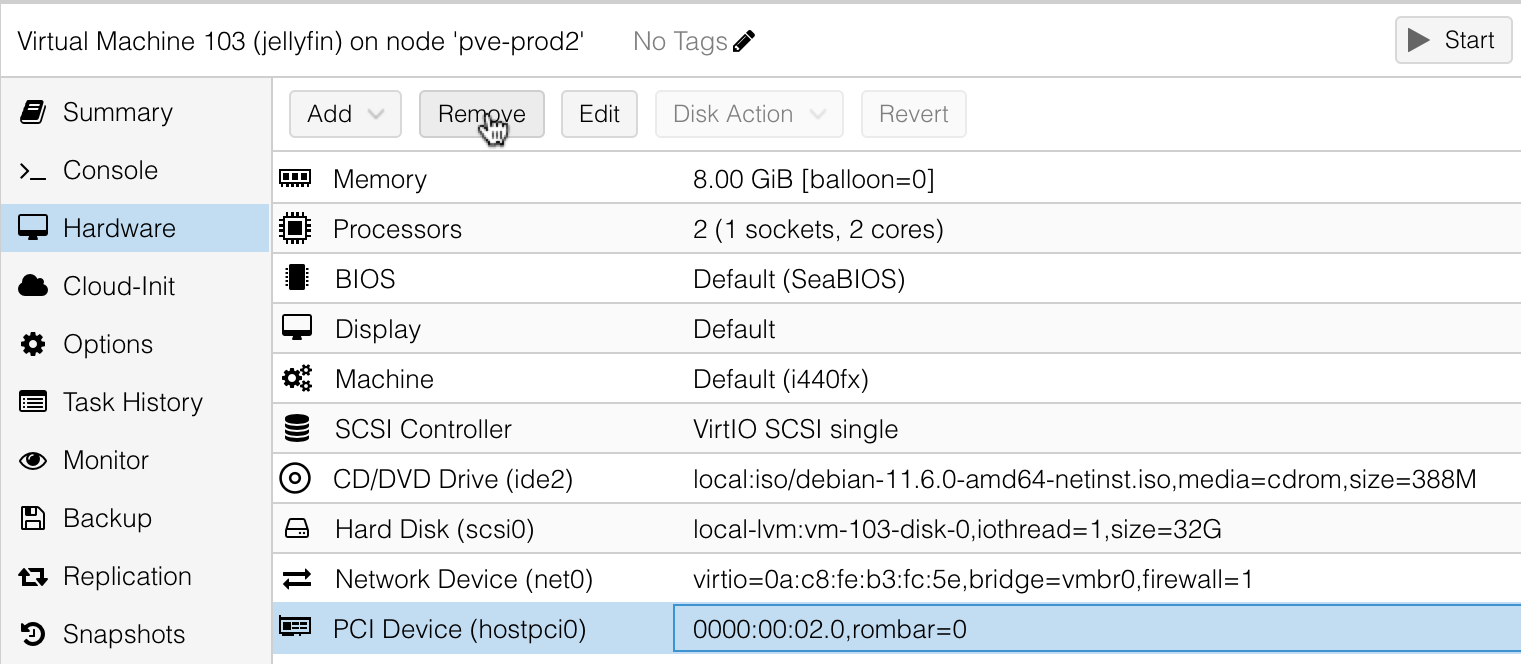
And the second was that I still had the Debian 11 ISO mounted in the ‘cd-rom’. Lol - the Debian installer specifically tells you to remove this before it reboots. That can be removed exactly as I had done for the GPU pass through, and the VM boots fine, and the app tests out ok.
The first time I ever did this - move a guest VM from one lot of hardware to another, then boot it up and all my apps are working perfectly on their old IP addresses - I was amazed and danced around in excitement. I didn’t dance today, but it is so cool.
Interestingly, it’s decided to use much less RAM now. I caused that increase at the end of the graph by rescanning the media library, then browsing through all the titles so the cover images would have to be loaded - so perhaps it’s the web server caching them all. It’s hard to know for sure without some objective measurements, but I suspect the app was crisper and more responsive than before. In any case, it certainly wasn’t any worse.
Moving the docker host over was straightforward and only took five minutes of downtime as it’s a smaller image. I guess a lot of that time is just my 1GB network limitation or the spinning disk transfer speed from the NAS - the docker hoats was 4GB and Jellyfin 14GB.
Nuke and pave
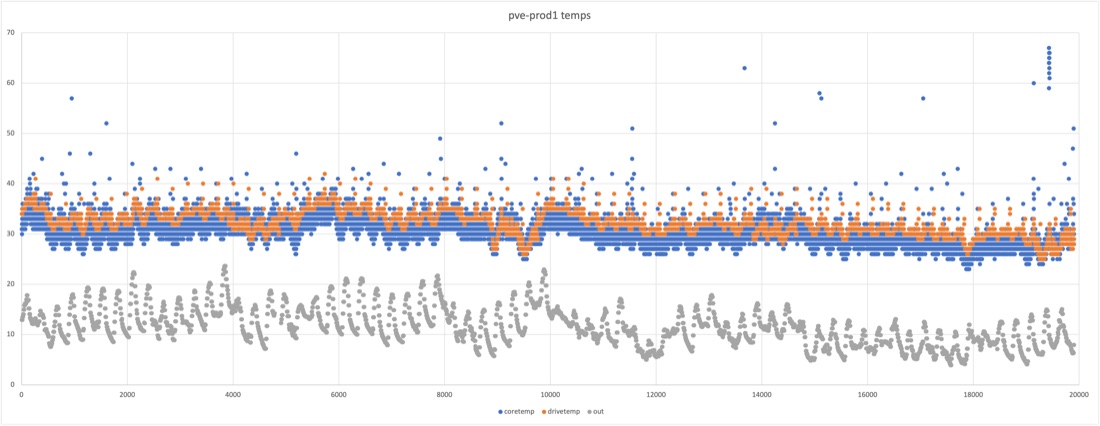
I try and keep my hosts very clean, so wiping them and starting over is no biggie, but since this node has been up I have installed a chron job for temperature logging . I’ve documented that in a blog post so I’ll be able to recreate it, but this sort of thing is the reason I’m interested in Ansible . Another project while I’ve got some time will be to recreate that on the new machine with Ansible so it’s trivial to restore in future. I pulled the temperature log file down though - because who doesn’t like eighty thousand data points.
There is a published process to upgrade Proxmox from 7.x to 8, so I briefly considered it, but fresh installs are generally less likely to lead to drama, especially this early in the major release cycle. Plus, I keep my installs clean to allow it - this is a freedom allowed by my sysadmin discipline along with the investment in redundant hardware so there’s zero time pressure while I’m doing it.
Run Book for New Proxmox Install
My install process for Proxmox goes something like this:
- Flash the ISO onto a USB drive with Balena Etcher
- Plug in the USB drive, my bluetooth keyboard/mouse USB, and the screen - I’ve got a special long HDMI cord that reaches from my desk to the servers
- Boot up, mashing the boot menu key (F9 on my G2’s)
- Follow my nose through the prompts - since this is an existing server, the DHCP serves up the correct IP address
sshinto it to check everything’s fine. Since this IP was already in my known hosts file, I had to go an delete it outssh-copy-idto get my ssh keys across- Update the repositories - by default, Proxmox comes set up to use with a subscription. I wish they had a lower tier and I’d by one since it gives me so much joy - even if it didn’t remove the nags. In the meantime, you can follow the instructions here to set it up to use the non-subscription repoistories:
- edit
/etc/apt/sources.listto adddeb http://download.proxmox.com/debian/pve bookworm pve-no-subscription - edit
/etc/apt/sources.list.d/pve-enterprise.listto comment out the line in there - and a new one that’s not mentioned on that wiki page, edit
/etc/apt/sources.list.d/ceph.listto comment out the line in there. I don’t know where that leaves you if you are using Ceph (which is a cool file system if you’re using high availability) but I’m not, so all good. If you don’t do this, you’ll get errors likeE: Failed to fetch https://enterprise.proxmox.com/debian/ceph-quincy/dists/bookw orm/InRelease 401 Unauthorized IP: 103.76.41.50 4431 E: The repository "https://enterprise.proxmox.com/debian/ceph-quincy bookworm In Release' is not signed.
- edit
- Run the updates with
apt update&&apt upgrade - Install the certificate - you need SSL setup for the web interface if you want Chrome to let it save your password, which I do. Also the red insecure message bugs me
- Log into the web interface at https://
:8006 - you’ll need to jump through all those hoops to take on the responsibility of opening an unsecured site - If you click on the node, then certificates
- Log into the web interface at https://
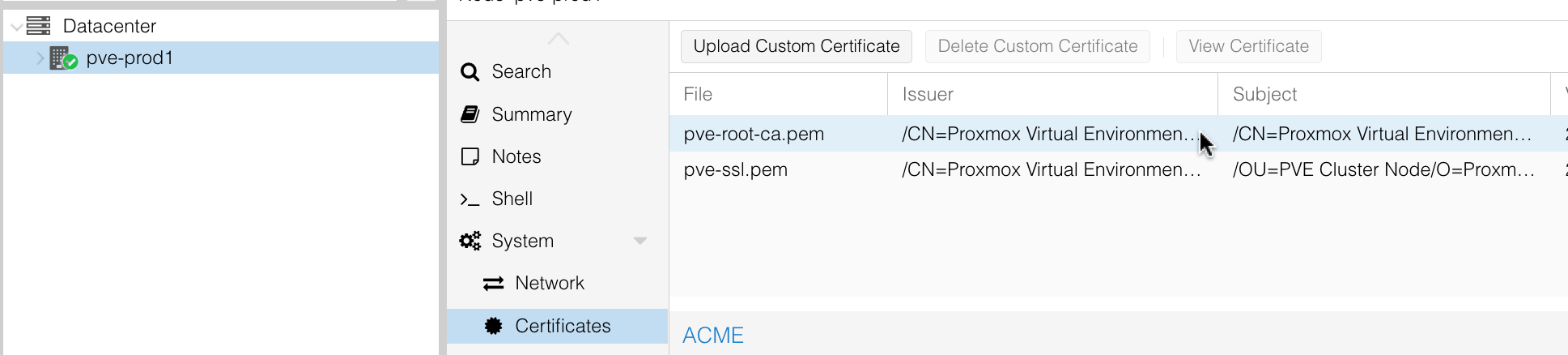
- You can open up that certificate, and copy out the raw certificate, paste it into a text editor and save it somewhere. I drag that into my macOS keychain app. It shows up with a red cross, but if you open it up you can mark it as “always trust”
- We’re not done yet, now back in Chrome, click on the insecure message next to the URL. Go into Site Settings | Insecure Content and change it to Allow
- Almost there - at the top of those settings is a button to clear the cache, do that
- Reload the page. Profit.
- Then I install Tailscale
- Last of all, add my NAS to the storage. I use NFS. The only trick here is to go into the dropdown of what type of content is on that storage, and select everything
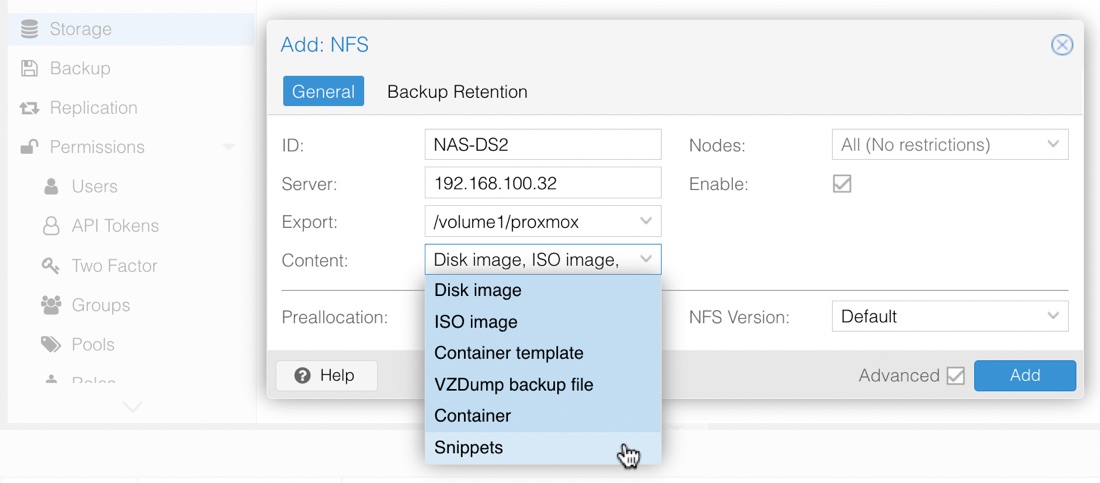
And that’s it. Nice new Proxmox. I’ll leave my production VM’s on pve-prod2 for a week, and move all of my dev work over to this machine so it gets some exercise before I upgrade the other machines.
Tailscale
The only small issue I ran into (apart from the Ceph repository) was I couldn’t access the machine via it’s “magic DNS” Tailscale name. Since it was going to be the same name as a machine in my existing network, I’d thought ahead and deleted the old one out via the Tailscale machines page, but even so, it wouldn’t connect from my laptop.
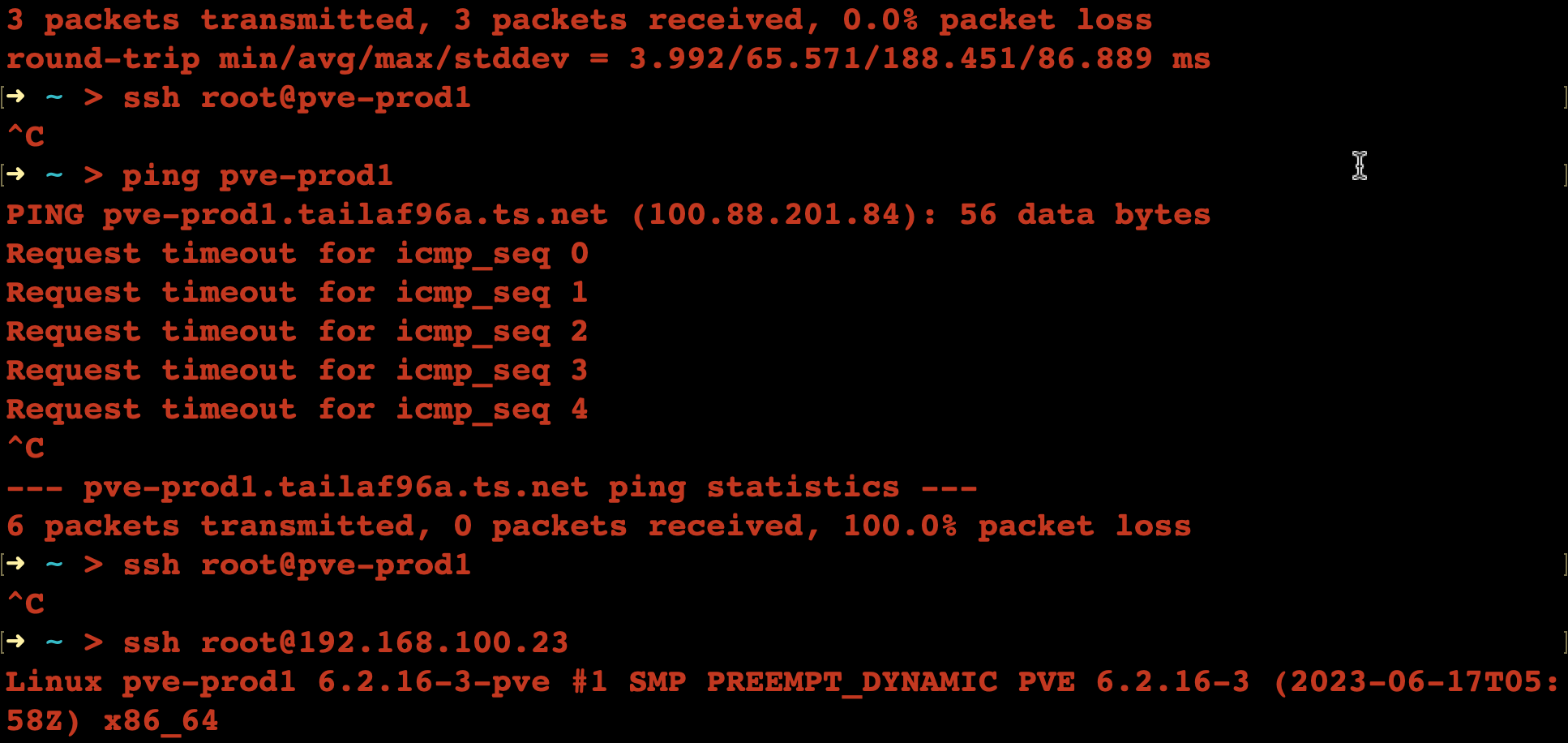
I assume the old Tailscale IP address was cached somewhere, and fixed it by turning Tailscale off and on again on my laptop.