Proxmox Dynamic IP
16 Mar 2023I ran into a little hiccup today. I’m building out a Jellyfin media server in a little HP G2 Mini PC. The config was going to be a Debian server inside Proxmox (because I love VM snapshots for backups) running Jellyfin in a container. There’ll be an external USB3 hard drive for the media storage.
I was intending to build it all out and test it, then ship it to it’s final home.
I’ve probably installed Proxmox five or six times by now since I’m always playing around with my test machine, and never really thought about the screen that comes up during the install showing the network details it’s picked up from DHCP.
Today once I’d finished installing Proxmox, I couldn’t SSH into it
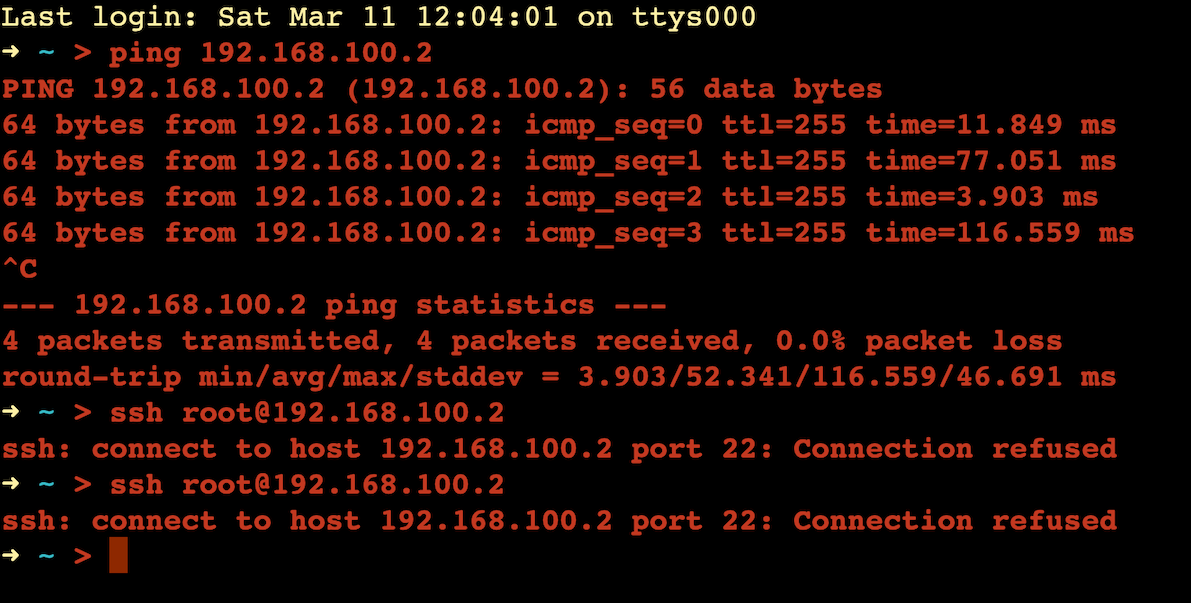
I knew I had the right IP address since it shows that on the console at the end of the boot process. Looking in my router, it said 192.168.100.2 was connected, but by wifi on the SSID I use for IOT devices.
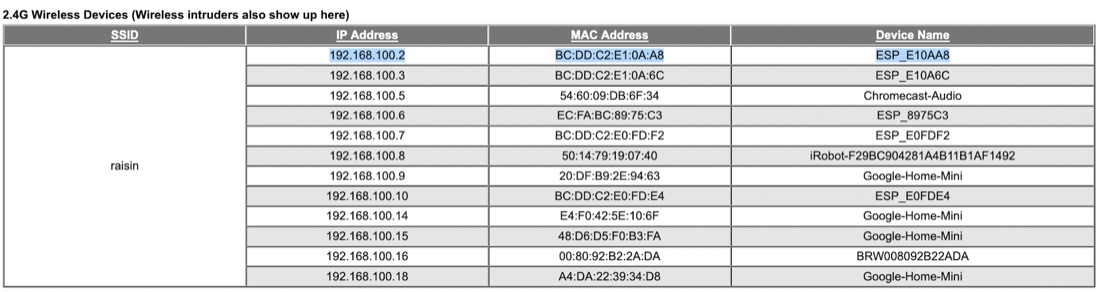
That ESP device name is a giveaway - it’s one of my wifi light bulbs. A quick ip addr on the new Proxmox via the console shows it is convinced that it is 192.168.100.2 I can ping 8.8.8.8 from it, but DNS is not working. My conclusion is that I’ve got two devices with the same IP on my network.
I’m not sure how this came about. The network cable I was using is an old CAT5 with the clips broken off both ends I use for fiddling around, so perhaps there was a dodgy connection right at a crucial moment? It seems odd. usually when I encounter the ’two machines with the same IP’ problem, I’ve caused it somehow.
No problem I thought, now I’ve got the MAC address from the Proxmox machine, I’ll just reserve an available IP address for it. I did that, and rebooted Proxmox, but it was still on the old address. Then I remembered that question during the install process - it must collect an address from DHCP, then after the users has committed to it, write it into /etc/hosts and /etc/network/interfaces I reinstalled Proxmox, it picked up the new address and I saved it as the static IP.
That’s not really problem solved though - I’m sending this off to a network where I don’t know the network configuration. I was hoping just to let it pick up a DHCP address that would remain somewhat stable since the machine is going to be on 24/7.
It’s not unreasonable for Proxmox to expect a VM host machine is going to have a static IP address, but it’s inconvenient for this situation. I’ll have to discover how to make it dynamic (probably by editing those two files). I’ll have Tailscale on it, so I can remote in afterwards to make it static, although without also reserving it in their router that carries a small risk too.