Proxmox - Qemu-guest-agent
9 Feb 2023
One of the strengths of having virtual machines (VMs) running inside a hypervisor like Proxmox is how they are isolated from each other and their host. This is a strength - if there is a problem with a particular VM nothing else should be affected by it.
But this can also be a pain if the hypervisor needs access to a VM to control or monitor it in some way that’s only possible from inside the VM. Proxmox can use the Qemu Guest Agent for this purpose. To over simplify, this is a deamon that runs in the VM and opens a unix socket/virtual serial port to the hypervisor, and listens for commands on it. With Proxmox, the main use of this is to aid in orderly shutdowns and backups, but it also allows us to run commands in the VM from Proxmox - an obvious security compromise. You definitely would not want to install this daemon on a hosted VPS.
Installing Qemu-guest-agent
I’m running Unbuntu Server 22.4.1 inside Proxmox 7.3 for the following examples.
Use apt (or whatever you distro uses) to install the agent inside the VM.
apt install qemu-guest-agent
This will do the usual thing - build the list, ask your permission to use the disk space, then download and unpack everything.
Some guides on the internet will tell you to either use systemctl to start the agent now, or to reboot the VM. Don’t do either of those.
Instead, shutdown the VM entirely from Proxmox. Then in Proxmox, with the VM selected, we need to go into Options and find QEMU Guest Agent.
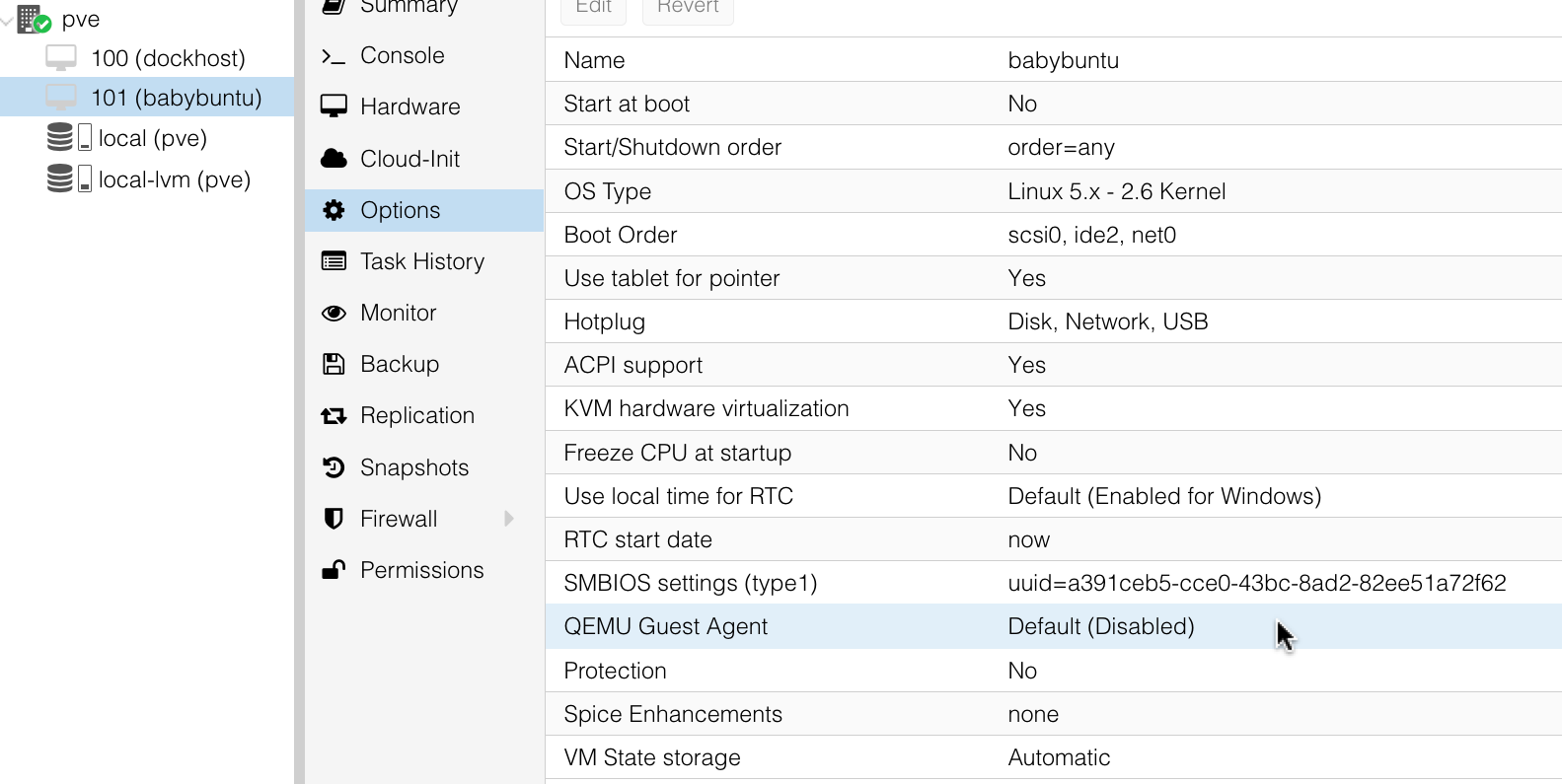
To change an option you either double click on the line your are interested in, or select it and click edit up the top. So do that for QEMU Guest Agent and select the box to enable it.
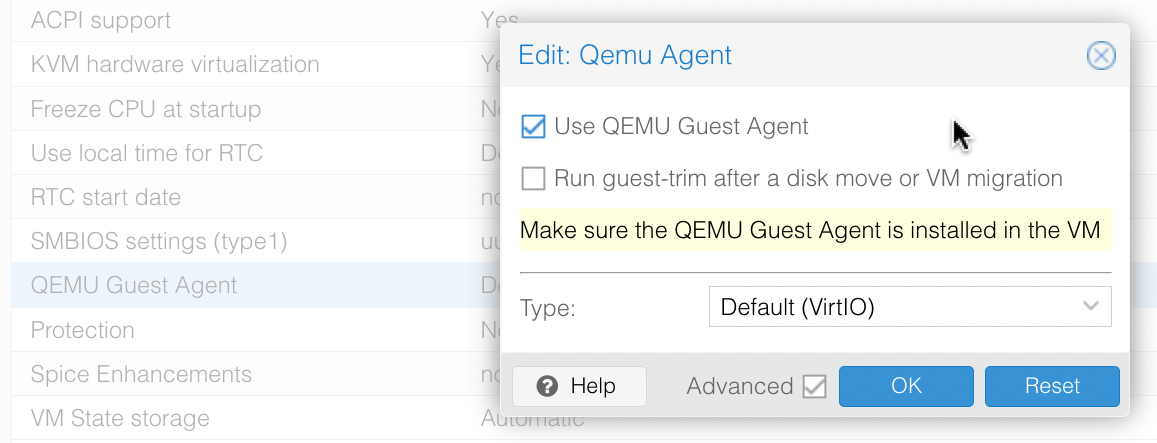
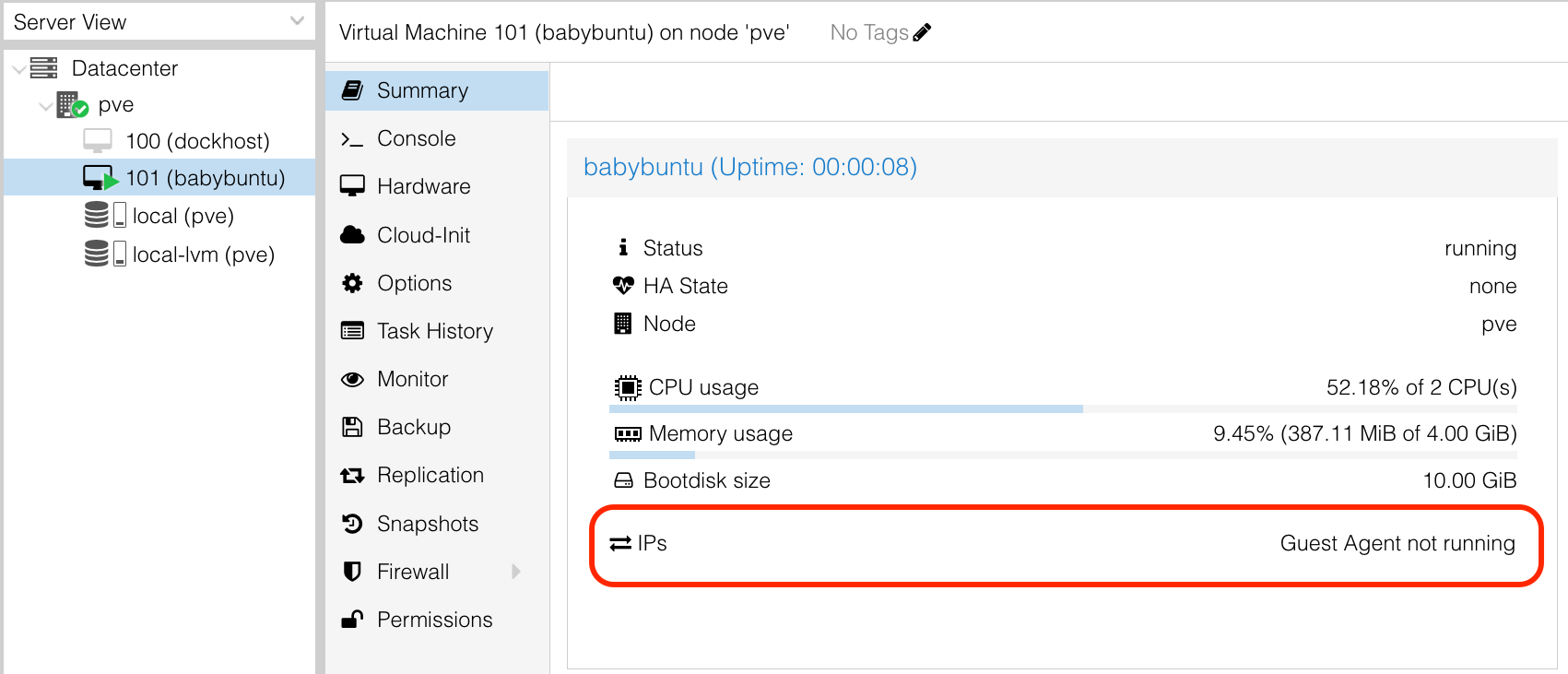
Once that’s done. We’ll select the VM and start it. If you watch the summary screen as it starts, you’ll be able to see if everything is working by watching the IP Address field. It will start off saying Guest Agent not running:
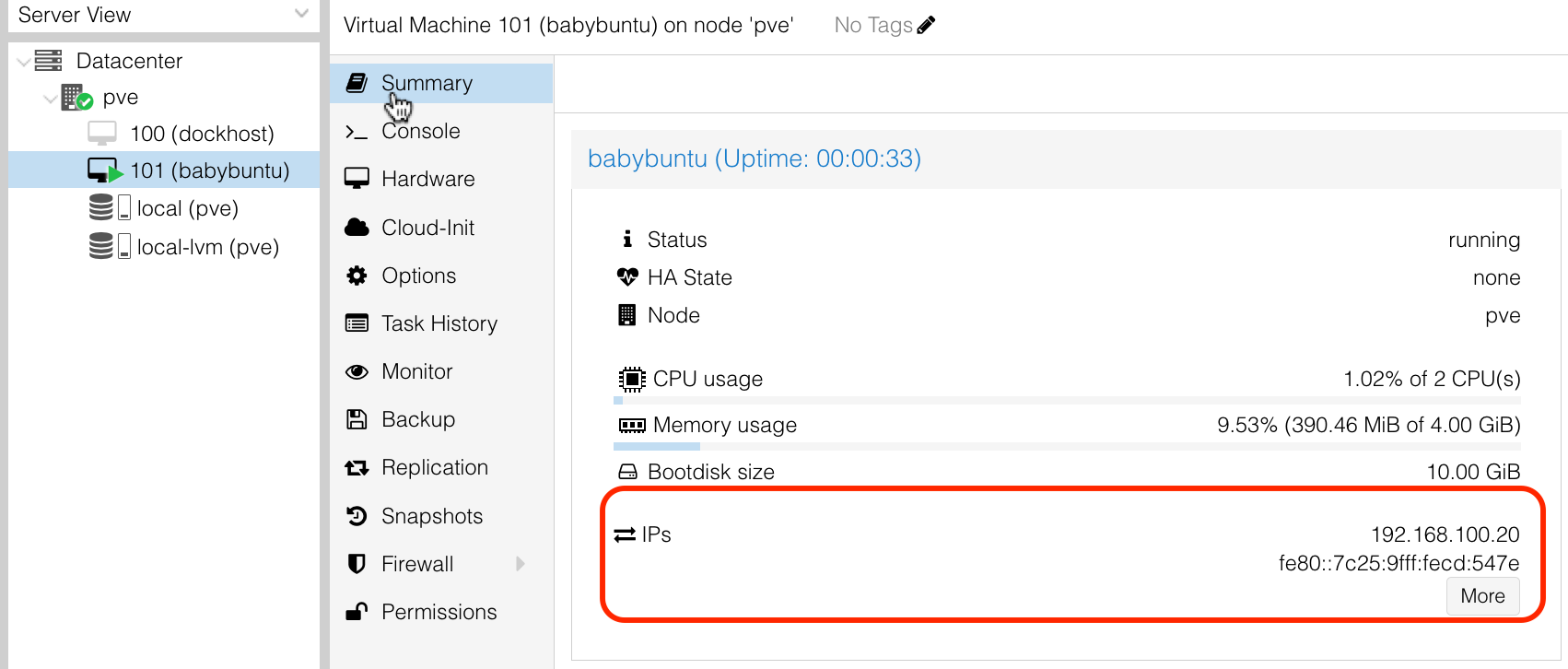
But then change once the boot gets to the stage of running all the daemons. This is an example of the hypervisor being able to use the agent to get information about what’s going on inside the VM.
If you want to double check everything is working, you can ssh into the VM, and have a look at the process with systemctl status qemu-guest-agent
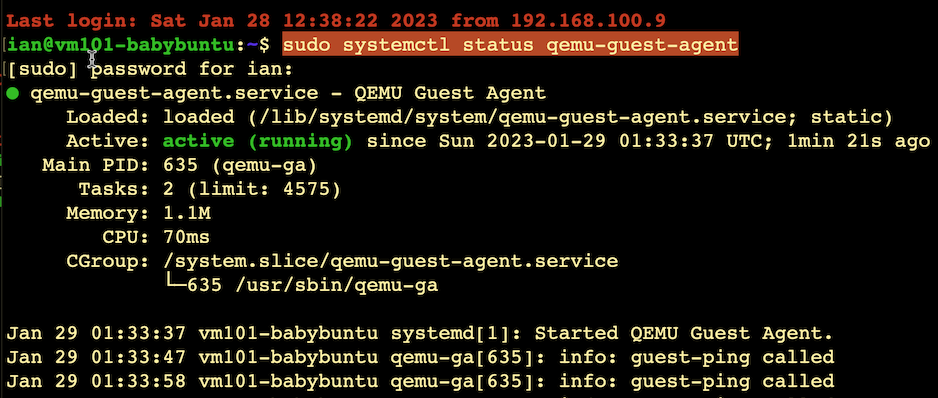
Or, we can look from the host. If you select the shell of the node - remember mine was called pve, you have a console for the root node that owns all the virtual machines. We can run qm with all sorts of options to accomplish different things. One of the most interesting is qm guest exec which allows us to run whatever we’d like, as root, on the guest vm.
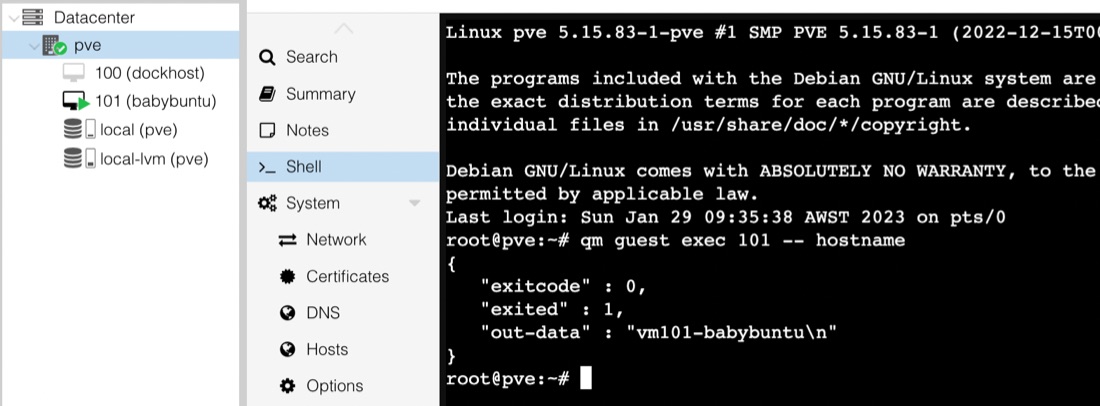
The number 101 in qm guest exec 101 -- hostname is the Proxmox id for the server we want to access - it’s shown in the server view in the top left, and the text after -- is the command to execute. What’s returned is some JSON with the exit code and the output. This should be a chilling reminder that anyone with access to the proxmox account will also have root access to all your VM’s running the daemon.