sudo Incident Reports - where do they go?
4 Feb 2023Even though it’s my server, I still have a pang of guilt when this happens.
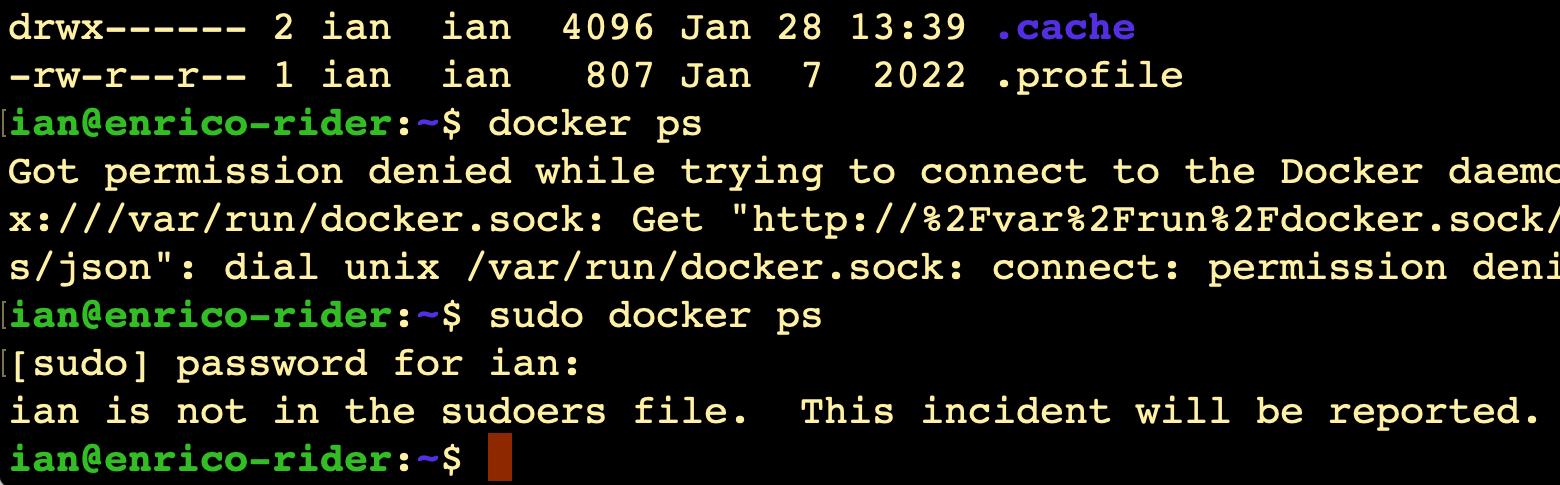
I always imagine Richard Stallman (or someone with a similar 2000’s database administrator beard) looking at me disappointedly and shaking his head slowly.
It does raise the question though - since it’s my server, shouldn’t I be getting a text message from CERN or something?
Where is this report?
Like everything, the answer is ‘it’s logged’. We can use the journalctl command to look at the logs, on this server that’s been running less than 20 hours, there’s already several thousand lines to look through if you just enter journalctl, so I’m going to just send all the high priority logs to a file:
journalctl -p 3 > errors.txt
Then since this just happened, it should be at the end of the file:
tail errors.txt
Jan 28 12:10:40 enrico-rider sshd[5168]: fatal: Timeout before authentication for 110.41.153.190 port 41826
Jan 28 12:11:01 enrico-rider sshd[5170]: fatal: Timeout before authentication for 110.41.153.190 port 41856
Jan 28 12:23:15 enrico-rider sshd[5222]: fatal: Timeout before authentication for 61.177.173.39 port 29421
Jan 28 12:23:26 enrico-rider sshd[5223]: fatal: Timeout before authentication for 61.177.173.39 port 49692
Jan 28 12:23:37 enrico-rider sshd[5226]: fatal: Timeout before authentication for 61.177.173.39 port 10416
Jan 28 12:39:51 enrico-rider sshd[5517]: fatal: Timeout before authentication for 61.177.172.108 port 53867
Jan 28 12:50:06 enrico-rider sshd[5653]: error: kex_exchange_identification: Connection closed by remote host
Jan 28 13:03:53 enrico-rider sshd[5696]: error: kex_exchange_identification: Connection closed by remote host
Jan 28 13:24:58 enrico-rider sshd[5804]: fatal: Timeout before authentication for 61.177.173.39 port 46041
Jan 28 13:40:06 enrico-rider sudo[6077]:      ian : user NOT in sudoers ; TTY=pts/0 ; PWD=/home/ian ; USER=root ; COMMAND=/usr/bin/docker ps
There we go, it really has been reported!
How to add a user to the sudoers file
To avoid these terrible reports, it sounds like I need to add myself to the ‘sudoers file’. I won’t be able to do that as myself, so I’ll log back in as root for a bit. The reason I don’t just operate as root all the time is that I quite like the constant reminder that I’m about to do something administratory - so I should have a second thought before I sudo that shell command I just copied out of a stackoverflow answer.
Since the error message says I’m not in the sudoers file, I should just add my name right? Well yes, and no. That is possible, but it’s slightly dangerous - it has a specific format, and if you stuff things up bad things can happen. For this reason there’s a special command to edit it (visudo) which refuses to save it if you make a mistake.
The sudoers file is at /etc/sudoers, if you cat it, it has a heap of commented out stuff, but there’s be a section that looks like this:
# User privilege specification
root	ALL=(ALL:ALL) ALL

# Members of the admin group may gain root privileges
%admin ALL=(ALL) ALL

# Allow members of group sudo to execute any command
%sudo	ALL=(ALL:ALL) ALL

# See sudoers(5) for more information on "@include" directives:

@includedir /etc/sudoers.d
That last line includes any files in the /ect/sudoers.d as part of this one, so if we really did want to add ian to this file, we’d do it there, but still by using the visudo command to do it safely.
But, we don’t need to. The %admin and %sudo lines are granting these permissions to groups, so all we need to do is add ian to the sudo group and those permissions will be granted, safely.
usermod -a -G sudo ian
Success:
ian@enrico-rider:~$ docker ps
Got permission denied while trying to connect to the Docker daemon socket at unix:///var/run/docker.sock: Get "http://%2Fvar%2Frun%2Fdocker.sock/v1.24/containers/json": dial unix /var/run/docker.sock: connect: permission denied
ian@enrico-rider:~$ sudo docker ps
[sudo] password for ian:
CONTAINER ID   IMAGE                        COMMAND                  CREATED        STATUS        PORTS                               NAMES
520ed656ef12   dockersamples/101-tutorial   "nginx -g 'daemon of…"   14 hours ago   Up 14 hours   0.0.0.0:80->80/tcp, :::80->80/tcp   pedantic_bartik
ian@enrico-rider:~$