Oct. 1, 2022
The challenge for Day 35 of 100 Days of Swift UI was to create a simple times tables drilling app. I’ve met all the requirements, so I’ll move on, but I am struck by how ugly it is. Making better looking apps needs to be added to my goals. Especially since this app is intended to appeal to children, and is at the end of a few lessons on animation, this is definitely a weakness of mine at the moment.
Sep. 28, 2022
I’m on the challenges for Day 35 of 100 Days of SwiftUI , and despite Paul’s very clear warning:
Important: It’s really easy to get sucked into these challenges and spend hours…
I have spent ages fiddling around, but of course still learning. My issue is not so much getting stuck on bugs, rather I keep wanting to do things I don’t know how to do.
One issue was solved for my by the wonderful Fireside Swift podcast. I’m working through the old (Steve & Zac) episodes, and they did one on the UserDefaults just when I wanted to be able to persist the multiplication table selection the user had made (this challenge app is a multiplication tables drill app for kids).
Sep. 25, 2022
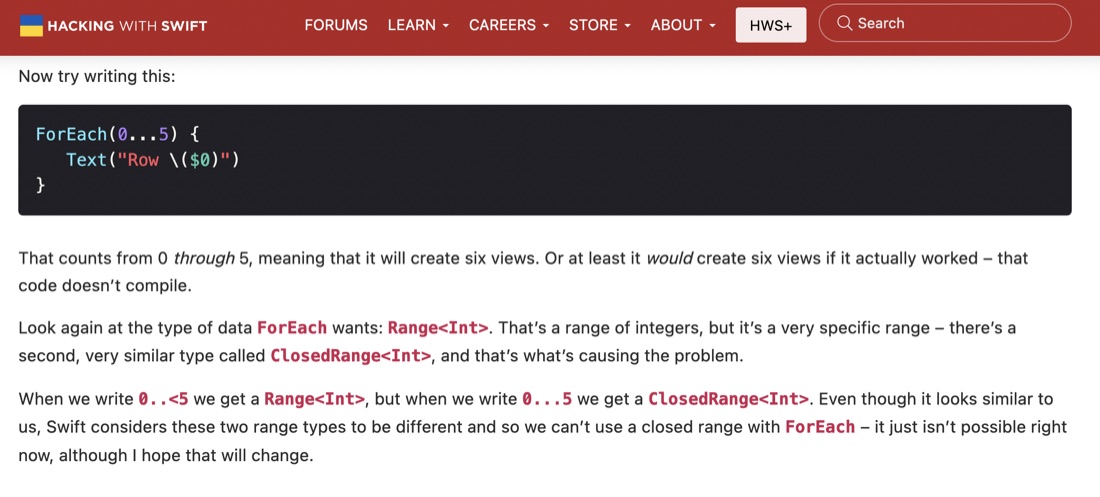
I wondered aloud, in a previous post , about the differences in writing a range as
        ForEach(1..<21) {
            Text(String($0))
        }
versus
        ForEach(1...20) {
            Text(String($0))
        }
And that’s been answered in in one of the Day 34 articles. It sounds like older versions of Swift might not have allowed the second version.
Sep. 24, 2022
The challenges for Project 6 of 100 Days of SwiftUI was to add some animations to the Guess the Flag app from a little while ago. The animations themselves were not particularly tricky, my main issue was that I was creating the views for the three flags in a ForEach, so the animations were applied to all three flags, but we wanted different animations for the flag the user had clicked versus those they had not.
Sep. 24, 2022
I had a look at Paul’s version of the challenge to animate the Guess The Flags app, and like me he’d hit on altering the amount of each animation depending on if it was the clicked on flag, but he’d done it with a lot less code - using the ternary operator in each of the modifiers - versus my approach of filling in an Int array for each of the effects and altering them depending on the user selection.
Sep. 19, 2022
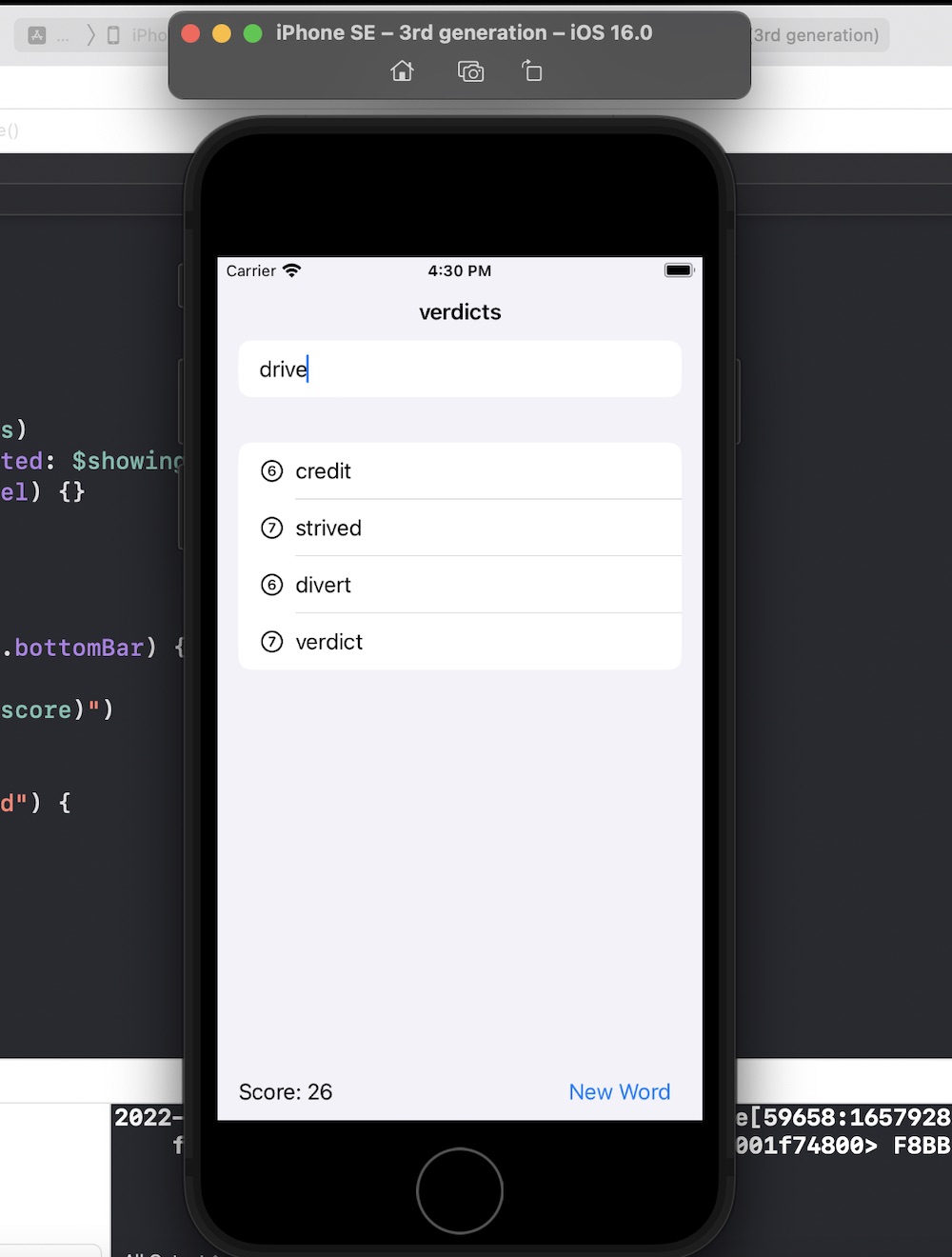
Another 100 Days of Swift UI project wrapped up - this time a scrabble like word game. New techniques included saving a large text file in the app bundle and loading it (via a string) into an array on launch of the view. Also a short adventure into UIKit to use a UITextChecker.
Source .
Sep. 19, 2022
As is my practice now, after completing the challenges for Project 5 , I reviewed Paul’s solution (which is only available to subscribers) to see what he’d done better so I could learn from it.
Most of the differences where not of much significance, but there was a couple of things I picked up:
When the user had pressed the reset button, to empty the array of word guesses from the previous turn, I had
Sep. 16, 2022
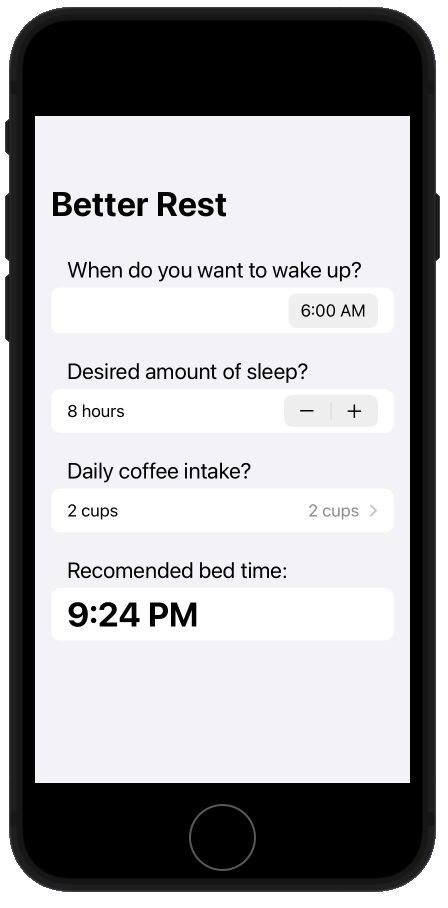
I’ve completed the Project 4 challenges (source) of the 100 Days of SwiftUI, no biggie - the increase in difficulty between each step of Paul’s bootcamp is small enough that it’s never too stressful, but large enough you feel like you’re progressing all the time.
Since I’ve paid to be a member of Hacking with Swift, one of the perks is to see Paul’s video solutions. I’ve not worries about it before, but I should - looking at them and comparing to my efforts is probably good feedback. So here’s the differences in our answers to the challenges.
Sep. 15, 2022
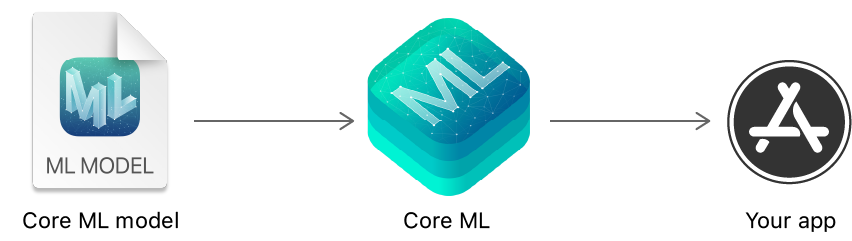
A few years ago when I still used a Tom-Tom for car navigation, I was a little freaked out when it started offering suggestions on where to go to when I started the car - guessing, usually correctly, where I wanted to go. Like - how did it know I was leaving school for band practice two towns over?
Clearly, is must have been collecting data on times/days and departure locations to learn some of my habits. It felt quite invasive, but I thought it must have been on-device since I had the wifi turned off in the unit.
Sep. 13, 2022
When I was forced by a deadline into delivering this project, I noted in its post that there was a number of improvements to make:
- The rock paper scissors could be some better data structure than an array and some ints.
- I don’t love the try to win, try to lose aspect, but the client specified it
- Having the didUserWin and didComputerWin funcs is a cop out – that should probably be a single function returning a win/lose/draw type
- I also am unhappy with nesting them in the view namespace to use my #consts
- duplicating the last part of the view but making the elements .hidden() to keep the same spacing seems like a kludge
- when I added the link to the Hacking With SwiftUI page with the app brief just now, I noticed I haven’t done the scoring the way it was asked for
Here’s the progress
Sep. 10, 2022
As I mentioned yesterday, I needed to make some progress to blog about, and I had a half working version of a Rock, Paper, Scissors for Day 25 so I pushed myself to get that working.
There’s lots in the code below I don’t love.
- The rock paper scissors could be some better data structure than an array and some ints.
- I don’t love the try to win, try to lose aspect, but the client specified it
- Having the didUserWin and didComputerWin funcs is a cop out - that should probably be a single function returning a win/lose/draw type
- I also am unhappy with nesting them in the view namespace to use my #consts
- duplicating the last part of the view but making the elements .hidden() to keep the same spacing seems like a kludge
- when I added the link to the Hacking With SwiftUI page with the app brief just now, I noticed I haven’t done the scoring the way it was asked for
source on github
Sep. 7, 2022
I’m on Day 25 of Hacking With SwiftUI, and Paul is making a point about how SwiftUI can loop over an array to build a view. He starts with this:
let agents = ["Cyril", "Lana", "Pam", "Sterling"]
VStack {
    ForEach(0..<agents.count) {
        Text(agents[$0])
    }
}
But then proposes an alternative:
let agents = ["Cyril", "Lana", "Pam", "Sterling"]
VStack {
    ForEach(agents, id: \.self) {
        Text($0)
    }
}
He explains the use of \.self here by saying
Sep. 5, 2022
This one’s not really a project, just a couple of little updates to earlier work, and a code snippet.
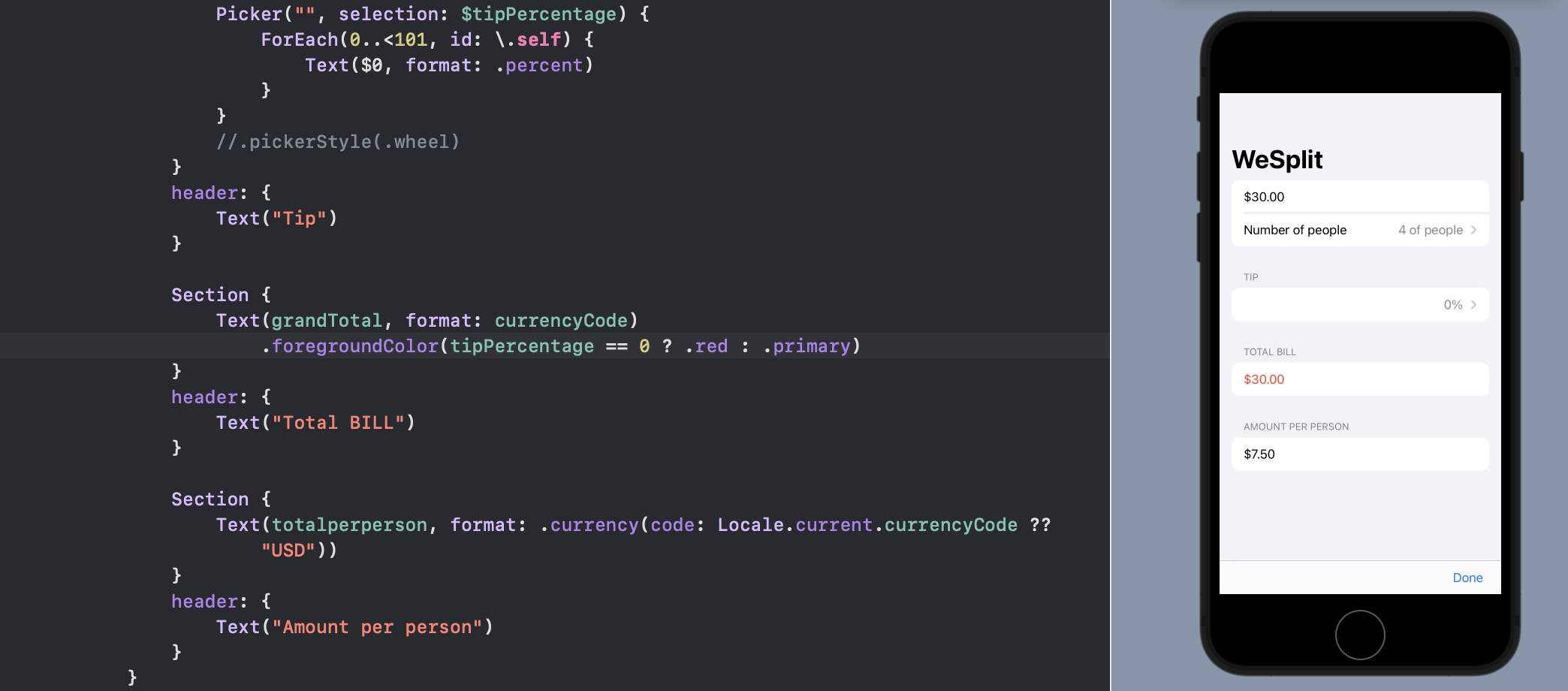
Challenge 1
Go back to project 1 and use a conditional modifier to change the total amount text view to red if the user selects a 0% tip.
The first one is pretty simple - a ternary condition to make the total red if the tip is set to zero.
Sep. 3, 2022
Then the last trick for for decomposing the views, is to remember we can pass values when we init a struct. So something like this:
struct ContentView: View {
var body: some View {
    VStack{
        GreenPaddedText(text: "Hello")
        GreenPaddedText(text: "world")
    }
}


struct GreenPaddedText: View {
    var text: String

    var body: some View {
        Text(text)
            .foregroundColor(.green)
            .padding()
    }
}
}
Sep. 2, 2022
The next part of day 23 started to make my brain hurt a bit. It’s easy to imagine that when presenting a complex screen - perhaps some data from a source as a mixture of images and text loaded from a database into a scroll-able view, that the view may start to get complex. Then it becomes good practice to decompose the views to make the code clearer, less error prone, and to avoid any unnecessary repetition.
Sep. 1, 2022
Although “immutable” the view structs can contain some control statements such as if/then and for loops. So this is quite legal, and useful.
struct ContentView: View {
@State private var likesGreen = true
var body: some View {
    if likesGreen {
        Text("Hello World")
        .background(.green)
    }
    else
    {
        Text("Hello World")
        .background(.blue)
    }
}
}
But Paul cautions against this, saying:
You can often use regular if conditions to return different views based on some state, but this actually creates more work for SwiftUI – rather than seeing one Button being used with different colors, it now sees two different Button views, and when we flip the Boolean condition it will destroy one to create the other rather than just recolor what it has.
Aug. 31, 2022
I found this one of the trickier days, so I’ll write it out to clear up my thinking.
To draw to to screen in SwiftUI, we don’t call a command to draw on a canvas or window. Rather, a view is defined as an immutable struct of type some View. Here’s the simple one from the default Xcode project.
struct ContentView: View {
var body: some View {
Text(“Hello, world!”)
.padding()
}
}
Aug. 31, 2022
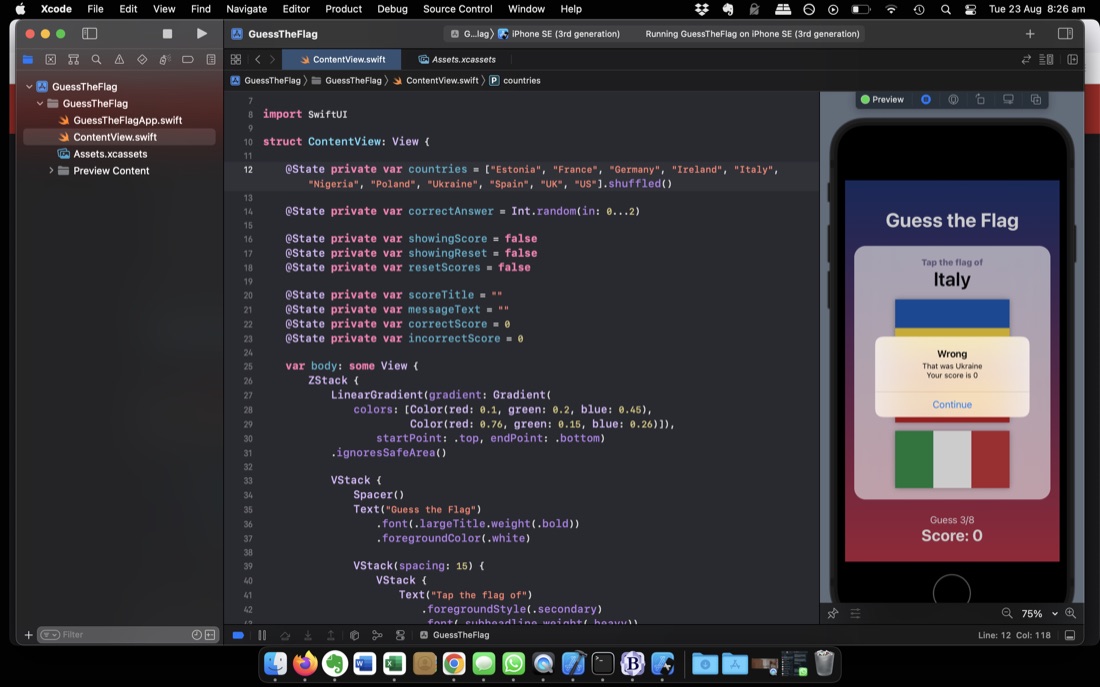
Another 100 Days project - the second tutorial one. This was once again a “V” design pattern (put everything in the view) and as I kept growing it, especially in the challenges, I had a growing sense of unease.
New things for me was how image assets work - identifying them with strings is convenient, but I’m hoping there’s safer system later using enums or something to avoid runtime surprises. Also the alert dialog box system. I was wondering how this was going to work in a declarative framework. I do not really approve of modal dialogs in mobile UI’s but I guess they have their place. I appreciated the gradients and frosted glass effects -super simple to implement, and if done thoughtfully, pretty.
Aug. 29, 2022
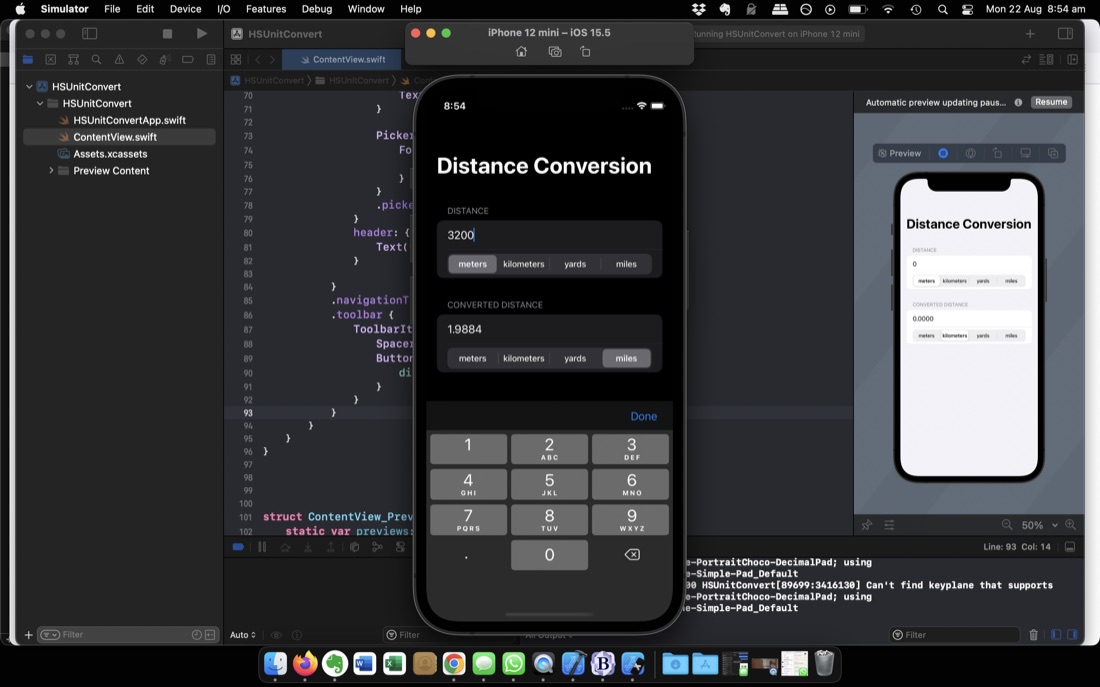
I’m up to Challenge 1 of 100 Days of SwiftUI (Day 19 ) which is to make your own simple (no MVVM) version of the app built in the previous three days. It’s about as simple as can be whilst still feeling like a real app. Something I hadn’t done before was limiting the keyboard to numbers or adding a toolbar to close it, so that was nice.
Something that’s not nice, is that when you touch into the text field to change the number, it’s not selected ready to type over (the way they always are in browser url fields) so you need to backspace over the previous entry. That’s the sort of anoying behaviour I don’t like. It seems (after some googling) there’s no straightforward way of addressing this in SwiftUI, with the best solution involving importing a package. I will come back to that because it is bugging me.
Aug. 28, 2022
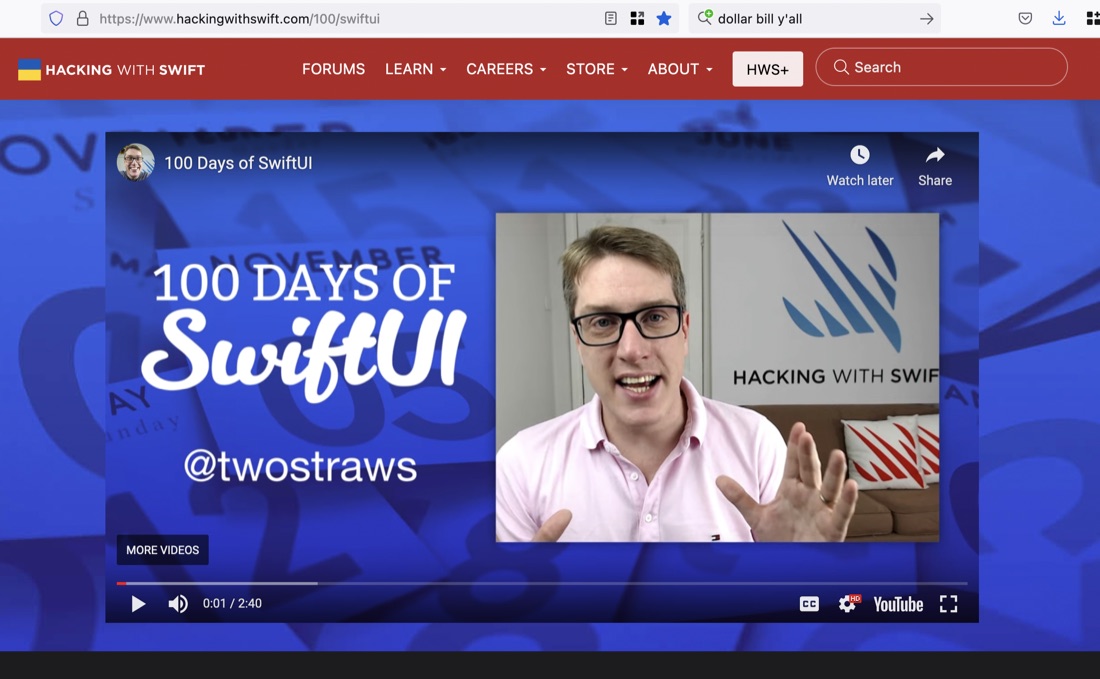
Paul Hudson’s 100 Days of Swift UI course is free - the videos are on YouTube, all the reading and tasks are available on his website for free. Although I assumed he made his living from the prodigious number of Swift books he’s written, he doesn’t push them in the course (except for his free book Swift UI by Example ).
He’s so unpushy, I didn’t realise till a few days ago that you could pay to become a “subscriber” to Hacking with Swift . Really, he’s too nice.