Dec. 16, 2024

I’ve had my external UptimeKuma chugging away on fly.io , for free, for months now, and the container image it was based on was a bit out of date, so I wanted to update it. I hadn’t looked at fly.io for months, and couldn’t really recall what I’d done to create it.
The way this works is that that you create a fly.toml file that sets out the details of your app. From memory I think I used the one from the docs and gave it a unique name, the name of the Docker image, the port, the datacentre location, and the directory for the persisted data. The you run fly deploy from the directory with the toml file (having already installed the CLI tool and logged in) and you’re in business.
Jan. 26, 2024

One of the many cool things about GitHub is GitHub Pages - the free web hosting Microsoft gives you while they vacuum up your code for CoPilot training. Each repository you keep there can have pages at <your-github-username>.github.io/<repo-name>
GitHub
To enable this, you need to go into the settings for the repository - look down the left for “Pages”.
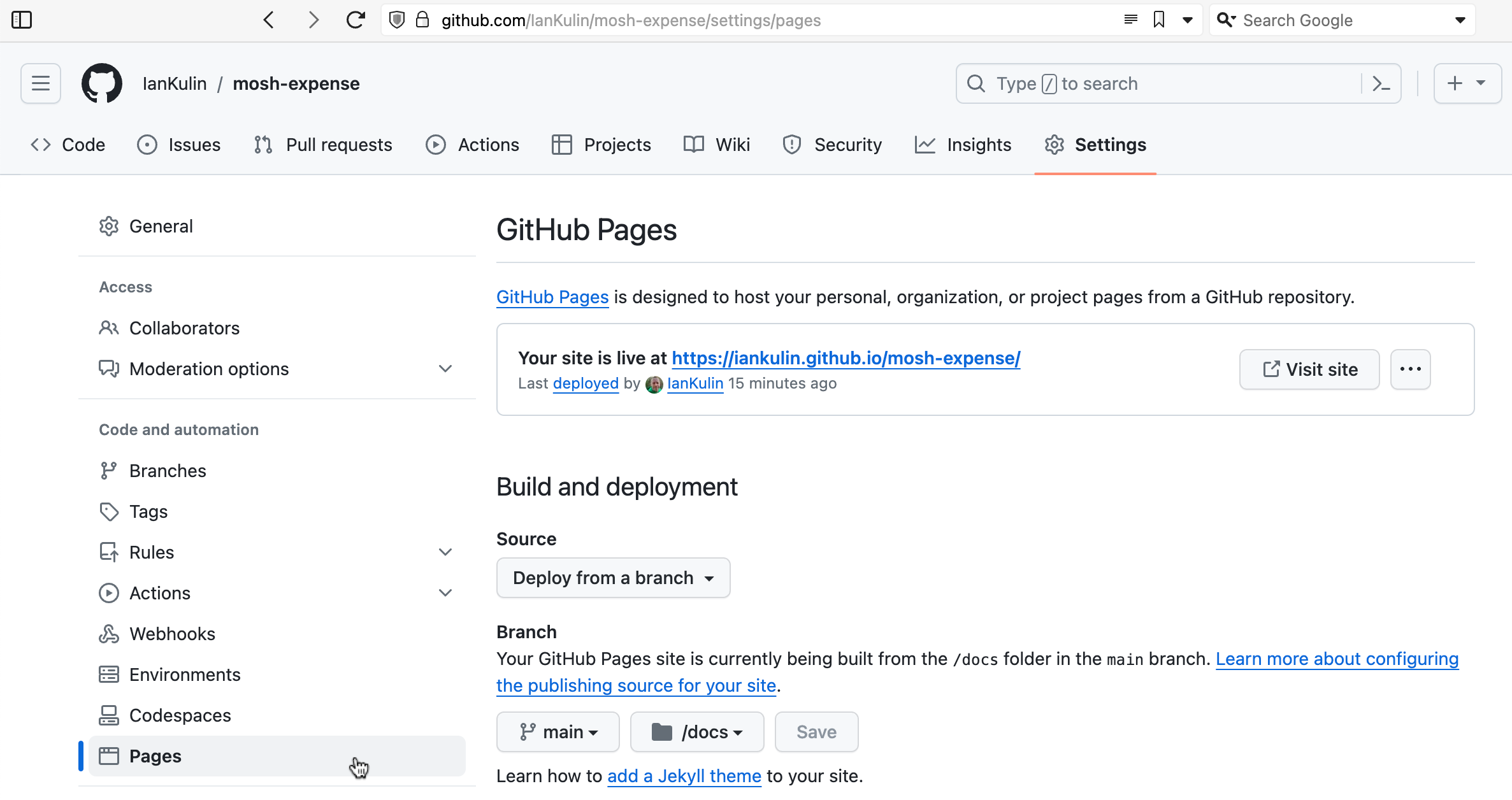
It’s possible to have it based on a complicated GitHub action (where your build step happens on GitHub when you push your code), but the easiest thing is just to have it deployed from a branch. To do this you choose which branch (usually main) and whereabouts in the main branch your HTML is. The choices are in the root of your project, or in the /docs directory. I’ve chosen the /docs directory in the screenshot above, since my messy React project is in the root.