Apr. 23, 2023

In Linux (and MS-DOS I guess) the period signifies the current directory, so if I have a file in the current directory called test.txt, I can refer to it as test.txt or ./test.txt
ian@enrico-rider:~$ cat test.txt
test
ian@enrico-rider:~$ cat ./test.txt
test
I mostly see this in references to files in HTML and have often wondered why. Here it is being used in a Udemy course I’m following.
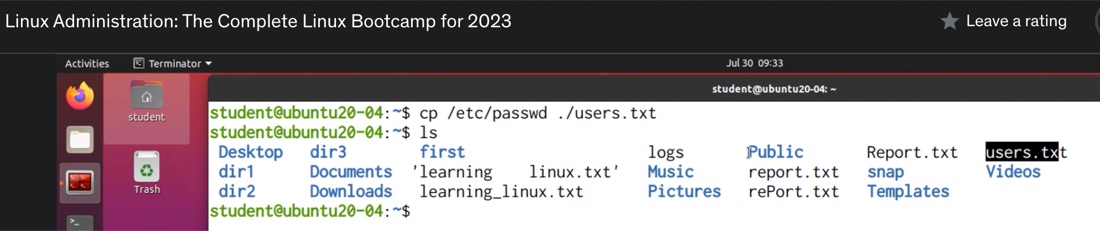
It’s one of those things that’s difficult to Google, so these days my reflex is to ask ChatGPT such questions.
Apr. 14, 2023

I’ve been using this rsync command to backup files from my NAS to a USB drive. The –excludes are to avoid copying over some junk hidden files - some created by MacOS and some by Synology.
sudo rsync -rvit --exclude '*@eaDir*' --exclude '.DS_Store' /volume1/media/ /volumeUSB1/usbshare1-2/media --del
The .DS_Store files seem to be dropped by MacOS every time I view a directory on the NAS from my MacBook. They’re not doing any harm, and they presumably do something handy for the Mac - remembering the view settings for that folder or some such. Nevertheless, they annoy me. It makes sense to not back them up - they don’t serve any useful purpose in that context.