If you think back to HTML as being a document with headings and paragraphs and other semantic bits, it made a lot of sense to have the styles (expressed as CSS) separate to the document. This allows us to change the styles without touching the document - perhaps the user wanted a dark theme, needed the text bigger for accessibility, or perhaps the document was being consumed in some other way - for example a screen reader - so the styles were superfluous.
I’ve been doing a bit of driving during the holidays, which means a lot of podcast listening. An episode of JavaScript Jabber about JS features you should never use sparked my interest in [eval()](https://developer.mozilla.org/en-US/docs/Web/JavaScript/Reference/Global_Objects/eval). eval() takes whatever you pass it in a string and executes it in the JS engine. This is a crazy concept if you’ve come from complied languages, and has obvious security implications. As with dynamic typing, I’m trying to force myself out of my comfort zone to embrace JS’s unique talents so I was keen to try eval().
I’ve been in the swing with the #100DaysOfSwiftUI course of having frequent assignments to test my understanding of the course content up to that point, then watching the feedback video and reflecting on it here. So far, in the Complete Web Developer I’ve only had this single CSS assignment, so I was excited to see how I got on.
I was a bit chuffed that one of Andrei’s first actions was to edit the html to make it more semantic - I’d usedfor the top bit, he used
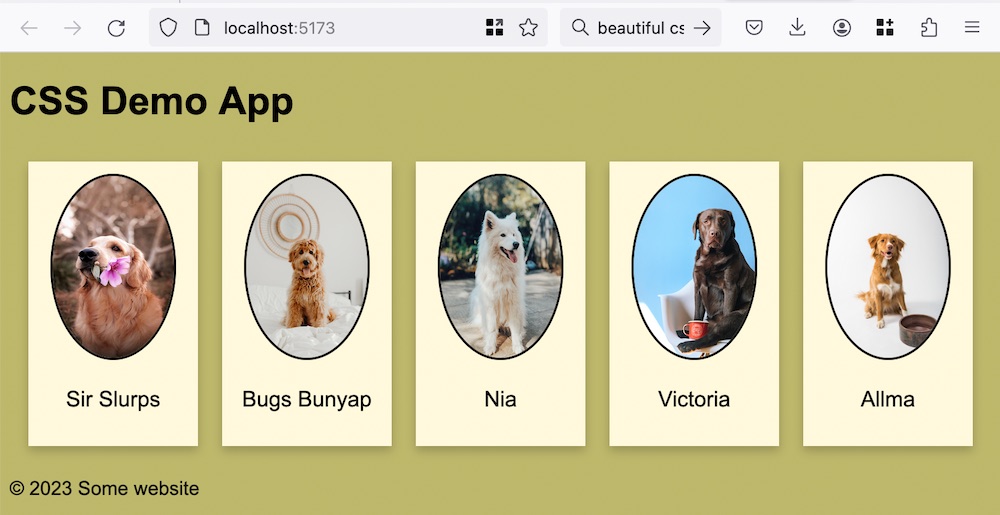
In the Zero To MasteryComplete Web Developer course, I’m up to the first practical challenge - to use CSS to layout a reasonably standard looking web page using flex-box and grid to make it responsive.
Frustratingly, both for writing this, and while I was trying to build the page, I’m unable to screenshot the example of the page I was supposed to be building, and instead had to keep opening the video and seeking the two second flash of the completed project, and eventually being reduced to photographing my laptop screen like a boomer relative sending me a meme:
I mentioned a couple of days ago that the ZTM webdev course was skipping forwards too quick and that it would need to be supplemented. For CSS, I think the supplement for me is going to be this series from Dave Gray.
I’m not really happy with the way I’m sharing code in these posts. I started off with the regular Wordpress code blocks:
    func isPossible(word: String) -> Bool {
        var tempWord = rootWord
        for letter in word {
            if let pos = tempWord.firstIndex(of: letter) {
                tempWord.remove(at: pos)
            } else {
                return false
            }
        }
        return true
    }
These seem a bit large to me, but it comes with a font size choice, which I like setting to “Tiny”:
When I wrote my last commercial HTML (in 1996 lol) I’m pretty sure there was no CSS. It was the land of textured backgrounds, blinking scrolling text, “under construction” gifs, and links to gopher URLs were not uncommon. So this is an area I need to update my skills a little just to carry on a coherent conversation in the developer world.
I’ve bumped into a couple of Tech With Timvideos recently, and I really liked his CSS intro for “Non-web developers”.
 Subscribe to my UX design course 😉