Feb. 16, 2023

So, the very small datacentre has undergone a major hardware upgrade today. The HP 800 G1 is joined by an HP 800 G2. Four core i7 vs the old two core i5. Double the RAM to 16GB, four times the disk. The old machine will become a dev/play machine - still virtualised, and the new machine will run the production apps, mostly in Docker containers.
Since everything is containerised, I did consider running Unbuntu Server on the bare metal of the new machine, but running it on Proxmox will give me some flexibility, and since we’ve stepped up the underlying hardware resource so substantially, performance will be well in front anyway. Plus it will give me some flexibility if needed in the future.
Feb. 15, 2023
Uptime Kuma is a monitoring tool suitable for self-hosting, and as well as being a good tool for monitoring the status of your network and applications, it’s a nice smallish app to get started on Docker containers.
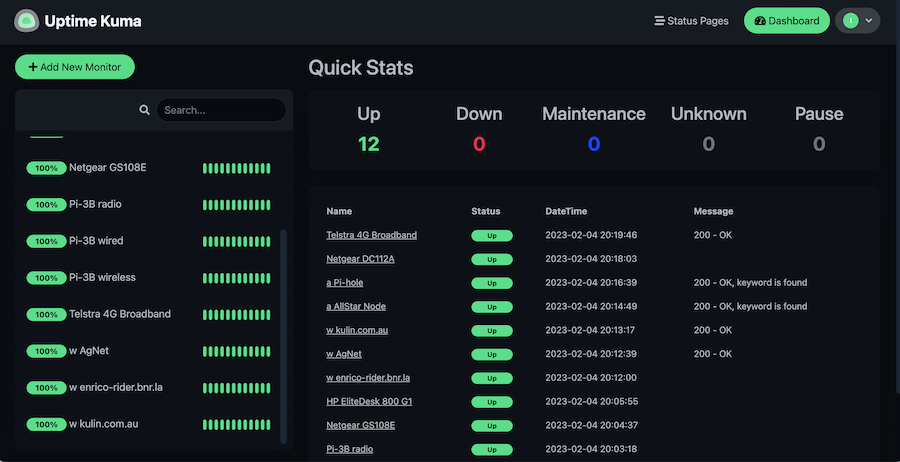
Since it’s in a container, you need to create a volume for it and pass it in to persist your settings. Then it’s just a matter of adding each item you want to monitor. There’s a heap of fancy options for this, the only three I’ve used are ping - just pings an address, http(s) - requests a page and checks the header for a 200, and http(s) keyword - looks at the returned page for a keyword in the html.
Feb. 12, 2023

Due to potential brute force attacks , it’s a good idea to turn off password access via shh and instead rely on ssh keys. In this post, I’ll run through that process.
Generating your key
On a mac (or actually most *ix systems), your ssh keys live in the .ssh directory inside the users home directory. Since it starts with a period, it’s a ‘hidden’ directory. To see it in Finder press
Feb. 11, 2023
When I installed Proxmox, I’d used a secure, and therefore absurdly long and complicated root password. I do use a password manager, but don’t have it integrated into Chrome, so it was buggging me having to find it and paste it in each time - why wasn’t Chrome offering to save it for me?
Well, you’d guess it was something to do with this. I feel like Chrome is trying to tell me something here:
Feb. 10, 2023

Literally an hour after I wrote the post about installing the qemu guest agent in a VM and explaining how it can be used to inject root level commands into a VM, I had use of it due to a mistake.
I’d decided to add myself to the sudoers file. Since the last line in that file is a directive to include all the files in the /etc/sudoers.d directory, the accepted way to do that for local changes is to create a file in that directory with the necessary commands.
Feb. 9, 2023

One of the strengths of having virtual machines (VMs) running inside a hypervisor like Proxmox is how they are isolated from each other and their host. This is a strength - if there is a problem with a particular VM nothing else should be affected by it.
But this can also be a pain if the hypervisor needs access to a VM to control or monitor it in some way that’s only possible from inside the VM. Proxmox can use the Qemu Guest Agent for this purpose. To over simplify, this is a deamon that runs in the VM and opens a unix socket/virtual serial port to the hypervisor, and listens for commands on it. With Proxmox, the main use of this is to aid in orderly shutdowns and backups, but it also allows us to run commands in the VM from Proxmox - an obvious security compromise. You definitely would not want to install this daemon on a hosted VPS.
Feb. 8, 2023
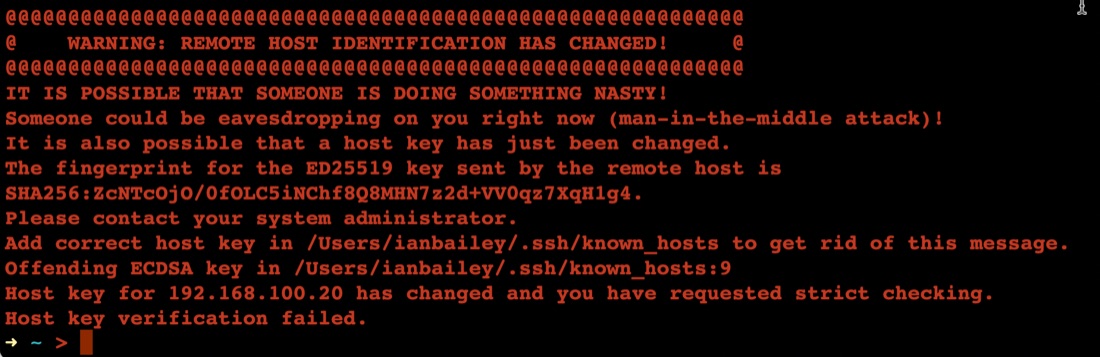
The first time you connect to a new server with ssh, it asks you something like:
➜ ~ > ssh ian@192.168.100.20
The authenticity of host '192.168.100.20 (192.168.100.20)' can't be established.
ED25519 key fingerprint is SHA256:ZcNTcOjO/0fOLC5iNChf8Q8MHN7z2d+VV0qz7XqH1g4.
This key is not known by any other names
Are you sure you want to continue connecting (yes/no/[fingerprint])? yes
Warning: Permanently added '192.168.100.20' (ED25519) to the list of known hosts.
Once you’ve said yes, it adds the server ‘fingerprint’ to the known hosts file, then next time you ssh there, it feels safe - we know this server.
Feb. 7, 2023
Installing your first virtual machine (VM) in the Proxmox hypervisor is pretty straightforward. This post runs through those steps using Proxmox 7.3.
You need an operating system for your virtual machine, I’m going to use Ubuntu server in this example, but it could just as easily be Windows server , or regular windows, or one of the desktop Linux distributions. Whichever you decide, you’ll need to find and download the ISO for it. The ISO is a (usually quite large) file needed to install the operating system.
Feb. 4, 2023
Even though it’s my server, I still have a pang of guilt when this happens.
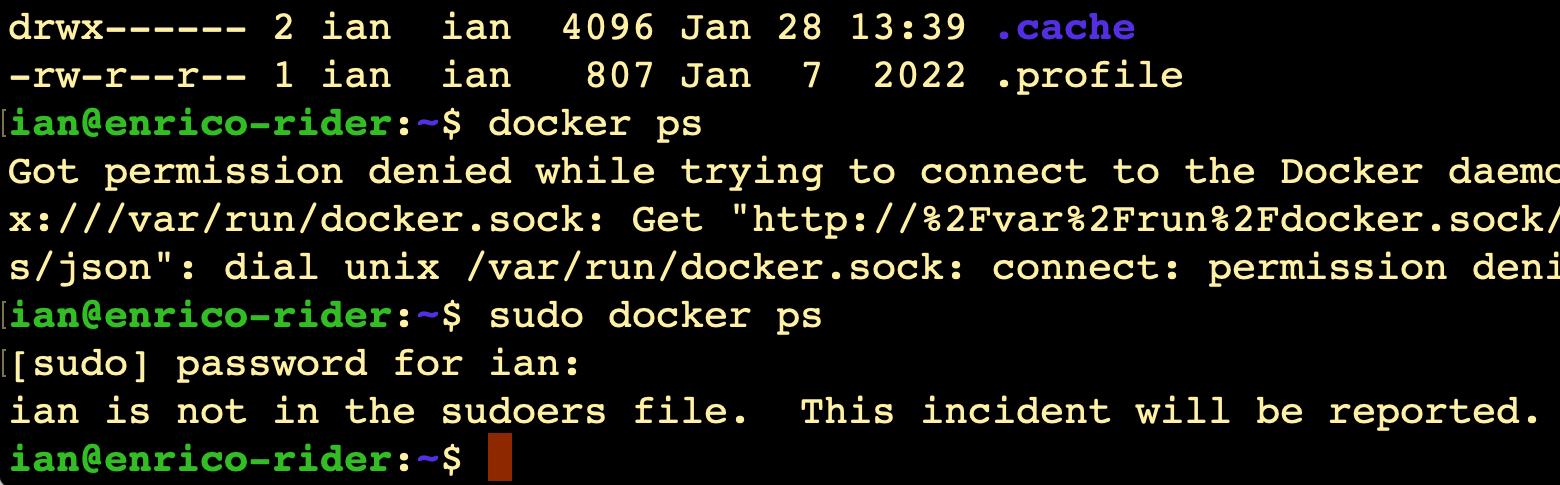
I always imagine Richard Stallman (or someone with a similar 2000’s database administrator beard) looking at me disappointedly and shaking his head slowly.
It does raise the question though - since it’s my server, shouldn’t I be getting a text message from CERN or something?
Where is this report?
(Relevant xkcd )
Like everything, the answer is ‘it’s logged’. We can use the journalctl command to look at the logs, on this server that’s been running less than 20 hours, there’s already several thousand lines to look through if you just enter journalctl, so I’m going to just send all the high priority logs to a file: