Jan. 6, 2025
I’ve been containerising my websites, with their servers to make deployment simple and robust, and to move to a CI/CD workflow. Since an install of a production web server is large, I would be running about ten of these containers, and there’s already a good server facing the net and doing the reverse-proxying (NGINX Proxy Manager), I chose to bundle the Busy-Box httpd server with my sites inside the Docker containers.
Sep. 16, 2024
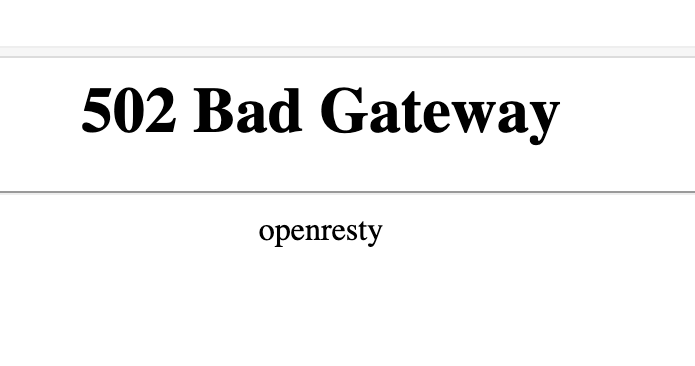
If you’re used to running NGINX Proxy Manager in front of your web apps, and switch to running it in a container, you’re going to need to learn a little about Docker networks to get everything connected. If you just do your regular setup, and direct the proxy for an address to 127.0.0.1:<some port>, it won’t exist, and you’ll visit your page to find the “502 Bad Gateway openresty” message.
Apr. 15, 2024
I’ve mentioned using NGINX as an interface between the internet and a service a while ago. This works by all incoming traffic coming to NGINX, and NGINX determining which service that traffic should go (from the NGINX config files) then acting as a middleman. This functionality is generally referred to as a ‘reverse proxy’.
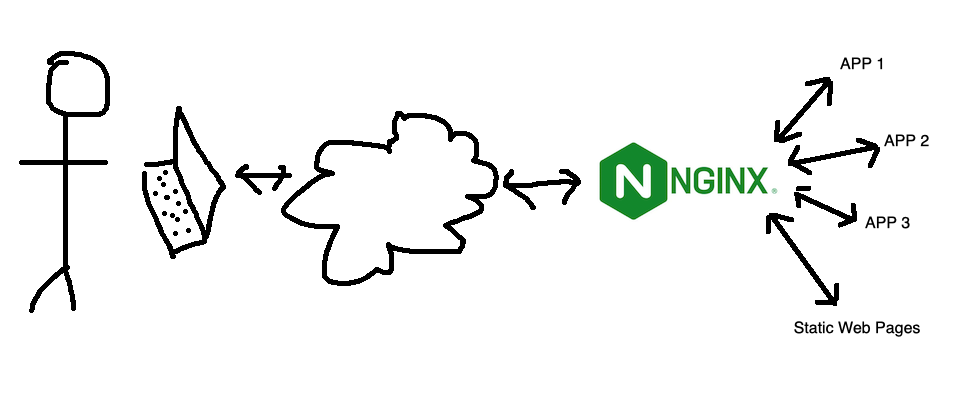
This is nice for a few reasons:
Feb. 23, 2024
One of the basic requirements for any serious web app is a proper users/roles/authentication system - but if you’re just throwing up a utility of some kind on a public IP for testing, and you don’t want it to be abused, then this could be an option. There’s a few components:
- Your app. In this demo it’s going to be Node, but it could be Go or whatever your server-side poison is. The app is listening for connections on a non-web port (ie not on 80 or 443), I’m going to use the traditional 3000.
- A firewall. That port (in my example 3000) must not be accessible from the internet. It has to be blocked by a firewall.
- A web server (I’m using nginx) that enforces basic auth.
I briefly discussed web server basic auth earlier - it’s a system built into the web server that requires a log in for a route, and authenticates it against the credentials in a password file (usually named .htpasswrd) and only serves the content if authenticated.
Feb. 16, 2024

Since I’m using Tailscale to painlessly manage all my networking on the homeserver here and my remotes, I’ve had the luxury of being a bit casual about the security of my internal apps and self hosted dev tools. I’m currently iterating on a web app that requires public access, and is therefore up on a VPS and exposed to all the evils of the open internet.
I am in no way a security expert, but here’s a few of the (reasonably simple) steps I’ve taken to secure my node app.
Oct. 15, 2023

I’ve got a domain that’s not currently used, so I’m going to set it up as a virtual host under NGINX. This server is already serving two domains set up with Certbot for SSL. Is it going to be possible to add another site and have Certbot manage the certificates for it after I’ve run Certbot once?
When I googled around to find out, I didn’t find anything - which is usually a sign I’m either asking a wrong question, or it’s so little drama that no one ever mentions it. I decided just to move the site, check it was all working for the http version, then run Certbot and see what it said.
Aug. 7, 2023

Having successfully set up and tested my node.js api handling app behind nginx on a development VM in the homelab, I decided to move it to my VPS so I could start using it for real. I had a bit of trouble finding the nginx.conf files on the VPS, until I remembered I was running nginx in a docker container on this machine!
I got everything set up, I could hit the domain in a web browser and get served the static page, and I could <domain_name>:3000/api/gnp_temp.txt and get the file delivered by the node script, but if I tried <domain_name>/api/gnp_temp.txt - “Bad Gateway”.
Aug. 4, 2023

NGINX is a great webserver and reverse proxy - as in it can hand off requests to other web-servers. That’s the situation I want to have set up on my VPS. I want NGINX to handle incoming requests - some of them will just be sorted out by returning static HTML, others (like the weather api I’ve been playing with) need to be handed off to other services to respond to.
Jul. 12, 2023

When I first installed my SSL certificates, I mentioned it’s a process I need to automate before they came up for expiry, but here we are ten days out, and I haven’t done that yet, but I have been keeping an eye on it though the excellent display and notifications set up in Uptime Kuma .
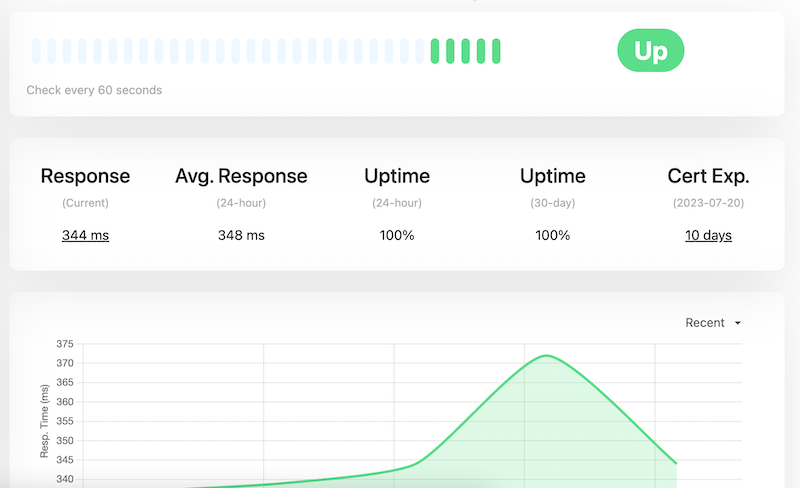
Updating the certificates is easy. When I went into the site at PorkBun (where I purchased the domain and who do the primary DNS for the site, the next certificates were sitting there to be downloaded. My existing certificates were due to expire on 30th July, and these had been generated on 3rd July.
Jul. 2, 2023

As mentioned in the previous post , stage one is just to return the same static text file, but from the Node server, rather than NGINX. That’s non-trivial to a rank beginner since I need to figure out 1) how to serve a static file from Node, and 2) how to configure NGINX to hand off calls to the API to Node. This post will look at both of those, but it’s first probably worth just setting out what each of the puzzle pieces are.
Apr. 29, 2023

When you’ve successfully got Nginx running in a Docker container, AND got your domain correctly pointing at your nascent website, you’re then going to want to set it up for encrypted, and therefore trusted, browsing with SSL.
Certificates
A couple of posts ago, I mentioned that it was simpler to let Porkbun be the authoritative nameserver for a domain. Part of the reason for that is that if we do that, Porkbun had a button you can press which connects to LetsEncrypt and generates the certificates for you. This usually takes an hour or so, then you’ll be able to download the bundle from that same page.