Nov. 8, 2023
In the spirit of over-complicating things, when I wanted to collect all the links to the services on my homelab into one place, I decided I needed to write them in markdown, and have them converted on the fly into HTML by a server. Then when I couldn’t find exactly what I was after (Harp was closest) of course, I decided to write it.
Markdown
Markdown has definitely been having it’s moment over the last couple of years. It’s a simple open format mark-up language that is quite readable in it’s source form. Although it’s now very fashionable as an input for static site generators, most people will have run in to it when adding simple formatting to forum comments or on instant messaging platforms.
Jul. 5, 2023
This is one of those things that is simple once you know it. I had my tiny Node service working on my MacBook, but how do I run it on the server?
Native or Container
Obviously I need Node.js installed on the server, should I have it in a Docker container, or native on the machine. There’s no clear answer here - in a container set up with Docker Compose might be more in line with my ideology of treating machines as disposable, but a native install is simpler, and I probably want to make life simpler at this stage when I’m learning everything.
Jul. 2, 2023

As mentioned in the previous post , stage one is just to return the same static text file, but from the Node server, rather than NGINX. That’s non-trivial to a rank beginner since I need to figure out 1) how to serve a static file from Node, and 2) how to configure NGINX to hand off calls to the API to Node. This post will look at both of those, but it’s first probably worth just setting out what each of the puzzle pieces are.
Dec. 27, 2022
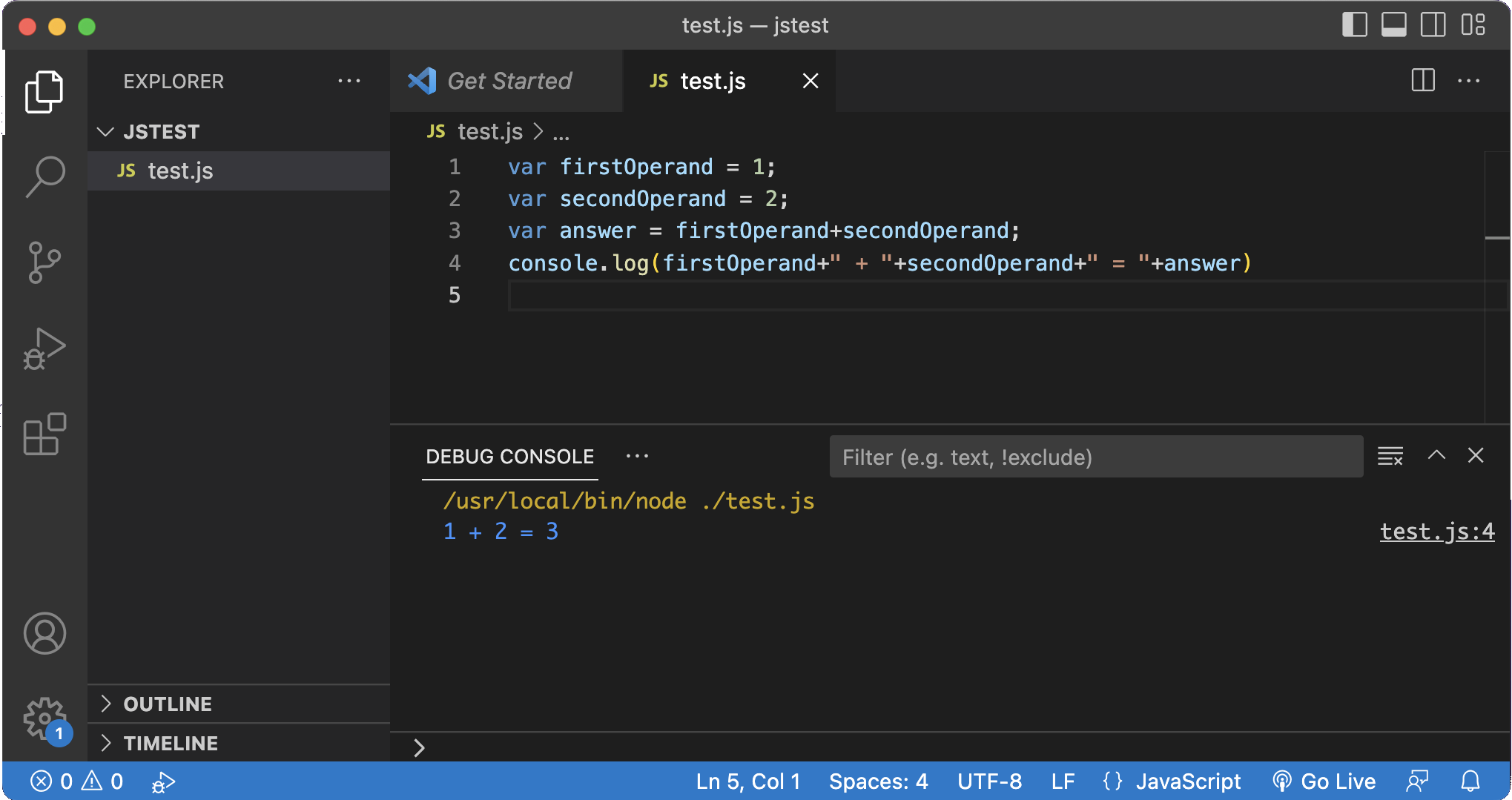
I’ve been using the Live Server plugin to see HTML & CSS updated as I edit, and that will also be useful when I start using Javascript for web development, but as you can see above, I’m not quite up to that. It seemed there should be a way to run JS in VS Code, and it turns out it’s easy.
You just need something installed that can run Javascript. Node.js is the obvious choice, and you’re going to need it later in your development journey. Just install Node.js then the first time you try to run some JS in VS code, it will ask you what to use, select Node and you’re in business.