Oct. 21, 2024
I quite like GitHub scanning all my code and sending me security advisories. Here’s today’s:
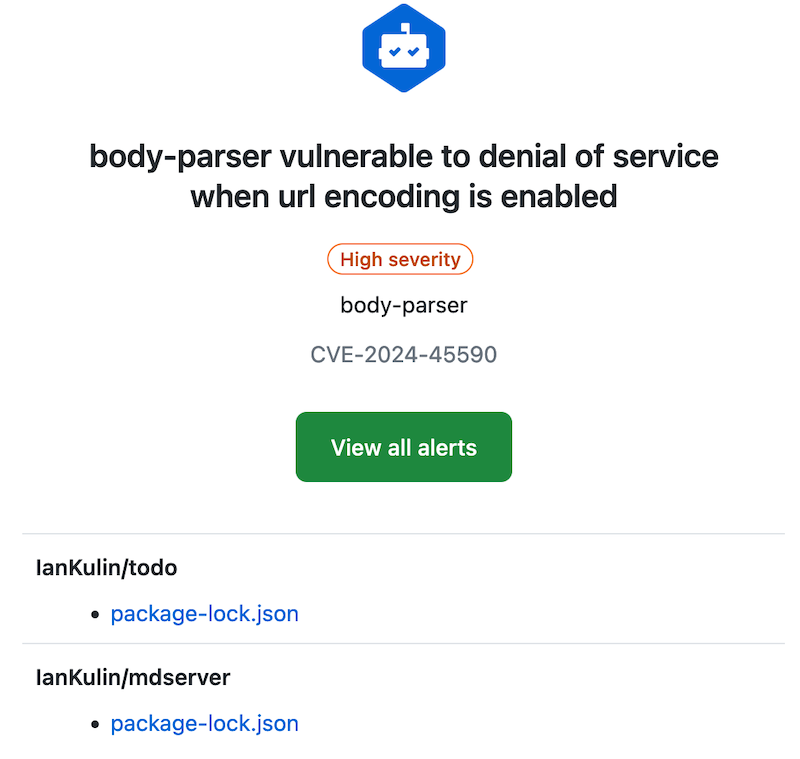
With these, and my dependabot alerts, fixing them is usually just a matter of pulling down the project, running an npm update, building any artifacts, then pushing it back up. But today, not so:

package-lock.json
It’s probably worth revisiting what the package-lock.json does. It contains all the versions of any packages you’ve imported, and their dependencies. The idea is that this will make the build reproducible. We don’t commit the node_modules folder (that actually contains all that package code), but npm can reproduce it exactly by using the version information in the package-lock.json file. Here’s a snippet where you can see all those versions:
Oct. 14, 2024
If you find yourself copying over a source file from one Node project to another because it’s a handy utility you wrote and are used to using, you’re only doing it half right. A better way to do this is to publish your utility to the Node Package Manager (NPM). That way you can just import your utility where ever you need it, it will live in the node_modules of any project that uses it, and most importantly, updates are sorted out automatically - because that’s what package managers are good at.
Sep. 6, 2023

If you clone an old node project and npm install it, you’ll most likely get a bunch of errors and warning messages. If you just decide to yolo it and run the project, you’ll get a bunch more.
I’ve been doing this exact thing. I want to add some auth to my app, and I’ve been following WebDevSimplified ’s video about using passport . I was building into my app without really understanding what I was doing, ran into problems and decided just to clone his repo and integrate the code into my app. The repo is four years old.
Jul. 5, 2023
This is one of those things that is simple once you know it. I had my tiny Node service working on my MacBook, but how do I run it on the server?
Native or Container
Obviously I need Node.js installed on the server, should I have it in a Docker container, or native on the machine. There’s no clear answer here - in a container set up with Docker Compose might be more in line with my ideology of treating machines as disposable, but a native install is simpler, and I probably want to make life simpler at this stage when I’m learning everything.
Jan. 31, 2023
Following on from the previous post…
I went the nuclear route - deleted the node_modules folder, package-lock.json and installed the packages from packages.json. I still had some errors, but the react app at least ran correctly. Also, the messages are a bit more intelligible, and all of them cascade from this one.
# npm audit report

nth-check  <2.0.1
Severity: high
Inefficient Regular Expression Complexity in nth-check - https://github.com/advisories/GHSA-rp65-9cf3-cjxr
fix available via `npm audit fix --force`
Will install react-scripts@2.1.3, which is a breaking change
node_modules/svgo/node_modules/nth-check
From my, admittedly ignorant, viewpoint, there’s a couple of weird things going on here.