Feb. 23, 2024
One of the basic requirements for any serious web app is a proper users/roles/authentication system - but if you’re just throwing up a utility of some kind on a public IP for testing, and you don’t want it to be abused, then this could be an option. There’s a few components:
- Your app. In this demo it’s going to be Node, but it could be Go or whatever your server-side poison is. The app is listening for connections on a non-web port (ie not on 80 or 443), I’m going to use the traditional 3000.
- A firewall. That port (in my example 3000) must not be accessible from the internet. It has to be blocked by a firewall.
- A web server (I’m using nginx) that enforces basic auth.
I briefly discussed web server basic auth earlier - it’s a system built into the web server that requires a log in for a route, and authenticates it against the credentials in a password file (usually named .htpasswrd) and only serves the content if authenticated.
Feb. 9, 2024
When you are learning app development, you can create all sorts of apps that work for you, but for any serious app, it’s going to need to authenticate users and persist sessions across visits. So much so, that as a professional developer, you’ll probably build that out first - it becomes a sort of boiler plate you always drop in.
In this post, focusing on the server side, using node, express, and particularly express-session, I’ll try and build up from nothing to a reasonable usable user login system explaining the increasing complexity and reasons for it. To follow along you’ll need basic familiarity with node and express.
Jan. 12, 2024
 Subscribe to my UX design course 😉
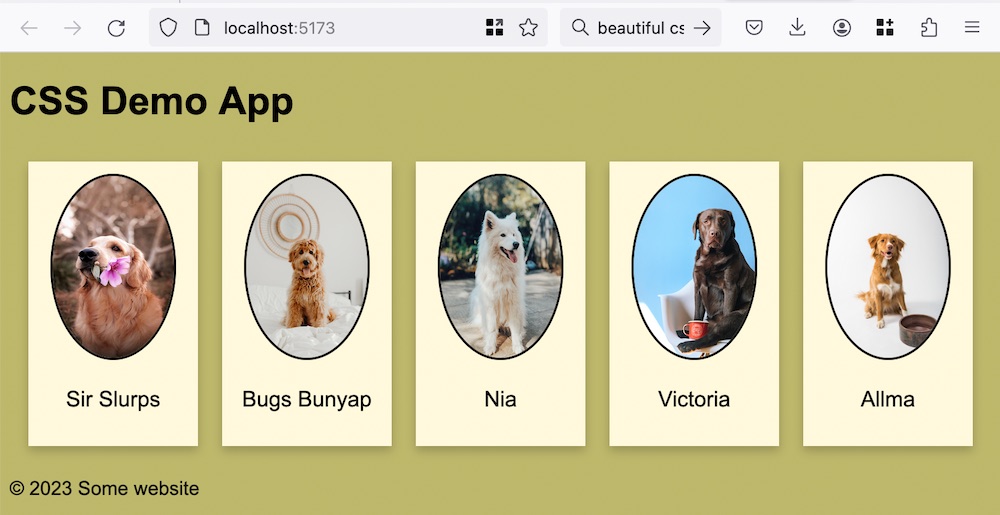
If you think back to HTML as being a document with headings and paragraphs and other semantic bits, it made a lot of sense to have the styles (expressed as CSS) separate to the document. This allows us to change the styles without touching the document - perhaps the user wanted a dark theme, needed the text bigger for accessibility, or perhaps the document was being consumed in some other way - for example a screen reader - so the styles were superfluous.
Jan. 8, 2024

Since I’m on a roll making different versions of the To Do app, this might be a good time to talk about React . React is one of the giants of front end libraries. It’s based on a few big ideas - and to work effectively in React you need to wrap your head around these.
Overview
Components - when you are developing in React, the starting point of your build is to decompose the user interface in to logical pieces. These components (comprising a mixture of HTML and Javascript) will be the building blocks of your app. In a good composable architecture components are reusable, and that is true for React (there are several sources of components you can pull in). For example, if you created some sort of special slider for your app, it is possible to reuse that quite easily.
Jan. 5, 2024

HTMX is an interesting project to me, and I’ve used it a bit in my large collection of 70% completed side projects, but haven’t really discussed it here. The plan for this post is to talk briefly about what it is exactly, then convert a simple ‘conventional’ (HTML/CSS/Javascript) app to htmx and think about some the differences.
htmx
You could (I recommend you do) read the book about the concepts behind htmx . Carson Gross (the man behind htmx) calls it a book, but its quite the treatise, it could fairly be called a manifesto.
Nov. 17, 2023

When I set up my first Docker container (I think for Uptime Kuma ), I had read around and understood there were two choices for persistent; bind mounts (where the data inside the container is effectively a symlink to a location on the local file system) or name volumes where Docker abstracted that away a bit, so you didn’t have to worry where it was - I sort of understood Docker ‘managed’ it.
Nov. 8, 2023
In the spirit of over-complicating things, when I wanted to collect all the links to the services on my homelab into one place, I decided I needed to write them in markdown, and have them converted on the fly into HTML by a server. Then when I couldn’t find exactly what I was after (Harp was closest) of course, I decided to write it.
Markdown
Markdown has definitely been having it’s moment over the last couple of years. It’s a simple open format mark-up language that is quite readable in it’s source form. Although it’s now very fashionable as an input for static site generators, most people will have run in to it when adding simple formatting to forum comments or on instant messaging platforms.
Oct. 6, 2023
I’ve picked up an new TP-Link WAP with Omada, so I wanted to spin up an Ubuntu 20.04 LXC to run the controller software in, and ended up spending a couple of hours figuring out why things where not working.
The initial problem was I was having connectivity issues pulling down the updates for all the packages required. I went down a bit of a tangent because I installed an apt cache the other day, so I was looking for problems there. Eventually I narrowed it down to DNS not working and started A/B testing like this:
Aug. 13, 2023

We wrote a nice little Ansible playbook the other day to install nginx on our web servers and ensure it was running. We were able to store the usernames in the hosts inventory file using the ansible_ssh_user variable. Then, we ran the playbook with the command:
ansible-playbook web_installs.yaml --ask-become-pass
This asked us the password to use with the usernames in the hosts file. Luckily that day, it was the same username/password combo to use for sudo on every server. What happens if that’s not the case? Here’s our new hosts file for today. There’s a cool new sysadmin in town - Jane.
Aug. 4, 2023

NGINX is a great webserver and reverse proxy - as in it can hand off requests to other web-servers. That’s the situation I want to have set up on my VPS. I want NGINX to handle incoming requests - some of them will just be sorted out by returning static HTML, others (like the weather api I’ve been playing with) need to be handed off to other services to respond to.
May. 10, 2023
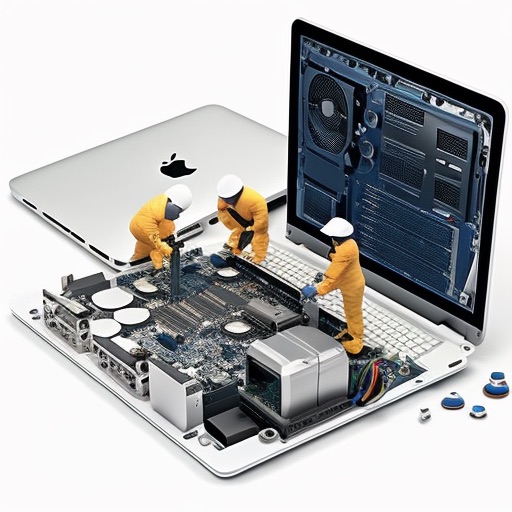
My MacBook died, I guess about three years ago. It was randomly difficult for a week or so, but then just behaving as if it had no hard drive at all. It’s been in a drawer ever since waiting for me to replace the hard drive and see if I could sell it, which I never quite got to.
I mentioned a while ago that I’d borrowed an old Atom powered HP Mini 110 to play with a Linux desktop machine, partly for fun & learning, and partly for a first-class SPICE experience (also fun). Meanwhile I’ve got an old but still sexy Intel MacBook Pro sitting in a drawer - that doesn’t make sense!
Apr. 2, 2023

The hardware engineering of these corporate world mini-PCs is really nice. I swapped out the RAM today to bump my main machine up to 32GB from 16GB. It was a straightforward task - no screwdrivers, no drama.
To open the machine up, there is a single large screw on the back that can be undone with your fingers - it’s a captive screw, as in it doesn’t fall out - just another nice engineering thought.
Mar. 1, 2023
I had Jellyfin working nicely in an LXC container in Proxmox, but could not get Tailscale working in the container. Since this is going to be an important part of accessing my media away from home, I decided it was probably worth the extra bulk to run JellyFin in a VM.
Following my own instructions , I had the mount command in the /etc/fstab file so it would persist across reboots. It looked a bit like this:
Feb. 20, 2023
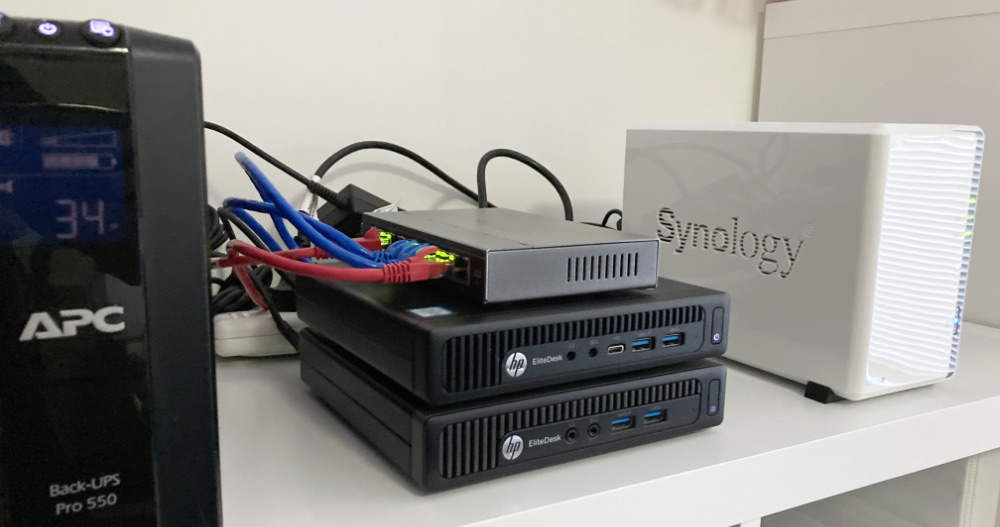
I picked up a Synology DS216j NAS from eBay to use for storage for the rapidly growing home lab. The eventual plan is that as well as my VM backups, it will host the media library, and eventually (when this has all proved itself reasonably bullet-proof) my current DropBox contents. That won’t all fit on the 2x2TB drives that the DS216j came with, and I have a pair of 8TBs on hand, but I wanted to set it up and checked it all worked.
Feb. 18, 2023

Many modern Linux distros will auto-mount USB drives - they just pop up in the graphical file manager as users would expect. When you’re running server, older, or smaller versions, that’s probably not going to be the case, and you’ll have to do it old school.
Let’s look at some basics. [lsblk](https://man7.org/linux/man-pages/man8/lsblk.8.html) will list the ‘block’ devices. Your output will almost certainly be a bit different than this.
root@pve:~# lsblk
NAME                         MAJ:MIN RM   SIZE RO TYPE MOUNTPOINT
sda                            8:0    0 119.2G  0 disk
├─sda1                         8:1    0  1007K  0 part
├─sda2                         8:2    0   512M  0 part /boot/efi
└─sda3                         8:3    0 118.7G  0 part
  ├─pve-swap                 253:0    0   7.7G  0 lvm  [SWAP]
  ├─pve-root                 253:1    0  39.8G  0 lvm  /
  ├─pve-data_tmeta           253:2    0     1G  0 lvm
  │ └─pve-data-tpool         253:4    0  54.6G  0 lvm
  │   ├─pve-data             253:5    0  54.6G  1 lvm
  │   ├─pve-vm--100--disk--0 253:6    0    10G  0 lvm
  │   ├─pve-vm--101--disk--0 253:7    0    10G  0 lvm
  │   ├─pve-vm--300--disk--0 253:8    0     8G  0 lvm
  │   ├─pve-vm--102--disk--0 253:9    0     4M  0 lvm
  │   └─pve-vm--102--disk--1 253:10   0    32G  0 lvm
  └─pve-data_tdata           253:3    0  54.6G  0 lvm
    └─pve-data-tpool         253:4    0  54.6G  0 lvm
      ├─pve-data             253:5    0  54.6G  1 lvm
      ├─pve-vm--100--disk--0 253:6    0    10G  0 lvm
      ├─pve-vm--101--disk--0 253:7    0    10G  0 lvm
      ├─pve-vm--300--disk--0 253:8    0     8G  0 lvm
      ├─pve-vm--102--disk--0 253:9    0     4M  0 lvm
      └─pve-vm--102--disk--1 253:10   0    32G  0 lvm
If you look at the type column, you can see this machine has one disk, with three partitions, and the last partition has a heap of logical volumes. Let’s plug the thumb drive in:
Feb. 12, 2023

Due to potential brute force attacks , it’s a good idea to turn off password access via shh and instead rely on ssh keys. In this post, I’ll run through that process.
Generating your key
On a mac (or actually most *ix systems), your ssh keys live in the .ssh directory inside the users home directory. Since it starts with a period, it’s a ‘hidden’ directory. To see it in Finder press
Jan. 9, 2023
As with other languages, functions are a little lumps of code with their own scope. They can optionally take some arguments, and optionally return a value.
In JavaScript they often have names, can be passed around as types and have a condensed form suitable for functional programming.
function addNums(a, b) {
    return a+b;
}

console.log(addNums(3,4)) // 7
Scope
Arguments are passed in by value so they have local scope only in the function body.
Dec. 16, 2022
A HTML file is a text file that can be displayed in a web browser. It is marked up in the sense that tags are applied to the text to signify the purpose of that text in the structure of the document. For example:
<h1>Greetings</h1>
Hello Earthlings
The <h1> tag tells the browser that Greetings is a heading. The heading tag is paired. There’s an opening tag <h1> and closing tag </h1> that let the browser know where the heading starts and ends. Most tags are paired, but there are some unpaired tags such as
which inserts a line break.
Dec. 10, 2022
Continuing on with the demo project from yesterday, in which we used the ImageRenderer class to turn a view into an image, today we want to let the user share it somehow.
Typically, apps have a button using the square.and.arrow.up SF Symbol to share something from the current screen. It’s probably not an accident that it’s literally the first symbol in the app.
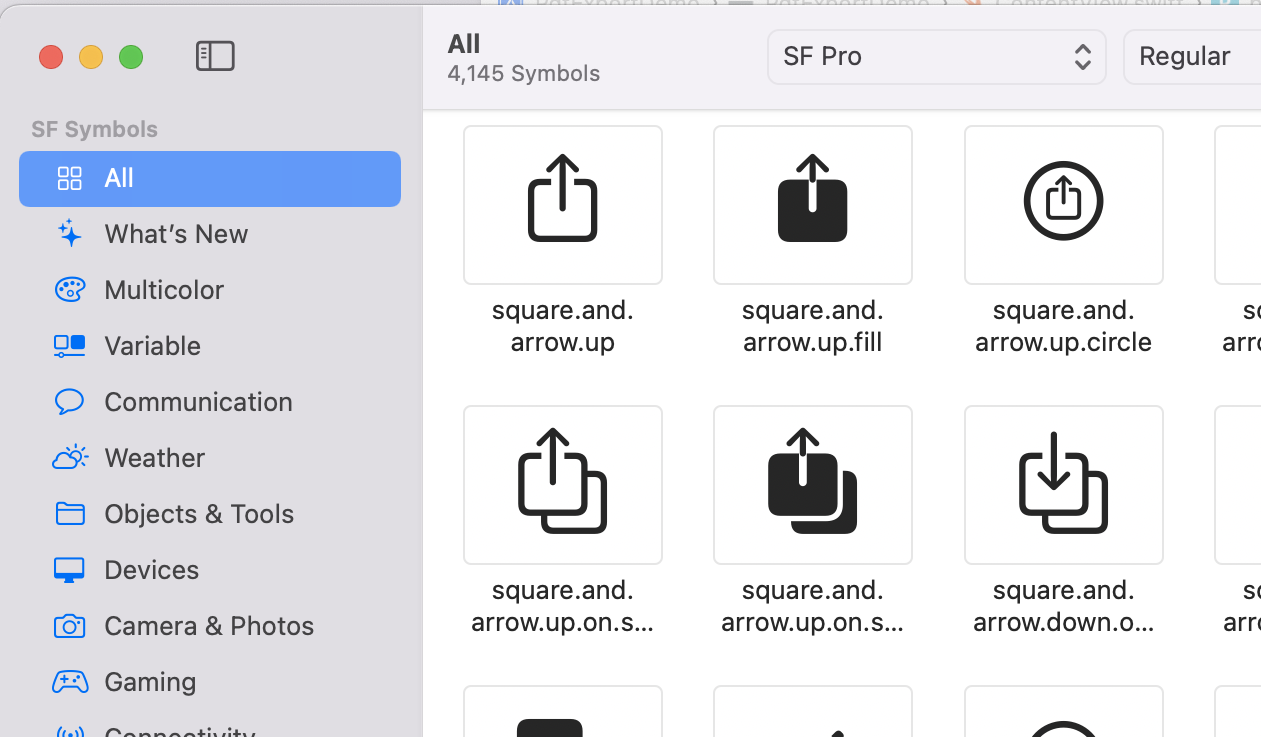
Pressing it generally opens the “share sheet” which has options for opening whatever is being shared in another app, printing it, saving it to photos, or whatever.
Dec. 8, 2022
ImageRenderer () is a SwiftUI class that creates an image from a view. You just initialize it with the view, then extract a cgImage (Core Graphics) or uiImage that can be cast to a SwiftUI Image.
I’ll need a view to work with, so here it is; a crude version of my behaviour ticket.
struct TicketView: View {
    var body: some View {
        ZStack {
            Color(.cyan)
                .frame(width: 300, height: 350)
            VStack {
                Text("Fred Bloggs")
                    .font(.largeTitle)
                Text("")
                HStack {
                    Text("Putting rubbish in the bin")
                    Image(systemName: "trash")
                }
                .foregroundColor(.purple)
                Text("")
                Text("Green Faction")
                Text("")
                Text("")
                Text("\(Date().formatted())")
            }
        }
    }
}
Here it is, with a couple of buttons underneath: