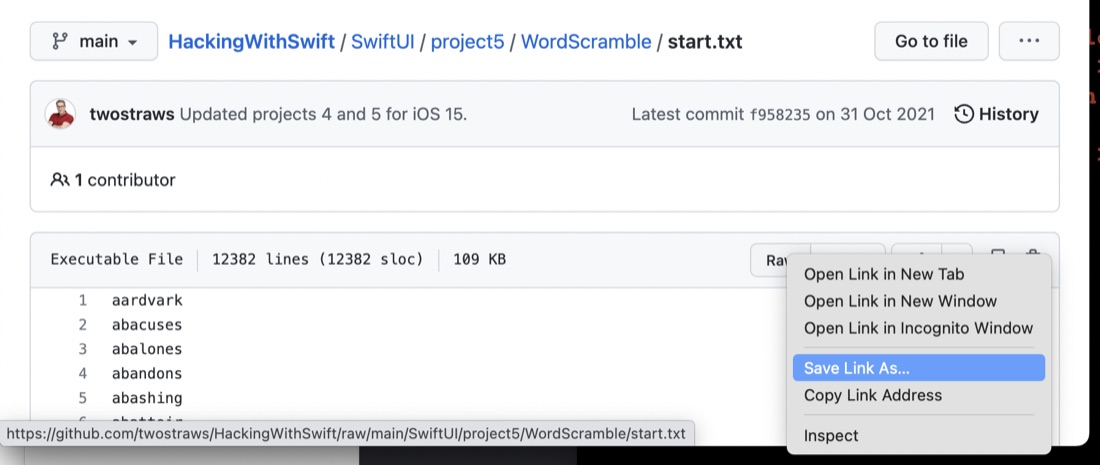
A quick tip - since it was not immediately obvious to me. If you need to download a file from GitHub (as opposed to cloning it etc), look for the “Raw” button - that’s a link to the file, then right click and do whatever your browser needs to download a web resource.
I’ve completed the Project 4 challenges (source) of the 100 Days of SwiftUI, no biggie - the increase in difficulty between each step of Paul’s bootcamp is small enough that it’s never too stressful, but large enough you feel like you’re progressing all the time.
Since I’ve paid to be a member of Hacking with Swift, one of the perks is to see Paul’s video solutions. I’ve not worries about it before, but I should - looking at them and comparing to my efforts is probably good feedback. So here’s the differences in our answers to the challenges.
A few years ago when I still used a Tom-Tom for car navigation, I was a little freaked out when it started offering suggestions on where to go to when I started the car - guessing, usually correctly, where I wanted to go. Like - how did it know I was leaving school for band practice two towns over?
Clearly, is must have been collecting data on times/days and departure locations to learn some of my habits. It felt quite invasive, but I thought it must have been on-device since I had the wifi turned off in the unit.
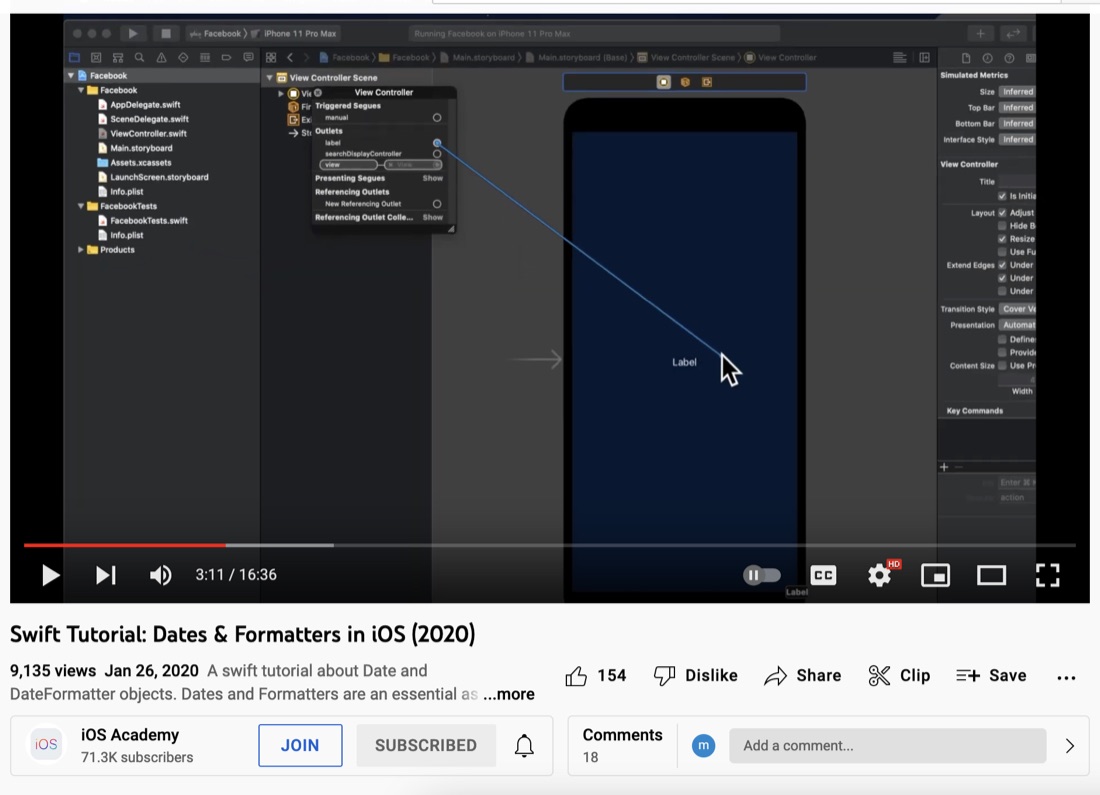
I’m on Day 26 of 100 Days, and didn’t grok the dates on my first read through, so I’ve read a couple of other explanations and sat down with a coffee and thought I’d see what YouTube had for me on the subject. I seen a few great iOS Academy videos, so this one seemed like a good choice.
I haven’t seen enough to say if it is a good or great explanation of dates, calendars and date components in Swift yet, but man, getting to the stage of writing useful code when using storyboards and UIKit takes a while! It’s literally 3:42 in to the video before there’s enough infrastructure done for “hello world”.
I’ve started on the refactoring for Rock, paper, scissors . One of the things I didn’t like was using Ints to signal which shape (I’m calling the rock, or paper, or scissors hand shape a shape) was being handed around. The Int I was using was also the index into an array of the emoji’s - so if I did an off-by-one I was risking an out of bounds on the array.
I’m in a bit of a swing with my git process. I usually develop locally committing as needed, then when I reach some sort of first milestone, create an empty repo on GitHub the push up to it by:
git remote add origin git@github.com:IanKulin/RockPaper.git
git branch -M main
git push -u origin main
or, I start on GitHub, create a new repo with a readme.md in it, and then use the -f (force) flag when I push to it and override the contents. I think forgetting about this might have been the source of tonight’s problems with “unrelated histories”.
As I mentioned yesterday, I needed to make some progress to blog about, and I had a half working version of a Rock, Paper, Scissors for Day 25 so I pushed myself to get that working.
There’s lots in the code below I don’t love.
The rock paper scissors could be some better data structure than an array and some ints.
I don’t love the try to win, try to lose aspect, but the client specified it
Having the didUserWin and didComputerWin funcs is a cop out - that should probably be a single function returning a win/lose/draw type
I also am unhappy with nesting them in the view namespace to use my #consts
duplicating the last part of the view but making the elements .hidden() to keep the same spacing seems like a kludge
when I added the link to the Hacking With SwiftUI page with the app brief just now, I noticed I haven’t done the scoring the way it was asked for
I usually have a few days of blog posts written in advance so I can schedule one to come out each day, and not sweat if I’m caught up in real life. There’s no real reason why I should have that strict publishing schedule, but it is part of my internal discipline to ensure that, at least on average I’m making some sort of report-able progress or effort each day.
This blog exists for a couple of reasons - firstly Paul Hudson insisted on posting progress in the 100 days of SwiftUI on social media, and secondly, when I try to explain something, I’m forced to understand it clearly - so I know this is a good learning technique.
This meme’s been trending in the r/ProgrammerHumor subreddit , and although “to do literally anything” is a stretch, my git / github workflow is pretty routine now using the relevant xkcd method, but actually with quite a bit of understanding from the first half of the excellent Pro Git book . I highly recommend it.
I had in my goals to set up XCode for push (I think I probably just need to generate a token on GitHub and save it in xcode), so I will do that for completion, but I’m also enjoying my pimped out terminal so I’m pretty much a git cli guy now.
When Swift was newer, there was a bunch of podcasts about it - in early episodes of Fireside Swift the existence of a Swift Podcast Network is often mentioned, but now it’s more of an established language there’s a bit less current content to listen to, and what there is, is less focused on learning Swift and more about what’s happening in the community.
Being firmly in the camp of needing to learn more about the language, I’ve listen to a number of older podcasts, or even current ones (such as Fireside) but their older episodes. It is sort of an odd experience traveling on several slightly out of sync timelines, but quite a joy to see what happens to predictions - like the occasion when Paul Hudson predicts that an “Xcode lite” on iPad is unlikely to be able to write apps until a more swift like framework for developing interfaces exists.
The next part of day 23 started to make my brain hurt a bit. It’s easy to imagine that when presenting a complex screen - perhaps some data from a source as a mixture of images and text loaded from a database into a scroll-able view, that the view may start to get complex. Then it becomes good practice to decompose the views to make the code clearer, less error prone, and to avoid any unnecessary repetition.
I found this one of the trickier days, so I’ll write it out to clear up my thinking.
To draw to to screen in SwiftUI, we don’t call a command to draw on a canvas or window. Rather, a view is defined as an immutable struct of type some View. Here’s the simple one from the default Xcode project.
struct ContentView: View {
var body: some View {
Text(“Hello, world!”)
.padding()
}
}
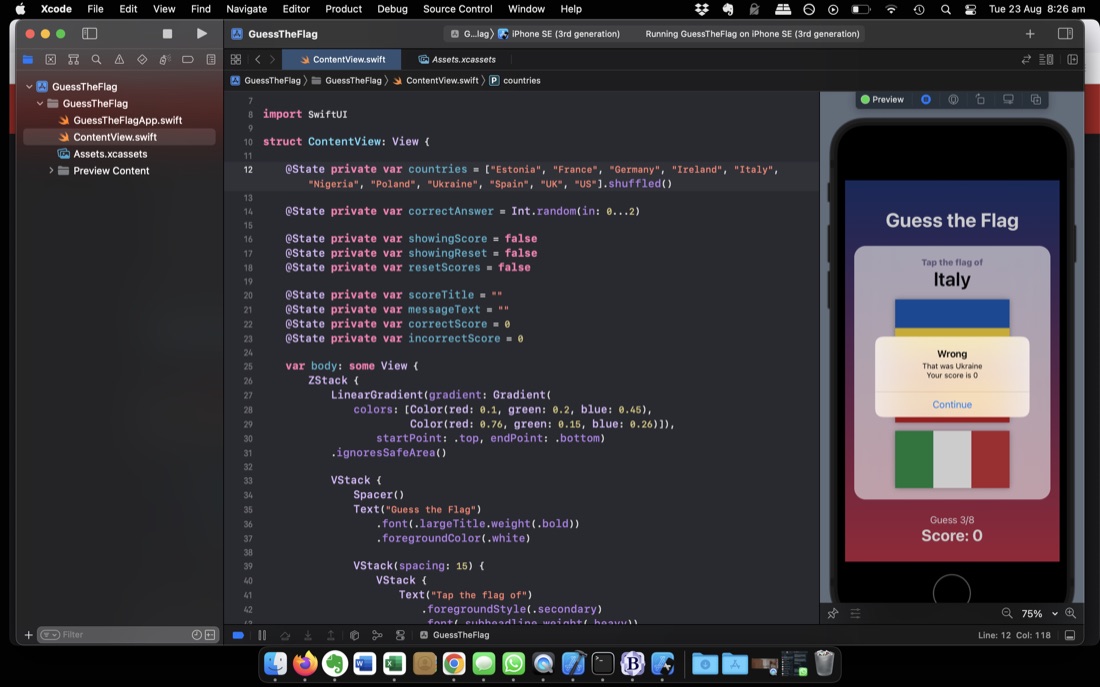
Another 100 Days project - the second tutorial one. This was once again a “V” design pattern (put everything in the view) and as I kept growing it, especially in the challenges, I had a growing sense of unease.
New things for me was how image assets work - identifying them with strings is convenient, but I’m hoping there’s safer system later using enums or something to avoid runtime surprises. Also the alert dialog box system. I was wondering how this was going to work in a declarative framework. I do not really approve of modal dialogs in mobile UI’s but I guess they have their place. I appreciated the gradients and frosted glass effects -super simple to implement, and if done thoughtfully, pretty.
For Challenge 2 in the 100 days, I needed to download a directory of flag images from Paul’s GitHub. He has all the projects as sub-directories of a single “Hacking With Swift” repo. I didn’t need to whole thing, just the directory with the images.
Strangely, git does not have any simple way of doing this. Neither does GitHub - I assumed the web interface would have a “download as zip” option as it does for tags.