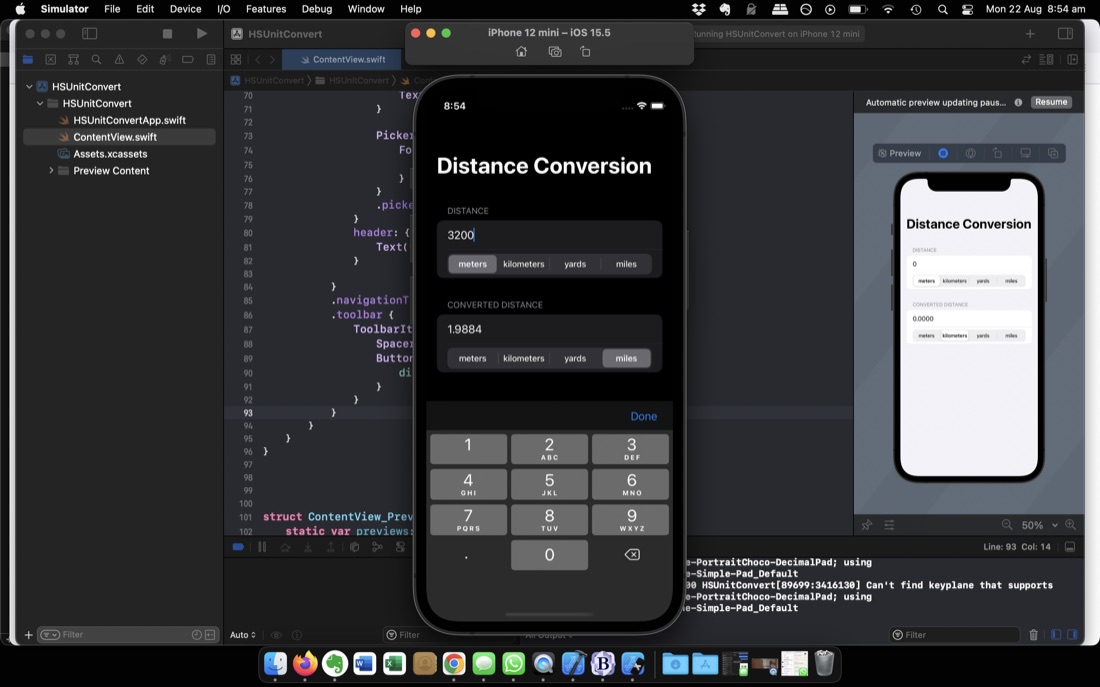
I’m up to Challenge 1 of 100 Days of SwiftUI (Day 19 ) which is to make your own simple (no MVVM) version of the app built in the previous three days. It’s about as simple as can be whilst still feeling like a real app. Something I hadn’t done before was limiting the keyboard to numbers or adding a toolbar to close it, so that was nice.
Something that’s not nice, is that when you touch into the text field to change the number, it’s not selected ready to type over (the way they always are in browser url fields) so you need to backspace over the previous entry. That’s the sort of anoying behaviour I don’t like. It seems (after some googling) there’s no straightforward way of addressing this in SwiftUI, with the best solution involving importing a package. I will come back to that because it is bugging me.
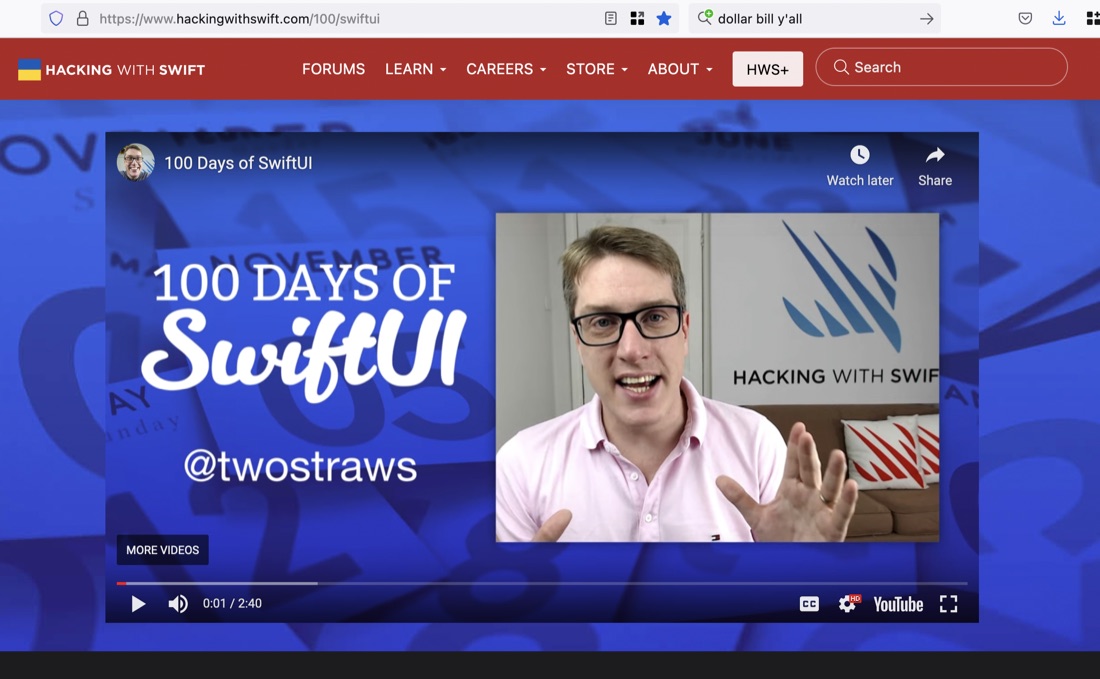
Paul Hudson’s 100 Days of Swift UI course is free - the videos are on YouTube, all the reading and tasks are available on his website for free. Although I assumed he made his living from the prodigious number of Swift books he’s written, he doesn’t push them in the course (except for his free book Swift UI by Example ).
He’s so unpushy, I didn’t realise till a few days ago that you could pay to become a “subscriber” to Hacking with Swift . Really, he’s too nice.
When writing yesterday’s post about iterating through a range or collection and using the underscore to throw away the item, I had in the back of my mind that there should be a more straightforward way of doing something a number of times.
Just to re-iterate (lol), here’s the issue. If we want to print “Here’s the thing” three times, in Swift the simplest we can do is:
I’ve learned (so far) an underscore can be used for a couple of things in Swift, both of them loosely translating to “doesn’t really matter”.
The first is in a parameter name for a function. Swift has a very cool feature I haven’t seen before where an argument can have a different internal and external name. As usual, this will make more sense in code. Imagine this:
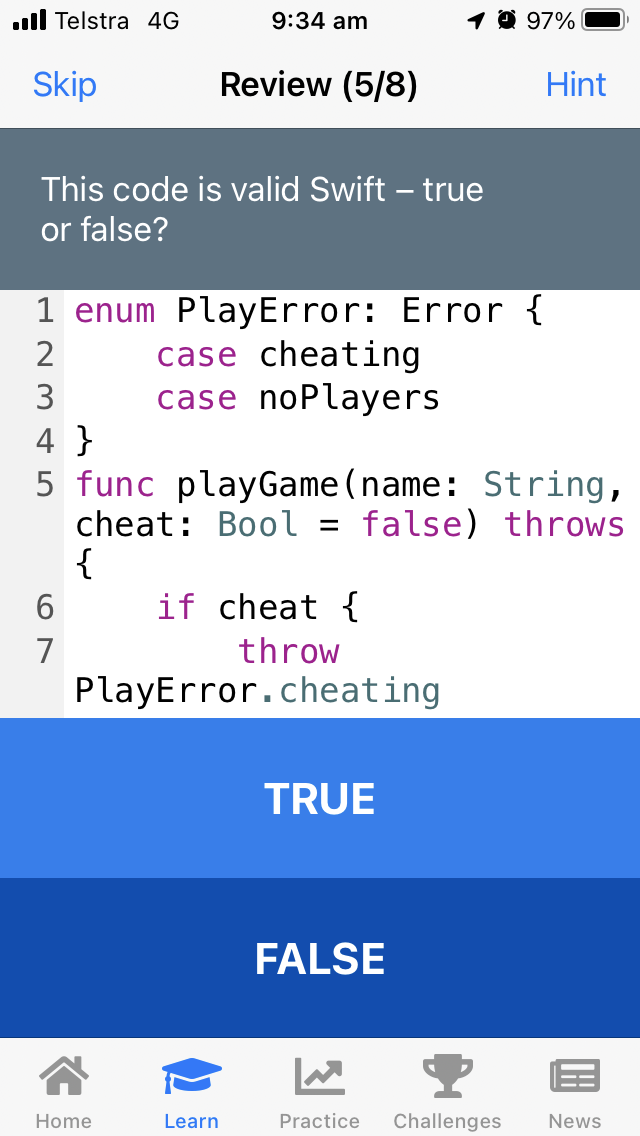
Part of the @twostraws programmatic universe is his Swift learning app, Unwrap that I’ve included in my learning goals . It presents little snippets of learning with a 60 second video, and in a written version, then tests the user to check their understanding. It is slightly gamified - you get points for answers, but it’s not clear to me how that works beyond the satisfying haptics when your score runs up at the end of a section.
codewars.com is a “coding practice” website. You chose a language and a skill level, then it offers up a task (or kata) for you to write a suitable function. The first one it gave me was seemed too hard, so I changed my level to beginner and skipped to the next one. This was my task:
 Given an array of integers, find the one that appears an odd number of times.

 There will always be only one integer that appears an odd number of times.

 Examples
 [7] should return 7, because it occurs 1 time (which is odd).
 [0] should return 0, because it occurs 1 time (which is odd).
 [1,1,2] should return 2, because it occurs 1 time (which is odd).
 [0,1,0,1,0] should return 0, because it occurs 3 times (which is odd).
 [1,2,2,3,3,3,4,3,3,3,2,2,1] should return 4, because it appears 1 time (which is odd).
I know there’s a cool “Set” container type in Swift, so my plan was to iterate through the array, then for each number if there’s no entry in the set, then add one, but if there is, remove it. That way whatever is left in the set at the end must be in the original array an odd number of times. I was pretty pleased with myself. Here’s the code I Playground’d up:
I’m still not 100% clear on @ObservedObject v @StateObject. So when YouTube offered up this video, in which Paul promises during the intro that I’ll understand the data bindings by the end, I thought it would be the video for me.
I guess I should really have twigged that I’d never heard of @ObjectBinding, but I pushed on to the 12 minute mark when he imports the Combine framework. Hang on, what’s that?
A couple of times (Protocols & Named Loops ) in the past few days I’ve needed to write and run a couple of tiny C or C++ snippets, and I’ve acutely felt the lack of Swift Playgrounds for it. It occurred to me that Playgrounds has been instrumental in my enjoyment of learning Swift - it’s just a bit magic to grab the closest device and noodle out an idea or to make sure I’ve understood a new concept.
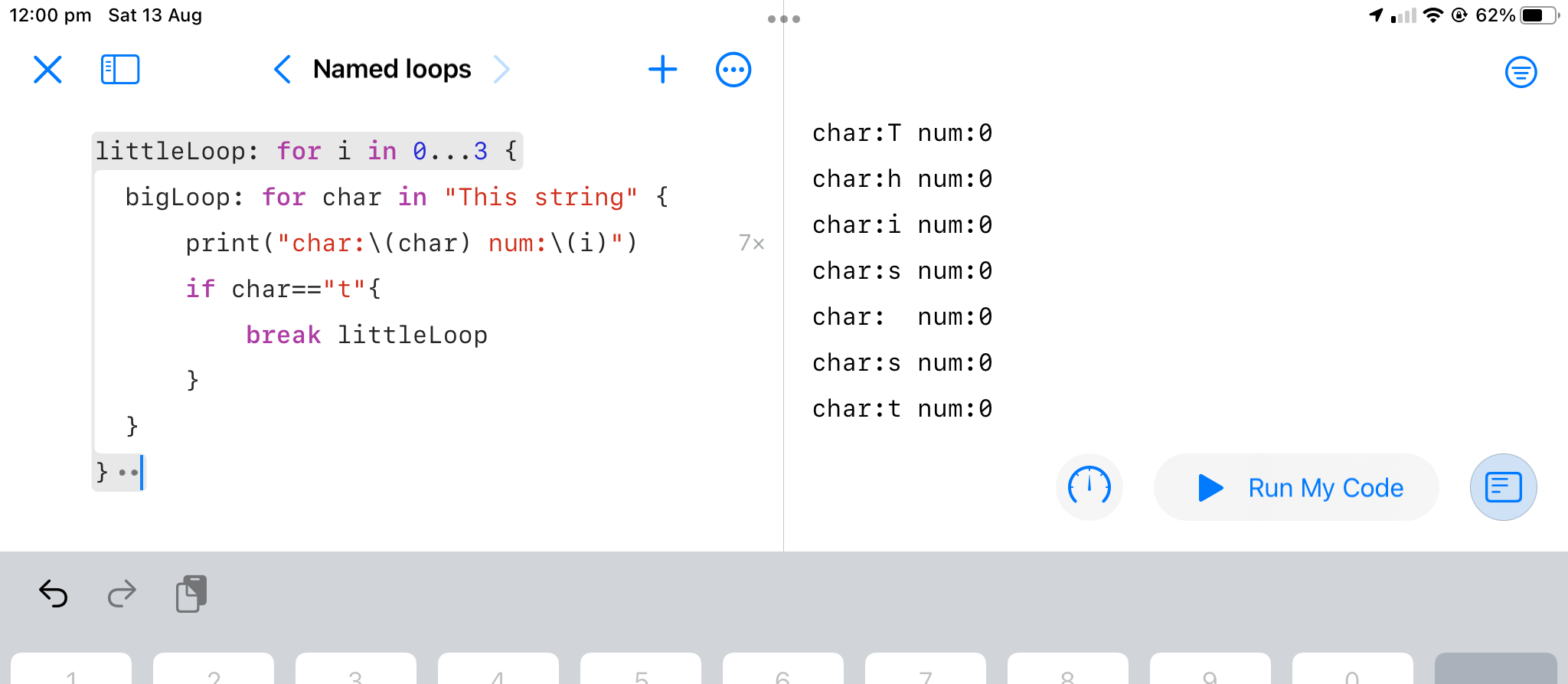
Here’s a neat thing I haven’t seen before. Other languages I’ve worked in haven’t had a neat way to break out of a set of nested loops to a particular loop. It’s not an issue that comes up a lot, but when it has I’ve solved it by creating a continue flag and having that as the first condition of each loop.
/*
Your challenge is this: write a function that accepts an
optional array of integers, and returns one randomly.
If the array is missing or empty, return a random number
in the range 1 through 100.
If that sounds easy, it’s because I haven’t explained
the catch yet: I want you to write your function in a
single line of code. No, that doesn’t mean you should
just write lots of code then remove all the line breaks
– you should be able to write this whole thing in one
line of code.
I’ve noticed Visual Studio Code in a few videos, and admired what a clean interface it had, and was impressed how opening a terminal window was automatically in the directory you were working in.
I had a need to write some html/css, and some C++ in the last couple of days, so that seemed like a great excuse to give it a try. I’d have to say my opinion of it has only gone up. Clearly, it is right at home with HTML and CSS - code completion and syntax colouring all working nicely. I followed TechWithTim’s suggestion to install the Live Server extension - which was a completely painless experience.
When I wrote my last commercial HTML (in 1996 lol) I’m pretty sure there was no CSS. It was the land of textured backgrounds, blinking scrolling text, “under construction” gifs, and links to gopher URLs were not uncommon. So this is an area I need to update my skills a little just to carry on a coherent conversation in the developer world.
I’ve bumped into a couple of Tech With Timvideos recently, and I really liked his CSS intro for “Non-web developers”.
/*
Your challenge is this: make a protocol that describes a
building, adding various properties and methods, then
create two structs, House and Office, that conform to it.
Your protocol should require the following:
A property storing how many rooms it has.
A property storing the cost as an integer
(e.g. 500,000 for a building costing $500,000.)
A property storing the name of the estate agent
responsible for selling the building.
A method for printing the sales summary of the building,
describing what it is along with its other properties.
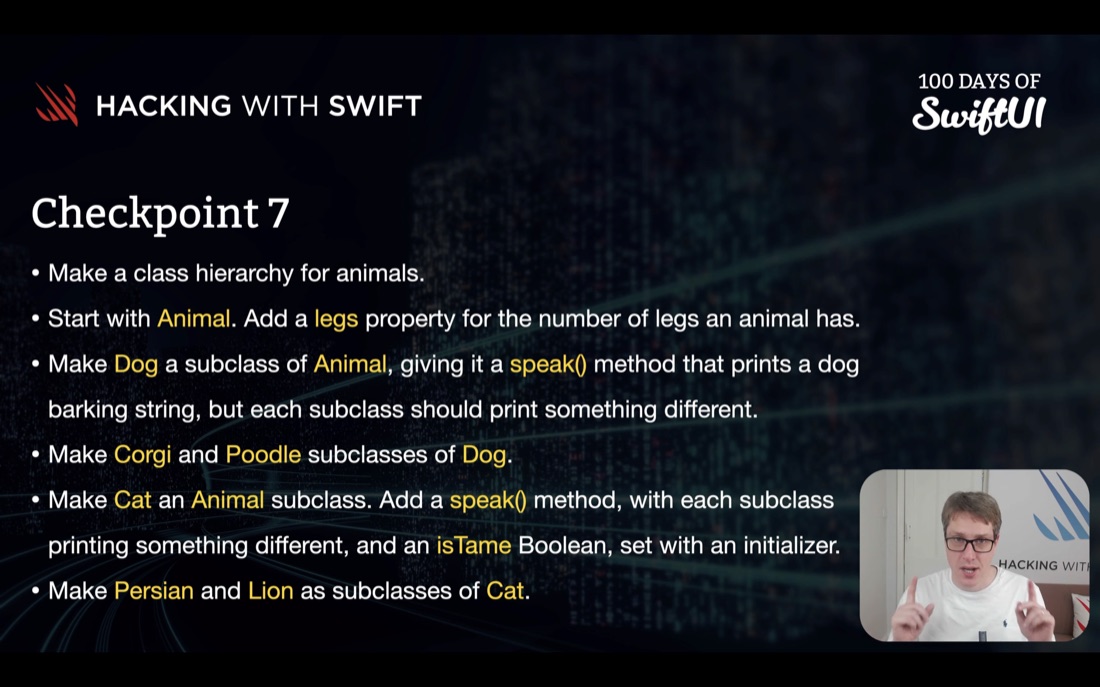
/*
Your challenge is this: make a class hierarchy
for animals, starting with Animal at the top,
then Dog and Cat as subclasses, then Corgi and
Poodle as subclasses of Dog, and Persian and Lion
as subclasses of Cat.
But there’s more:
The Animal class should have a legs integer
property that tracks how many legs the animal has.
The Dog class should have a speak() method that
prints a generic dog barking string, but each of
the subclasses should print something slightly
different.
The Cat class should have a matching speak() method,
again with each subclass printing something
different.
The Cat class should have an isTame Boolean property,
provided using an initializer.
In project management, and especially in programming “scope creep” refers to the common situation where what’s required to regard a project as finished keeps growing. Most commonly, in the form of extra features required to be added to an application. I’ve especially seen this when clients see early versions of applications and it prompts them to request things that were not in the original specification.
My iOS development learning journey has been experiencing some of this as well. I started out with only four clear goals :
The Youtube algorithm thinks I need to watch more MVVM videos, and it turns out it’s probably right. A day or two ago in an MVVM post using a super simple example, I stored the view model as a property of the view using the @ObservedObject wrapper, as I created it.
struct ContentView: View {
@ObservedObject var light = LightViewModel()
var body: some View {
    VStack{
        Spacer()
        if light.isOn(){
            drawLitBulb
        }
        else{
            Image(systemName: "lightbulb.fill").font(.system(size: 72))
        }
It’s been exciting to see some of the modern language features in Swift - it’s a real joy to work in when I think back to my C++ days which was some of the last commercial programming I did.
The buzz about Carbon got me wondering about other new languages and what might be going on with them. Rust seems to keep popping up in conversations so I thought I’d have a quick look.
I’ve been working through the Missing Semester lectures from MIT, and recently completed the lecture about the Vim editor . Vim is a test editor, called from the command line, and optimised for programming - in the sense that it assumes most of the use of the editor is navigating around a big text file making small changes rather than entering large amount of test.
It uses simple, short key presses (as opposed to mouse movements or using menus or toolbars) to achieve things. This makes it highly efficient for good typists who know all the commands, and slightly incomprehensible to those who do not. An additional level of complexity is the idea of modes. Vim has several modes, the main ones being:
In the category of “getting ahead of myself”, my list of potential future apps to develop includes an entry for a simple accounting system. I guess transactions could live in SQLite, on iCloud for sharing between Mac and mobile devices. Nevertheless, while noodling about it, I thought I should think about it being fully online, and I’d heard Google’s Firebase (probably referring for specifically to Firestore ) mentioned in several iOS developer podcasts and thought I should take a look.
I seem to consume a lot of iOS Academy videos with great, short (< 10 minute) explanations of various Swift iOS programming topics - particularly little UI topics, like this one on the Grid View.
I really appreciate the generous content provision in the Swift and iOS development community. Perhaps this is the same for lots of technologies, but for someone who started programming pre-internet, it’s a stark difference to how I used to learn - so many magazines, and so many 2" thick books.