Jan. 27, 2025
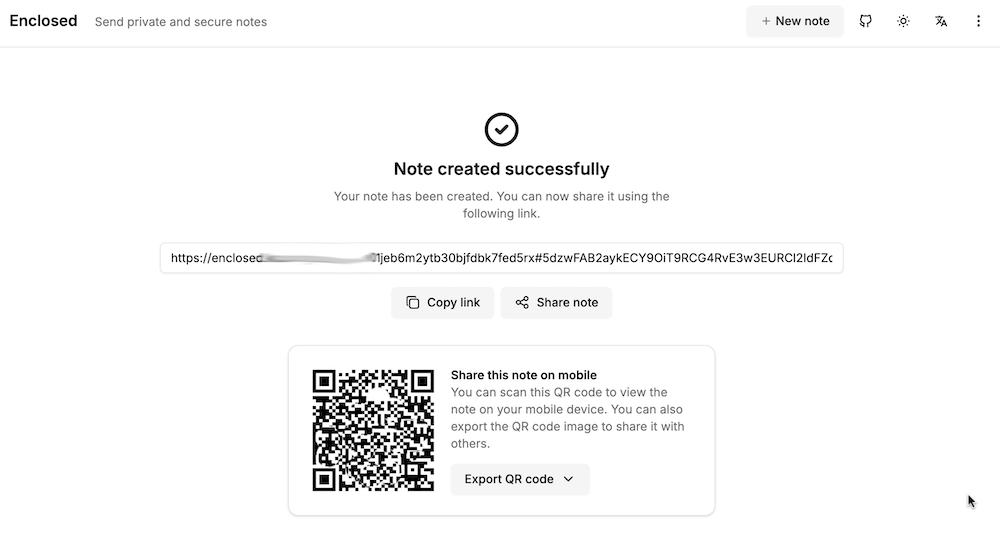
My accountant works for one of those giant firms, and it bugs me that I’m emailing him password protected zip files of my accounts rather than to a secure upload facility at his firm. I can fix this with the power of self hosting, by running my own secure file dropping app on a VPS.
There’s a number of applications that do this sort of thing - allow you to upload a file, get a link in return which you can then share to people to download the file. For this to be more secure than emailing, the file needs to be encrypted on the server, and we want to be able to set a password, impose limits on downloads, and limit how long the link lives for. I’ve previously looked at Sharry which adds the ability for unauthenticated users to upload files to you securely, but for this slightly simpler job, I chose Enclosed by Corentin Thomasset .
Oct. 21, 2024
I quite like GitHub scanning all my code and sending me security advisories. Here’s today’s:
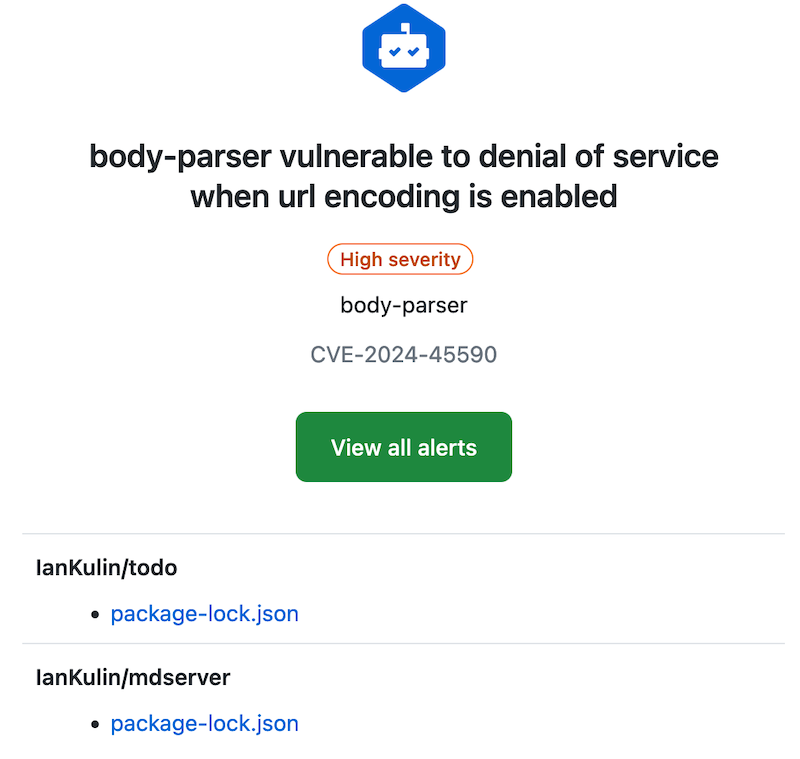
With these, and my dependabot alerts, fixing them is usually just a matter of pulling down the project, running an npm update, building any artifacts, then pushing it back up. But today, not so:

package-lock.json
It’s probably worth revisiting what the package-lock.json does. It contains all the versions of any packages you’ve imported, and their dependencies. The idea is that this will make the build reproducible. We don’t commit the node_modules folder (that actually contains all that package code), but npm can reproduce it exactly by using the version information in the package-lock.json file. Here’s a snippet where you can see all those versions:
May. 13, 2024

My VPS’s are usually locked down so just ports 80 & 443 (for web server) and 22 (for ssh) are open. That’s great for reducing the attack surface, but having ssh open is a potentially disastrous vulnerability. For this reason I often close that at the cloud firewall level as well, but it has to be open when I’m making changes or running the weekly ansible update/cleanup playbooks.
Apr. 8, 2024
 Photo by Brett Jordan on Unsplash
I need a survey tool, and a quick search turned up LimeSurvey , there’s a ‘community edition’ so naturally I plan to self-host it. I scrolled down to the ‘installation’ section of the manual which has a big list of PHP dependencies.
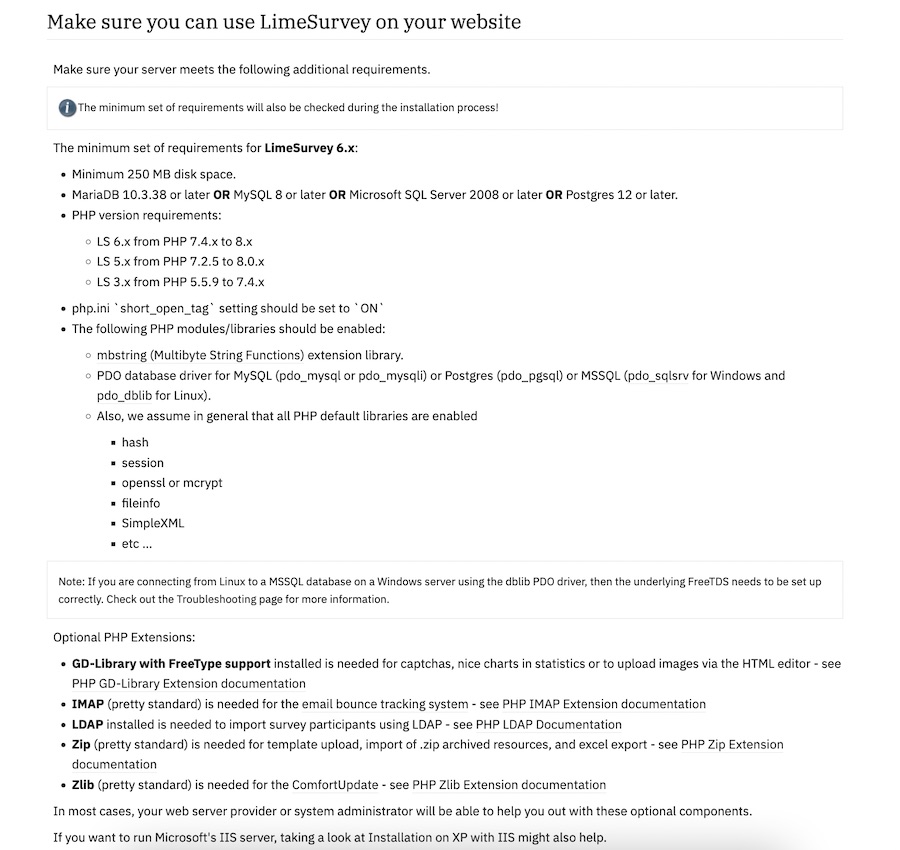
Ain’t nobody got the time for that in 2024, I scroll further looking for the docker-compose but there isn’t one. Huh. No official Docker image.
Feb. 23, 2024
One of the basic requirements for any serious web app is a proper users/roles/authentication system - but if you’re just throwing up a utility of some kind on a public IP for testing, and you don’t want it to be abused, then this could be an option. There’s a few components:
- Your app. In this demo it’s going to be Node, but it could be Go or whatever your server-side poison is. The app is listening for connections on a non-web port (ie not on 80 or 443), I’m going to use the traditional 3000.
- A firewall. That port (in my example 3000) must not be accessible from the internet. It has to be blocked by a firewall.
- A web server (I’m using nginx) that enforces basic auth.
I briefly discussed web server basic auth earlier - it’s a system built into the web server that requires a log in for a route, and authenticates it against the credentials in a password file (usually named .htpasswrd) and only serves the content if authenticated.
Feb. 16, 2024

Since I’m using Tailscale to painlessly manage all my networking on the homeserver here and my remotes, I’ve had the luxury of being a bit casual about the security of my internal apps and self hosted dev tools. I’m currently iterating on a web app that requires public access, and is therefore up on a VPS and exposed to all the evils of the open internet.
I am in no way a security expert, but here’s a few of the (reasonably simple) steps I’ve taken to secure my node app.
Feb. 9, 2024
When you are learning app development, you can create all sorts of apps that work for you, but for any serious app, it’s going to need to authenticate users and persist sessions across visits. So much so, that as a professional developer, you’ll probably build that out first - it becomes a sort of boiler plate you always drop in.
In this post, focusing on the server side, using node, express, and particularly express-session, I’ll try and build up from nothing to a reasonable usable user login system explaining the increasing complexity and reasons for it. To follow along you’ll need basic familiarity with node and express.
Sep. 18, 2023
This always makes me laugh:
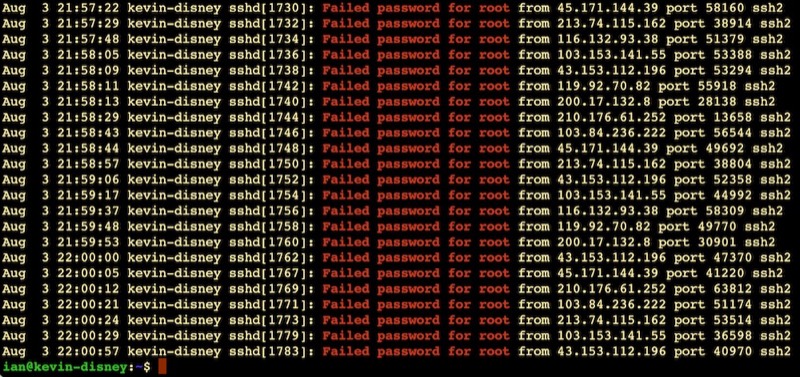
It’s like half the traffic on the internet is bots trying random passwords on root accounts over ssh. This is on an Ubuntu VPS on BinaryLane that had only been spun up five minutes or so. Looks like about one attempt every 10 seconds.
This is why the number three thing on my new install list is to disable root access via ssh. Here’s my system - possibly just for Ubuntu and related systems:
Aug. 13, 2023

We wrote a nice little Ansible playbook the other day to install nginx on our web servers and ensure it was running. We were able to store the usernames in the hosts inventory file using the ansible_ssh_user variable. Then, we ran the playbook with the command:
ansible-playbook web_installs.yaml --ask-become-pass
This asked us the password to use with the usernames in the hosts file. Luckily that day, it was the same username/password combo to use for sudo on every server. What happens if that’s not the case? Here’s our new hosts file for today. There’s a cool new sysadmin in town - Jane.
Feb. 12, 2023

Due to potential brute force attacks , it’s a good idea to turn off password access via shh and instead rely on ssh keys. In this post, I’ll run through that process.
Generating your key
On a mac (or actually most *ix systems), your ssh keys live in the .ssh directory inside the users home directory. Since it starts with a period, it’s a ‘hidden’ directory. To see it in Finder press
Feb. 6, 2023
A smart thing to do after setting up a server on the internet, is to set up SSH keys and then turn passwords off for SSH. The reason for this is that scanning for open port 22 on IP addresses, then brute forcing password files on them is pretty much hacker 101. So if you have passwords turned on, and especially if you have a weak password you are really inviting someone to take over your server as root and add it to their botnet army for liking Putin’s twitter posts or whatever.
Feb. 4, 2023
Even though it’s my server, I still have a pang of guilt when this happens.
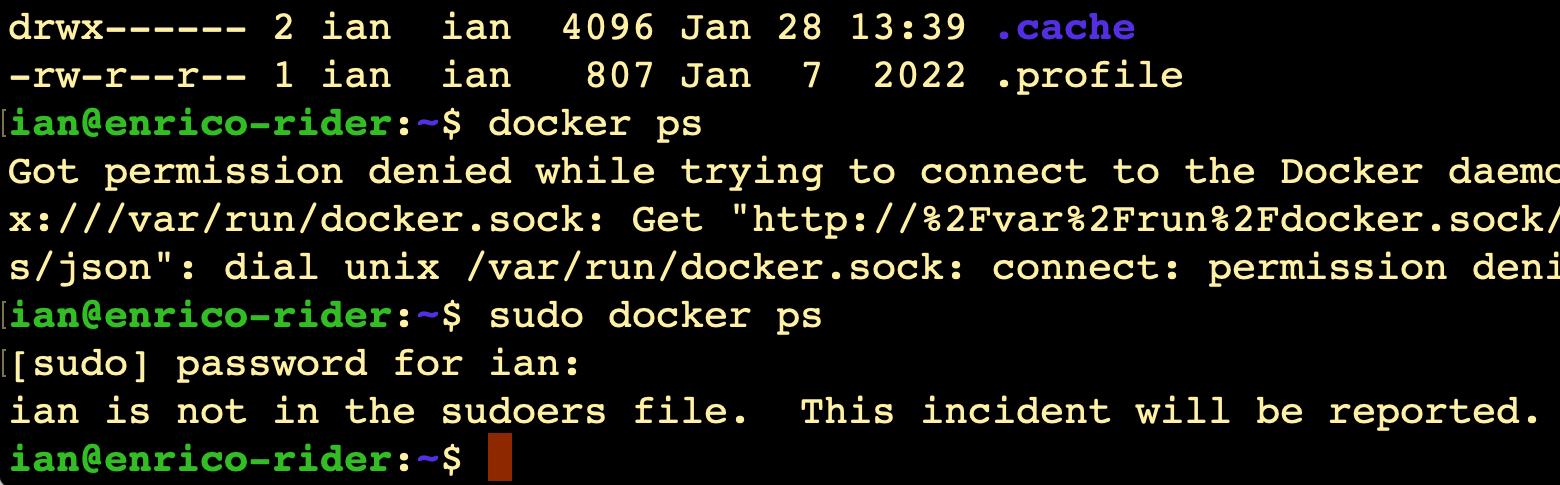
I always imagine Richard Stallman (or someone with a similar 2000’s database administrator beard) looking at me disappointedly and shaking his head slowly.
It does raise the question though - since it’s my server, shouldn’t I be getting a text message from CERN or something?
Where is this report?
(Relevant xkcd )
Like everything, the answer is ‘it’s logged’. We can use the journalctl command to look at the logs, on this server that’s been running less than 20 hours, there’s already several thousand lines to look through if you just enter journalctl, so I’m going to just send all the high priority logs to a file:
Nov. 28, 2022
One of the things we need during app development is some data to play with. It would be unethical for me to use real student data to test my app, even if I wasn’t sharing screenshots of the development here, so I’ll need to build some mock data. The prospect of making 400 rows of data manually does not sound like a good use of time, so I started to think about generating it in Excel. I’d used an online “random address generator” for an earlier project, so I was contemplating pasting that sort of data into Excel workbooks and randomly selecting from it.