Oct. 5, 2022
So, I’ve been working on translating the UI design created by the external designer into SwiftUI, and have done all of the easy bits:
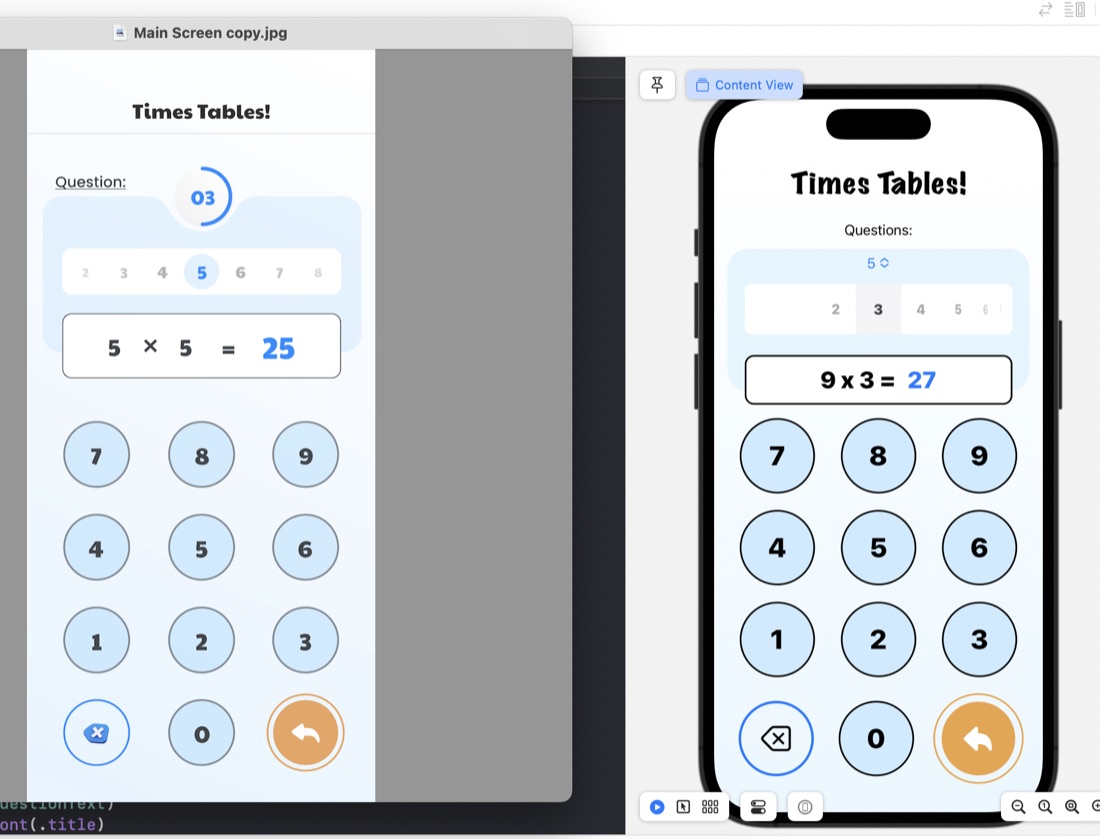
The rounded rectangles for things like the question display/number input are just ZStacks of roundedrects filled, then stroked:
ZStack {
    RoundedRectangle(cornerRadius: 10)
        .fill(.white)
        .padding(.horizontal)
    RoundedRectangle(cornerRadius: 10)
        .stroke(.black, lineWidth: 2)
        .padding(.horizontal)
    HStack {
        Text(questionText)
            .font(.title)
            .fontWeight(.heavy)
        Text(calculatorDisplay)
            .font(.title)
            .fontWeight(.heavy)
            .foregroundColor(.blue)
     }
}
.frame(maxWidth: 350)
.offset(y: 15)
Something I have learned in the process is the .offset modifer. This is what’s used to move a view from where SwiftUI would have placed it, and is what I’ve done to create that overlapped style where the question display/number input is sitting halfway over the bottom of the blue rounded rectangle. This is in the last line of the code above: .offset(y: 15) This is moving the whole ZStack down by 15. A trick to watch with this is that since you’ve messed with SwiftUI’s arrangement, it doesn’t then shuffle everything else around this - you need to manually deal with making some space below it.
Oct. 2, 2022
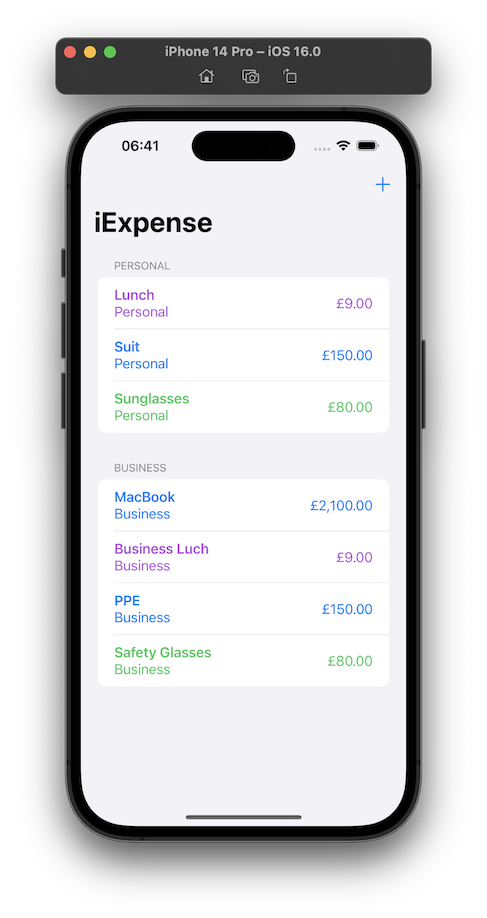
Day 38 is three challenges on the iExpense app - a simple expense tracking app that uses UseDefaults for storing it’s data.
Locale
Use the user’s preferred currency, rather than always using US dollars.
One of the joys of modern programming (as opposed to mid-1990’s programming) is the ability of the internet to give you answers. I knew the answer to this would be lurking in the locale environment variable, but instead of looking it up , just googled, and found a viable looking solution on Reddit .
Oct. 1, 2022
The challenge for Day 35 of 100 Days of Swift UI was to create a simple times tables drilling app. I’ve met all the requirements, so I’ll move on, but I am struck by how ugly it is. Making better looking apps needs to be added to my goals. Especially since this app is intended to appeal to children, and is at the end of a few lessons on animation, this is definitely a weakness of mine at the moment.
Sep. 28, 2022
I’m on the challenges for Day 35 of 100 Days of SwiftUI , and despite Paul’s very clear warning:
Important: It’s really easy to get sucked into these challenges and spend hours…
I have spent ages fiddling around, but of course still learning. My issue is not so much getting stuck on bugs, rather I keep wanting to do things I don’t know how to do.
One issue was solved for my by the wonderful Fireside Swift podcast. I’m working through the old (Steve & Zac) episodes, and they did one on the UserDefaults just when I wanted to be able to persist the multiplication table selection the user had made (this challenge app is a multiplication tables drill app for kids).
Sep. 25, 2022
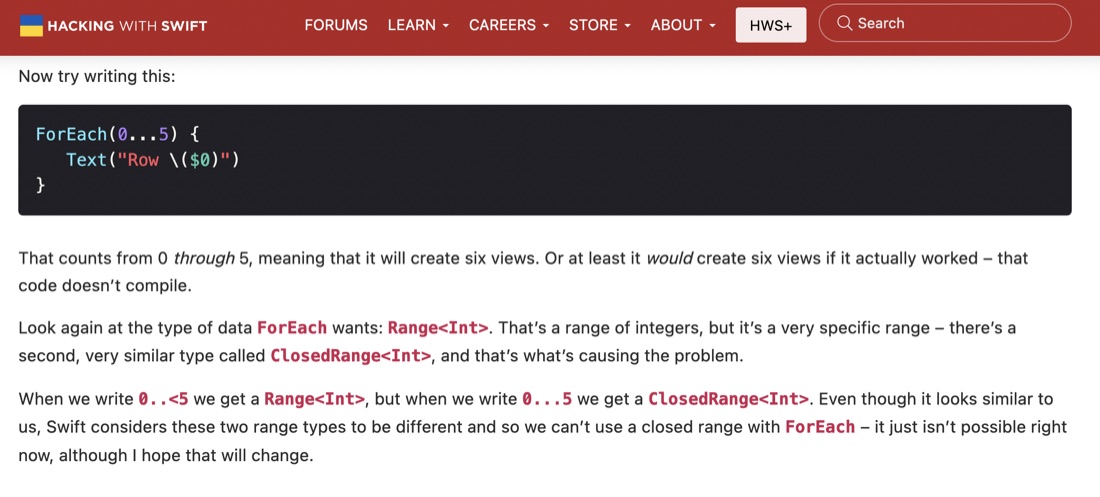
I wondered aloud, in a previous post , about the differences in writing a range as
        ForEach(1..<21) {
            Text(String($0))
        }
versus
        ForEach(1...20) {
            Text(String($0))
        }
And that’s been answered in in one of the Day 34 articles. It sounds like older versions of Swift might not have allowed the second version.
Sep. 24, 2022
The challenges for Project 6 of 100 Days of SwiftUI was to add some animations to the Guess the Flag app from a little while ago. The animations themselves were not particularly tricky, my main issue was that I was creating the views for the three flags in a ForEach, so the animations were applied to all three flags, but we wanted different animations for the flag the user had clicked versus those they had not.
Sep. 23, 2022
It’s a very Apple-thinking thing to be learning about making beautiful and intuitive user experiences this early in a programing tutorial as I am with the 100 Days of Swift UI series. Here’s a quick look at three different ways of doing animation in SwiftUI Views.
Implicit animation
An implicit animation in SwiftUI is when you add a .animation() modifier to a view. It needs to be bound to the value that’s changing so the framework knows to animate when that value changes, and the nature of the change.
Sep. 19, 2022
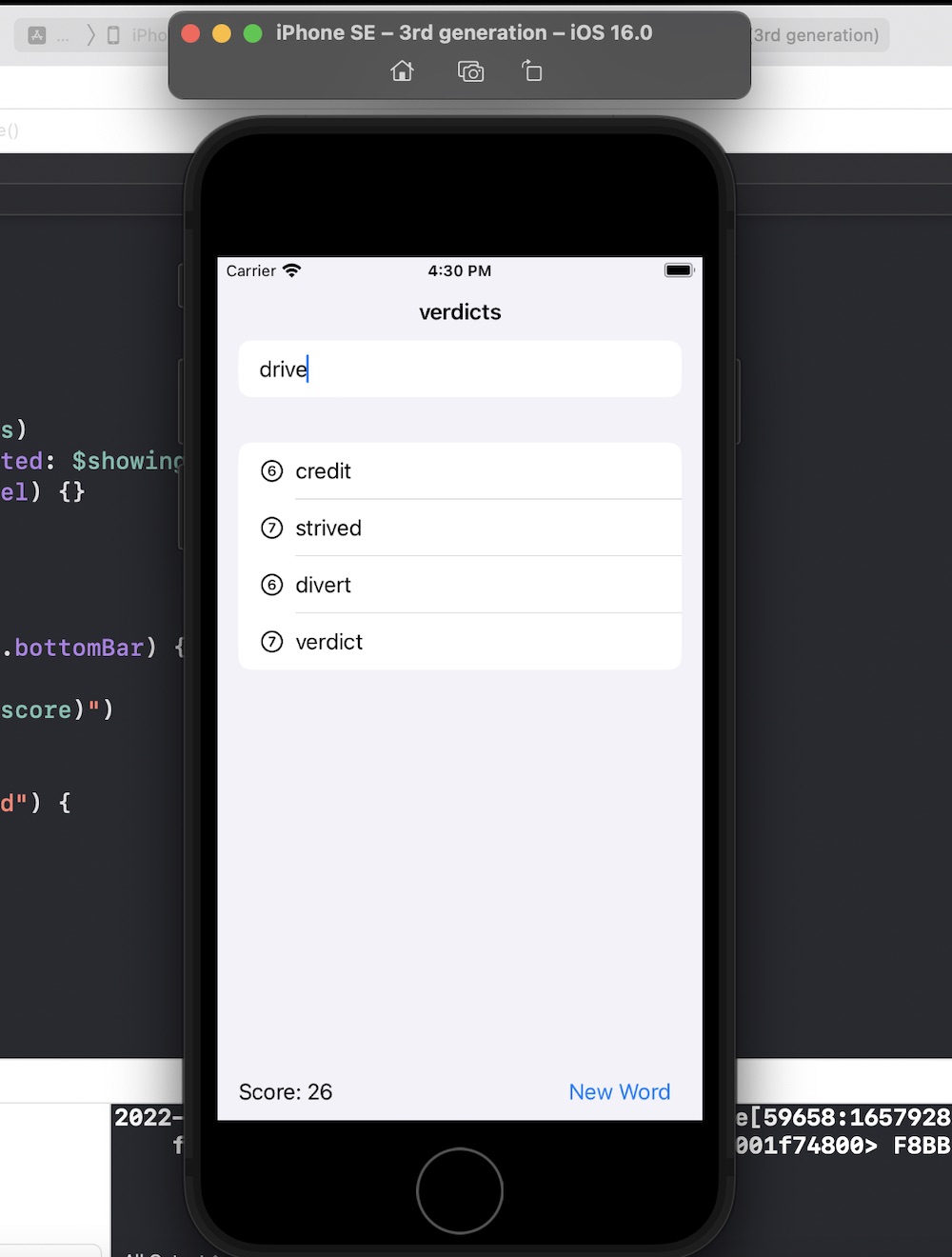
Another 100 Days of Swift UI project wrapped up - this time a scrabble like word game. New techniques included saving a large text file in the app bundle and loading it (via a string) into an array on launch of the view. Also a short adventure into UIKit to use a UITextChecker.
Source .
Sep. 19, 2022
As is my practice now, after completing the challenges for Project 5 , I reviewed Paul’s solution (which is only available to subscribers) to see what he’d done better so I could learn from it.
Most of the differences where not of much significance, but there was a couple of things I picked up:
When the user had pressed the reset button, to empty the array of word guesses from the previous turn, I had