Mar. 17, 2025
For the longest time, I’ve been using Mocha (test runner) and Chai (assertion library) for my JS testing. They are reliable old friends.
One of the effects of the existence of Bun and Deno has been to spur Node onto adding some new features, so after appearing as an experimental feature in 18, the Node test runner dropped in Node 20.
I’m not sure if the familiar unit test layout of Mocha and Node is inherited from Jest, or comes from older testing frameworks of which JUnit and NUnit were the first ones I’d ever used. Before that I just used to write tests as lumps of assertions in regular code - which worked but wasn’t as pleasant to use as a proper unit test setup. Regardless, the system of bundling a few tests together and having them all run and spit out green ticks is not a new one.
Jan. 1, 2024

Bruno is a great open source Postman/Insomnia replacement, and I’ve been using it for basic tests of my node servers using the built in asserts and loving it. This is pretty great, and I gather it’s also possible to go beyond this and write tests in JS in Bruno . I believe it also has the hooks needed to build it into your CI/CD systems.
Any large project is probably going to benefit from a more comprehensive suit of testing tools, and while I’ll still be using Bruno, my serious tests will be managed with these other tools.
Nov. 11, 2023
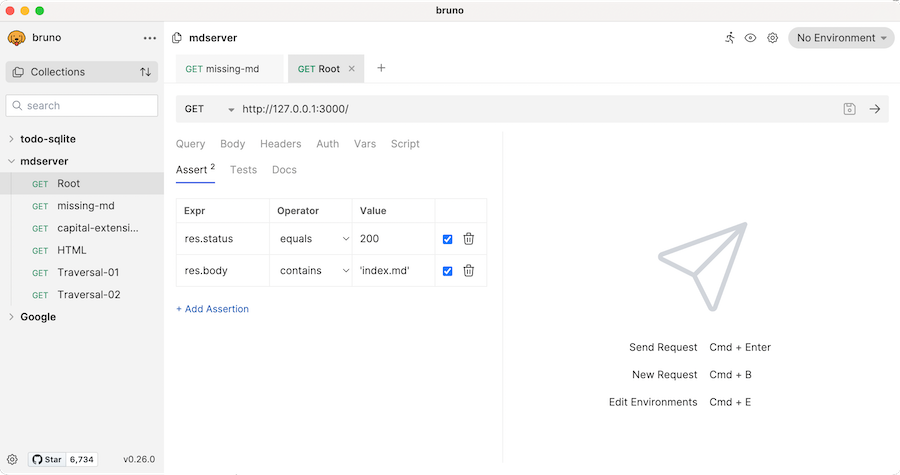
I mentioned Bruno the other day. Although it’s still very much under development, it is shaping up as a great Postman/Insomnia replacement.
One of the aspects I’ve been using today is asserts. As part of a request, you can add some asserts - so when you’re hitting an endpoint it will check what status should it be returning, or given the data you’re passing in, what should be in the response body.
Oct. 27, 2023

I’ve mentioned before that I was using Insomnia as a tool to check my REST APIs as I was developing them, and that I was avoiding Postman (which I guess is more widely used since it’s worth USD5.6 billion ) because
The only reason I’m using Insomnia instead of Postman is that when I tried Postman, it straight away wanted some of my data to make it work. Insomnia hasn’t forced me to do that yet.
Aug. 25, 2023

I’m interested in trying out Pico CSS - a lightweight CSS library, but when I tossed it into my project, the linter found and reported 29 problems. One of my processes is to just keep that problems tab clear as I work, so I’d like that to go away.
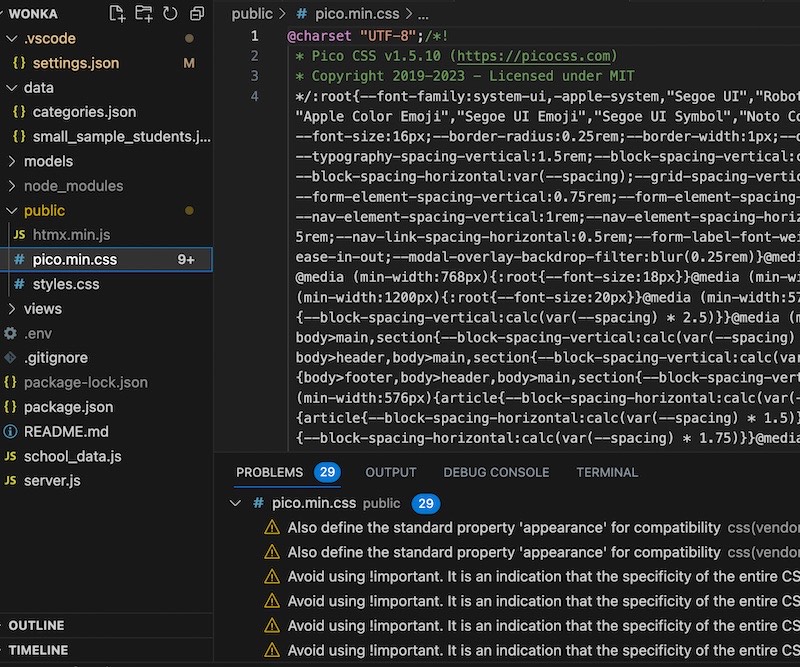
It’s possible, but only by ’excluding’ the file from your project - it won’t show up in the file view either. That’s fine with me, I never want to deal with the file so we’ll do that, although it might confuse me in seven years if I come back to this project, so I’ll drop a link in my .git_ignore as a clue for future me (excluding the file in VS Code doesn’t affect git finding it).
Jan. 29, 2023
I think I’ve written about CodePen before, its a site that allows users to quickly put together HTML, CSS & JS and see the results as they edit. Users ‘pens’ are public and can be tagged, so it also serves as a repository of examples.
It’s possible to host incredibly complex artefacts, such as this 3D Sony Walkman , but what I mostly use it for is to work out simple things - like how to collapse a row of text into a column with a media query.
Jan. 18, 2023
For the Calculator project, I needed to know the exact RGB values for the colours on the iOS calculator buttons so I could reproduce them. Assuming a tool for reading colours from the screen exisited, I googled it, and was surprised to find this exact tool is already installed by default on MacOS.
It’s called Digital Color Meter and just shows the RGB values for anything on the screen under the cursor.
Jan. 11, 2023

We’re in a pretty good place now (compared to a few years ago) in terms of being able to rely on JavaScript behaving the same on different platforms. There’s still some differences (mostly in when things are implemented) but overall, not to bad once you decide to no longer support Internet Explorer.
In times past, it was a lot more painful . A few of approaches to deal with this arose. One is to let a library, such as jQuery or a polyfill deal with it, and the other is use a translation utility such as Babel to down convert (transpile) your modern JavaScript to something that will run in more browsers.
Jan. 5, 2023
I quite often leave a link to a GitHub repo to share my source in these posts, and on a few recent ones, a link to a live version of a page on my github.io. In a recent installment of CWD , Andrei shared some previous students’ solutions, and some were hosted on CodePen.io which I hadn’t seen before.
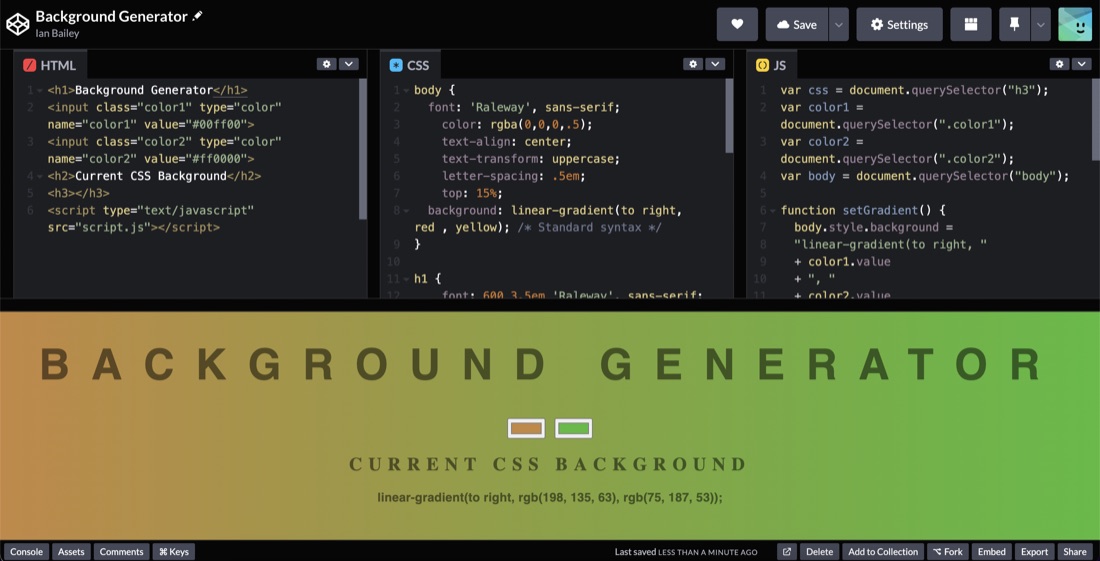
It’s a cute concept, you can enter HTML, CSS & JS and see a live view of the page below. It looks super extensible - there’s mentions of SCSS, Typescript and preprocessors for JS in the settings.
Dec. 27, 2022
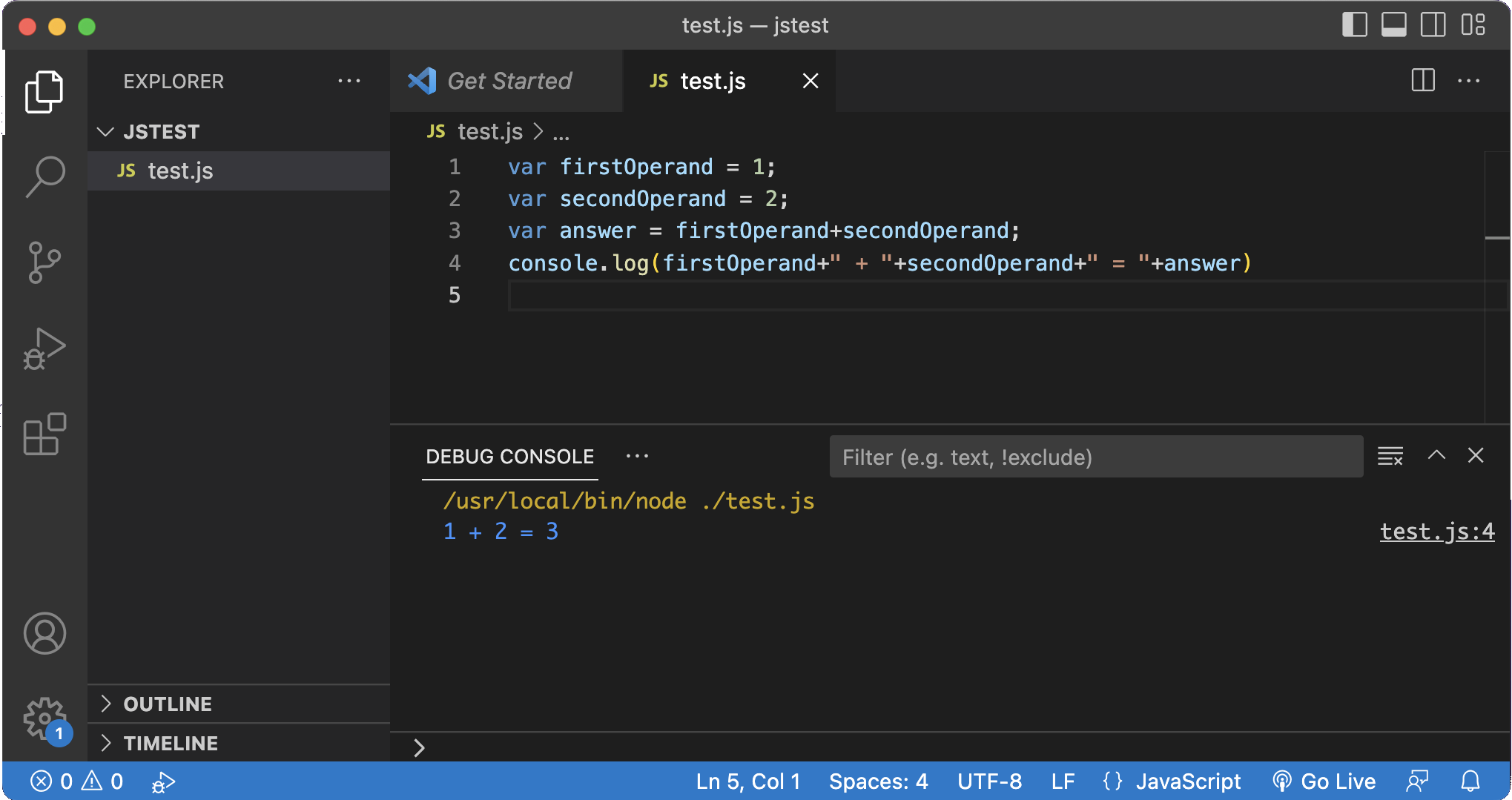
I’ve been using the Live Server plugin to see HTML & CSS updated as I edit, and that will also be useful when I start using Javascript for web development, but as you can see above, I’m not quite up to that. It seemed there should be a way to run JS in VS Code, and it turns out it’s easy.
You just need something installed that can run Javascript. Node.js is the obvious choice, and you’re going to need it later in your development journey. Just install Node.js then the first time you try to run some JS in VS code, it will ask you what to use, select Node and you’re in business.
Dec. 14, 2022
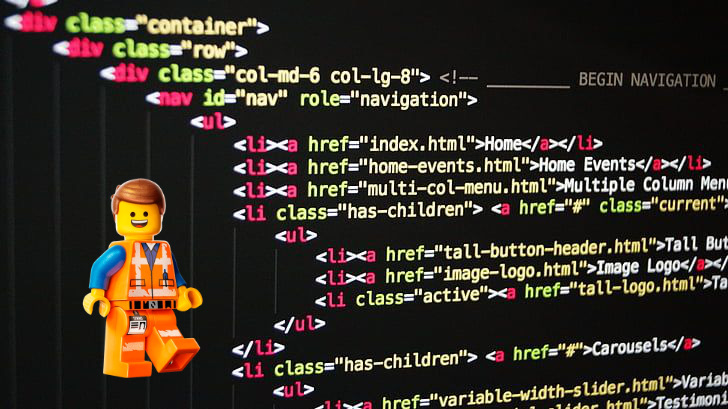
I knew there was some magical way of entering all the theboilerplate in Visual Studio Code as I’d seen it happen in several videos, and assumed is was some sort of macro expansion thing in the editor. Fast forward a few blog post readings and youtube viewings and I keep seeing tangential references to someone called Emmet. Turns out they’re the same thing, and it’s pretty cool.
It’s not a new idea to have functionality in code editors to insert snippets of code. Emmet goes a bit further than that - and like many tools made by programmers for programmers it goes way to technical to the point where you need to memorise ridiculous amounts of combos to to some awesome stuff (I’m looking at you whoever made it possible to use vi commands in VS Code). Nevertheless, Emmet is extremely handy even at my n00b level.
Dec. 11, 2022

This week, the internet has been all about ChatGPT , the rather remarkable natural language AI with a very large model. If you’re a twitter user, you were probably amazed, but now eventually tired of seeing examples of it’s output. I’ll add to that with an example of a SwifUI CoreData based todo app it wrote for me from a single sentence prompt below. Rather than look at other people’s examples you should definitely go and play with it yourself - it is very impressive. Along with the image based AI’s it’s made 2022 into a historical year for AI.
Nov. 29, 2022
I have a Raspberry Pi on my home network that I purchased for some project that I can’t actually recall. It gets used for all sorts of completely unnecessary things such as playing with node.js or a private git server. To add to the list of things that I do on pi that could be more efficiently done on my MacBook I wanted to host my sample JSON from yesterday on it.
Nov. 28, 2022
One of the things we need during app development is some data to play with. It would be unethical for me to use real student data to test my app, even if I wasn’t sharing screenshots of the development here, so I’ll need to build some mock data. The prospect of making 400 rows of data manually does not sound like a good use of time, so I started to think about generating it in Excel. I’d used an online “random address generator” for an earlier project, so I was contemplating pasting that sort of data into Excel workbooks and randomly selecting from it.
Nov. 19, 2022
I updated my iPhone to iOS16 this morning, and tonight when I went to run one of my apps, it complained that it needed Developer mode. This is a new, probably wise, way to avoid dodgy apps being loaded on a phone. I don’t know exactly how you’d do that, but then I’m not a black hatted cyber terrorist.
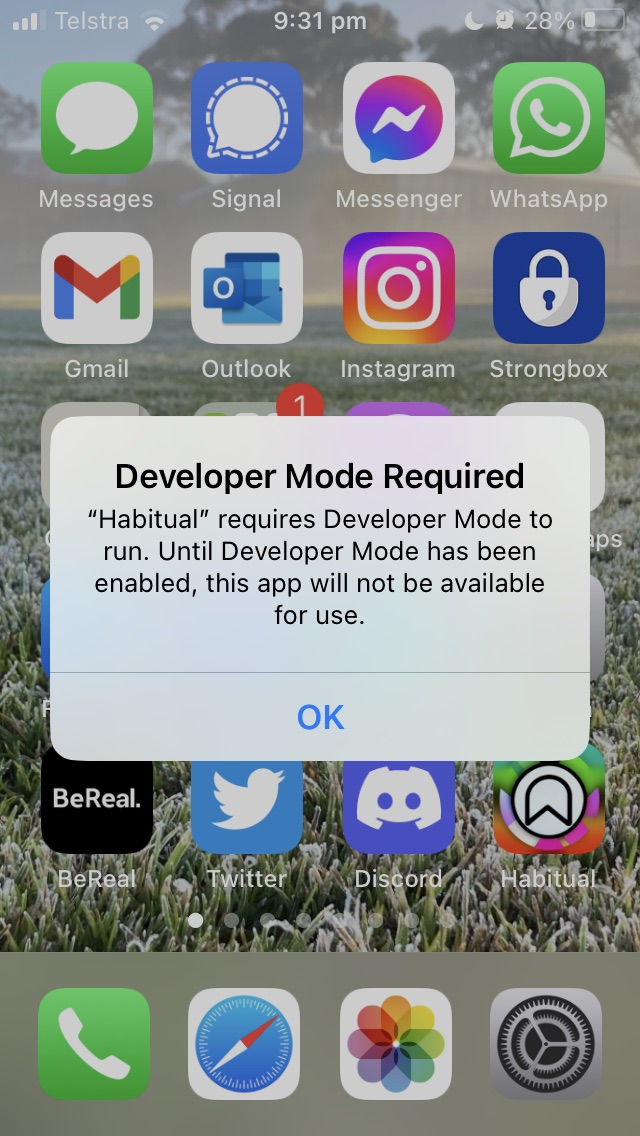
I had to google the setting, it’s in “Privacy and Security” down the bottom, and requires a reboot. When you open the phone there’s another dialog and you need to reauth.
Oct. 10, 2022
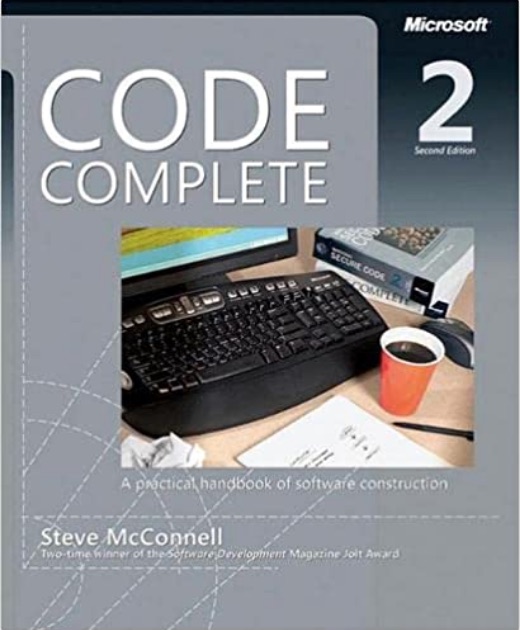
I was watching a Tim Ruscica video about the things that highly effective developers do, and it called to mind a book I read years ago called Code Complete . It is the only book I ever owned that I immediately purchased the new edition when it came out. It was about the meta stuff around programming that is the difference between coding and developing. In particular, it got me invested in source control and testing.
Oct. 9, 2022
I have unit testing in my list of goals , and if I’m going to throw this space trimming macOS utility up on the web, now might be a good time to figure out how to add unit tests to a project, how to write them, and how to run them. XCode is well set up for this, so it’s really no drama to do.
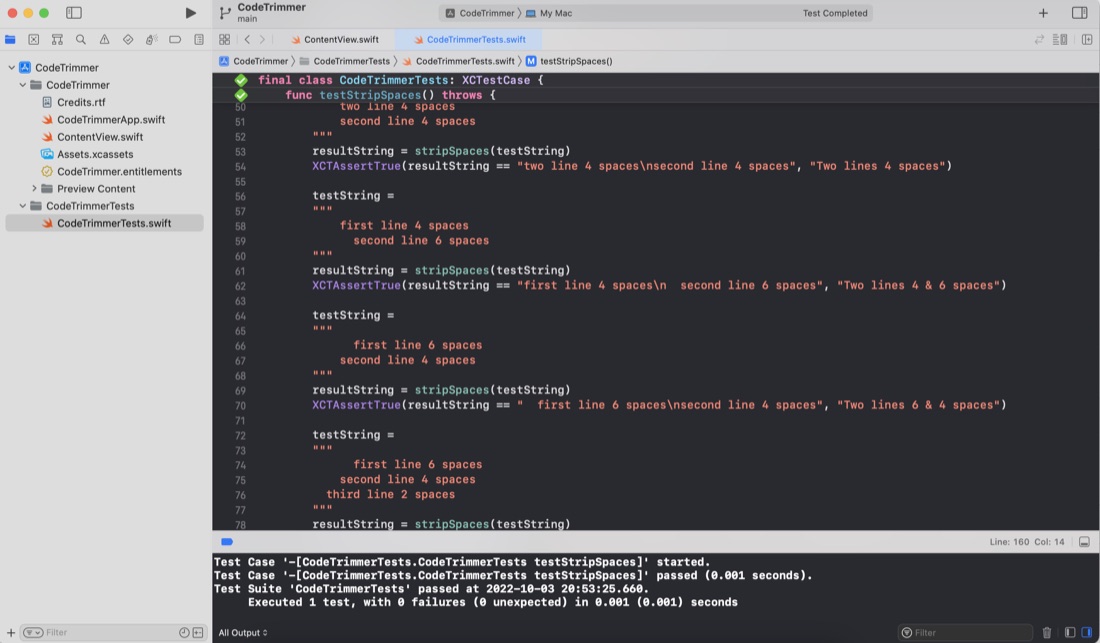
Although I haven’t worried with any unit testing up to this point in my iOS/Swift learning, in my previous programming work I did a lot of work with the large calculations involved in translating GPS coordinates and robotic positioning models where errors would be bad - so I’ve written a lot of tests over the years. I’ve also definitely felt the confidence you can dramatically refactor code with when you know the code has a robust test suite. I’m a big fan.
Sep. 18, 2022
With the September release of XCode 14 and Swift 5.7 it was time for my first update - I looked in “About” for an update link but there wasn’t one - so if you’re as dense as me, the tip is to head to the Mac App Store and have a look at the Updates page.
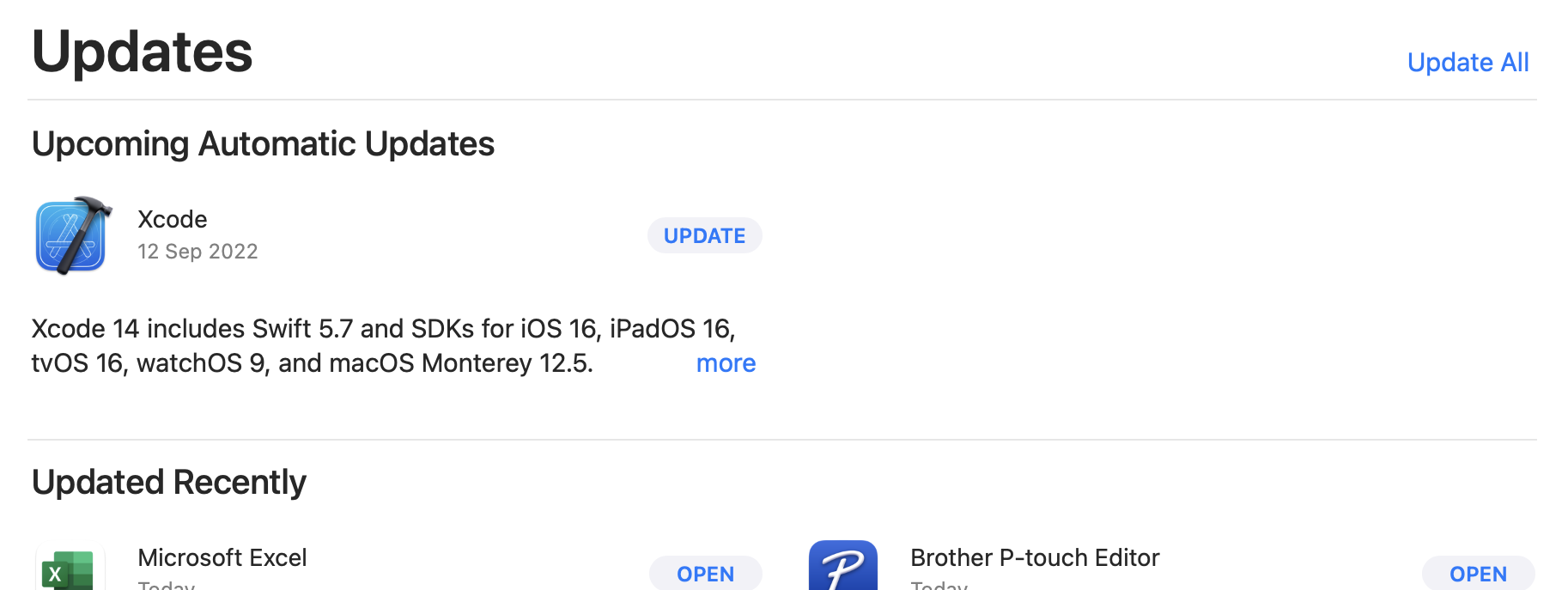
Your current XCode version can, of course be found in the XCode | About dialogue. Mine was on 13.4.1. There’s a couple of ways of finding the Swift version - If you’ve got an XCode project open, click on the .xcodeproj in the explorer,and have a look in Build Settings for Swift Compiler - Language for the major version.
Aug. 19, 2022

I’ve noticed Visual Studio Code in a few videos, and admired what a clean interface it had, and was impressed how opening a terminal window was automatically in the directory you were working in.
I had a need to write some html/css, and some C++ in the last couple of days, so that seemed like a great excuse to give it a try. I’d have to say my opinion of it has only gone up. Clearly, it is right at home with HTML and CSS - code completion and syntax colouring all working nicely. I followed TechWithTim’s suggestion to install the Live Server extension - which was a completely painless experience.
Aug. 6, 2022
I’ve been playing in the zsh shell since I started on the Missing Semester , and was wondering how to get my git branch name in the prompt. A few googles later, I’ve installed Oh My Zsh, and added the git and macos plugins. Pretty.