Feb. 2, 2024

I’ve been aware since I set up Uptime Kuma for my monitoring, that having an instance on my local network monitoring my VPS websites wasn’t ideal. The main reason being that the flakiest part of my infrastructure is my 4G home internet, so if that goes down I have no website monitoring, and even if I did, the notifications couldn’t get out.
Of course, it would also be a simple matter to run an instance on the VPS that I host the sites on, but that has a similar problem in that if the VPS goes down, so does my monitoring of the VPS. What I really need is a third, independent space to run an instance.
Sep. 15, 2023

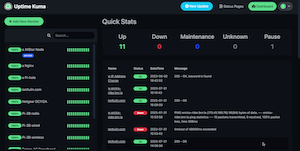
I’ve been using the excellent Uptime Kuma for my monitoring, but a couple of recent incidents - an external USB mount disappeared on a remote machine, an NVME drive filled up on a different node and stopped backups working because of a configuration error - have made me start to think about more robust monitoring.
The are many great tools for this - Nagios , Prometheus etc. but they are pretty substantial time investments for the excellent power. They can save time series data and display them beautifully. However, all I really want is to add some extra ability to Uptime Kuma.
Jul. 12, 2023

When I first installed my SSL certificates, I mentioned it’s a process I need to automate before they came up for expiry, but here we are ten days out, and I haven’t done that yet, but I have been keeping an eye on it though the excellent display and notifications set up in Uptime Kuma .
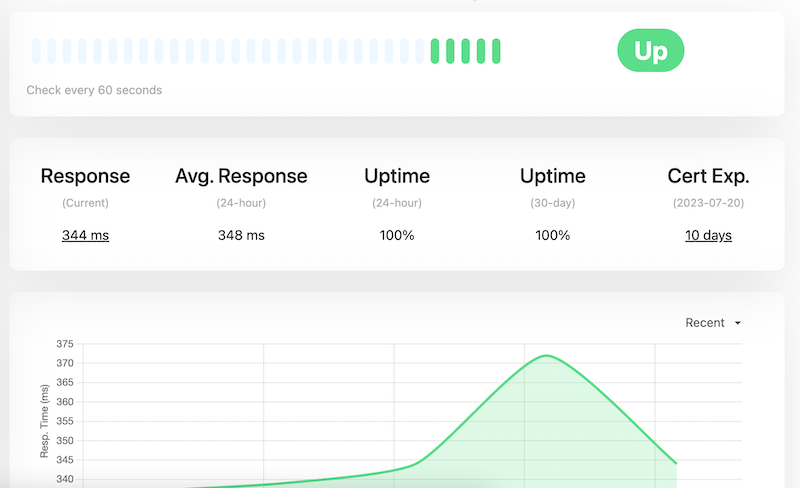
Updating the certificates is easy. When I went into the site at PorkBun (where I purchased the domain and who do the primary DNS for the site, the next certificates were sitting there to be downloaded. My existing certificates were due to expire on 30th July, and these had been generated on 3rd July.
Feb. 15, 2023
Uptime Kuma is a monitoring tool suitable for self-hosting, and as well as being a good tool for monitoring the status of your network and applications, it’s a nice smallish app to get started on Docker containers.
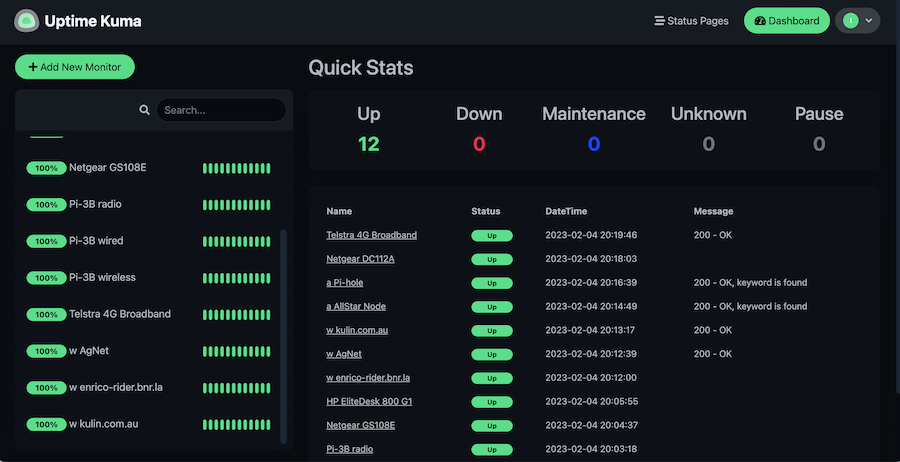
Since it’s in a container, you need to create a volume for it and pass it in to persist your settings. Then it’s just a matter of adding each item you want to monitor. There’s a heap of fancy options for this, the only three I’ve used are ping - just pings an address, http(s) - requests a page and checks the header for a 200, and http(s) keyword - looks at the returned page for a keyword in the html.