Oct. 14, 2022
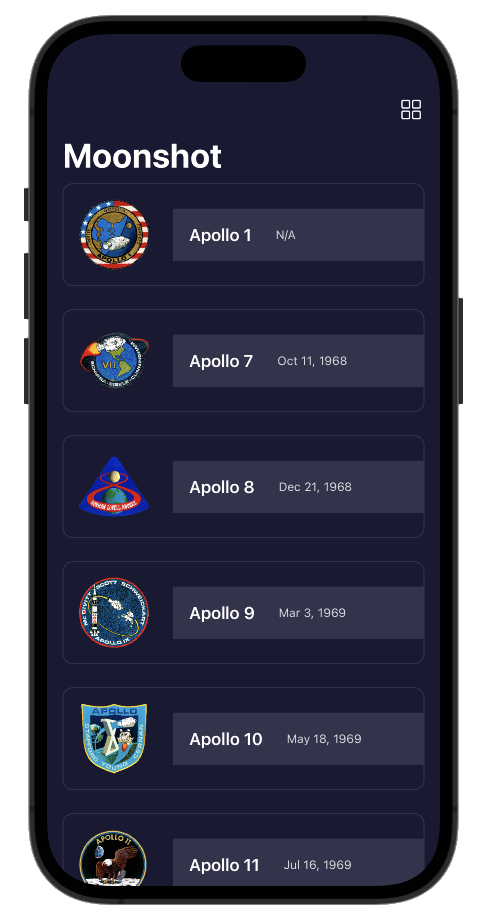
Another few coding challenges at the end of a tutorial app in the 100 Days of SwiftUI course. The app is a sort of information app - composed of navigation views going down into more detail about the Apollo space missions. The most exciting revelation for me was how straightforward it is to pull JSON into your apps data structures.
Challenge 1
Add the launch date to MissionView, below the mission badge. You might choose to format this differently given that more space is available, but it’s down to you.
Oct. 12, 2022
I finally got around to looking at Paul’s solutions for the iExpense challenges .
Use the user’s preferred currency, rather than always using US dollars.
Same approach as me,
.currency(code: Locale.current.currency?.identifier ?? "USD")
except that he does the work in a local variable which is a bit neater. Since it appears in two places - the display view and the view for adding an expense, this would mean duplicating it, making it global (not rare for user default type settings) or passing it down through the view hierarchy. I feel either of the first two options are fine for this project, but Paul is thorough and extends the FormatStyle protocol, only for currency, to have a new computed property .localcurrency - which is a great solution.
Oct. 10, 2022
I was watching a Tim Ruscica video about the things that highly effective developers do, and it called to mind a book I read years ago called Code Complete . It is the only book I ever owned that I immediately purchased the new edition when it came out. It was about the meta stuff around programming that is the difference between coding and developing. In particular, it got me invested in source control and testing.
Oct. 9, 2022
I have unit testing in my list of goals , and if I’m going to throw this space trimming macOS utility up on the web, now might be a good time to figure out how to add unit tests to a project, how to write them, and how to run them. XCode is well set up for this, so it’s really no drama to do.
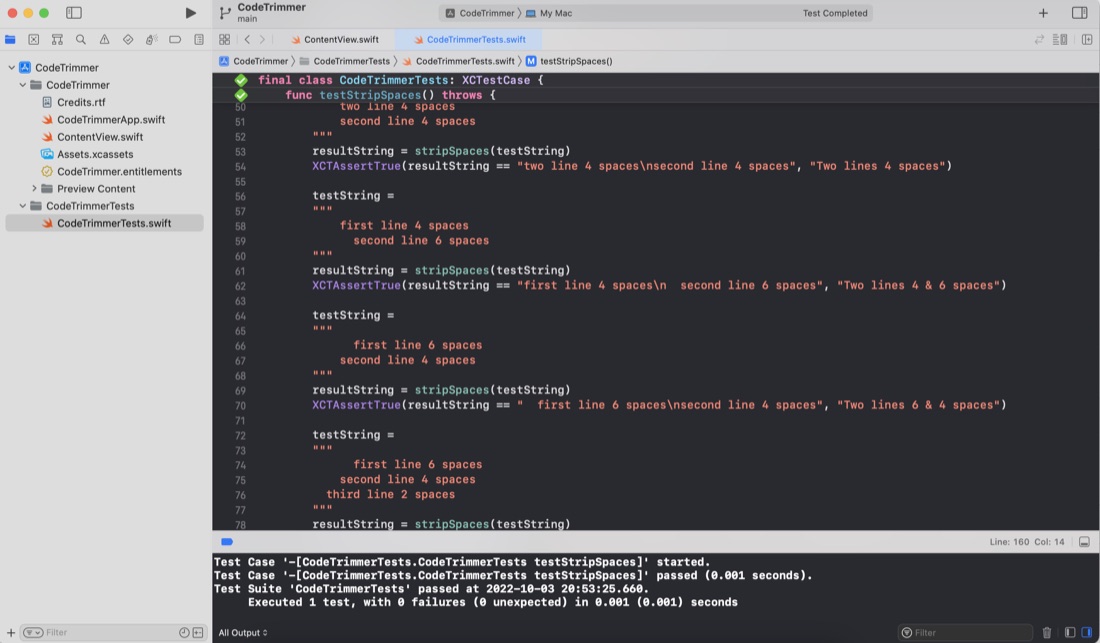
Although I haven’t worried with any unit testing up to this point in my iOS/Swift learning, in my previous programming work I did a lot of work with the large calculations involved in translating GPS coordinates and robotic positioning models where errors would be bad - so I’ve written a lot of tests over the years. I’ve also definitely felt the confidence you can dramatically refactor code with when you know the code has a robust test suite. I’m a big fan.
Oct. 8, 2022
The iOS apps I’ve been making, can only run in the simulator or on my tethered device (which I haven’t actually tried yet), but the MacOS app I made today, in theory could be zipped up and distributed to the world from my website. At the very least, I wanted to drop it into my Applications folder so I could use it, so I needed to find the .app “file”, and realised I had no idea where it was. If that’s your situation, then here’s the steps you need.
Oct. 7, 2022
The default Xcode MacOS targeted app has a built in “About” dialog called up from the “About ” menu item in the Mac menu bar. It wasn’t immediately clear to me how to customise this, but after digging through some MacOS apps on GitHub, here’s the answer.
When you app is being built, it looks for the file “Credits.rtf” in the app bundle. If that is found (or “Credits.html” or “Credits.rtfd” ) it’s used to build out the About dialog along with your app icon.
Oct. 6, 2022
I was listening to the StackTrace app this morning (episode 169 - “Choosing What Bugs to Ship” ) and one of the ideas discussed was taking the time to automate some of your development processes, partially to save time, but also because if you make a process simple and quick, you’ll be more likely to do it multiple times to improve quality.
Coincidentally, I’d been thinking about how often I paste some code from Xcode in order to display it in one of these blog posts. If it’s from the middle of a method, it will generally be indented a long way in, and there’s no point in displaying it like that (especially for a mobile reader) so I usually manually delete a heap of spaces from each line to left align it whilst keeping the needed indentation.
Oct. 5, 2022
So, I’ve been working on translating the UI design created by the external designer into SwiftUI, and have done all of the easy bits:
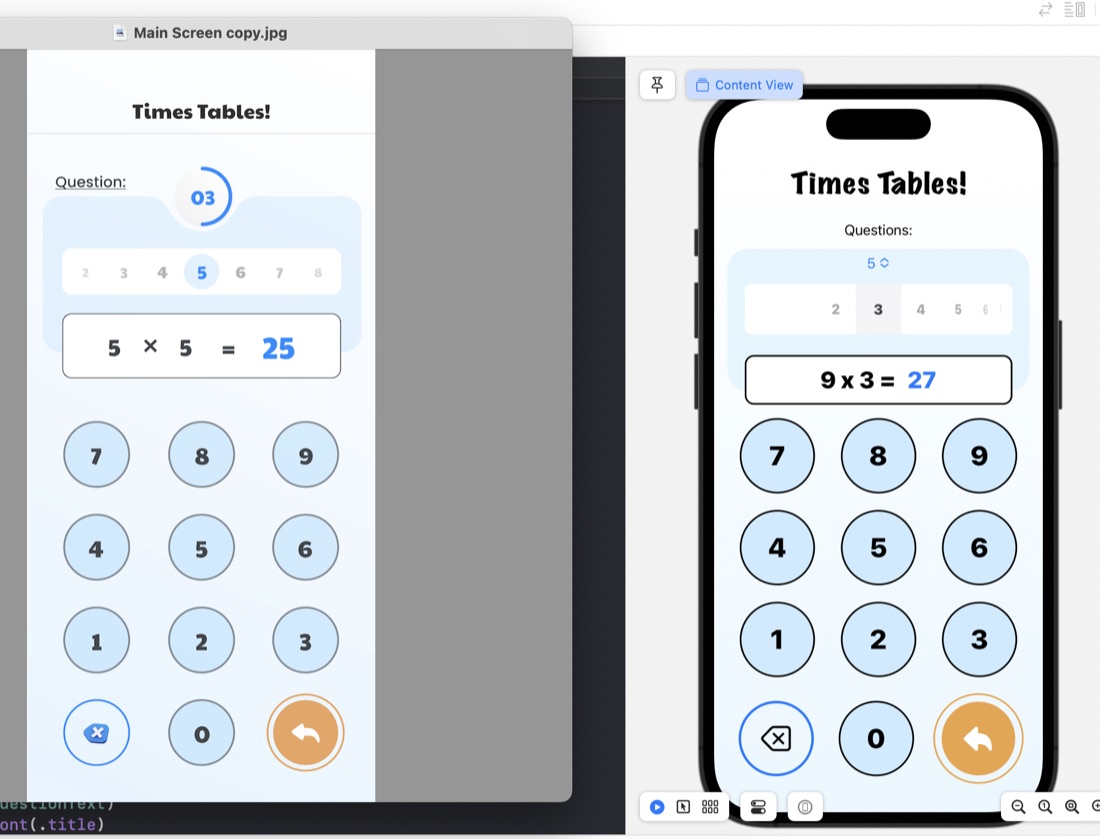
The rounded rectangles for things like the question display/number input are just ZStacks of roundedrects filled, then stroked:
ZStack {
    RoundedRectangle(cornerRadius: 10)
        .fill(.white)
        .padding(.horizontal)
    RoundedRectangle(cornerRadius: 10)
        .stroke(.black, lineWidth: 2)
        .padding(.horizontal)
    HStack {
        Text(questionText)
            .font(.title)
            .fontWeight(.heavy)
        Text(calculatorDisplay)
            .font(.title)
            .fontWeight(.heavy)
            .foregroundColor(.blue)
     }
}
.frame(maxWidth: 350)
.offset(y: 15)
Something I have learned in the process is the .offset modifer. This is what’s used to move a view from where SwiftUI would have placed it, and is what I’ve done to create that overlapped style where the question display/number input is sitting halfway over the bottom of the blue rounded rectangle. This is in the last line of the code above: .offset(y: 15) This is moving the whole ZStack down by 15. A trick to watch with this is that since you’ve messed with SwiftUI’s arrangement, it doesn’t then shuffle everything else around this - you need to manually deal with making some space below it.
Oct. 2, 2022
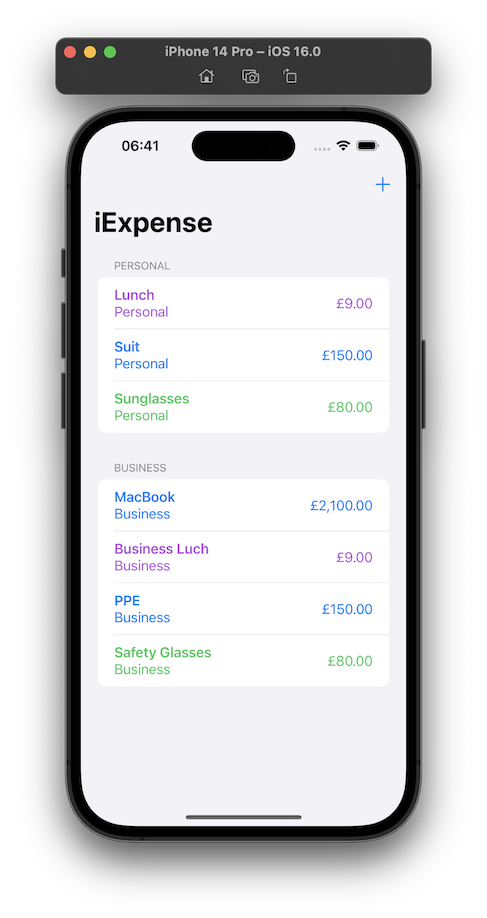
Day 38 is three challenges on the iExpense app - a simple expense tracking app that uses UseDefaults for storing it’s data.
Locale
Use the user’s preferred currency, rather than always using US dollars.
One of the joys of modern programming (as opposed to mid-1990’s programming) is the ability of the internet to give you answers. I knew the answer to this would be lurking in the locale environment variable, but instead of looking it up , just googled, and found a viable looking solution on Reddit .
Oct. 1, 2022
The challenge for Day 35 of 100 Days of Swift UI was to create a simple times tables drilling app. I’ve met all the requirements, so I’ll move on, but I am struck by how ugly it is. Making better looking apps needs to be added to my goals. Especially since this app is intended to appeal to children, and is at the end of a few lessons on animation, this is definitely a weakness of mine at the moment.
Sep. 30, 2022
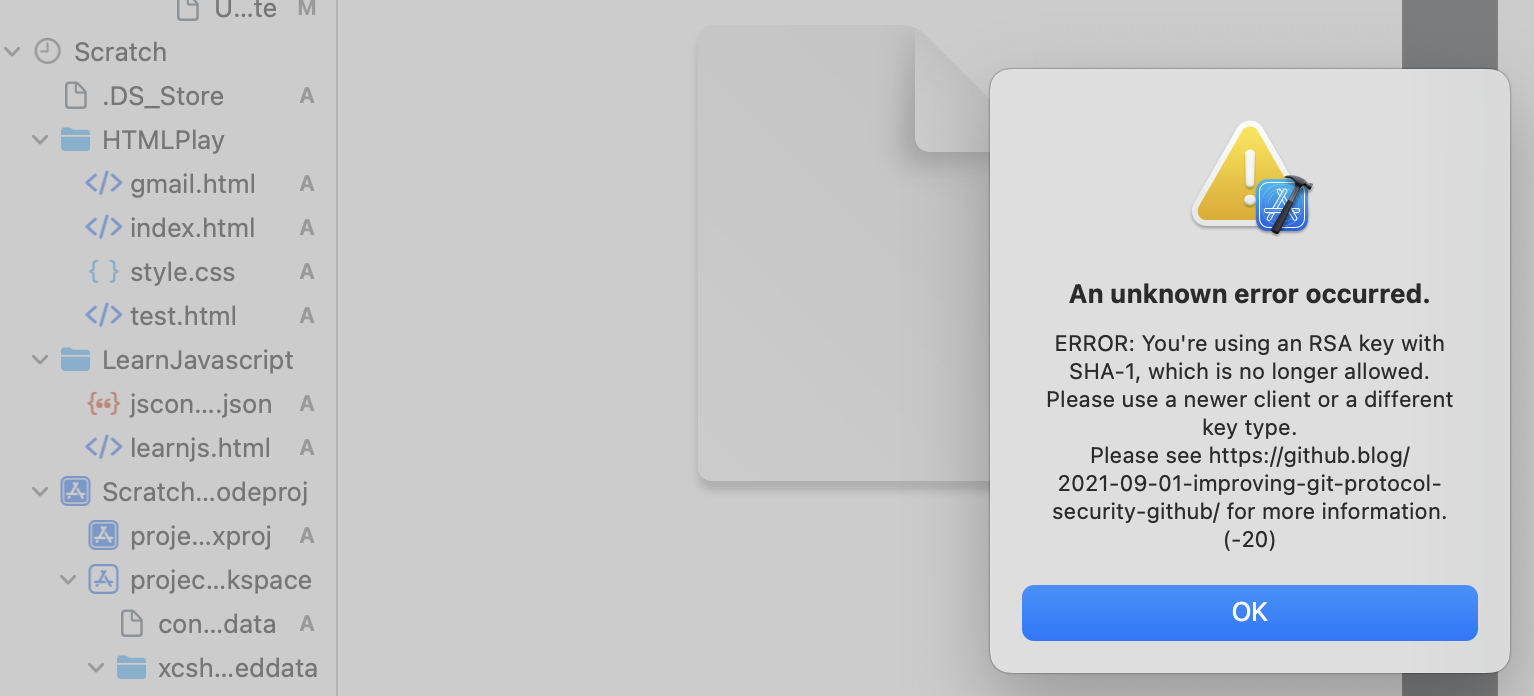
I’m very comfortable with doing all the routine git stuff from the command line, but it was bugging me that I hadn’t for the Xcode integration working. I was able to commit locally with no problem from Xcode, but could not push up to Github. It works fine from the command line, so the error about the change to a stronger SSH authentication didn’t really make sense to me.
Sep. 28, 2022
I’m on the challenges for Day 35 of 100 Days of SwiftUI , and despite Paul’s very clear warning:
Important: It’s really easy to get sucked into these challenges and spend hours…
I have spent ages fiddling around, but of course still learning. My issue is not so much getting stuck on bugs, rather I keep wanting to do things I don’t know how to do.
One issue was solved for my by the wonderful Fireside Swift podcast. I’m working through the old (Steve & Zac) episodes, and they did one on the UserDefaults just when I wanted to be able to persist the multiplication table selection the user had made (this challenge app is a multiplication tables drill app for kids).
Sep. 24, 2022
The challenges for Project 6 of 100 Days of SwiftUI was to add some animations to the Guess the Flag app from a little while ago. The animations themselves were not particularly tricky, my main issue was that I was creating the views for the three flags in a ForEach, so the animations were applied to all three flags, but we wanted different animations for the flag the user had clicked versus those they had not.
Sep. 23, 2022
It’s a very Apple-thinking thing to be learning about making beautiful and intuitive user experiences this early in a programing tutorial as I am with the 100 Days of Swift UI series. Here’s a quick look at three different ways of doing animation in SwiftUI Views.
Implicit animation
An implicit animation in SwiftUI is when you add a .animation() modifier to a view. It needs to be bound to the value that’s changing so the framework knows to animate when that value changes, and the nature of the change.
Sep. 22, 2022
I’m up to Day 32 of 100 Days of Swift UI, and although the tutorial is named “Project 6” it’s not really a project that becomes a simple app, it’s really just a series of tutorials on animation that I assume the techniques, but none of the code, will be used later in apps.
I do find there’s some value in typing in the code (rather than cutting and pasting, or just passively watching) so I opened up Xcode to follow along. There not being an app name offered, I used “Project 6 - Animation”. XCode seemed happy enough with that, and created the directory and placeholder, but then refused to build it saying there was seven errors involving the __PACKAGE_NAME macro and a missing }
Sep. 21, 2022
I’ve been using Quicktime to screen record the preview or simulator to document my work here and in Github ReadMe’s, but thanks to this excellent short post by Sarun W , I now know it’s possible to do that directly from the simulator, including capturing gestures, and exporting to animated gifs!
Sep. 20, 2022
I’ve been changing the Xcode font size by going into the preferences, themes, then selecting the different content types and changing the font size.
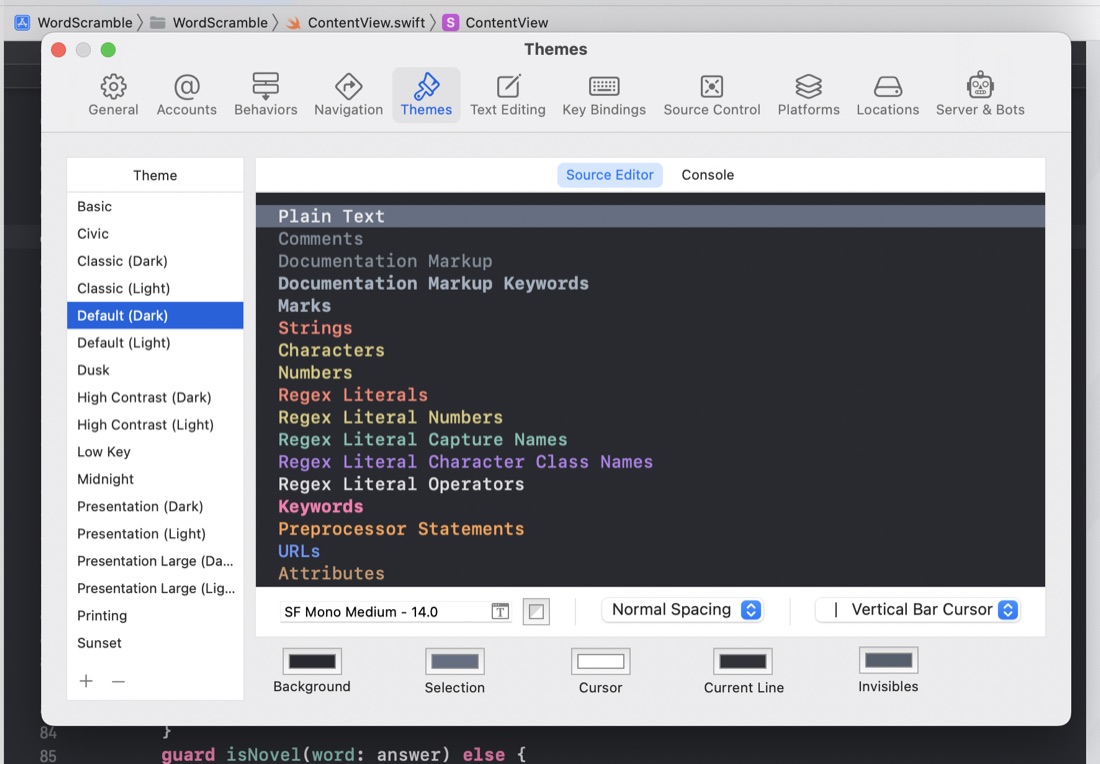
I guess I could speed that process up by saving some themes with different text sizes, but I’ve noticed a few times in tutorial videos that there must have been an easier way. It turns out that Ctrl + “+” and Ctrl + “-” increases and decreases the code font size.
Sep. 19, 2022
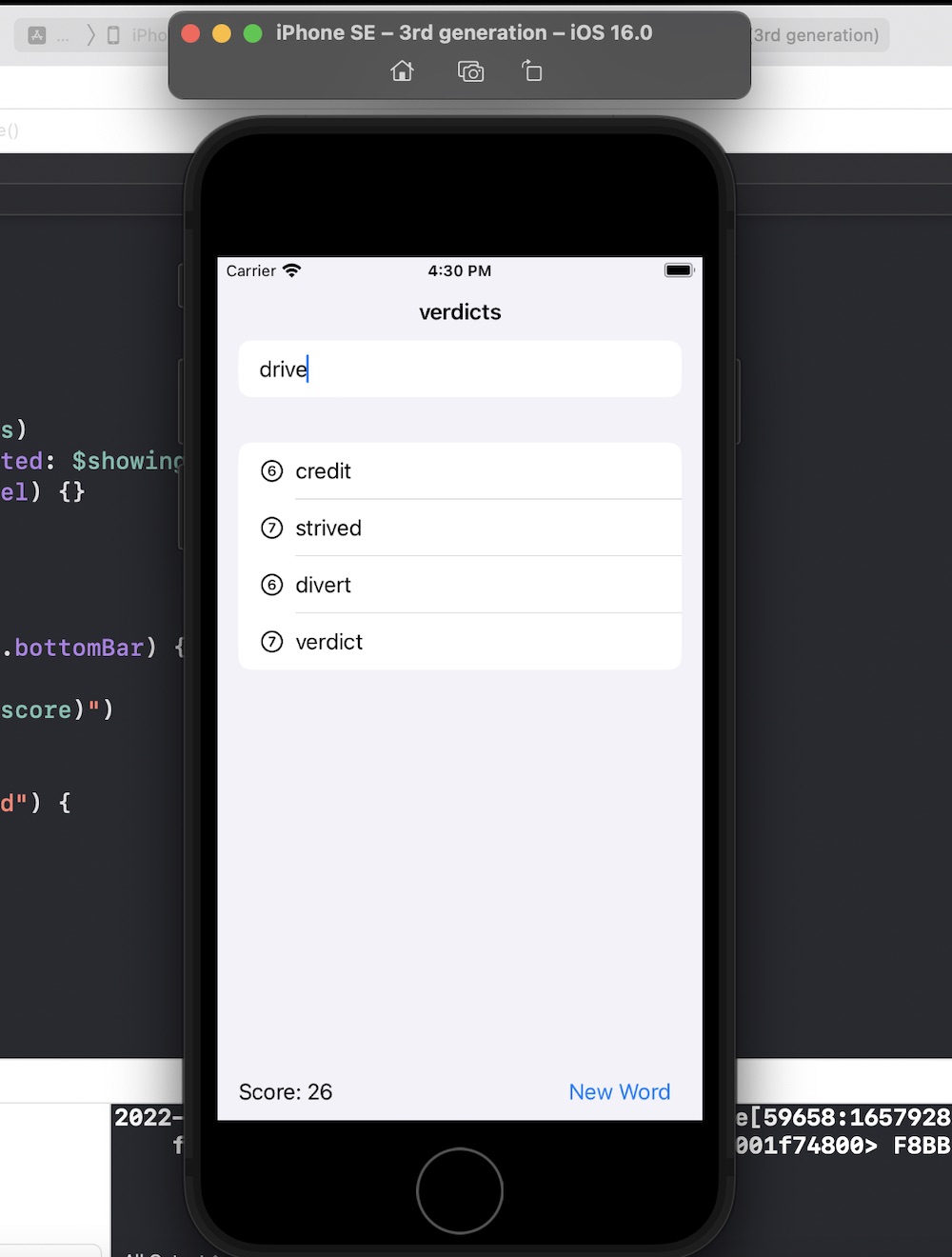
Another 100 Days of Swift UI project wrapped up - this time a scrabble like word game. New techniques included saving a large text file in the app bundle and loading it (via a string) into an array on launch of the view. Also a short adventure into UIKit to use a UITextChecker.
Source .
Sep. 19, 2022
As is my practice now, after completing the challenges for Project 5 , I reviewed Paul’s solution (which is only available to subscribers) to see what he’d done better so I could learn from it.
Most of the differences where not of much significance, but there was a couple of things I picked up:
When the user had pressed the reset button, to empty the array of word guesses from the previous turn, I had