Testing Storage Speed
3 Sept 2023
Now I’ve added NVME drives to my nodes, plus added an external NMVE RAID, I’ve got quite the collection of storage options. For one of my nodes, it looks like this:
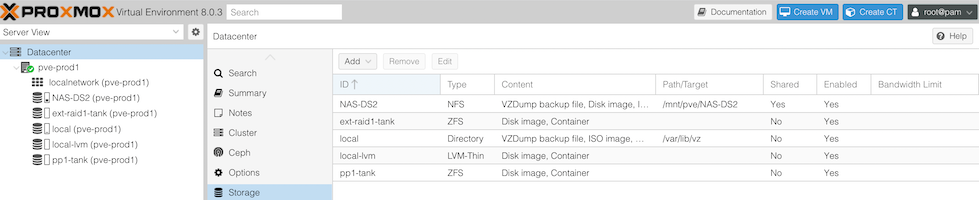
- The 256GB NVME the OS is installed to
- The 512GB SSD, currently running ZFS
- The Synology NAS - 4 x 6TB drives in RAID 5 on a 1GB switch
- A pair of 256GB NVME sticks in an external USB3 enclosure set up as a mirrored ZFS pool.
For my dev VM’s I often set them up to have their storage on the NAS - it’s just super easy to move them around then. The production VM’s currently have their storage on the SSD (that machine hasn’t had the NVME upgrade yet), but obviously with all these options, it’d be interesting to think about what goes where.
The biggest lots of files - media and distro ISO’s are clearly going to be on the NAS. No thinking to do there. Production VM backups also go there, and now I’ve got room they might also go cross-node as an extra layer of redundancy.
It’s really the live VM hard disks that need a decision. So I need to do some measuring.
Jim Salter - one of the ZFS kings on the 2.5 Admins podcast has an article on drive speed testing that’s worth reading even just for the good descriptions of different drives and the range of workloads to consider.

He ends up recommending three tests using fio.
- Writing 4K blocks randomly - disks do not enjoy this
- Having 16 parallel processes write 64K blocks to random locations in 256MB files
- Writing 1MB blocks
I ran all of those tests once on each of my storage options and this is what we got.
| NVME | NAS/NFS/RAID 5 | SDD/ZFS | External NVME RAID 1 ZFS | |
| Single 4KiB random write process | 430 | 17.9 | 80.6 | 75.7 |
| 16 parallel 64KiB random write processes | 2328 | 4897 | 267 | 135 |
| Single 1MiB random write process | 651 | 70.7 | 379 | 195 |
Speeds in MB/s
You can better see how crazy this is in a graph.
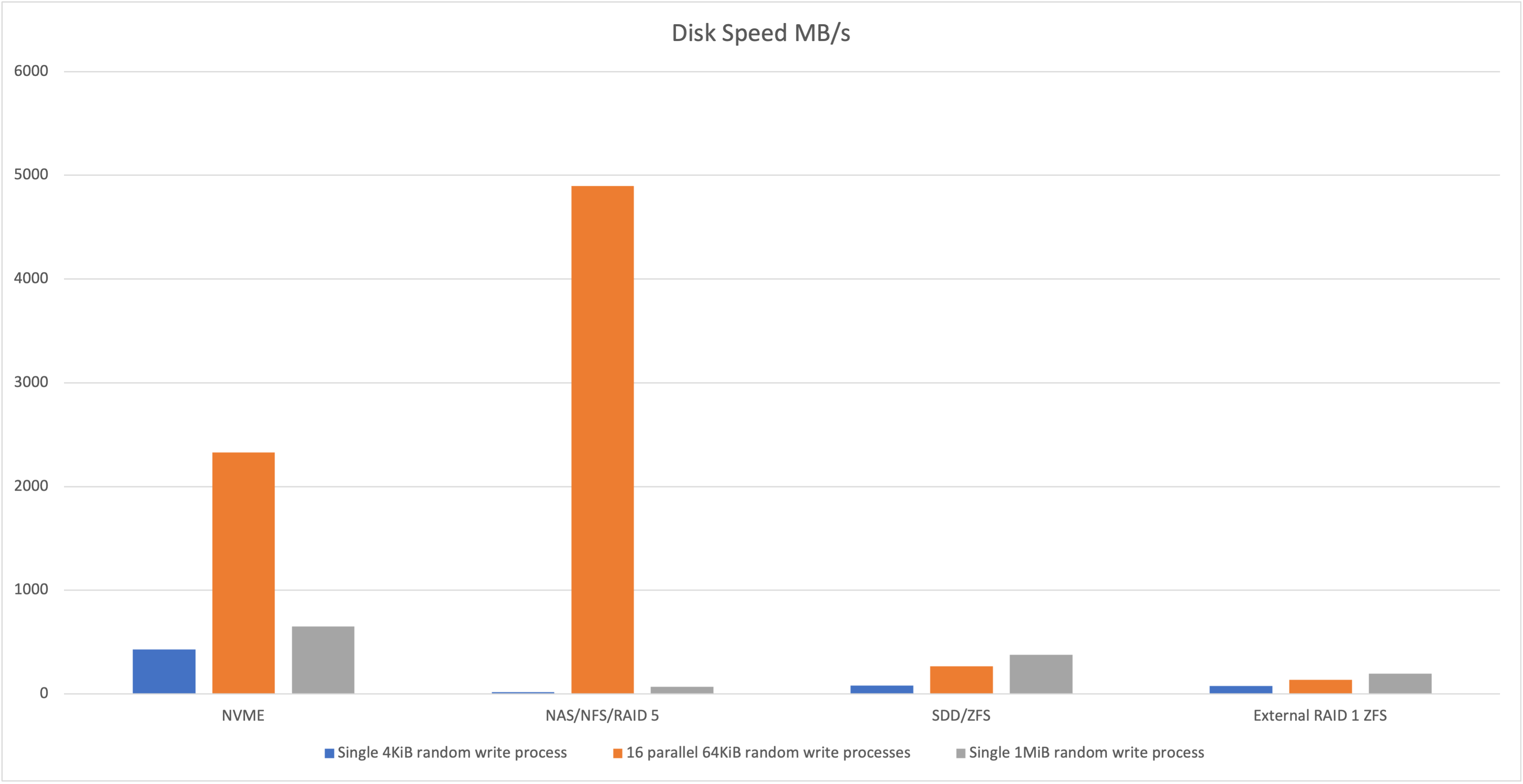
What is up with the figure for the NAS 16 x 64K?
Probably worth talking about what I was expecting. I thought the internal NVME would be quickest, then the internal SDD, then the external NVME RAID then the NAS since it’s over the network.
Given the excellent speed of the internal NVME, the external NMVE was a d=bit disappointing, but it’s got a few factors going against it. One is that it’s talking over USB 3 which has a theoretical 600MB/s limit, but we’re well under that. More likely it’s the ZFS - a system that is focused on data integrity rather than speed. But then the external drive is worse that the internal SATA SSD - and they both have ZFS with compression turned on. The enclosure is a no-name brand one, so we don’t really know the quality of it’s USB 3.0 implementation.
I’m dubious about the data for the NAS. When I first ran the 4K test it took so long, I killed the process a couple of times thinking it was frozen. The test command limits all three tests to a minute, so you’d expect them to take just a few seconds more than that, but all the NAS tests seemed to hang on the very last piece of output for minutes. I’m wondering is there was some smart caching going on, but then it waited in an async way to complete. Jim actually discusses that this is the purpose of the --end_fsync=1 in the commands so likely that’s it. I’ll have a think about how to adjust for this for a future post.
Cost of ZFS
What would the story be on the internal SSD if we turn the ZFS compression off, or just use ext4?
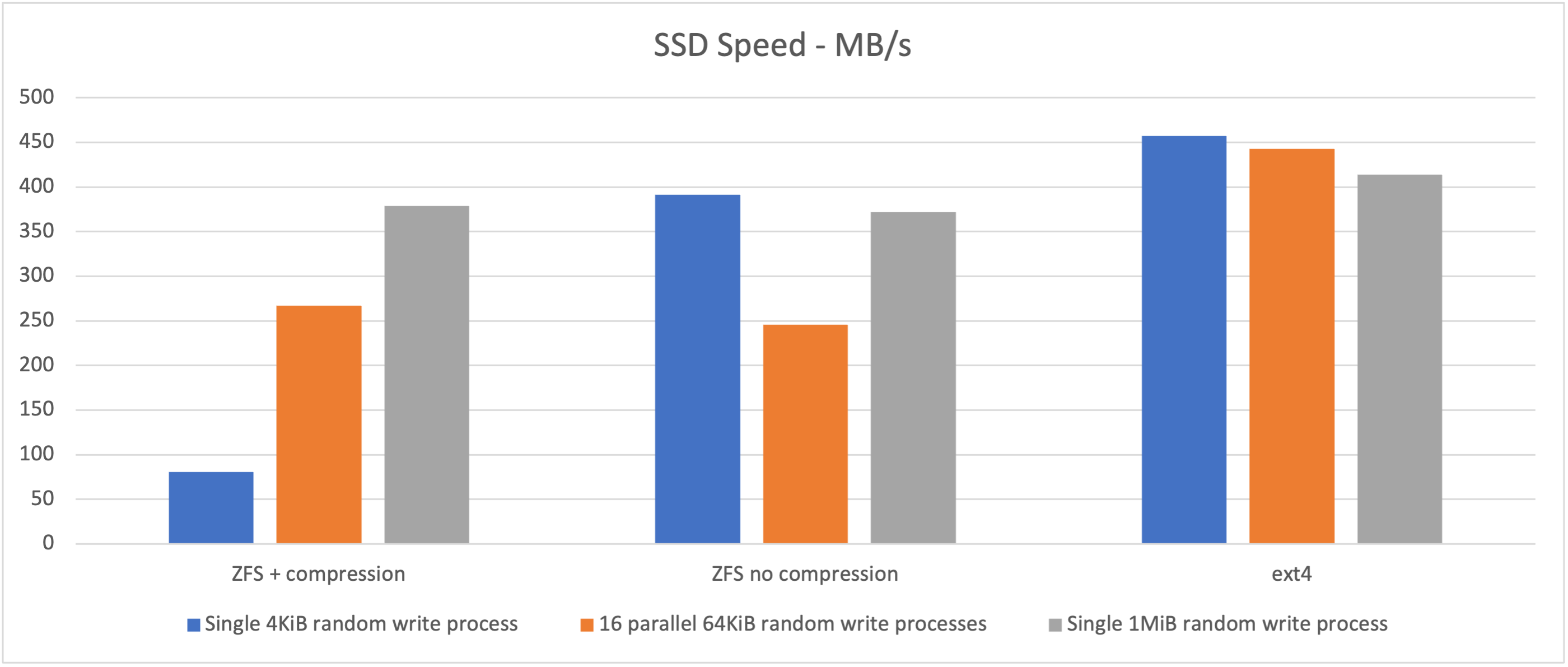
It looks like compression has quite a cost on the little writes. It’s not a simple matter though - you could expect a speed improvement in many situations if the data compresses well. I had a look at the data in some of the test files that were generated, and it seemed quite random which is probably the worst case scenario for compression. Even so, in the graphs above the compressed looks like it did better than the uncompressed for the 64K random writes. I didn’t bother to replicate the tests, so it’s possible that’s just noise.
Looking at the external dual NVME USB 3 drive with compression on/off is a similar story.
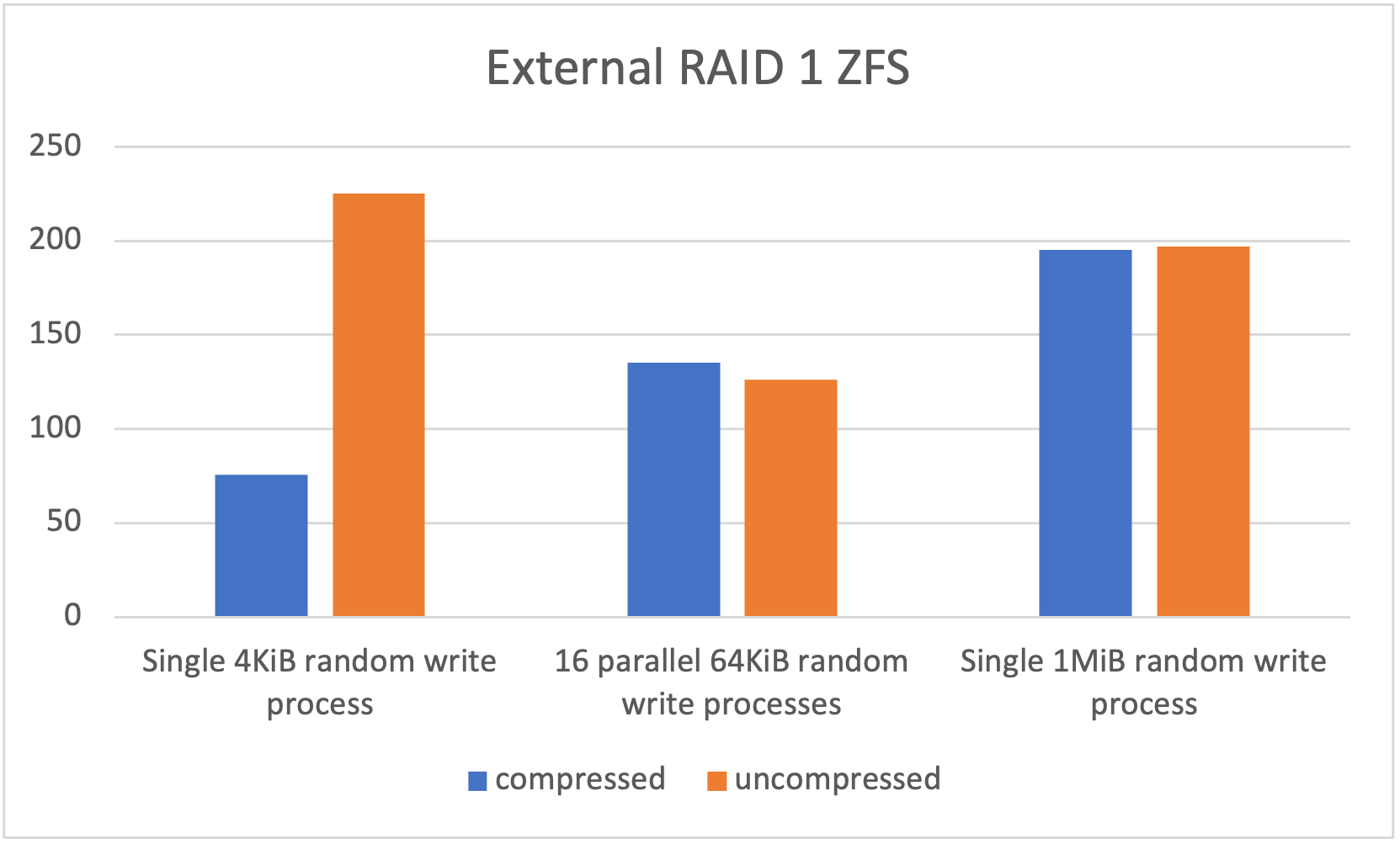
A big increase for the small writes, slight decrease in the parallel ones.
It’s really a bit hard to come to any conclusions from all this, but let’s have a go:
- There’s a speed penalty for using ZFS at all
- ZFS compression is expensive for many small writes of uncompressible data
- I need to know more about fio to figure out what was going on with that near impossible speed
- NVME is really fast connected to the bus, plugged in through USB, not so much
Based on this, I wish I’d bought bigger NVME drives - that might be a future plan when I’ve run these for a while. These 256GB ones were $20 each which is just about a disposable price. They’ll probably end up as cache for a NAS or something in the future. In the mean time, I’ll format my SATA SSDs with ZFS with no compression and the VM disks will live on them. The benefits I get from that (100% data integrity checks with scrubs, and easy transfer of snapshots) seem like a reasonable tradeoff for a little speed.